
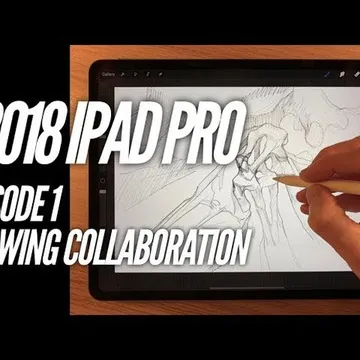
Launch of my new channel!!!
Hi all, before anything else I just want to say that my ne channel is in addition to normal service and I will never charge patrons for this content.
i really love creating weird and wonderful content and I’m really keen on collaboration with my viewers etc. So I’m starting this new channel and making my sketches available for other people to amend, colour, texture and then I will feature the results in my upcoming videos.
please find the links below if you’re interested then send the results to me at this link https://www.dropbox.com/request/O7xJRjbkjjOwUqmtA2sT
Comments (17)
Kind of thinking organic foundations spawning sleek mechanical structures....could be stations or neural centers...with energy, lights, or cerebral parts.....very humbling yet thought provoking. Look forward to more of these and continuing to learn from your workflow of sketching to color. Thanks for bringing this back James.
Thanks Andy, I’m definitely including your image in the follow up video. I’ll upload soon hopefully!!
Hi James....I give up...this is nothing for me. I prefer realistic drawings. Good idea in general, but it doesn’t fit in my concept.
Ha yeah no problem Chris, part of the reason I’ve made a separate channel for these. Don’t worry though, these aren’t replacing the realistic tutorials!
Great! Thanks for the image Elliot
worked this time. Thanks
Fantastic 😊
James, can you assist in the download of the procreate file? For some reason it isn’t opening when you click on the link. I am trying to download that file on my iPad but nothing happens.
That is strange, I just tested it and the link worked ok. Make sure you are on your iPad, click the link, then click download, then open in...select procreate from the options. If Procreate by default isn’t one of the open in options, you will need to add it prior, via the same window. Hope this works, if not, give me your email and i can send you the link, although i suspect you will be faced with the same ‘open in’ situation even then.
So looking forward to this again. Used to be the highlight of my week and now with the collaboration addition it will be fun, entertaining and informative.
Thanks Andy, yeah I loved doing these, but they were harming my channel in terms of YouTube algorithms, so I thought with a whole channel dedicated to this then maybe it could take off on it’s own merits.
I'm interested in automatic drawing as well. Primarily, I like to see your work process and tutorials. I'm not as interested in collaboration, but it's an interesting idea! Good luck with the new channel.
Thanks Matthew 😊
Fantastic idea James, I look forward to having a go.
Great to hear Chris look forward to seeing results
Hi James. Thank you for this idea. I will try this - a new trial ;-) Are you satiesfied with the new iPad Pro (I guess it is a 12,9"). I have received the new iPad 11" with the 2. Apple Pen. Shall I upload my result here, or somewhere else?
Thanks Chris, you can upload here yes 😊 or email me