









Zelda: Majora's Mask 3D 4K Texture Pack 3.0 Update
3.0b Patch Notice (2025-12-03): A small patch for version 3.0 has been released to fix various issues with some textures.
3.0a Patch Notice (2025-11-13): A small patch for version 3.0 has been released to resolve an issue with some of the new UI elements in this version showing old icons from 2.0.
Good evening! 🌙
Fall season is approaching and it's been a hot minute since the last update to this project. In fact, it's been one year on the day since the last version, 2.1, released last year. It's time for a new update, don't you think? Similar to OoT 3D 4K 3.0, this was initially a smaller update but I kept adding new things to it and well, here we are! Anyways, I hope you'll find the upgrades of this version worth the extra wait. So without further ado, here's what's new:
170+ New Textures!
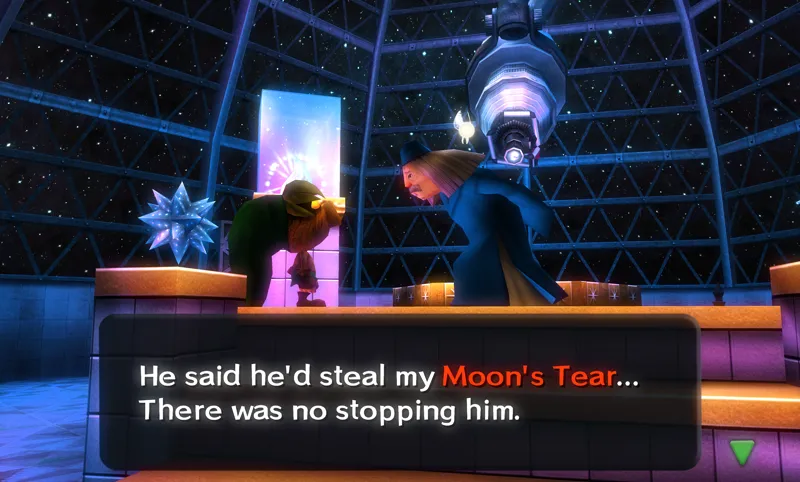
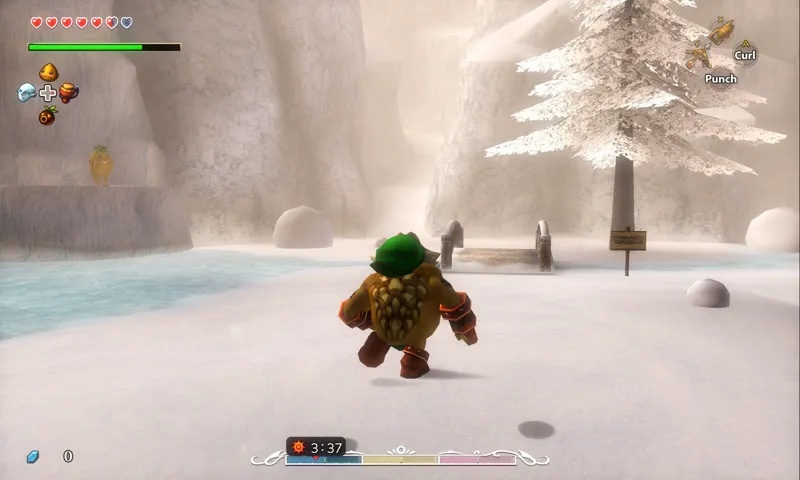
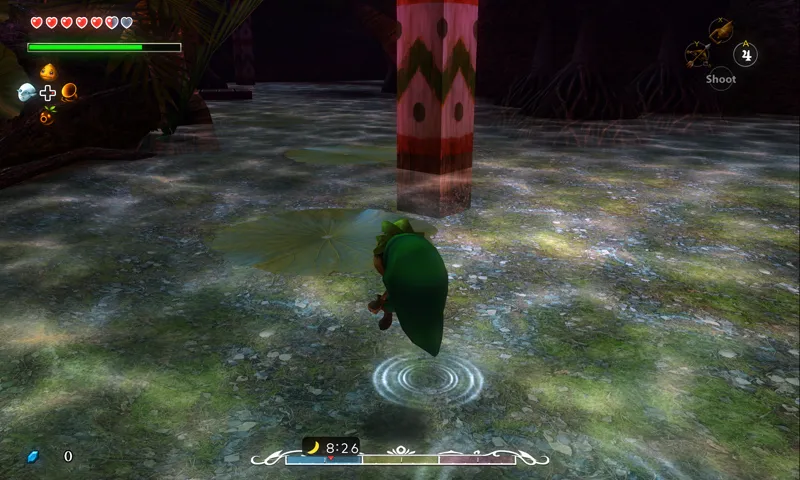
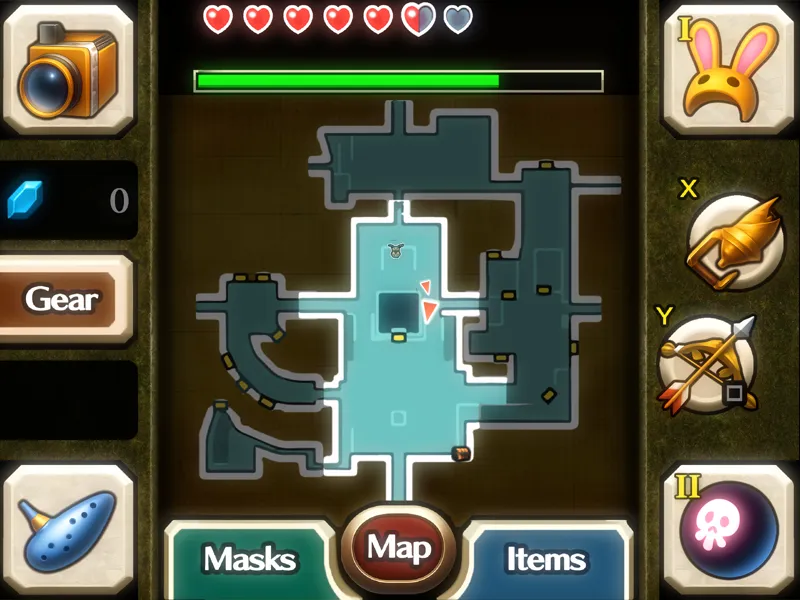
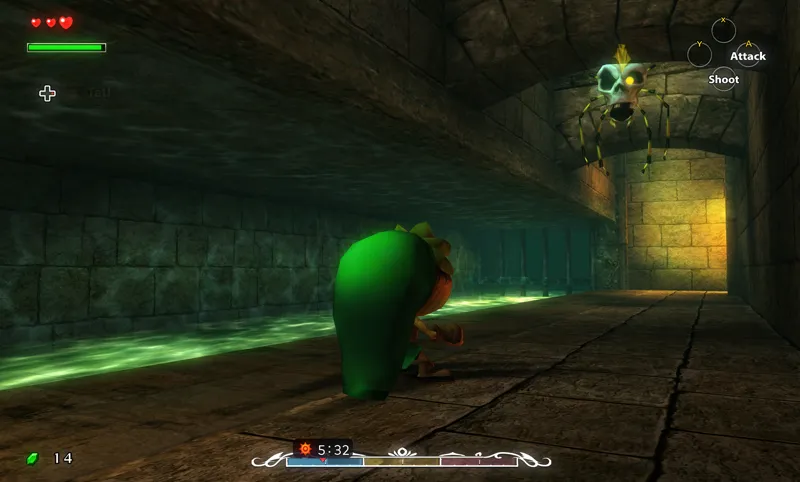
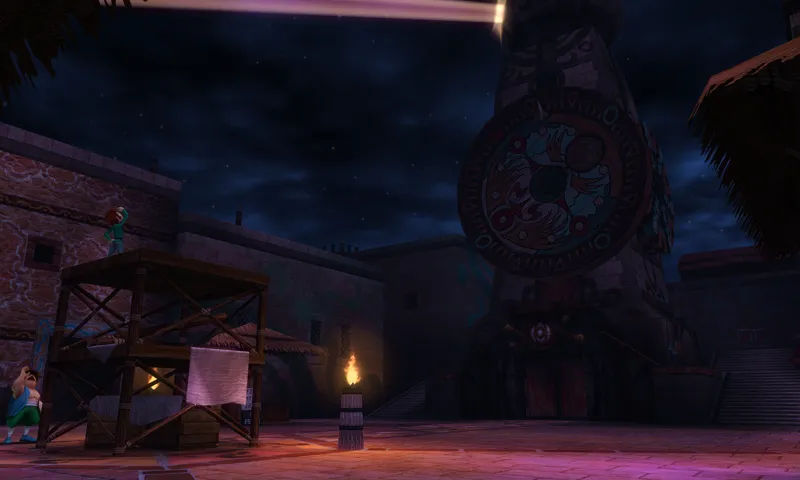
This update includes over 170 new 4K textures which have been remade from the ground up for this version. This includes both environment textures such as the ground, walls, stone tiles and bricks, wooden panels etc. It also includes many new interior textures, completely overhauling several locations, such as Pirates' Fortress, Clock Town and more. There are tons of miscellaneous textures as well that have been completely remade, such as different types of foliage, NPCs, the Mirror Shield, Weather Effects, Sheikah Stones, Deku Flowers, the World Map, a new remade font, a majority of the UI and much more.
Like previous updates, it helps it all comes together really nicely and makes the whole pack feel a lot more polished and complete. The details all add up!
As part of my overarching goal to improve quality and consistency in all my texture packs, I took this update as an opportunity to remake many of the in-game textures to look cleaner and be more consistent with the original art style. What's new with this version however, is that I've spent considerable time making sure every single texture added had a noticeable impact on the perceived quality of the area they belong to. Long term followers might know that I worked by a frequency priority system, where the most viewed textures received the highest priority to be remade. Starting with this version, I have moved over to a perceived-quality priority system. The difference is that with perceived-quality, I instead prioritize textures which I deem to have the biggest impact on the overhaul visual quality of an area, rather than how frequently that particular texture is displayed in-game. With the new system, textures which aren't necessarily common, but incredibly important to the overall visuals of an area (such as the UI and Clock Town for example) get prioritized over frequent but less noticeable textures (such as foliage). I have found this new approach to working highly effective, and I think you'll notice that the step-up in perceived quality in this version should be pretty drastic over previous versions!
It's finally happening: Full support for Spanish!
As stated in previous posts, I'm working to add support for all in-game languages to my packs, starting with English then working my way through other popular languages. Last update I added support for German, and this time get ready for Spanish! Everything in menus, in-game text, button prompts and location names have been translated, and should* work without issues. However, if there are any mistakes or errors regarding the translation, please let me know! ¡Gracias!
Updated UI and item icons!
Arguably one of the biggest improvements this update is the updated item & mask icons, as well as general improvements to the user interface. All item icons (except for some bottles, for now) have been updated and remade completely in glorious HD quality! This also includes character portraits, which finally fixes some long-standing issues with the pack since the beginning. Buttons, outlines, prompts and more have also been remade from scratch to look much cleaner and nicer than before. And of course, I've also gone ahead and remade the whole font sheet for in-game messages with more consistent spacing and kerning for more pleasant reading. It's a lot of smaller changes and details, but I definitely think it adds up!
Improved Japanese translation textures thanks to work by Tomoki Sato ("LINK")
Tomoki Sato (a user who also goes by the name "LINK") has generously been helping with translating most of the UI textures of this texture pack, as well as the OoT3D 4K texture pack, over to Japanese! Another batch covering some of the textures has been added in this update, with more getting included in future releases. Please follow them on Twitter here: https://twitter.com/LINK_genkaiya
And many bugs fixes, optimizations and minor changes...
Minor issues from the previous version has been fixed. Some of the fixes include the following changes;
Fixed the map in Pirates' Fortress appearing as the Great Fairy (yes, seriously).
Fixed low resolution bloom present in various cutscenes.
Fixed low resolution text appearing in some places.
Fixed some text not using the correct terms (i.e. "Back" instead of "Return")
Updated character portraits and fixed some portraits displaying incorrectly, resulting in disfigurement.
Fixed the font not handling certain characters, resulting in font inconsistencies in other languages than English.
Message text now fully supports apostrophes and special characters.
Fixed bloom effects being applied twice in the included Reshade preset.
Fixed some misnamed textures, including a naming issue which resulted in some textures not displaying their 4K variants on the PAL region version.
Performance has also been marginally improved due to the previously described optimizations, although keep in mind that Vulkan support in emulators is still not perfect and bugs may occur that did not occur in OpenGL in previous versions. For this reason you are still be able to enjoy the game using OpenGL instead of Vulkan by enabling it in the emulator Graphics Settings, if you want to. This should lead to a more polished and overall enjoyable experience for everyone using the pack.
Notice: Normal maps have been temporarily removed in this version, as they will be remade in future revisions to the project. Normal maps were not used in-game in previous versions, so you won't be seeing any visual differences as a result of this- but it will reduce the file size of the pack by a fair bit. This explains why you might see fewer total textures in this version compared to 2.1, since 100+ unused normal maps have been removed from the project files.
That's mostly it for this update. Enjoy!
This update is available for free to everyone!
There is also a 4K version available! The 4K version includes higher quality textures than the 1080p version, and will work on all displays- even those that don't display in 4K resolution. It will still look better than the 1080p version, no matter the display!
Please feel free to try it out!
(The texture pack does not work on real 3DS hardware)
You can find more information about my 4K texture pack here.
You can find the download link and more information on the info page here!
I am only able to make things like this thanks to your support, so from the bottom of my heart, thank you for helping me do what I love!
❤️
Comments (48)
Has anyone tried getting any of this to work with Azahur on the Ayn Thor? I am very new to emulation and am curious
so i can't download the pack on drive cause it says that the quota of downloading has been reached so i can't download the 1080 p pack or the 4k, is there something you can do about it please ?
This and OOT are not working for me on most up to date Azahar and Azahar Plus, older builds of the texture packs were. Title Screen shows up then black screen followed by a crash.
Como baixar?
hello thanks for your works , i have a question why the MMD 4K 2.0.0 E (1080p) have 2806 files 2.26 GB and the MMD 4K 3.0 b (1080p) have 1625 files for 1.69 GB in folder textures.
3.0 removes many duplicate textures or unused textures to save on file size, even though the amount of actual noticable textures is actually higher than 2.0
I am infinitely grateful for the project, but I would just like to mention a small error for future updates: in the Spanish UI, the message “No map” ("Sin mapa" in spanish) is displayed as “Keine Karte” (German). A good translation could be "Sin Mapa" wich means without map The file location is as follows: UI\PAL\SPA\tex1_512x256_001A24F2672DD77A_13_mip0.png Thank you so much for your hard work!
i cant get it to work i tried on my pc ive tried on my thor using azahar i have my backed set to vulkan i have everything in the right place it freezes on everything i try it on any ideas or suggestions?
Thank you so much for your work! I have a question: Is it possible to create a mod for Ocarina of Time 3DS where the energy bar and hearts are visible on the main screen like in Majora's Mask? Please, I beg you! I would support you financially if necessary. Cheers! Nicolas
Unable to download. Quota exceeded
Anybody having issues loading this texture pack in the most recent CitraMMJ on a Thor? Didn’t load on Azahar. I just can’t seem to get it to work
Most likely its either that Vulkan isn't set up as the graphics backend in the emulator graphics settings (check if its set!) or the textures arent located in the correct location. Please shoot me a message in a DM or on Discord and I'll help you out further if you're still having trouble with the textures not displaying!
The game looks so beautiful! I was wondering if there is a 60fps cheat you're aware of since I've been having trouble finding one online
Hi Henriko! I know this might be a stupid question but how do you get the hearts and rupees on all one screen? This is the 3D version, so there are normally 2 screens. How do I get it all on one screen?
where would one get the cirta emulator for this. or a similar emulator
citra is shut down now but i could help you get it
The domain isn't allowing downloads for some reason. Is there a alternative link?
if you got any problem with the language you just need to search in the file "UI" and delete the "PAL" file, obviously you need your region rom
just wondering, it works on ship of harkinian 2?
It only works on the 3DS version currently
I'm usually 100% satisfied with your texture packs. I always look forward to updates and install them right away. But recently, there's been this “glow effect” that makes me feel like my glasses are dirty and I can't see properly anymore. It's like looking through a milky glass. And what strikes me is that you've never updated the textures in Ikana Canyon or Stone Tower. The whole Canyon has remained unchanged since 1.0. I'm sorry if this comes across as too negative. I want to emphasize that I really appreciate your work, your efforts, and your passion. Thank you for using your free time to optimize our favorite games. That's not something to be taken for granted.
Thanks for your feedback, I appreciate it! You can rest assured as the next major update to the pack will indeed cover many parts of Ikana. Regarding the glow issue, that is most likely the bloom effect in reshade you're describing, which fortunately can be tweaked or disabled entirely if you don't like the way it looks inside of the ReShade menu (provided you've installed ReShade and is using one of my included ReShade shader presets), by pressing "8" on your keyboard > scroll down and uncheck the bloom checkbox or reduce the intensity of bloom to a lower value in the list of shader variables.
You are amazing, this looks even better! I thought it couldn’t get any better from the last patch 🫡🥹
I can't figure out the reshader. I installed Vulcan but how does it access your reshade setup? All I get is the message about pressing "home" and I did everything in the install instructions.
For whatever reason these don't work. I have the OOT ones installed and working, but these will not work. Everything is named correctly and in the correct location. Load textures is turned on and res is 4x. Textures just won't load. AYN thor.
Exact same thing here on AYN Thor
Will the texture pack work on a modded Switch version of the game?
Playing on Citra on Windows with Project Restoration. All 4k textures load except the HUD on the main (top) screen. No hearts, magic meter, or clock.
Hello, thank you for the update ! I want to know when the French version will be done ? Have a nice day !
The french translation is underway, it will hopefully be ready for the next update!
I deleted the textures of the previous version I had. Now I'm wonderung if this pack was just an update and I should have kept the textures from the older version and just copied these ones over. Will I have all the textures if I deleted the previous version's textures? Thx for all of your hard work!
This version includes all the textures from the previous version as well, so you did it the correct way. Enjoy!
Am I able to use this texture pack you created AND the project restoration for MM using Retroarch on my PC? It uses the Citra core, just not sure where to install everything.
I think You're better off posting this In the Henriko Magnifico Discord since he is more likely to respond :)
Was running well for about a day or two and now game crashes every so often . Already searched on GitHub, no solution yet for azahar emulator.
Are you relying on Save States often? The emulator is known to become unstable if Save States are used frequently, so its recommended that you save and load normally using the built in save system in the game instead of using Save States.
Has the title card not been updated yet? I thought it had been, but after updating, it seems to be the regular one. Everything else seems right. Maybe I'm remembering wrong. Thanks so much Henriko!
The title screen has been updated, maybe try re-extracting the pack again and see if that fixes it (preferably using 7zip or WinRar, since the built in one in windows seems to sometimes fail to extract all files for no apparent reason)
Awesome work! The only problem I spotted thus far (after 30+ hours of gameplay with the new texture pack) is Romani Ranch's roadside grass and field grass having mismatching colors. Nevertheless, superb quality of work!
Nice catch! I'll add it to my list of things to fix for the next patch, thanks!
Amazing work, however I noticed an issue. When I finished Stone Tower Temple and turned in the stray fairies the great fairy had pink hair instead of blonde, so I imagine there is a mix up in the great fairy texture files.
Interesting, thanks for pointing this out! This is most definitely a bug, I'll add it to my list of fixes to implement for the next version.
maybe im doing it wrong but it loads all the textures and then the game is still regular
If you're playing the PAL / European region version of the game, you need to copy the textures over from the NTSC / North American version folder to the European one. This and more is explained in the instructions on the info page here; https://github.com/TexturesGuide/MM3D_4K_SetupGuide/wiki/Setup-Guide-&-F.A.Q
Good chance it might be just me, but after drag and dropping the files to update, it just crashes after double clicking the game in citra. It wont even load
Are you using project restoration? In that case, try removing the mod and see if that fixes it. (In that case, it's most likely because an incompatible version of the mod was installed for the version of the game you're using!)
Everytime I see a Henriko update on my email I genuinely jump up and down with excitement. It's like Christmas
Once again doing Hylia's work! It's funny because I've recently reflected on your approach to texture overhauls--or rather, what *used* to be your approach. I recall some of the grotto textures being a clear contrast in quality to 98% of the rest of your work...let's face it, players aren't gonna be spending too much time in those places. Seems reasonable, really! But with this new perceived-quality approach you've settled on, I forsee the grottos looking much-improved, and with only minor tweaks compared to the rest of the game's areas. Synergy (in general) has always been a huge personal interest of mine and I'm looking forward to seeing how much you can bring out the atmosphere of the game as a whole by making all these visual elements work better together.