
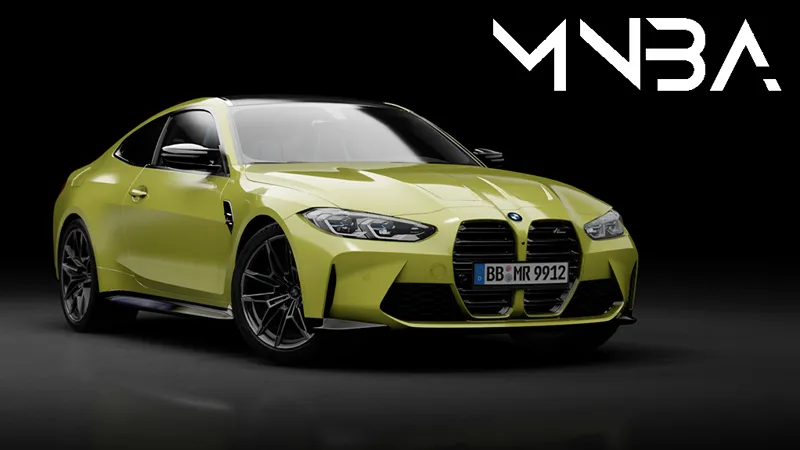
M4 G82 COMPETITION + MANUAL
Original model from CSR2 converted by EKIP
Update by Adriaan:
Hotfix: 1.01 Engine damage fixed
Extra button A: change nav/radio
Extra button B: disable HUD
-Separated interior
-AO inside/out
-Blinkers
-Wipers
-Selflighting
-PBR shaders and texture overhaul
-Paintable rims/leather etc
-New cluster
-Windshield reflection
-New rims for manual
-Swapped steering wheel
-Updated interior symbols
-Hud by Buja Gili
Big thanks to all testers for feedback and my mates at MNBA for help and support!
Competition link:
https://drive.google.com/file/d/1H_1EaqJoHIOpxYqVisc6kK_iCY1wUpAM/view?usp=sharing
Manual link:
https://drive.google.com/file/d/1shZp1HPjcJOh4EUpuU3VKE8OnKIoVs4H/view?usp=sharing
Comments (15)
wenn man etwas stärker bremst kommt ein dunkler ton raus als ein quietschen
Hey, so is there a way to add android auto into this?
thanks alot
Can I bother you one last time I promise lol? How do you turn on the navigation ?
Extras. You need to assign the buttons in CM
Awesome thanks
You need the original dlc's from steam. Or the ultimate version of assetto corsa. You can find them pretty cheap on instant-gaming.com A lot of mods are based on these carpacks.
So if I want to drive the m4 competition I have to buy the m4 competition on the steam site? Or a bmw car pack? Is that correct. Sorry I’m new to this pc world
You need dlc yes. For all our mod we recomend to have all game dlc´s
am i doing something wrong? alot of these cars arent working. they load into my screen but when i start game it just crashes. i downloaded it the same way i did the m3 competition and that car works lol
Looks like you missing the DLC's from steam. Or you missing the driver pack's.
I have one.. remark regarding this car. I drive in VR and the position of the HUD isn't right. If you drive the real BMW, the HUD is projected to somewhere in the distance like the middle or end of the engine cover. Here, the HUD is really close (in the distance of the dashboard) which makes the HUD impractical to use in VR (because you have to re-focus your eyes on close distance). Remember, in VR you have the real stereoscopic 3D view. The whole idea behind a HUD is, that you don't have to do this. So... is it possible that you change the projection plane of the HUD somehow?
dont work
try downloading latest customs shader patch
Thank you very much