

N-CURVE COMP [PLUGDATA]
v1.6 (PLUGDATA 0.9.3) - Now features IN, OUT and BEND displays for the curve editor!🥳
N-CURVE COMP v1.6 for PLUGDATA-FX 0.9.3
N-CURVE COMP is a curvature compressor that is capable of complex dynamics reshaping while being streamlined and efficient.
This plugdata patch uses waveshaping on the analysis signal to compress the original signal towards the waveshaped version!
This means that at 0ms attack and release, you're close to full-on waveshaping!
The upward compression limit is 96dB, which can be extended to 120dB if the input gain is raised to max 24dB! ✨
COMPRESSION MODES - SAFE AND RAW ⚔️
N-CURVE COMP comes with 2 Compression modes!
SAFE MODE - uses a high quality symmetric lookahead smoothing filter to ensure minimal distortion which is best for when you want to shape dynamics without the usual side effects of compression. At 0ms Attack, N-CURVE COMP effectively acts as a 0-distortion limiter with a custom target curve, making it incredibly powerful for no-compromise gain staging/mixing. This mode introduces ~2.6ms of Latency and is enabled by default!
RAW MODE - has no symmetric smoothing and can therefore be much more fast/aggressive! At 0 attack and release, it is basically full-on distortion! 💥
SAFE vs RAW - Comparison on a Kick Drum ⬇️
The above comparison is the INFLATE curve preset at 0ms Attack and 2ms Release ✨
THE CURVE EDITOR
To get you started understanding curvature compression, you can use the curve preset menu to get familiar with the different forms of compression in N-CURVE COMP ⬇️
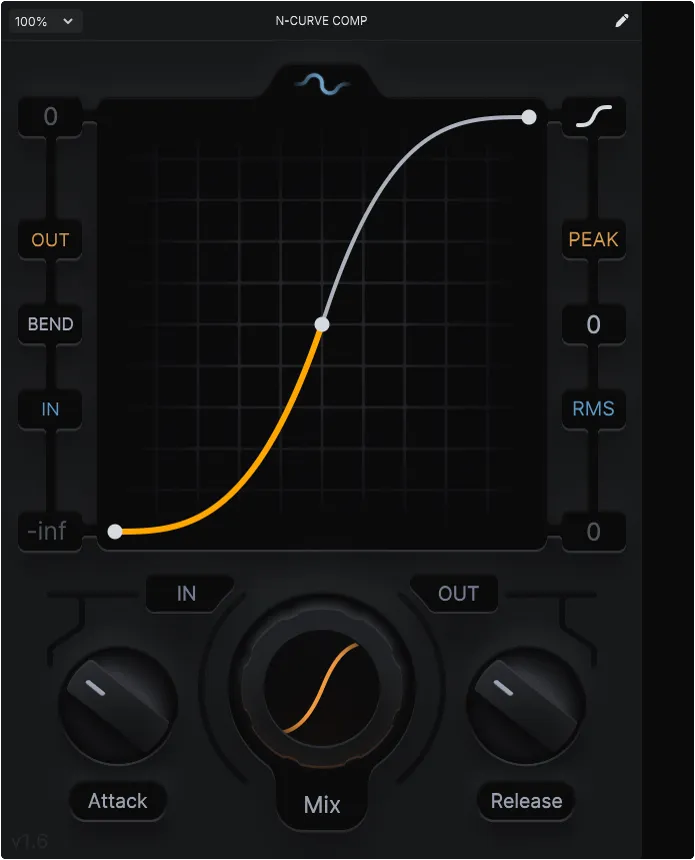
You can edit the curve by click dragging points, double clicking to add or remove points and click dragging the curves to adjust curvature between points.
Holding Shift while dragging a point enables snapping to grid.
Ctrl + clicking a curve resets the curvature✨
Since Version 1.6, N-CURVE COMPs Curve Editor now features indicators for the INPUT, OUTPUT and BEND
A linear curve means a signals comes in and goes out without change. The range of N-CURVE COMP is -infdB to 0dB by default, which means any signals above 0dB will be compressed to 0dB.
Adjust the ceiling offset to the right of the curve editor.
Adjust input and output gain below the curve editor. ⬇️
FAMILIAR CONTROLS
Attack and Release work similar to other compressors, except that N-CURVE does not add attack to upward compression, as it's unstable and causes very loud transients This ensures N-CURVE COMP sounds transparent at any setting! ✨🫡
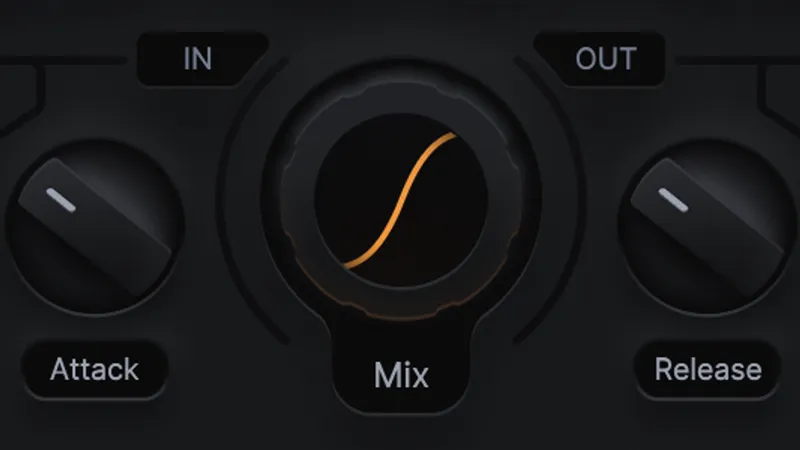
Lastly, you can adjust the DEPTH and MIX of the curve compressor, giving you even more control over how much the dynamics reshaping is applied ✨
DEPTH interpolates between a linear shape and your custom shape. MIX adjusts dry/wet.
ENJOY! 🥳
HOW TO INSTALL:
INSTALL/UPDATE TO PLUGDATA 0.9.3 ➡️ plugdata - Download
DRAG AND DROP THE .PLUGDATA FILE INTO PLUGDATA ✅
DOWNLOAD PLUGDATA 0.9.3 (FREE)
Comments (4)
i drag and drop the plugin into plug data but nothing happens
hey! make sure you're on the latest version of plugdata! You'll find the installed patch in the Library tab! :)
Hey guys, love the compressor so much! but unfortunately i used it this morning just fine and when I went back to session later today it mutes all of my tracks until i disable it. and then the sound comes back on. every time I try to use it, no signal, no sound. I even tried re-downloading, please help and thank you!
Hey! Did you use Plugdata or Plugdata-fx?