
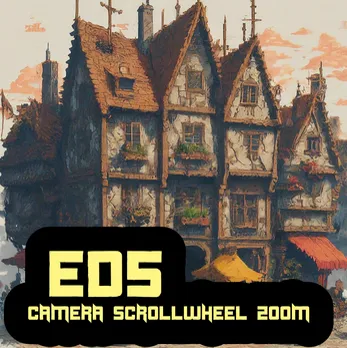
🎮 ED5 Scroll Wheel Zoom v2.0
🎮 ED5 Scroll Wheel Zoom v2.0
Professional map zoom system for RPG Maker MV & MZ
Smooth, customizable, and pixel-perfect
RPG Maker MZ 1.8.1 RPG Maker MV 1.6.3 Free License v2.0.2
🌟 Features
Core Functionality
✨ Mouse Scroll Wheel Zoom - Zoom in and out with your mouse wheel
✨ Smooth Transitions - Configurable smooth zoom animations
✨ Pixel-Perfect Click Detection - Accurate click-to-move at any zoom level
✨ Middle Click Reset - Instantly reset zoom with middle mouse button
✨ Keyboard Shortcuts - Configurable reset key (PageDown by default)
Advanced Controls
🎛️ Toggle System - Enable/disable zoom with plugin commands, switches, or scripts
🎛️ Map-Specific Settings - Per-map zoom limits and defaults via notetags
🎛️ Runtime Control - Change zoom programmatically during gameplay
🎛️ Save Compatibility - Zoom settings persist through save/load
Compatibility
✅ MV & MZ Compatible - Works on both RPG Maker MV and MZ automatically
✅ Plugin-Friendly - Compatible with most other plugins
✅ Performance Optimized - Minimal CPU usage, smooth even on low-end devices
✅ Mobile Ready - Touch controls supported
📦 Installation
For RPG Maker MZ:
Download ED5_ScrollWheelZoom.js
Copy to js/plugins/ folder
Open Plugin Manager in RPG Maker MZ
Add the plugin and enable it
Configure parameters (optional)
Save your project
For RPG Maker MV:
Download ED5_ScrollWheelZoom.js
Copy to js/plugins/ folder
Open Plugin Manager in RPG Maker MV
Add the plugin and enable it
Configure parameters (optional)
Save your project
That's it! The plugin works automatically with sensible defaults.
🎮 How to Use
Basic Usage
Once installed, the zoom feature is active by default:
ActionResultScroll UpZoom InScroll DownZoom OutMiddle ClickReset to Default ZoomPageDown KeyReset to Default Zoom
That's all you need to know to start using it!
⚙️ Plugin Parameters
General Settings
ParameterDefaultDescriptionEnabled By DefaulttrueWhether zoom is enabled when game startsEnable Switch0(None)Game switch to control zoom enable/disableDebug ModefalseShow debug logs in console (F8)
Zoom Settings
ParameterDefaultDescriptionDefault Zoom1.0Default zoom level (1.0 = normal)Max Zoom3.0Maximum zoom level (higher = more zoomed in)Min Zoom0.3Minimum zoom level (lower = more zoomed out)Zoom Speed0.1How much each scroll changes zoom
💡 Recommended Settings:Default Zoom: 1.0 Min Zoom: 0.5 Max Zoom: 2.0 Zoom Speed: 0.1 Smooth Zoom: true Smooth Speed: 0.15
🎯 Plugin Commands
RPG Maker MZ (GUI Commands)
Use the plugin command interface:
Enable Zoom◆Plugin Command: ED5_ScrollWheelZoom → Enable ZoomDisable Zoom◆Plugin Command: ED5_ScrollWheelZoom → Disable ZoomToggle Zoom◆Plugin Command: ED5_ScrollWheelZoom → Toggle ZoomSet Zoom Level◆Plugin Command: ED5_ScrollWheelZoom → Set Zoom Level └─ Zoom Level: 1.5Reset Zoom◆Plugin Command: ED5_ScrollWheelZoom → Reset Zoom
RPG Maker MV (Text Commands)
Type these directly in the plugin command box:
EnableZoom DisableZoom ToggleZoom SetZoom 1.5 ResetZoom
💻 Script Calls
Use these in Script event commands (works in both MV & MZ):
Enable/Disable Zoom
$gameSystem.setZoomEnabled(true); // Enable zoom $gameSystem.setZoomEnabled(false); // Disable zoom
Set Zoom Level
$gameSystem.setZoomLevel(1.5); // Set to 1.5x zoom $gameSystem.setZoomLevel(2.0); // Set to 2.0x zoom $gameSystem.setZoomLevel(0.5); // Set to 0.5x zoom (zoomed out)
Get Current Zoom Level
const zoom = $gameSystem.zoomLevel(); console.log("Current zoom: " + zoom);
Reset Zoom
$gameSystem.resetZoom(); // Reset to default zoom
🗺️ Map Notetags
Control zoom behavior per-map using these notetags in the map's note field:
NotetagDescription<ZoomMin:0.5>Sets minimum zoom for this map (0.5 = can zoom out to 50%)<ZoomMax:2.0>Sets maximum zoom for this map (2.0 = can zoom in to 200%)<ZoomDefault:1.5>Sets default zoom when entering this map (1.5 = starts at 150%)<DisableZoom>Completely disables zoom on this map
📝 Example Map Configuration:<ZoomMin:0.8> <ZoomMax:1.5> <ZoomDefault:1.0>
This creates a map with:
• Minimum zoom: 0.8x (can zoom out to 80%)
• Maximum zoom: 1.5x (can zoom in to 150%)
• Default zoom: 1.0x (normal zoom on entry)
🎬 Common Use Cases
1. Cutscene with Fixed Zoom
◆Plugin Command: DisableZoom ◆Plugin Command: SetZoom 0.5 ◆Text: Welcome to our village! ◆[Show panoramic view of village] ◆Wait: 120 frames ◆Plugin Command: ResetZoom ◆Plugin Command: EnableZoom
2. Battle Arena Zoom Out
◆Transfer Player: [Battle Arena Map] ◆Plugin Command: SetZoom 0.7 ◆Text: The arena expands before you...
3. Secret Room Zoom In
◆Transfer Player: [Secret Room] ◆Plugin Command: SetZoom 1.5 ◆Text: You notice intricate details on the walls...
4. Investigation Mode
◆Plugin Command: EnableZoom ◆Text: Investigation Mode Active! ◆Text: Use scroll wheel to zoom in and examine clues. ◆[Player investigates] ◆Plugin Command: DisableZoom ◆Plugin Command: ResetZoom
🎓 Tips & Best Practices
Recommended Zoom Ranges
Map TypeMinMaxDefaultSmall Indoor0.82.01.2Large Outdoor0.51.51.0Battle Map0.61.20.8Puzzle Room1.02.51.5World Map0.31.00.5
Design Considerations
Don't force extreme zoom in cutscenes (uncomfortable)
Give players control - don't disable zoom unnecessarily
Use map notetags to set appropriate limits
Test click-to-move at various zoom levels
Consider zoom in puzzle design (hide/reveal clues)
📜 Changelog
v2.0.2 (October 11, 2025) - Latest
🐛 Bug Fixes:
Fixed click-to-move accuracy on small maps when zoomed in
Fixed clicks near map edges being offset by several tiles
Improved coordinate transformation to account for camera clamping
Fixed initialization error when game starts (scrollType null error)
🎯 Improvements:
Pixel-perfect click detection at any zoom level
Proper handling of zoom center on small maps
Better display offset calculation
Enhanced safety checks for map loading
v2.0.1 (October 11, 2025)
🐛 Bug Fixes:
Fixed TypeError: Cannot read property 'scrollType' of nullon game start
Added safety checks for map data loading
Fixed clearZoom being called before map initialization
v2.0.0 (October 11, 2025)
🎉 Major Release:
Complete rewrite from v1.0
Added RPG Maker MV compatibility (now supports both MV & MZ!)
Added toggle system (3 methods: plugin commands, script calls, switches)
Added smooth zoom transitions with configurable speed
Added map-specific notetag support
✨ New Features:
MZ Plugin Commands: EnableZoom, DisableZoom, ToggleZoom, SetZoom, ResetZoom
MV Plugin Commands: Text-based uppercase commands
Map Notetags: <ZoomMin>, <ZoomMax>, <ZoomDefault>, <DisableZoom>
Enable Switch parameter for easy on/off control
Debug mode with detailed logging
Save/load compatibility
🐛 Bug Fixes:
Fixed currentZoom = currentZoomno-op bug
Fixed missing TouchInput event handlers
Fixed direct property access issues
Fixed uninitialized values on startup
Fixed zoom state not persisting through save/load
📊 Version Comparison
Featurev1.0v2.0.2MZ Support✅✅MV Support❌✅Plugin Commands❌✅Map Notetags❌✅Toggle System❌✅Smooth Zoom❌✅Click Accuracy⚠️ Basic✅ Pixel-PerfectSave Compatible❌✅Bug Fixes-✅ 7+ Fixed
🎁 Support the Developer
If you enjoy this plugin and want to support future development:
⭐ Leave a rating on itch.io
💬 Share feedback in the comments
🐦 Spread the word on social media
☕ Buy me a coffee on Patreon
🎮 Show off your game using this plugin!
💖 Your support helps me create more awesome tools for the RPG Maker community!
📞 Contact & Support
Author: ED5 (CHIGOOX)
Version: 2.0.2
Release Date: October 11, 2025
License: Free for commercial and non-commercial use
Need Help?
📖 Read the documentation above
💬 Leave a comment on itch.io
🐛 Report bugs with detailed info
💡 Suggest features for future versions
Credits:
If you use this plugin, please credit:
ED5 Scroll Wheel Zoom by ED5 (CHIGOOX)
📝 License
Free to use in commercial and non-commercial projects.
✅ Allowed:
Use in free games
Use in commercial games
Modify for personal use
Include in game compilations
❌ Not Allowed:
Redistribute as your own
Sell the plugin separately
Remove author credits
🚀 Quick Start Guide
Get Started in 3 Steps:
1️⃣ Install the Plugin
• Copy to js/plugins/
• Enable in Plugin Manager
2️⃣ Test It
• Start game
• Scroll mouse wheel
• See zoom in action!
3️⃣ Customize (Optional)
• Adjust parameters in Plugin Manager
• Add map notetags for special maps
• Create events with plugin commands
That's it! You're ready to zoom! 🎮✨
🎯 Perfect For:
🗺️ Exploration Games
Let players zoom to see more or focus on details
🔍 Mystery/Detective Games
Zoom in to examine clues
🏰 Dungeon Crawlers
Zoom out to see full room layouts
🌍 Open World Games
Dynamic view distance
🧩 Puzzle Games
Hide/reveal solutions with zoom
📖 Story-Rich Games
Cinematic zoom effects in cutscenes
⚔️ Tactical RPGs
Better battlefield overview
🎨 Art-Focused Games
Let players appreciate detailed sprites
⚡ Feature Highlights
✨ Smooth scroll wheel zoom
✨ MV & MZ compatible
✨ Toggle on/off anytime
✨ Per-map settings
✨ Pixel-perfect accuracy
✨ Save compatible
✨ Performance optimized
✨ Easy to use
✨ Professional quality
✨ FREE!
🎊 Thank You!
Thank you for using ED5 Scroll Wheel Zoom!
I hope it enhances your game and brings joy to your players! 🎮💙
Happy Game Making! ✨
ED5 Scroll Wheel Zoom v2.0.2
Professional map zoom for RPG Maker MV & MZ
Download Latest Support on Patreon
RPG Maker MV | MZ