
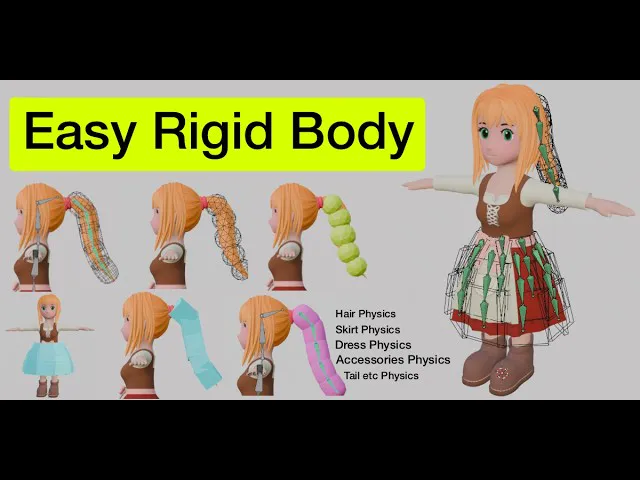
Blender addons Easy Rigid Body v2.0.0
https://superhivemarket.com/products/easy-rigid-body-onion365
New
Collision Layers: a button in the collection panel opens a window where you set the group number (1-20) of the selected collection. New Physics collections default to group 2, new Collision collections to group 1.
A group's own layer is lit automatically, and you can light additional layers. Blocks from two collections never collide when they share at least one lit layer.
Changes apply only when you press OK. Playback is paused when the window opens, and the window is read-only on a baked scene.
After applying, no-hit joints are rebuilt in the background with an "Updating Collision Layers xx%" progress bar. The button is locked while it runs, and the simulation restarts when it finishes.
If more than 8000 block pairs need a no-hit joint, the extra pairs are skipped and a warning is shown in the panel.
Radius drives Height: for Sphere and Capsule, changing Radius scales Height by the same factor, while changing Height never affects Radius.
In the Physics shape / Collision shape sliders, Height is now adjustable for both Sphere and Capsule, so a Sphere can be stretched into an ellipsoid. Width stays disabled.
The generation progress bar now gives each stage a share matching its expected time.
Changed
No-hit joints in the same collection are now created only for nearby blocks (centre distance ≤ 2.5× the sum of their radii) instead of all-against-all, which greatly reduces the joint count in large collections.
Joints between different collections follow the group rules and cover the whole scene.
Behavior change: Physics blocks in the same collection that sit far apart can now collide.
When generating, Sphere and Capsule no longer fit to the bone's top/bottom length or to the left/right neighbouring bones. Box is unchanged.
The cross-section of Sphere and Capsule is always round. Capsule uses a fixed Height, and Sphere is sized by Radius alone.
The panel label Depth is now Radius for Sphere and Capsule, with Height kept beside it (editable for Capsule, greyed out for Sphere).
The trash (delete collection) button no longer shows a confirmation popup. It deletes immediately, and Ctrl+Z undoes it.
Reworded the tooltips for Show/Hide and Margin.
Fixed
A Capsule can no longer be shorter than it is wide, so its end caps stay full half-spheres on short bones instead of being squashed.
The "restore all numbers to default" button now also resets the Capsule's fixed Height.
The background timer is now cleaned up when the addon is unregistered.
Comments (2)
Hey ! If i understood well, this is kind of PMX editor (physics) but for Blender ?
The approach is pretty much the same, but the code structure is quite different.