
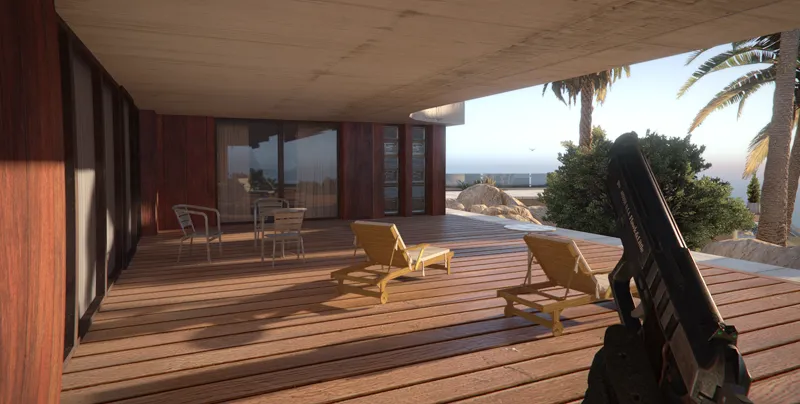


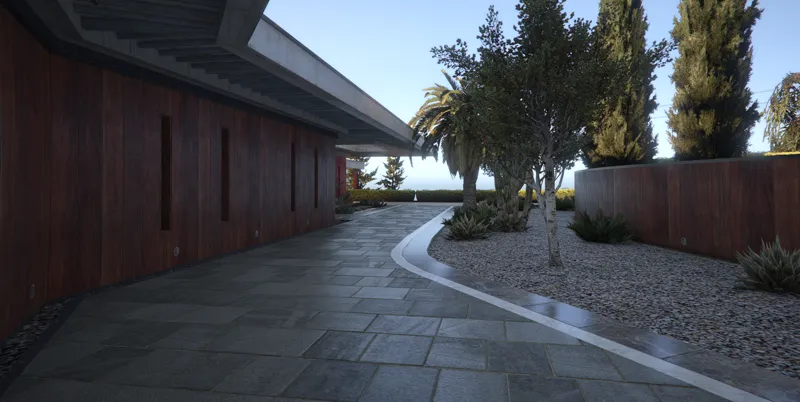


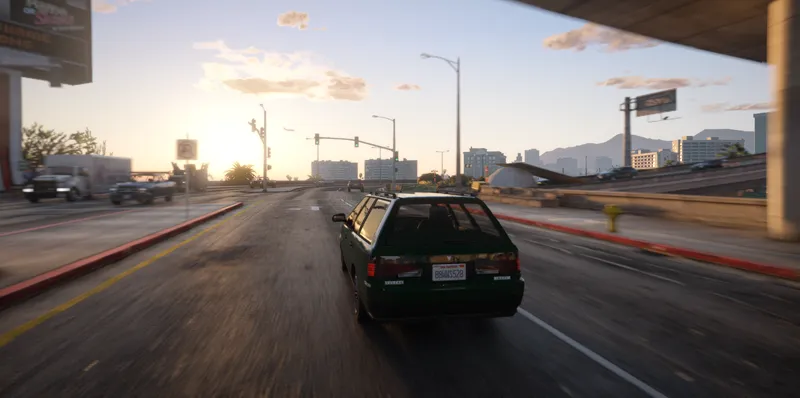
CoreFX - First widely available graphics mod for GTA 5 Enhanced
You need to be a free subscriber to view this post
DOWNLOAD COREFX : MEGA / GOOGLE DRIVE
(V0.23E is Enhanced and V0.23L is Legacy which is not out yet)
CoreFX is a free alternative graphical modification for Grand Theft Auto V, also you can support my work financially and get additional optional mods:
White & Light Blue Streetlights (Singleplayer & FiveM)
16K Milky Way Sky
Bokeh Shape for ingame Depth of Field (Anamorphic or Hearts)
Also permanent Supporter role in our discord server (Apply for Supporter role in #corefx_forums)
Hello there, we are happy to announce that CoreFX V0.22 GTA 5 Enahnced Experimental build is now available to download for everyone. We will continue updating it and troubleshooting as long as we can. For CoreFX support, please visit our discord server
_________________________________________
Update 1:
- Size of corona reduced from 1.0 to 0.5
- Small FSR and TAA tweaks
- Edited motion blur
- Removed annoying blue lens in first person camera
- Increased intensity of siren lights
- Tweaked SSDO settings for non RT users
- ̷R̷T̷G̷I̷ ̷D̷o̷u̷b̷l̷e̷ ̷B̷o̷u̷n̷c̷e̷ ̷E̷n̷a̷b̷l̷e̷d̷ ̷f̷o̷r̷ ̷U̷l̷t̷r̷a̷ ̷R̷T̷ ̷P̷r̷e̷s̷e̷t̷ (Rockstar patched this, second bounce can't be enabled in any way now)
Update 2:
- Added first textures into the game (skydome.ytd, graphics.ytd, frontend.ytd)
Update 3:
- Updated timecycles and tonemapping to match new lighting, fog and sky system of the game
- Added top fog for foggy weather
- Updated lightning thunder effects
- Vignette improvements for first person mode
Update 4:
- Updated tonemapping to bring "HDR" feel to the game, you need to set 50% brightness in game settings for the best visual experience
Update 5:
- Vignette improvements
- Added clouds for Clear weather
- Two new streetlights optional you can install: Coffee Streetlights and White Streetlights
- Partially fixed issue with bright taxi signs
- Fixed wrong corona position on streetlights
Update 6:
- Now uses Ultimate ASI Loader and CacheFix to load the mod in mods folder
- New and easier installation process
- Rockstar Games Launcher users now can freely use the mod without PlayCoreFX.bat workaround
Update 7:
- Now requires ScriptHookV and OpenRPF.asi to run, you need to download and install them manually. Don't forger to remove dsound.dll because it's not needed now.
- Added Simple Camera optional, a simple free camera script for easy screenshots
_________________________________________
Currently supported launchers: Steam, Epic Games, Rockstar Games Launcher (partially)
++++++++++++++++++++++++++++++++++++++++++++++++
How To Install for Steam, Epic Games and Rockstar Games Launcher
++++++++++++++++++++++++++++++++++++++++++++++++
Before you install: remove old dsound.dll from your game directory and disable BattlEye Anticheat by using -noBattlEye in Launch Options
1. Download and install ScriptHookV for GTA 5 Enhanced: https://www.dev-c.com/gtav/scripthookv/
2. Download and install OpenRPF.asi for GTA 5 Enhanced: https://www.gta5-mods.com/tools/openrpf-openiv-asi-for-gta-v-enhanced
3. Put all files inside CoreFX folder into your main GTA 5 Enhanced directory
4. Open the game and change brightness to 50% and enjoy CoreFX.
++++++++++++++++++++++++++++++++++++++++++++++++
How To Install Streetlights Optionals:
++++++++++++++++++++++++++++++++++++++++++++++++
1. After you install main CoreFX Package, put mods folder inside your GTA 5 Enhanced directory
2. No any other operations are needed, launch your game and enjoy
++++++++++++++++++++++++++++++++++++++++++++++++
How To Install SimpleCamera.asi:
++++++++++++++++++++++++++++++++++++++++++++++++
1. Download and install ScriptHookV for GTA 5 Enhanced: https://www.dev-c.com/gtav/scripthookv/
2. Put all files inside Simple Camera, into your main GTA 5 Enhanced directory
Comments (71)
Not working after gta 5 new update pls fix
thank you for this. is it possible to use this with ChromatiX as well or will it conflict?
I need it for the story mode but there are many files, which one should I download?
enhanced singleplayer: V0.23E_Singleplayer.zip
This is really working great.
Thanks a lot
CAN we use it on AltV ?
Can i install this on legacy?
We have CoreFX for all legacy platforms, do not install Enhanced version on Legacy tho
Hey, great mod, thanks! However, it seems like clouds are not showing up at all for some reason on my end. Is this a bug?
I'm using the Rockstar Games Launcher version btw
Hey there! I Installed this mod but I have the game via fitgirl repack and when I install this mod it crashes and I checked, all the files were there and when I try to open the game it loads kinda up to do not turn your screen off while saving and then it crashes and suggestions on how can I fix it?
Same prob
-nobattleye in Steam launch Options
its working thanks a lot great mods
In the installation walkthrough, it asks me to 'put all files in the CoreFx folder in my game directory.' But there is no such folder in my game. Could you help me?
Very cool, but there is something that goes wrong with RT ambient occlusion and other shadows related things. More, is there a way to use ONLY the alternative streetlights color?
we did not change this in CoreFX
Hey M8. first of all thanks for your work. i have done all steps, including -noBattlEye if i start the game, its dosent start and closing up with : 13:11:01: [INFO] Das Laden der Datei wurde blockiert: "C:\Program Files (x86)\Steam\steamapps\common\Grand Theft Auto V Enhanced\dsound.dll".
need to disable battleye in rockstar launcher itself then, via button
Hello, do I need OpenIV and the script hook and do I have to install it via OpenIV or do I just have to insert the update file? Thank you.
Put all files inside gta 5 folder, no other requirements. Don't forget to disable BattlEye anticheat
Hey CoreFX! Playing through RGL, disabled BattleEye, copied the mods folder and the three files to root folder where exe is, but no change. Even checked the streetlight optionals and they do not change either. Something I've missed?
contact us in discord
Hello, I installed the files of the enhanced version, but they don't seem to work. There is a file named dsound.dll that prevents my game from starting properly. After deleting this file, the game starts, but there is no change. Please tell me what I should do. Thank you.
-noBattlEye in launch properties
From where to download it @CoreFX
updated, sorry patreon fucked all links when i was editing the post on my phone
hi ,where is the download link ?
updated, sorry patreon fucked all links when i was editing the post on my phone
The headlights of some cars are very bright and give a misty and unrealistic image. Can you convert this to LED lights completely? I think it would be much better.
to get enb to work, you have to delete weatherdetector.asi found in your gta 5 directory.
If only it was compatible with Online, I really love it!
hey, im using legacy version of the newest version of corefx, enb just crashes my game when i move mouse, yes i tried disabling mods, help and the launcher doesnt work, i usually get fatal error as well, yeah enb doesnt work at all.
enb is unstable, we are developing reshade version of our shaders
it just says cant find PlayGTAV.exe, im using rockstart games method for cracked version of game
Not sure about cracked game, i was doing this fix for RGL license
I really liked it, great work, will 4k textures come?
can it still look good without raytracing? my gpu doesnt support it and idk how to force it
try it for yourself, mod is free
Hello, I use the original version of GTA, I wanted to try your mod on the enhanced version, I find myself in a dead end, your mod contains OIV files how can I open them because my openIV is already used for the legacy version I cannot redirect openIV to enhanced? Can you explain to me in two words please I am a novice
Patreon post literally says which version you should get, under download links
This shouldn't be free because its probably the most natural and realistic shaders I've ever seen
Did the addition of RT reduce the burden of ENB on FPS?
how can make this work ? it dosent work on rockstar games launcher so how can i through steam?
Just added a workaround to load CoreFX through Rockstar Launcher, try for yourself
can we play online in this mod??
Online is officially unsupported, but some people got it working
At night, the sky seems to have an extremely noticeable grainy texture. Is this a known issue by any chance?
Its already fixed in latest update
hey when will this work on the rockstar launcher?
I’m getting EER_GFX_STATE error
no patches were released, that might be something on your end
When I replaced Enhanced singleplayer's update.rpf according to the “read first”,the game cannot open. What should I do to solve it?
if you are using RGL, mod is unlikely will work, but we are working on workaround already
I imagine that this isn't safe to use on online, right?
Yes it’s like basically modified files so do not go online
Welp steam version it is
yeah i used Steam version runs with no issues, im gonna try getting update.rpf from RGL to see if that will help RGL users use the mod
yep i've just tried this on RGL version it's a no go lol im gonna try stream version now
Thanks for the mod So what is the secret that made you able to modify the file (update.rpf)? Because when I modify the file (w_clouds.xml) for example The game does not work Saying that will help more in making mods for the game But keeping the information will only make you selfish With all due respect to you (I use the translator)
archivefix program
thank you for this
Where is changelog for core fx on your patreon? list of graphics improvements?
under every corefx update patreon post
that was quick
yo wtf is the FIRST ever mod for gta enhanced??
Oh ok, and do you have anymore future plans for both legacy and enhanced?
they will get updates at the same time
Will this work for normal versions of the game too?
No, only for GTA 5 Enhanced. Don't worry, you can still download and use all versions for GTA 5 Legacy