

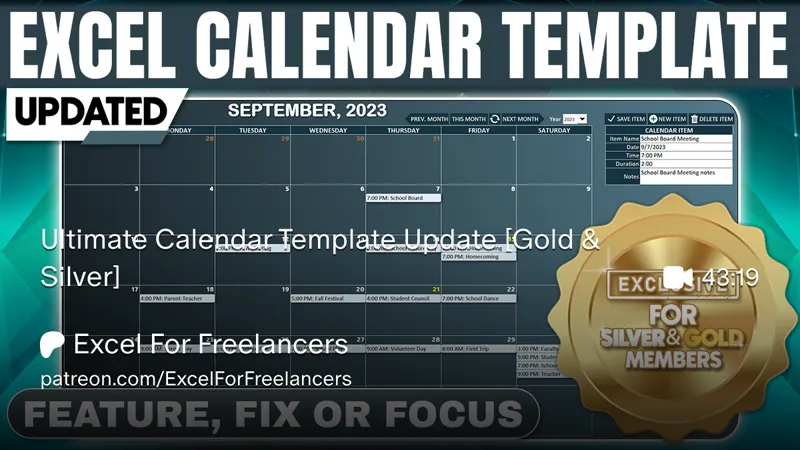
Ultimate Calendar Template Update [Gold & Silver]
Hello Members!
In this week’s Feature, Fix, or Focus, we take last week’s Ultimate Calendar Template training.
Here's the update I made for this training:
· Recurring Calendar Items requested by Arivind
· Send To Outlook requested by Arivind
· Simplified Day Formula requested by Marcel Maatman
· Print Calendar requested by Earl
· Drag & Drop Items requested by Henk van der Work
· Month & Year Summaries requested by Lori Shafer
· Up To 10 Calendar Items added by Randy Austin
· Updated Time Formats added by Randy Austin
· Selected Item Color added by Randy Austin
Please don’t forget to add your requests for your own Feature, Fix or Focus each week when I post a new video, right here on Patreon. Each week I will either add a new feature, fix a bug or an issue, or create another training with a special focus on any part, all based on your feedback and comments.
Comments (10)
With the Print Function Couldn't you set the Parameters to make it set the background color and the Borders allowing it to print ( Print Preview)
Hi John, great to have you here. Cell background colors would print however the printer settings would not display the page/picture background that was used in this training as far as I know. I hope this helps and thanks so much.
Randy, if I wanted to use this template to sync multiple staff appointments from Excel to my Outlook calendar similar to how you did in: https://www.youtube.com/watch?v=3n-bzYQqJyE&list=PLIBeRriXvKzCzCthqGHlduBPobcaF6pn6&index=5, but using this Calendar template which does not list out the times as in the video link I attached, but instead uses the dropdown in M6 for times, how can I do this? Or can you direct me to a video that syncs it to Outlook in a similar way but using the dropdown cell for time instead of referring to times listed in a range of cells? I would have to change Private Sub Worksheet_Change(ByVal Target As Range) If Not Intersect(Target, Range("M4:M40")) Is Nothing And Range("B2").Value = False Then On Error Resume Next If Range("M42").Value = Empty Then AddNewSheet DbCol = Range("M42").Value 'Database Column to address the dropdown, but I'm not sure how I would sum that.
Hi Jazzy, thanks for your comment. It would be difficult to offer a solution without seeing your code and your worksheet structure, along with the specific issue you are facing. Can you post all of the details, along with the code and your updated screenshots in our Excel For Freelancers Group so we can have a look and offer some advice? http://bit.ly/groupexcel I hope this helps and thanks so much.
Adding year in recurring would be good for holidays and birthdays and such. I am currently trying to add now.
Thanks so much Larry. I did add recurring on the update above and also added Holidays on a similar application here: https://www.patreon.com/posts/top-5-vba-hacks-92792892 I hope this helps and thanks so much.
Thanks Randy for these nice and well worked-out features! This is exactly why i always say I love Patreon :-)
For sure, you are very welcome Henk. Thanks for the great suggestions
Hi! I absolutely loved this update, thank you very much. I was wondering if it would be possible to add birthdays and icons and a message to let the user know when the item they are creating clashes with another one. Thank you!
Hi Gime, thanks so much. Its a nice idea and I will try to incorporate it the next time I create a scheduling update. However, please feel free to download the update and try to add this feature yourself. If you run into any issues, please post your bug in our Excel For Freelancers Facebook Group here: http://bit.ly/groupexcel Thanks again for your continued support, Randy