

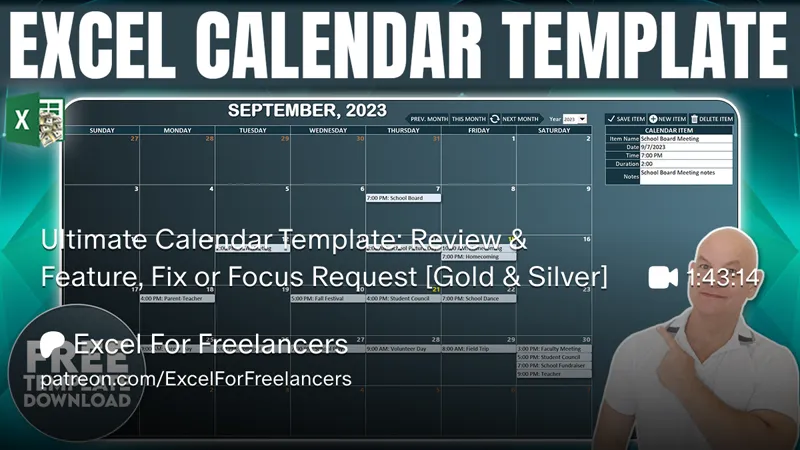
Ultimate Calendar Template: Review & Feature, Fix or Focus Request [Gold & Silver]
Hello Members,
The training we have for this week that I have shared with you was about the Ultimate Calendar Template. If you have not seen it yet, you can view it right here on YouTube.
Now that the training has been released, I am looking for your feedback to make this even better, just for you, our incredible Patreon Members.
So, what Feature can I add for you? Did you find an issue you want me to fix? Or is there a particular area you would like me to focus on?
Please comment your ideas and feedback to any of these below and I will do my best to not only create an updated workbook but release a private training video next Monday, right here on Patreon.
I am looking forward to hearing from you and thanks so much for your support.
Comments (10)
Hi Randy, I am attempting to make this an Emergency Management Exercise Scheduler and I need additional fields about each exercise. I would like to have addition 5 items under each the Calendar Items table. I have added the additional fields below the Calendar Items, M5 thru M10, although it will clear these added field when creating a new Calendar Item but will not load the added cell when I click on an event on the calendar.. My purpose was to show additional fields to provide more clarity about each scheduled exercise. Thank You in advance for assistance.
Hi and thanks very much Dale. You can add the fields, and update the data mapping. It would be difficult to understand the issues you are facing without seeing the code and screenshots. Can you post all of the details in our Excel For Freelancers Facebook Group here: http://bit.ly/groupexcel I hope this helps and thanks so much.
Would it be possible to add recurring events and the end date calculated?
HI and thanks very much. I did add recurring events to the updated and instead of an end date, I added # of recurring events to be scheduled. This update will be available on Monday. Thanks again
Could a summary of the total time for each calendar event be added for both month and year?
Hi Lori, thanks so much for the nice idea. Yes, I did add a summary onto the update for early next week. Thanks again for your idea
In the video you already mention changing app.color by category and drag and drop appointment. You've done this in earlier trinings, but since this is the ultimatie training, it would be nice to have this in this template also. Thanks so much for your work!
Hi Henk thanks so much for your comment> Yes, I added recurring items to the updated version out early next week. Thanks again
Could a Calendar print button be added?
Hi Earl, thanks so much for your suggestion. Yes I added a Print Calendar button for the Feature Fix or Focus update next Monday. Thanks again