
Custom Ribbon Toolbar: Review & Feature, Fix or Focus Request [Gold & Silver]
Hello Members,
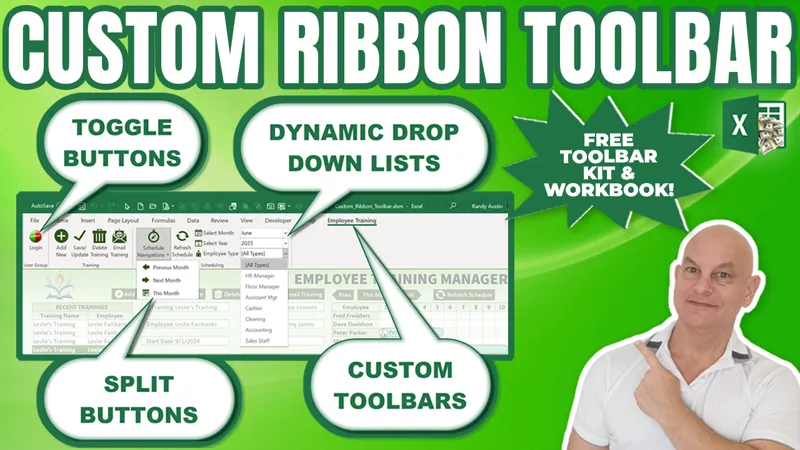
The training we have for this week that I have shared with you was about the Custom Ribbon Toolbar. If you have not seen it yet, you can view it right here on YouTube.
Now that the training has been released, I am looking for your feedback to make this even better, just for you, our incredible Patreon Members.
So, what Feature can I add for you? Did you find an issue you want me to fix? Or is there a particular area you would like me to focus on?
Please comment your ideas and feedback to any of these below and I will do my best to not only create an updated workbook but release a private training video next Monday, right here on Patreon.
I am looking forward to hearing from you and thanks so much for your support.
Comments (6)
Hi Randy, Great training as usual. Is it possible to have a button and a dropdown next to it where the button would have a static description of the action, eg "Save To" and the dropdown would have a list, eg PDF or Excel. The user makes the Selection from the Drop Down, which would trigger the macro. That value in the dropdown remains displayed, until it is changed. The difference from the other dropdowns is that the action initiated by the dropdown can also be achieved by clicking on the button. This can be done as many times as desired, using the value displayed in the dropdown.
Hi Debbie, what a fantastic idea. I think I understand what you mean. The top button would set the default fault chosen from a list below, and would stay the same until a different one from the list below was chosen. It's really interesting and I am going to try some options and see if I cannot get this added to the update. Thanks so much for your continued support. I really appreciate it
Hi Randy awesome training. Is it possible to make a button unavailable. Say you want to have an edit button but make it pressable only under certain circumstances
Hi Peter, thanks so much for your comment and glad you enjoyed the training. For the update, I will try to add an enabled/disabled status for one of the buttons to see how its done. Thanks for the great suggestion
Hello Randy, nice training again! Is it possible when logging out, the only button visible is Login and with logging in, groups or buttons are visible or enabled depending on user rights? Do i have to create an variable for every button with GetVisible or can this be done by group?
WOW! What a smart idea. I should have thought of this. That is why we have Patreon. I just tested this out with the GetVisible property on a group and it works fantastic. I will be sharing it within the Patreon update. Thanks for the great idea. This is why we have Patreon updates