
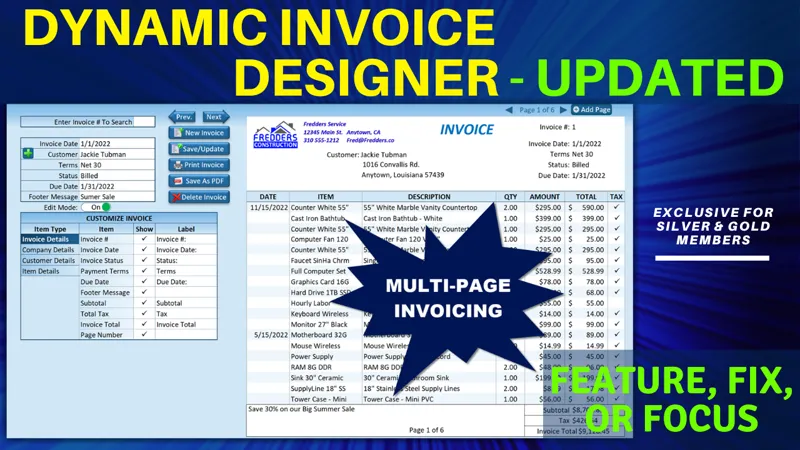

Dynamic Invoice Designer Update [Gold & Silver]
Hello Members!
In this week’s Feature, Fix, or Focus, we take last week’s Dynamic Invoice Designer training.
Here are the updates I made for this training:
· Delete Selected Item Row requested by Carlo Gunter
· Add Footer For Buyer & Seller's Signature requested by Neak Niporn
· Save As PDF added by Randy Austin
· Delete Page added by Randy Austin
· Add Non-Existing Items Via Userform requested by @SssvcreationsAu2015 (YouTube)
Please don’t forget to add your requests for your own Feature, Fix or Focus each week when I post a new video, right here on Patreon. Each week I will either add a new feature, fix a bug or an issue, or create another training with a special focus on any part, all based on your feedback and comments.
Comments (10)
Hello Mr.Randy Please can you help me on this issue of characters, like the chr(252) when I click the cell it disappears that’s normal but when I click again it doesn’t shows up it shows me another character like a square or an interrogation mark!
Hi Abdoul, Thanks for your comment. It would be difficult for us to help unless we see the specific bug you are running into. Can you upload screenshots of your bug and sheet into our Excel For Freelancers Facebook Group here: http://bit.ly/groupexcel We have 60,000 Members who would love to help you with this. Thanks so much.
Hi, Mr.Randy Can you create a macro that save an excel sheet as pdf then send it as attachment using whatsapp? any help will be highly appreciated
Hi and thanks so much. It may be possible. Please check out my training here: https://youtu.be/ScUBSfEqcrY And the Patreon update here: https://www.patreon.com/posts/whatsapp-update-89434150 I hope this helps and thanks so much.
At least on my computer, the page wont quite fit within the pdf margins despite working fine printing to paper. Adding: <p>With ActiveSheet.PageSetup .PaperSize = xlPaperA4 .Orientation = xlPortrait .Zoom = False .FitToPagesWide = 1 .FitToPagesTall = 1 End With</p><p>Seems to fix this</p>
Hi Geoffrey, since there so many different paper, printers and printer settings it makes sense that you would want to make adjustments with VBA< as you did above, or in the manual settings. Nice work and well done. :)
Got around to trying to install the multipage pdf system. Works great if I have your file in a folder in my C drive. If I have it at top level on my D it wont write to the disk and states something about permissions. This is beyond me ... any suggestions before I redesign where all my business files go? Same issue even if I use your original download. How do I set the permissions so this will work?
Odd, as the older single page pdf code you wrote works fine with my excel file at top level on D. Maybe its the delete part that doesn't get permission?
I've been looking at many of your examples and I have a question. What if I have more than one customer with the same name? When loading an invoice, it will load up the first person with that name even if another was originally selected. I figure a client number would solve it but I don't know how to implement it. Any suggestions would be great.
Hi and thanks for the great question. On most applications I use a unique ID for every record, however it is still advisable to have a unique name for every customer. I hope this helps and thanks