
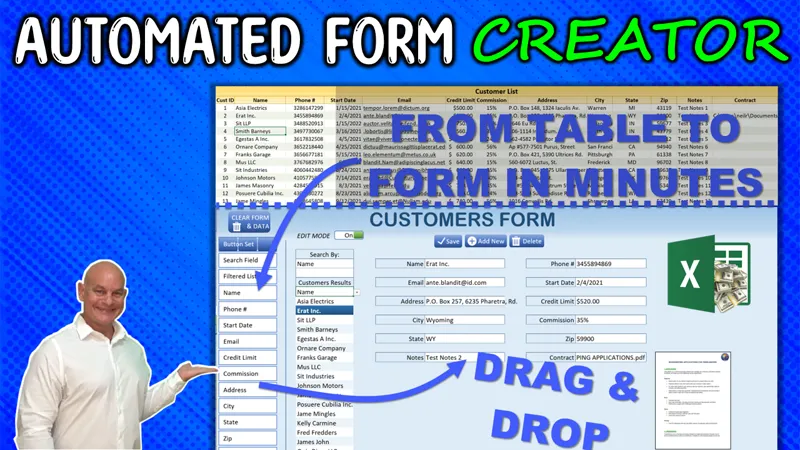

Automated Form Creator: Review & Feature, Fix or Focus Request [Gold & Silver]
Hello Members,
The training we have for this week that I have shared with you was about the Automated Form Creator. If you have not seen it yet, you can view it right here on YouTube.
Now that the training has been released, I am looking for your feedback to make this even better, just for you, our incredible Patreon Members.
So, what Feature can I add for you? Did you find an issue you want me to fix? Or is there a particular area you would like me to focus on?
Please comment your ideas and feedback to any of these below and I will do my best to not only create an updated workbook but release a private training video next Monday, right here on Patreon.
I am looking forward to hearing from you and thanks so much for your support.
Comments (8)
Randy , if there is a picture in the cell , can we automate save it to a especic folder and keep a link to where the picture was saved
HI Sandro, thanks for your comment. Yes you can using this training here: https://www.thespreadsheetguru.com/blog/vba-save-as-picture-file-excel
Randy is data validation possible for the forms?
Yes certainly, and I go into great detail to discuss this in the training video. Thanks again.
Randy, Most of my Databases have fields with a lot of text. Can we change the height of the field box for long text fields?
Hi Miguel, thanks so much. Yes its best to keep it as a single cell so you can increase both the rows and columns widths and wrap text to accommodate large text field
Great Form - One question - Why does my number, which is about 16 digits long, change to scientific notations - 6.11405E+14. How can this get fixed?
Hi and thanks you can format the cell as text and add an apostrophe in front of it. More information on this here: https://www.wallstreetmojo.com/scientific-notation-in-excel/ I hope this helps. Should you have any additional questions, please do not hesitate to ask.