
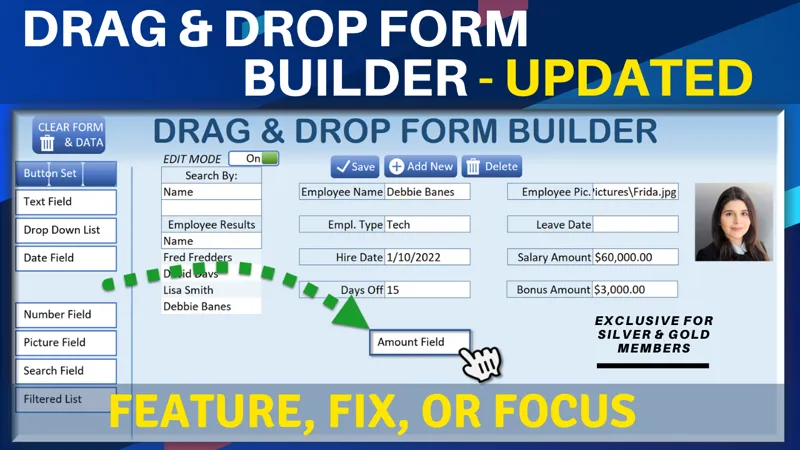

Drag & Drop Form Builder Update [Gold & Silver]
Hello Members!
In this week’s Feature, Fix, or Focus, we take last week’s Drag & Drop Form Builder training.
Here are the updates I made for this training:
· Document Attachments & Preview requested by Larry Duffie
· Edit Drop Down List added by Randy Austin
Please don’t forget to add your requests for your own Feature, Fix or Focus each week when I post a new video, right here on Patreon. Each week I will either add a new feature, fix a bug or an issue, or create another training with a special focus on any part, all based on your feedback and comments.
Comments (14)
Hi Randy, is it possible to have a customisable free text field? Maybe with the ability to specify double width, word wrap and a scroll bar? Thanks.
Hi Tony thanks so much. Scrolling comes only with objects on or off userforms, however this a cell-based form. It would be possible to do larger cells however once you merge cells it becomes quite complex. With that said, any cell can increase its row or column width and also have a word wrap. Thanks for the great suggestion
What version did you do this on Randy and what version are you running Pedro?
I am using the latest version of Excel for this however it should work on any version of Excel
Hi, I'm a new member, download the file, and same as Larry, I encountered a few bugs: 1. Once I clear the form, create a DB, and add fields the Search populates only the Search by and Type, not the results, furthermore, when I click on the "Type" field to select from the dropdown I get the following Run-time error'13': Type mismatch. 2. Document Field, I can name the label, and select the file but won't upload it Run-time error '1001': Cannot insert an object ( a few times the error number was 1004) 3. With a Cleared form & data / (added new database), I don't get an edit button for the dropdown list, I was able to see the edit button on the original Excel before I cleared the form. Note: I downloaded the form several times. Thank you
Hi Pedro, great to have you here and thanks. I have tried to duplicate your error on the latest version but I am unable to recreate it. Try using search by 'Type' and display the Names. Also check the DB to make sure each item gets a record ID. When you get the run-time error, what is the cause of the issue on what line of code? Edit button only appears on Drop Down type fields and no other typs, so you would have to add another drop down type field to see the edit button I will also update the code to remove the Edit button on any Filter By or Search By drop down lists. this should only appear within the form, and not on Search By or Filter By (those type of drop down lists can not be edited) Within the CheckForValidation macro I have added If ActiveCell.Validation.Formula1 = "=Fields" Then Exit Sub This will make sure that the edit icon does not appear in the Search By or Filter By drop down lists I have now updated the file right here in Patreon I hope this helps and thanks so much.
Anyone else have issue when you clear the form and try and Add back fields? I cannot add Filter
HI Larry, thanks for your comment. I found a few issues on the clear form macro which was not updated to clear the document details. I did not find any issue with the Filter after that. Please download the updated version within this post in which I have just updated. Thanks so much
I would love to see that Attachment Part 3 using the feature you have in the Drag & Drop show the file instead of a Thumb Picture you have in Part 2.
Hi and thanks Silvana, thanks very much. I will certainly make that part of a future training. This one has the best of both worlds because you have the thumbnail here and a double click on the thumbnail will open the document. I hope this helps and thanks so much.
I did figure out why it would not allow me to drag a field. I am using excel 365 on windows 11. Any spreadsheet not created by you now you have to right click on the file and go to properties and under General at the bottom is a checkbox to unblock macros. Under older versions and windows 10 seems like you did that when asked when you open the file. I saw another member having same issue as me.
Yes for sure if macros are not enabled, nothing will work. I do understand the new issues with this so i created a page that will teach you how to fix this for any files you download from my server (You an also add a link for Patreon) here are the details https://www.excelforfreelancers.com/how-to-fix-macro-blocking-issue/ I hope this helps and thanks so much.
Thanks Randy. With tinkering with this I can see this program having a part 2 and even a part 3. Great stuff here.
Thanks so much, Larry. Absolutely, there is so much potential in this style of application development. We are just getting started..