
Cashflow Statement Update [Gold & Silver]
Hello Members!
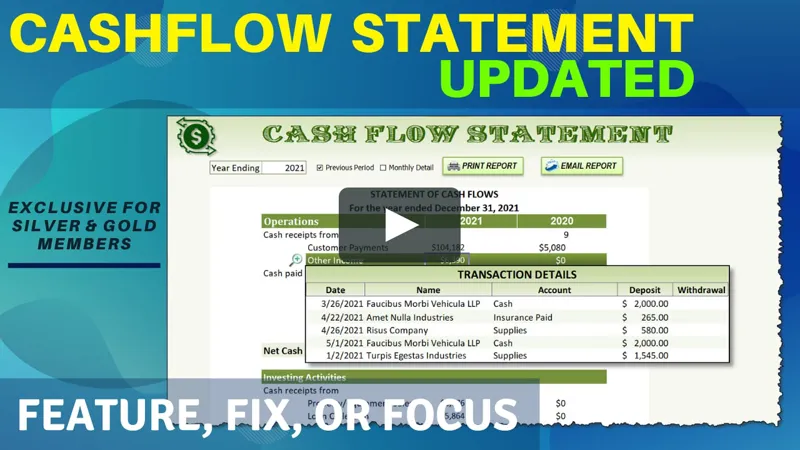
In this week’s Feature, Fix or Focus, we take last week’s Cashflow Statement training, and in this update, I added a feature called 'Zoom In Details' which is noted by Miguel.
Please don’t forget to add your requests for your own Feature, Fix or Focus each week when I post a new video, right here on Patreon. Each week I will either add a new feature, fix a bug or an issue, or create another training with a special focus on any part, all based on your feedback and comments.
Make sure to view the brand new and updated training and download the updated workbook in the attachments below.
As always, great to have you here, and thanks so much for your support.
Comments (4)
Hi Randy. Thank you for the Updated Cashflow. It's exactly what I'm after. I've downloaded it but I'm having a couple of issues with it; the dates in the Advanced Filter for the TransZoom pop-up display won't work and the sizing of the display doesn't adjust depending upon the number of rows in the results from the Advanced Filter. I'm wondering if there are some settings I need to change. (I'm in Australia.) I can make the dates work but I don't know how to make the with the TransZoom pop-up display be the correct size. Apart from the working with the dates, I've made no changes to the updated workbook downloaded from Patreon. Hope you can point me in the right direction to fix things. Thanks.
HI Debbie thanks for the feedback and glad you enjoyed the training. You may want to start by adjusting the column widths, delete the picture and redo it, as explained in the video, then you can resize it according to your requirements. the height will be dynamic based on the # of rows however the width is based on the column widths. Also double check that the named range is correct and that the linked picture is linked to the named range. I hope this helps and thanks so much.
Awesome Randy! Thanks!!
For sure, you are very welcome and thanks for the great suggestion :)