
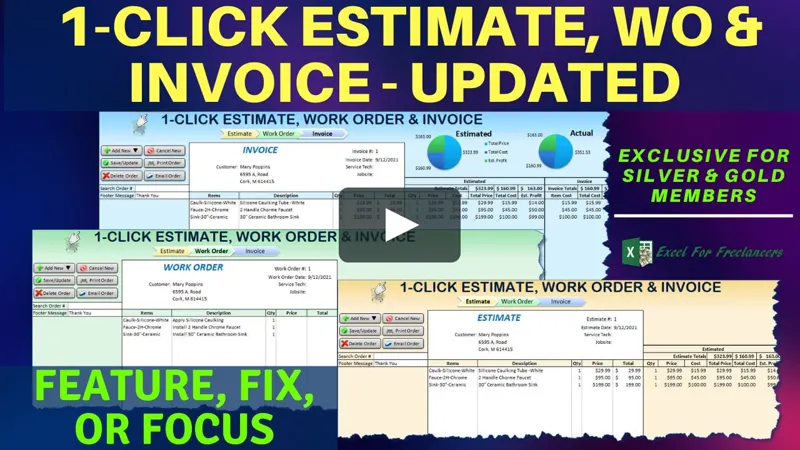
1-Click Estimate, Work Order & Invoice Update [Gold & Silver]
Hello Members!
In this week’s Feature, Fix or Focus we take last week’s 1-Click Estimate, Work Order, and Invoice training, and this time I added the delete order feature, fixed issues concerning order type changes, and added a footer message functionality. I am sure you will really enjoy this.
Please don’t forget to add your requests for your own Feature, Fix or Focus each week when I post a new video, right here on Patreon.
Each week I will either add a new feature, fix a bug or an issue, or create another training with a special focus on any part, all based on your feedback and comments.
Make sure to view the brand new and updated training below and download the updated workbook in the attachments below.
As always, great to have you here, and thanks so much for your support.
Randy
Comments (13)
It would be awesome to have assemblies that could be uploaded to auto fill all the materials needed for that assembly and then adjust the qtys needed for each item. Also a brief job description at the top of the estimate would be great as well. Not all estimates are a list of materials. Some estimates liking roofing estimates is just a detail of what's being done but the materials and labor are not always listed in the estimate. Just the description of what's being done and the subtotal, Tax, Grand total.
An Incredible Dashboard would also be good here for a quick look at win/loss comparison to track how many estimates are one compared to lost estimates. Also the best selling items.
Absolutely. There are many ways you can customize this template. Make sure to download the update and feel free to make any updates you like. I hope this helps and thanks so much.
Also I live were we are required to charge tax on materials only on some projects and it would be helpful to be able to apply tax to materials only or the whole project. Maybe even have it in the item list to select if its Taxable or not.
Hi John, thanks for your message. Yes for sure these are great ideas. Each week, after a video is launched, I customize and update a template based on our members ideas. Then, 7 days after the initial launch, I post the updated training and template. This one was done many years ago.
It would be awesome if you could set it up to just add a company logo and address info in one spot on the admin page and it auto input it in the rest of the workbook where it is supposed to be.
Thanks for your comment Joh, all of this is possible however I am personally unable to make modifications to old templates since my schedule prevents me from creating custom updates. Thanks again
Help!
I have gotten in, but cannot open the attachments.
I have just joined and cannot seem to get the login page or download attachments.
Hi and thanks Jaime, I am not sure what this is referring to our Website, Patreon, a specific workbook? Feel free to email me directly with any questions Randy@ExcelForFreelancers.com Thanks very much
Hi Johan, thanks for your question. You can have as many rows as you want, just by extending the data validation & formats and updating the Worksheet Change event range to ensure that it covers all of the rows you want. I hope this helps and thanks so much.
How can I increase estimate or invoice lines , if my estimate is 60 to 90 lines long , and also my invoice can be 60 to90 lines or more long