
GANTT TASK MANAGER: EARLY ACCESS & DOWNLOADS [Silver Members]
Hello, my friends, great to have you here as a Silver Member. This week's training is on Gantt-Style Chart Task Manager.
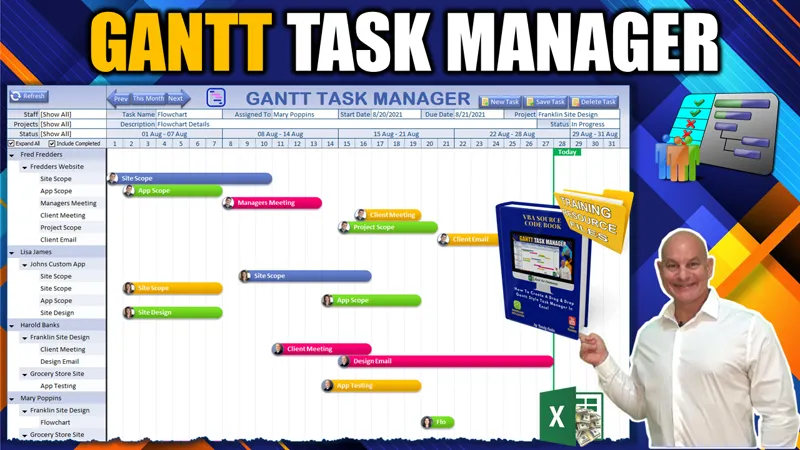
In this week’s training, I will share with you a whole new way to look at Gantt charts when we build this amazing Gantt-Style Task Manager WITH Drag & Drop Functionality.
▶️ Feel free to watch the full training video right here on YouTube when it goes live.
As a Silver Member, you can also participate in our Feature, Fix or Focus Program, in which each week I will add a feature, fix an issue, or focus on a specific part of the current week's training. This Feature, Fix, or Focus will be entirely based on your requests and ideas in the comments below. Based on those suggestions, I will then create another short video, along with an updated workbook, and make them available exclusively to you, right here on Patreon. I look forward to reading your comments bellow
👉 Make sure you download the workbook, pdf codebook, and the training resources in the files below
I would love to hear your feedback, ideas, and suggestions on any upcoming videos as well, so make sure to comment below as I read every comment.
I look forward to hearing from you and I hope you enjoy the training. Thank you.
Comments (12)
Could you help me making it??
I would not be able to take on any projects however if you post a PAID JOB in our Excel For Freelancers Group we have thousands of developers who would love to help you: http://bit.ly/groupexcel
Is it possible to added like a weekly say for example W1,W2 etc... And also make a request for how many months they want to show?
Yes all that is possible. Almost anything is with Excel
Thanks
hi there Randy, I have joined here as well. :) I am very much interested in your project management Apps. Since gantt is something i love, am trying everything i can get this right. Focus point for me is 1. i would like to show multiple months and not just a single month. 2. weekly view / yearly view 3. ability to incorporate email notifications Here when i click on a task, how is it possible to make sure when refreshing the completed refresh still focus on the change task Currently, i minimized one of the task but the expand all check box is still on. So at this time when i update a task, the refresh macro runs and expands everything and it loses the focus on the task which i updated. is there any way we can update with these ?
When you select a task, save the name of the shape or group in a cell. After the update use that text to select the shape again
Great thank you. I will check and learn from that.
Hi, Thank for your quick reply. I'm talking about how to add weekend based planning and shift based planning.
Oh Ok, I have that in my Employee Manager series as part of the Scheduling component.
Hello Mr.Randy, is this possible to add factory calender in this application.
Hi and thanks for your comment. You can add a shape-based pop-up calendar if you like, That would not be a problem. (I am not sure what a factory calendar is) You can learn about the shape-based calendar here and also download it free using the links in the video description: https://youtu.be/PLAJ08LP7kE