
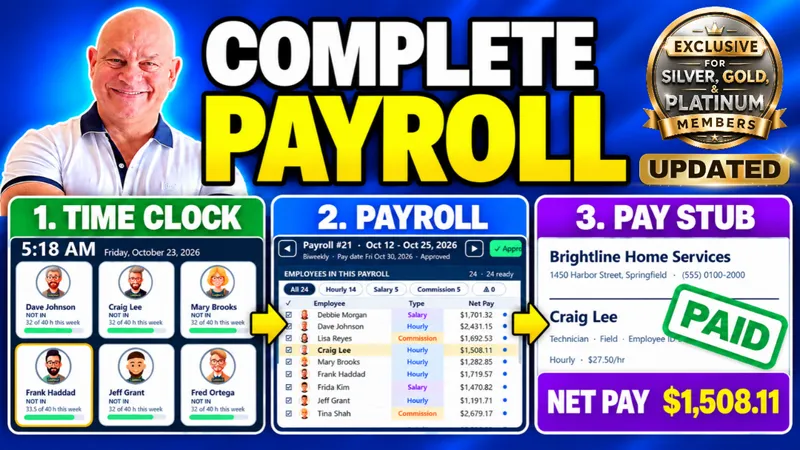
Payroll Command Center Now Handles Multi-State Taxes, Currencies & Job Codes — Run Payroll for Any Team, Anywhere
You can now pay every employee at the right rate, in the right currency, with the right state tax, all from one payroll application.
Before this, a team that worked across more than one state, or got paid in pesos or euros, meant workarounds. If a driver also covered a dispatch shift or an emergency call-out, you were splitting that pay by hand. Paid time off lived in a side spreadsheet, and commission data had to be retyped from invoices. That’s the kind of busywork payroll is supposed to remove, not create.
A lot of you sent feedback after the first release, and I put all of it into this update. Here’s what’s now inside your Payroll Command Center:
State Tax Management by Work Location – Apply tax rates and annual caps automatically based on where each employee works.
Multiple Currency Support – Pay employees in their own currency with exchange rates to your base currency.
Custom Job Codes and Pay Rates – Set different pay rates per employee and per shift for accurate pay.
Paid Time Off (PTO) Management – Track PTO policies and balances right inside payroll.
Complete Payroll Register – Get a full payroll record, ready to print or save as PDF.
Sales Import for Commissions – Import sales for commissions while automatically skipping duplicates.
Work locations aren’t limited to states either. A location can be a city or a whole country, each with its own currency, and every employee is taxed and paid based on where they work. Job codes break one employee’s earnings into regular pay, training, emergency call-out, and overtime automatically. When you import sales, any invoice already in the system gets skipped, so nobody gets paid twice.
If you build payroll tools for clients, this is the version that holds up for real multi-location businesses. If you run your own team, it’s the one that finally matches how your people actually work. Start in the Admin screen: set up your work locations, currencies, and job codes first, then assign them to your employees, and everything else falls into place.
This is exactly what your membership is for. You tell me what you need, and I build it into the applications you already own. November is going to be a big month for that: I’m doing 30 applications in 30 days, and every one comes with a member update. These are full-size apps like the Lawn, Garden & Pool Service manager, with client property maps, one-click PDF quotes, and route-mapped scheduling.
📥 Your updated Payroll Command Center is ready, so jump in and set up your first work location today.