
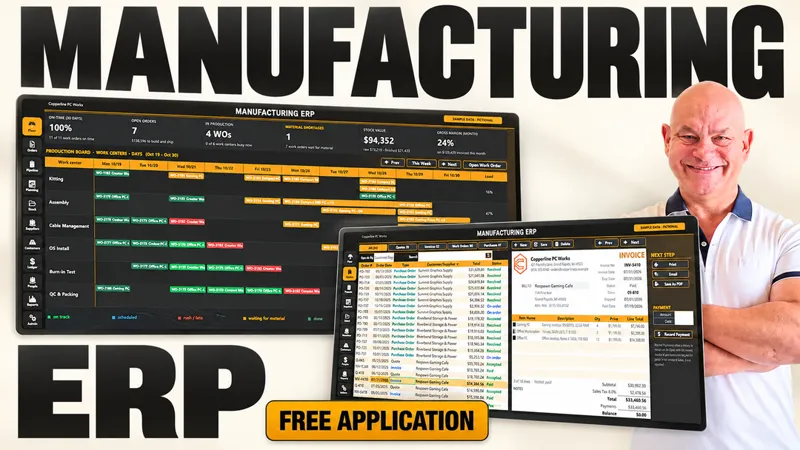

Your Manufacturing ERP Now Traces Every Lot, Costs Every Job, and Tells You Exactly When to Order — Run the Whole Shop From One Workbook
You can now trace a bad batch of material straight to every customer who received it, in seconds, right inside your Manufacturing ERP.
If you’ve ever had a supplier call about a bad lot, you know the feeling. You start digging through invoices, work orders, and receiving records trying to figure out where that material ended up, and who you need to call. Same thing with job costs. Most shops only find out a job lost money after it’s shipped, because nobody tracked the real hours against what the job was supposed to take. I kept thinking about that, and I wanted this ERP to answer those questions for you instead of you chasing them down.
So I went back in and added six new features. Lot tracking now follows every material from the purchase order to the customer, using whatever expires first and shipping the oldest product first. Your floor staff can scan in and out of work orders with any USB barcode scanner, and that scan data feeds straight into job costing, so you can see which product is eating your margin. Planning shows you the exact date you need to order by, the audit log records every change with who made it, and invoices now keep a full payment history.
Here’s what’s new in this training:
Lot tracking with expiration dates and first-expired-first-out (FEFO) material use
Trace any lot to every customer who received it, with export and print
Inventory hold flag to stop expired lots from being used or shipped
Printable work order travelers with pick list and scan-in/scan-out barcodes
Employee badges and a shop floor scan station (works with any USB scanner)
Job costing: actual vs. standard hours, cost, and margin per work order
Labor cost calculated from scanned hours × each employee’s hourly rate
Week-by-week planning with lead days, safety stock, and order rules
Order-by dates, late flags, and one-click purchase order creation
Audit log tracking who, when, field, and before/after values
Month-end close to lock records on or before a set date
Multiple payment history on invoices and purchase orders
Start with the updated walkthrough video, then download the new version and open the Lots screen first, since everything else builds on it.
This is what I promised when you joined. The tools you already have keep getting better, and you never have to buy a second version to get the new stuff.
📥Your updated training and the new ERP file are waiting below — jump in and trace your first lot.