









Home Station Mod - [UPDATE - 04/01/2026]
Dear All,
For those who've been following me on Twitter, this mod won't be a surprise but let me present to you: Home Station!
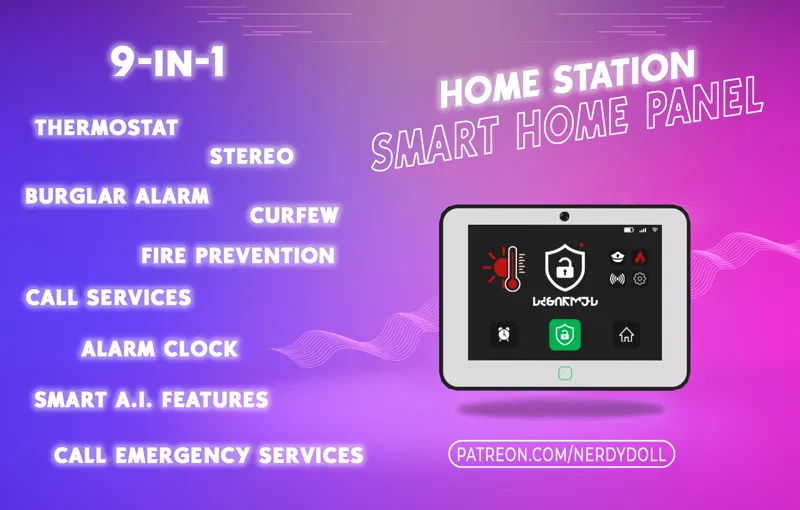
Are you tired of placing different alarms into your Sims' homes, when you could have one system to control it all? Then here is the answer to your prayers! Home Station is the ultimate Smart Home Panel for modern Sims!
Based on the Lin-Z Smart Speaker Object, Home Station has many, many features!
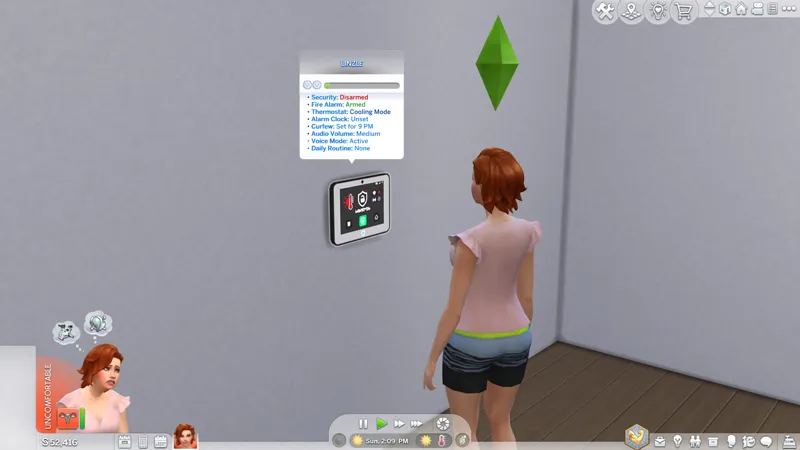
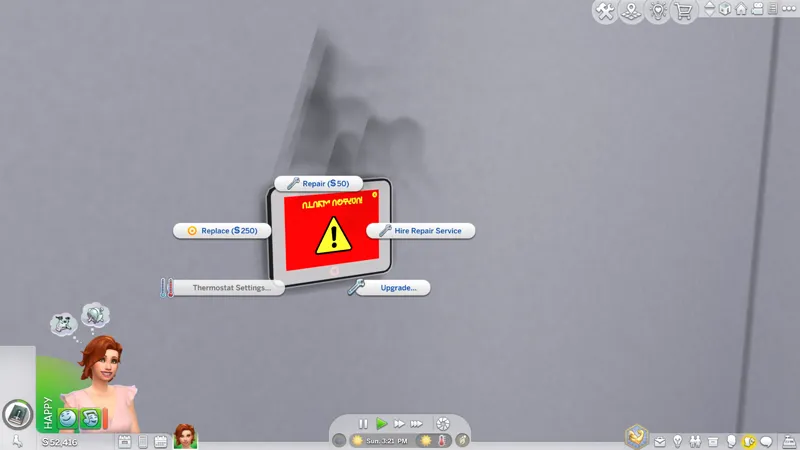
Burglar Alarm
Toggle On/Off
Upgrade
Thermostat
Set the temperature of the lot easily
Alarm Clock
Set different alarms for your Sims easily!
Upgrade the system for a bigger broadcast size
Stereo
Play music easily, choose different stations or play something random
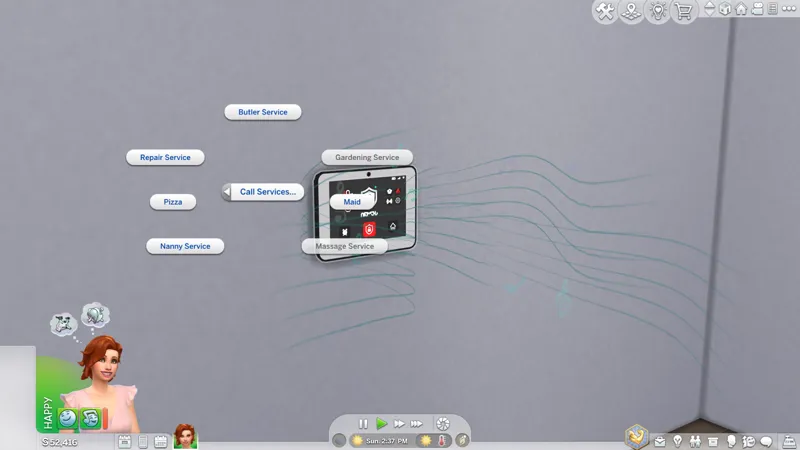
Call Services
Call services such as maid, gardener, pizza, nanny, butler, massage therapist
Call Emergency Services
Call Police/Fire Brigade
Light Settings
Adjust the lights easily in the room or on the lot itself
Curfew
Set a curfew for your Sims' children
AI Features
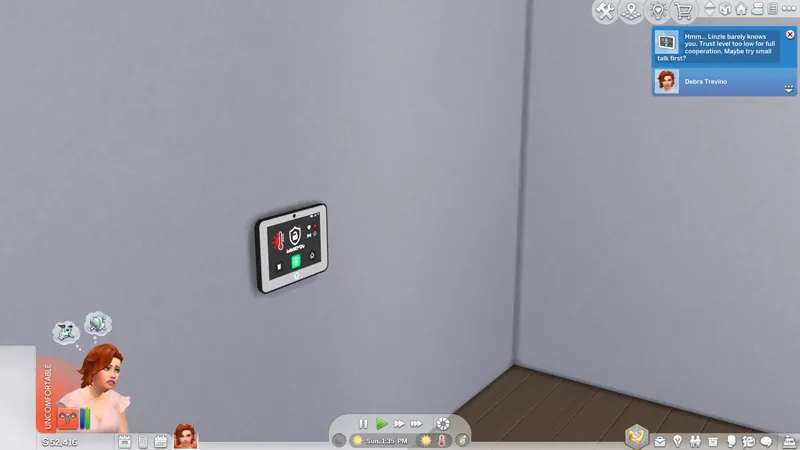
Socialize with the Smart Glooba Home Station
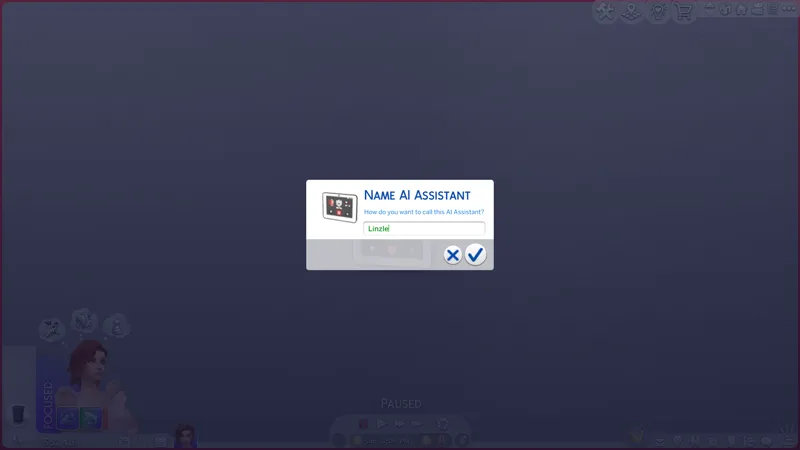
Rename the AI Assistant to any name
Set Routines
Receive Jokes, News or Affirmation
New interactions with different outcomes
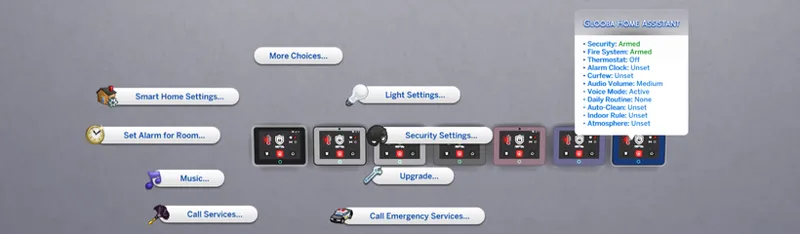
Smart Home Controls
Set Robot Vacuum for Auto-Cleaning
Turn on/off ceiling fans
Set indoor shoe rules
Your Sim can become friends with Glooba or they can despise each other. Be careful with the insults though, there is a chance Glooba will seek revenge if your Sim is too rude!
Atmosphere system!
Select from different atmospheres! Great for storytelling and different scenarios!
Romantic Atmosphere:
Stars a soft romantic music
Gives a rose to your Sim's inventory (that they can gift to someone)
Turns the colors of the lights to pink
Gives your Sims flirty buffs
Turns on the fireplace (if you have in your Sim's home)
Spooky Atmosphere (requires Life & Death):
Flickering Lights
Creepy noises
Scared Buff
Focus Atmosphere:
Starts a soft focusing music
Gives a focus buff to Sims on the lot
Soft blue light
Unwanted Visitor Atmosphere:
Turns the lights red
Turns on the alarm
Party Atmosphere:
Party Lights illuminate
Turns the lights blue
Party music
If you wish to have any other features, let me know in the comments below!
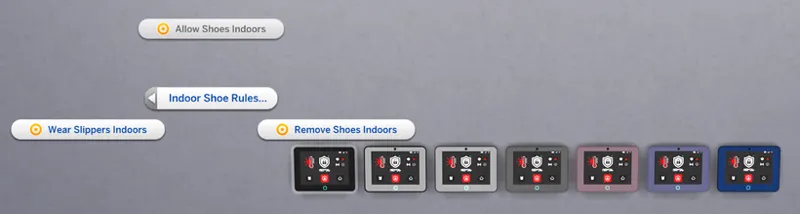
Change Indoor Rules!
Allows Sims to change indoor rules and set it to No Shoes Allowed, Slippers Required or Shoes Allowed! Find it under Smart Home Settings...
The NerdyDoll_Mod_HomeStation_SmartHomePanel_OPTIONAL_QuickerFirePrevention.package optional file overrides the "services.fire_service" module tuning, hence it will conflict with any mod doing the same.
Parenthood and Seasons.
Download from CF then place it into your Mods folder.
2 file:
NerdyDoll_Mod_HomeStation_SmartHomePanel.package - MAIN MOD
NerdyDoll_Mod_HomeStation_SmartHomePanel_OPTIONAL_QuickerFirePrevention.package - OPTIONAL FILE
The NerdyDoll_Mod_HomeStation_SmartHomePanel_OPTIONAL_QuickerFirePrevention.package file is optional if you want the fire system to activate faster. (In maximum 5 minutes instead of 20)
[DD/MM/YYYY]
[04.01.2026]
Fixed an LE issue regarding Atmospheres
Added new Smart Home feature: Change indoor shoes rule
Moved Rename and Mute/Unmute interactions to a new piemenu
[05.12.2025]
Thermostat Bug now resolved, finally works.
[03.03.2025]
Release Date
Until next time,
NerdyDoll
Comments (27)
Thank you for this - Here in Spanish (free) - https://www.patreon.com/JASimmer1/posts/traduccion-al-de-169527881?utm_medium=clipboard_copy&utm_source=copyLink&utm_campaign=postshare_creator&utm_content=join_link
how can i set the daily routines?
Where do i download Parenthood from to run the mod ? Any links please or what to do ?
And seasons also
Is it possible to make the mouse overlay window a bit wider? In some languages, like German in my case, the status is almost always displayed across two lines. :( https://ibb.co/zHNQWXwj
Unfortunately, that's set by the game and cannot be edited. :( Are you using a translation?
I got an LE when I tried to Turn On Fans: http://www.simfileshare.net/download/5877159/ http://www.simfileshare.net/download/5877160/
I can turn the ceiling fans on or off without any problems.
http://www.simfileshare.net/download/5876253/ I've recently been getting a LE error when I activate the Romantic atmosphere. The lighting is set, but the Romantic Aura and Music aren't working. Could it be incompatible with the mod "Arnie_FutureFruit_1.0_Widget4_MUSIC"? Update: I've removed all mods from the game and the SmartHomePanel is still giving the error. It's conflicting with Mount Komorebi; I live on the 50x50 plot in the top right.
Thank you for the report, I've tracked down the issue and it will be fixed in the upcoming update soon.
This is totally awesome!!! I love the ability to chance the atmosphere. Thanks for creating this.
I wasn't sure where else I could report this, but it is giving an error when I try to use the ceiling fan function. Everything else seems to work as intended. I meant to report this before and forgot. But it is one of my favorite mods and so instead of removing it, I will just deal with the fans on my own (until the next time I forget LOL).
Is it giving Last Exception? I have checked it and for me it's not showing any errors. Do you have Discord maybe?
I loooove the idea of this but I just downloaded it and it immediately popped a better exceptions.
Exception when applying action for loot NerdyDoll:loot_HomeStation_CeilingFans_On(loot_actions=(,), run_test_first=False, tests=CompoundTestList([])) (AttributeError: 'object_plant_non_gardening_generic_nonretail' object has no attribute 'set_state') MCCC Version 2025.5.1
Hi, could I get screenshots of all features please? Or at least some short video where are all functionalities seen? Unfortunatelly for me some text is missing 😅 So at least I could navigate myself from pictures 😅
Sad that i can no longer use this as i loved having it in game. Bookmarked for the day i purchase life and death and can have it again
I'm testing a version that won't require Life and Death soon, so heads up, it may be possible again quite soon!
The home assistant doesn't show up for me in game
I use for finding it search and write there "home"...
This says issue detected on all three i have placed. How do fix it?
when i place it, it gives me script call failed
Do you have the Parenthood EP?
Is this mod compatible with LittleMsSam_Automatic_Thermostat?
I don't know what her mod does. It should not conflict but I'm 99% sure it won't work on this object.
This is soo cool! Just a quick question: Is it still necessary to place a Home Station in each room that has a door which leads outside for the Burglar Alarm to work like with the original game one?
Yes, however this can change in the future or can be an upgrade later.