
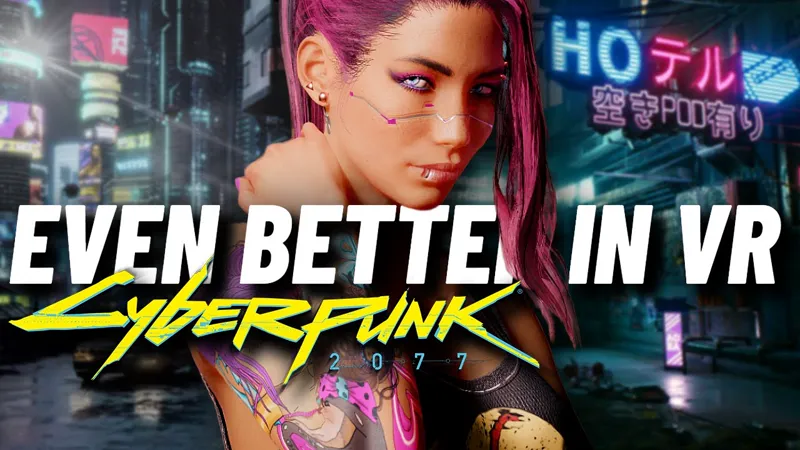
Cyberpunk 2077 VR video showcase
Dear friend and VR activist extraordinaire Beardo Benjo is at it again!!!
The video embedded above is a beautiful, relaxing stroll through Night City that will give you a really good feel for how incredible the world of Cyberpunk 2077 looks in virtual reality, even if for some reason you don't own a VR headset or the game itself.
As Beardo Benjo recommends at the end of the video, please hit all the buttons, because he deserves our full support for the amazing, daily work he's doing to evangelize VR.
Also, he's considering doing a full playthrough of the game in VR, with a longer video series than he usually does, and I think that would be a terrific idea (especially knowing how fun it is to watch him play any game!).
So please watch, like, subscribe, and poke poke poke him in the virtual ribs for that playthrough to actually happen!!!
Cyberpunk 2077 VR is EVEN BETTER in 2023... // Walk Through Night City in VR (YouTube)
Comments (39)
Luke, please rewatch this video. You made something extraordinary. Don't throw it away.
Hello there Master Luke! Your new follower and a patreon here. I am new to this wonderful world of Mod, and I am enjoying your fabulous mods. Is there anyway I can make snap turn instead of smooth turn. Smooth turn makes me sick. Thank you so much for all you are doing!!!!
Hey gang, I finally got the meta quest 3 setup to my Pc through usb 3.0 and running on VR. The problem I have is that the gameplay it’s very blurry and imagine isn’t sharp or steady please help, I have i9 3gen processor running on nevida 3080i
If I get a prompt when I try to launch the mod that says it crashed does that mean I installed the mod wrong or is my computer not up to par? The game runs great when I’m playing in flatscreen.
Could be a number of reasons. Can you put a copy of your RealVR64.log file on pastebin and post a link to it here please? Log file is in the same game folder you dropped the mod files in. VR is much more demanding than flat, what kind of hardware are you running?
Quick question Will this only work if you have bought the game form steam cause I have a cracked version of the game and looks like it ain't working.
We don't support pirating at all. You will need to buy the game. It works fine with the current Steam and GOG version.
How do I increase the resolution for this? It's really jaggy and i have a 4090. Can someone help me with this?
There are custom resolutions added in, in the games settings section. Besides that, you can also use the ppd slider on the main tab of the overlay (opened with both triggers while the game is paused). The game will not remember a specific ppd you set but will remember if you pick one of the custom resolutions, so start there. After running the config file, don't increase any settings other than resolution first to get an idea of how high you can go. You will also need to decide what rendering mode you want to use as they all have advantages and draw backs. I'll link a post by Luke that goes over them a bit. I am assuming you are talking about Cyberpunk based on where you chose to post. https://www.patreon.com/posts/gaming-in-vr-at-76076877
Hi, thanks for making this mod! Looks awesome! However when I'm moving laterally or watching cars pass, I'm seeing 2 objects (is this what ghosting is?) next to each other a couple inches apart. What configurations do you recommend tweaking? I understand this will be different for every setup. I have a 5600g cpu, 4070 gpu, 32g ram, Quest 3, I connect with Virtual Desktop and use vdxr.
Are you using Legacy AER rendering mode? It will have motion jitter when things move sideways. Using 1/3 or 1/2 will get rid of this which was one of the main reasons Luke took the time to work on AER V2. They do carry extra overhead which makes it harder to play at higher resolutions but if you can lower your headsets HZ to 72 or 60 then you can lower the required framerate to use them and they are much smoother feeling without the motion jitter. I use Legacy myself but if the 5090 is a huge performance boost I will probably make the switch. High resolution plus AER V2 would be fantastic. The motion jitter will be more evident if you are not getting 80-90 fps with Legacy as well. I'll link a post from Luke that kind of goes over the rendering modes. https://www.patreon.com/posts/gaming-in-vr-at-76076877
What game u playing? Lol i got it locked on 80 fps i watched this video moved it to 1/2 (i was on 1/3 lol and adjusted the resolution to just under highest in game. Left it on 24 pixels per degree unless u think i should increase it? The game looks amazing i had a bunch of settings in game off i shouldnt have. Man! This is incredible! Im suprised i cant get gta 5 and farcry 5 looking this good! Lol!!! I might add the dhader the guy was using in the video idk i could pretty much leave it now. Also in the video the guy showed short cuts on the real vr menu so i dont need the mouse to change tabs just hold down square on my xbox controller and use l1 to change tabs thats genious lol so that problems fixed
Yeah, you can adjust and select everything in the overlay with a controller. Just be careful with Reshade presets as they can be pretty heavy on performance in VR. Are you using any of the LUT mods from Nexus for the game? Preem LUT is pretty decent and helps with colors and contrast but still good visibility at night. Nova is also another alright option. The LUT by itself is zero performance cost and I think the lighting files with them don't affect performance either but not sure. You can increase the resolution/ppd higher with Legacy but it won't have the smoothness of 1/2 and will have some motion jitter. It offers a pretty decent resolution jump though. If you are happy with the way things are running at 1/2 that is a great spot to be at. What matters most is that you enjoy the experience :) I jumped back and forth between Cyberpunk as I haven't done a second playthrough with Phantom Liberty yet and Ark Survival Ascended. Loved the original Ark and now that I can play in VR it is amazing. A bit janky but the game always has been so, meh 🤷♂️
Having an issue where i cant get to the top or the bottom of the vr menu so i can adjust shaders and pixels per degree and stuff. I think it has to do with the resolution im at and my monitor doesnt have the full picture in it. Is there anyway i can fix this and make the menu more accessible?
Is your monitor set to a 16:9 resolution? You have the game set to Windowed fullscreen/borderless? You could try going into the game settings and setting a lowish resolution to decrease the window size. You could also try running the config file again if it was working fine before.
Hello, I decided since cyberpunk update 2.1 to completely restart the Game. At the first elevator I encounter, the door opens, I enter, but it is impossible to select the floor. This is not highlighted and therefore cannot be clicked or activated. Do you have the same problem ?
Can you please drop me a save for it? Chronowake@gmail.com I will give it a shot. My CP save folder is just a jumbled mess of other people saves at this point. I have used an elevator since the latest patch and Real version and they worked fine but not sure about that particular one.
Any tips to improve latency in Cyberpunk?
Try switching to Legacy AER, since it is not generating extra frames. What kind of fps are you getting and what kind of latency? Are you using VD?
Hi, im New to this mod and followed a guide to get it to work in F2VR discord but when my game go in VR (when i finished the character creation i get a 1 FPS, 999ms and can't do nothing, i certainly do something wrong but idk what, i have a 3070TUF i5 12600kf and a quest 3 with link cable, in RealVR64 i also see "WARN Not all command queues finished in Time"
Also sorry if it's not the place to Ask for problem
I’ve been playing cyberpunk for like weeks now and I’m less likely to be getting dizzy as per your advice. However I’ve been wondering if there is an option to disable the map going full 3d? Like optionally remove that? And on top of that is it possible to make looking down less looking down? I mean i play being seated and looking down is kinda difficult at most especially with an oculus, (maybe because i see less below but more above?) but its hard to loot and look below most of the time. And also its very hard to look up the menu cause I need to look at it at the very edge of my eye its quite straining when looking at the map and the objective. But overall the mod works flawlessly. Although i dont have a very beefy specs 4070ti. Everything is low and resolution at 3088x3088 just to get it to run flat 60fps. Kinda pixelated though but this is all i have.
I do believe there is an option to disable the 3d map in the overlay but I don't remember for sure or if it is still there in the updated version. I'll have to take a look. As far as looking around, I don't think there is any way to alter that other than adjusting the first person camera in the overlay. You could try adjusting world scale slightly but I don't know that it would help much. Yeah, in the CP2077 tab there is an option to disable the 3d map and character creation screen and use 2d instead.
I've been a little busy so haven't really had too much time to test things but I'm pretty happy with the way I have things step up now. Had quite a bit of fun with melee. I however can't for the live of me figure out how to aim guns properly. my bullets just don't seem to go where my ironsight or scope is at. Am I doing something wrong here? Like am i forgetting some setting I should have changed?
I haven't played much myself with the last 2 or 3 updates so I will check out aiming to see if it is more off. It was never incredibly accurate when aiming down sights and firing off quick successive shots but didn't seem too off either.
Love this so much! Thank You! I also highly recommend turning TAA off via mod. Is it possible to use Holgers FSR mod on top? Both use a dxgi.dll and im unsure. Couldnt find anything.
No, it does not work alongside this mod since they both use dxgi.dll. Glad you are loving your time in Night City ;)
I've tried to reach out to the owner of the Patreon a couple days ago because, on a 3080ti I'm getting 60fps of pure blurriness. I saw that patrons get technical support, but I'm not seeing anywhere to request that support. Do we get actual assistance? Where can I get help for this stuff?
Yo James. What issue/s are you having. Just ask her in general.
Guys, it s not through the lenses at all. He is in vr but he s showing the screen of his computer. Him, he is not seeing that at all, but people in the room can see that on the screen
Is there a reshade that will make the colors pop?
You could try using colorfulness in Reshade, probably the simplest solution if you just want to make the colors pop more. I like Realcolorr as it gives me the best looking colors and realism but unfortunately it is not available anymore. You could try Gits or Gits Fujiama(not nearly as dark) but Gits will be pretty dark at night. Things will look more realistic usually when you increase contrast or darkness some because real life is usually darker. Of course dev's want you to be able to see in the game at night so realism doesn't usually work well in games.
Yeah... already watched..it the reason why VR for me is the only way to play games. Awesome
vr will never look like a flat screen, at least for now, imagine multiply the pixel density you have an a 27 inch 1440p in order to cover all the view provided by an headset, you would need maybe a 3x3 monitor grid or even more, something like a 7500*4400 resolution, for each eye. we will have to wait a lot for that.
Like so many other creators on yt. There is a lack of honesty. He captured from whatever and not thru the lens. I have a 4090 and unfortunately VR can't look like 2D. At least not at this point. It is what it is, double demanding! Anyway the game look pretty well with a highend PC ;)
I believe it's not double-demanding. That's the whole AER thing. one eye morphs from frame 1 to 3 while the other eye morphs from frame 2 to 4, etc, switching perspective each tick. The savings being in that it's easier to morph between frames (or whatever the technical word is) than to render
After checking it appears thr VR View window does not show the shimmering and is definitely a more crisp picture than in the headset. So that must be what we are seeing. Incidentally I should also mention that I don't use DLSS at all ( it looks worse and is very choppy) I use 1/3 and still set it to quality and the sharpness slider all the way to 1. This has given me the best view in the headset by far. Although this could just be subjective.
I dont know how you get it to look like that. I have a 4090 and am not only running the game at the highest in game resolution but also have it set to 28.4 in real VR. I've tried 1/3, 1/2 and legacy but the ghosting is still present and his resolution looks to be twice what I see in my headset. Don't get me wrong, I'm on my 4th playthrough in VR but It dosent look as crisp and clear in my headset as it does in this video.
I think it's because it's the captured video you see on the TV? I could be mistaken. I have a 4090 as well, and it definitely doesn't look this good either.