

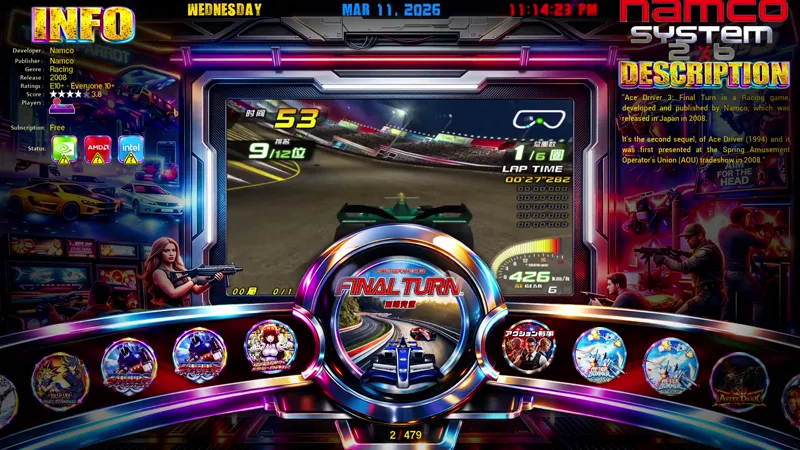
TEKNOPARROT Complete Set Theme Add-ON Version 13 - March 11, 2026 - MODIFIED
TeknoParrot Complete Set – Version 13
Version Date: March 9, 2026
The TeknoParrot Complete Set Version 13 introduces new visual upgrades, updated playlists, and improved metadata support for both I-RETROPLAY and I-TEKNOPARROT builds. This release focuses on improving presentation, frontend integration, and overall usability while supporting all currently available TeknoParrot titles.
New Additions
• New Enhanced Round Logo Set for TeknoParrot game titles
• New Optional TeknoParrot Theme for both I-TEKNO and I-RETRO builds
• Updated Game Title Playlists for improved organization
• Updated Metadata Hyperlist with the latest information
Core Features
Compatible with both I-RETROPLAY and I-TEKNOPARROT builds.
• TeknoParrot Profile-Ready Installation
• Beta Installer Release – Updated March 9, 2026
• Updated Custom Theme running on RetroFE
• Interchangeable Themes through the Settings Menu
• Supports all TeknoParrot titles available as of March 9, 2026
• Single and Dual Monitor Support
• Optional Animated Marquee or Static Marquee for secondary displays
• Supports thin marquee monitors (1920 × 586 resolution)
Media and Artwork
All media assets have been updated and optimized.
Supported media includes:
• 1920 × 1080 HD Video Snaps
• Game Logos
• Fan Arts
• Character Artworks
• Marquees
• Box Art
All metadata has been updated to the latest available information.
System Improvements
• Updated Settings Menu
• Improved media organization and frontend compatibility
• Optimized artwork presentation and loading performance
Support the Project
💬 Leave a Comment or share your ideas
You may also support the project by joining our Patreon page.
Thank you for watching and supporting the project.
Enjoy the demo!
FINAL DESIGN:
We made some visual changes and fixes since the March 9, 2026, video demo.
That is why it took longer than expected. We think it's much better now.
REQUIREMENTS:
February Project Arcade I-TEKNO Standalone Build
LINKS:
BASEFILESITEKNO_MARCH92026UPDATE.7z
https://mega.nz/file/vEAyBZpb#aImrXH2yIqNWtGcvXULiUvjIrKQhpVJk3CRBSEdslBE
pass: jolygim
INSTALL NOTE:
Just extract to root directory overwriting files.
Make backup if needed of your layouts folder.
We still fixing the batch file installer for this.
But it's much easier for now to do an extraction manually.
Install Directory
EXAMPLE:
M:\PROJECT i-TEKNOPARROT\
D:\PROJECT i-TEKNOPARROT\