





Project Arcade I-RETROPLAY BUILD UPDATE 3-11-2026
Greetings,
We present you the latest build update for Project Arcade i-RETROPLAY Build Update.
REQUIREMENTS:
Project Arcade i-RETROPLAY Base Build
BASE BUILD PROJECT ARCADE I-RETROPLAY HERE:
https://www.patreon.com/posts/install-project-139245725
MAME v.284 plus Project Arcade BUILD PARTIAL UPDATE
https://www.patreon.com/posts/mame-v-284-plus-149160882
CHANGES:
FIX Crash to desktop on some machines because of overpopulated media files.
NEW SYSTEM ICONS and LOGOS
NEW LOGO PLAYLIST SETS
NEW ICON PLAYLIST SETS
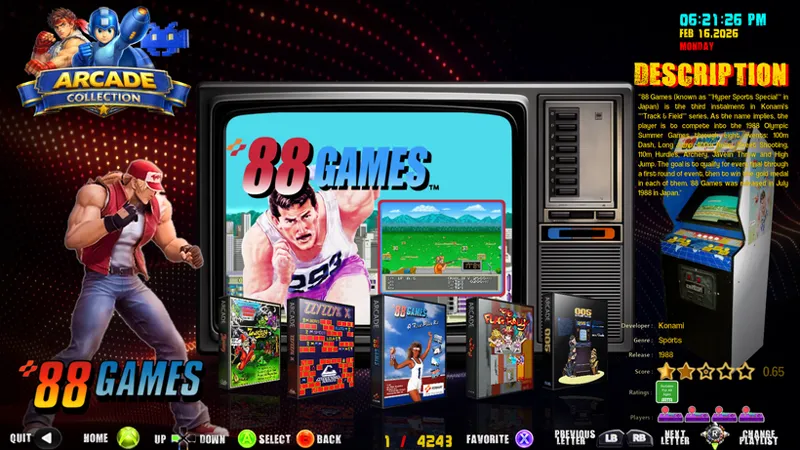
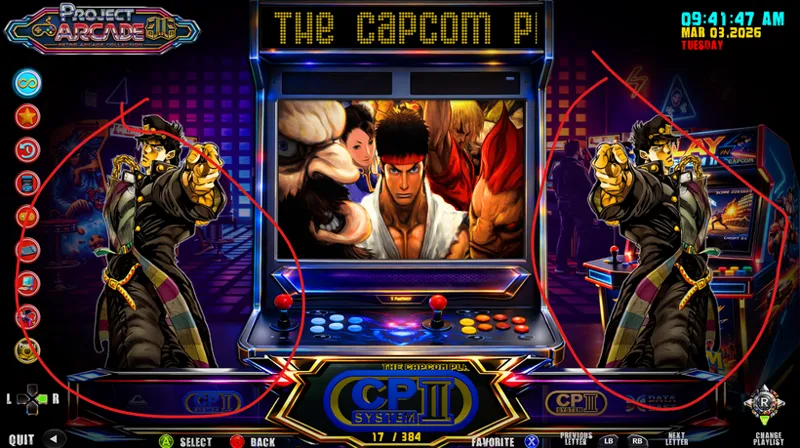
NEW MAIN MENU INTERFACE
NEW INTRO
SETTINGS MENU ENHANCED
REBUILD AND OPTIMIZED LAYOUTS/THEMES
ADDED A LOT OF NEW MEDIAFILES
Can now change System Themes while in dual monitor mode.
Improved layouts, animations, and performance
Cleaned and optimized media files
Enhanced dual-monitor functionality
MAME 0.284 support
Non-merged MAME set support (approx. 4,000 working games)
Optional HD and 4K marquee packs
Selectable MAME-themed or Hyperspin-style videos
Support for Mr. LUST 4K bezels
INSTALL INFO:
Use the batch file installer.
Run on any drive.
The installer will backup first the following files:
backup folder: ProJectArcadeBitsBits\BUILDBACKUP
AMALGAM folder
layouts folder
Set folder
collections\1 Arcade folder
collections\_common folder
collections\1 Arcade\medium_artwork\3dbox
collections\1 Arcade\medium_artwork\cabinet
collections\1 Arcade\medium_artwork\controller
collections\1 Arcade\medium_artwork\fanart
collections\1 Arcade\medium_artwork\fanartHD
collections\1 Arcade\medium_artwork\logo
collections\1 Arcade\medium_artwork\marquee
collections\1 Arcade\medium_artwork\marquee4K
collections\1 Arcade\medium_artwork\marqueeANIMA
collections\1 Arcade\medium_artwork\story
collections\1 Arcade\medium_artwork\teknokart
collections\Sound Options
collections\Systems Menu Control
collections\Tekno Fixes
collections\Theme Extension
collections\ZZZ SETTINGS
collections\DEMUL Fixes
collections\Fixes
collections\Interface
collections\Ratings Control
collections\Resolution
CHANGELOG.txt
controls.conf
IRETRO2.ico
license.txt
log.txt
PA i-RETROPLAY.exe
README.txt
RetroFE.ico
RetroFE.lnk
RetroFE.png
settings.conf
++++++++++++++++++++++++++++++++++++++++++++++++++++++++++
BASE INSTALLERS
==================================================================
===================================================================
INSTALL INSTRUCTIONS
===================================================================
Follow Instructions:
BASEFILES_STEP1
https://mega.nz/folder/O5R1QCpZ#FYZsesHD7BjVp-GYeUjzGw
===================================================================
REQUIREMENTS: BASE INSTALLERS
BASEFILES_UPDATES_STEP2
https://mega.nz/folder/ioASgDZQ#Wjdm7x5TxMDB07-fCzMcpg
Step 2 is the UPDATE 1 File Patch
There are only 2 files on this patch update
Must place in the root of Project Arcade
Example:
D:\ProJectArcadeBitsBits
Then run BACKUP-PATCHER2025.bat
===================================================================
REQUIREMENTS: BASEFILES_UPDATES_STEP2
BASEFILES_UPDATES_STEP3
https://mega.nz/folder/HgQ33DKI#9WSeS1VuxZpWN1-Sqd0kJg
Step 3 is the UPDATE 2 Patch Files.
Files are as follow.
PA_i-RETROPLAY_OFFICIAL_UPDATE2_SEP_16_2025.7z
OFFICIAL_BACKUP-PATCHER_UPDATE2_9-16-25.bat
MEDIA FILES (NEW)
PA_i-RETROPLAY_OFFICIAL_UPDATED_VIDEO_FILES_SEP_16_2025.7z.001
PA_i-RETROPLAY_OFFICIAL_UPDATED_VIDEO_FILES_SEP_16_2025.7z.002
PA_i-RETROPLAY_OFFICIAL_UPDATED_VIDEO_FILES_SEP_16_2025.7z.003
PA_i-RETROPLAY_OFFICIAL_UPDATED_VIDEO_FILES_SEP_16_2025.7z.004
PA_i-RETROPLAY_OFFICIAL_UPDATED_VIDEO_FILES_SEP_16_2025.7z.005
THEME MENU FILES (NEW)
PA_i-RETROPLAY_OFFICIAL_UPDATED_THEMESMENU_VIDEO_FILES_SEP_16_2025.7z
Must be also be placed in the root of Project Arcade
Example:
D:\ProJectArcadeBitsBits
Then run OFFICIAL_BACKUP-PATCHER_UPDATE2_9-16-25.bat
NOTE:
All installations must be done one after the other.
It has to be one by one.
First are the Base files.
Second will be Update 1
and thirdly will be update 2
Do not mix it together in one go...
===================================================================
REQUIREMENTS: BASEFILES_UPDATES_STEP3
BASEFILES_UPDATES_STEP4
https://mega.nz/folder/ipYwRJzb#zi6YCqxSfoAnGSoQrs5Fnw
READ ME INCLUDED
===================================================================
LATEST: March 2, 2026
REQUIREMENTS: BASEFILES_UPDATES_STEP4
BASEFILES_UPDATES_STEP5
https://mega.nz/folder/28RhlYCb#5RjORO-Zq7pwQe1GGYE1Yw
README INCLUDED
NOTE:
Start Here if you already installed previous update
===================================================================
===================================================================
==============================================================
REQUIREMENTS: BASEFILES_UPDATES_STEP5
After all is done you can now install additional available system addons from our download servers.
ADDED OPTIONAL BASIC SYSTEMS ADDONS AS FOLLOWS:
Below are optional addons you may have or may not have.
These are compatible systems for PA i-RETROPLAY.
ATARIS_MARCH2026 (800, 2600,5200&7800)
ATOMISWAVE_MARCH2026
BALLYASTRO_MARCH2026
COLECOVISION_MARCH2026
COMMODORE64_MARCH2026
FAMICOM_MARCH2026
GAMEBOYS_MARCH2026 (Advance,Color&GB)
GAMEGEAR_MARCH2026
GAMENWATCH_MARCH2026
GENESIS_MARCH2026
INTELLIVISION_MARCH2026
JAGUAR_MARCH2026
MASTERSYSTEM_MARCH2026
MEGADRIVE_MARCH2026
NAOMI_MARCH2026
NAOMI2_MARCH2026
NECPCENGINE_MARCH2026
NECTURBOGRFX16_MARCH2026
NES_MARCH2026
NESHD_MARCH2026
PLAYCHOICE10_MARCH2026
PSPMINIS_MARCH2026
SEGACD_MARCH2026
SUPERNINTENDO_MARCH2026
SUPERFAMICOM_MARCH2026
Note:
All abovementioned systems addons can be installed manually or automatically via batch file installers. Other add-ons will be available on the Patreon page as posted for tier 2 patrons. Tier 3 patrons will have access also to exclusive system addons and other exclusive items related on our mega cloud server.
Link:
https://mega.nz/folder/C14FwSra#OsTR1z1xxJk6Qq0FiLhheg
++++++++++++++++++++++++++++++++++++++++++++++++++++++++++
Project Arcade i-RETROPLAY - RETROFE THEME - LATEST UPDATE - March 11, 2026
++++++++++++++++++++++++++++++++++++++++++++++++++++++++++++++++++
REQUIREMENTS:
March 2, 2026, Project Arcade I-RETROPLAY Standalone Build Update
LINKS:
BASEFILESIRETRO_MARCH92026UPDATE.7z
https://mega.nz/file/iJBjGTha#LPxFFtLrQqjvbN4Es9wu8C2IySPRPJAaX_1cIw7BDmg
pass: jolygim
INSTALL NOTE:
Just extract to root directory overwriting files.
Make backup if needed of your layouts folder.
We still fixing the batch file installer for this.
But it's much easier for now to do an extraction manually.
Install Directory
EXAMPLE:
M:\ProJectArcadeBitsBits\
D:\ProJectArcadeBitsBits\
Alternate Main Platform Videos WIP
We still completing this new set.
LINKS:
OPTIONAL_PLATFORMVIDEOSV2.7z.001
https://mega.nz/file/kCpWxTKZ#kIwC5fB79pjqru2c9TSaNw58SgOn2VF42LKtEmeSWGE
OPTIONAL_PLATFORMVIDEOSV2.7z.002
https://mega.nz/file/FKoWTYQb#WFB9pzCfchPSjyeBGim5nh3MnLGGX1coAV3Pzj26n5w
OPTIONAL_PLATFORMVIDEOSV2.7z.003
https://mega.nz/file/YPAFwaZa#n09mFFm56Tr74amJw2jl4aKHuAp94Oz46JQtEqY61KQ
OPTIONAL_PLATFORMVIDEOSV2.7z.004
https://mega.nz/file/MTAgWQIK#3gLYgPRMC9Ea1BR7ghXQo8FEp-EtZPc4v0xwFn-FUBM
OPTIONAL_PLATFORMVIDEOSV2.7z.005
https://mega.nz/file/VDo1TJjQ#9eEQiZgqkiM0gy3TGWzzxxhs_pvTSWUo3Bcwt9r6K0g
OPTIONAL_PLATFORMVIDEOSV2.7z.006
https://mega.nz/file/fAxFhCBQ#UxJStegSzXbKl8XYX4Wd99crIuI9VdHTD4AhwvCbPJM
OPTIONAL_PLATFORMVIDEOSV2.7z.007
https://mega.nz/file/SBBWXSyQ#dNMgOQP6DLkkLMfjjjBinMYvTivaMc1qOPKYn8IeiSc
OPTIONAL_PLATFORMVIDEOSV2.7z.008
https://mega.nz/file/HIBTzLxT#FoQ2ShfnsUznexaPQs2R5eOUNoC_2KlzqtT1uvW1jjY
Pass: jolygim
Install directory:
EXAMPLE
M:\ProJectArcadeBitsBits\collections\Main\medium_artwork\video2
D:\ProJectArcadeBitsBits\collections\Main\medium_artwork\video2
++++++++++++++++++++++++++++++++++++++++++++++++++++++++++
Support the Project
Your comments, suggestions, and feedback help us improve every release. If you have questions about retro gaming or the build, feel free to message us.
Visit our discord channel to know more...
Discord: https://discord.gg/afQU3aWkaV FB: https://www.facebook.com/JolygimGameandTech/
Please support the channel by being a Patron: https://www.patreon.com/jolygimgameandtech
If you share my passions and like to support the channel, feel free to donate. Thank you!
TROUBLESHOOTING:
Just in case you ran into trouble do the following:
Issue: Double Characters
Solution
Delete this extra mascot folder. Don't worry it's the old one. Leaving only mascot2 and mascotX.
Issue 2: Settings not showing correctly
Solution:
Rename ALL SETTINGS.bat or anything resembles AAA SETTINGS.bat or ALL SETTINGS.bat to ZZZ SETTINGS.bat. Leaving only ZZZ SETTINGS.bat.
Issue 3: Does not start at all.
Solution:
Just copy the settings.conf from the Set\default folder location to the root of project arcade.
Then run the Sual Monitor OFF command in the Settings menu Interface
Hope this will be helpful to all.
If you have other issues, please let us know. We are more than glad to assist.
Have a great day everyone.