




Pinball Build Update and Visual Pinball Add-On for Project Arcade I-RETRO Update 1-21-26
Greetings...
First of all, we like to thank you all for
supporting the channel. It took us sometime,
but we manage to get the first update up and running.
We added a little more love on this.
Thank you for requesting this.
We now present you the latest Project Arcade Pinball
Build Update and Visual Pinball Add-On.
REQUIREMENTS:
Project Arcade I-RETROPLAY Builds
Plus, the Latest Updates
Install Project Arcade | LATEST Updates + Tutorial Video
https://www.patreon.com/posts/install-project-139245725
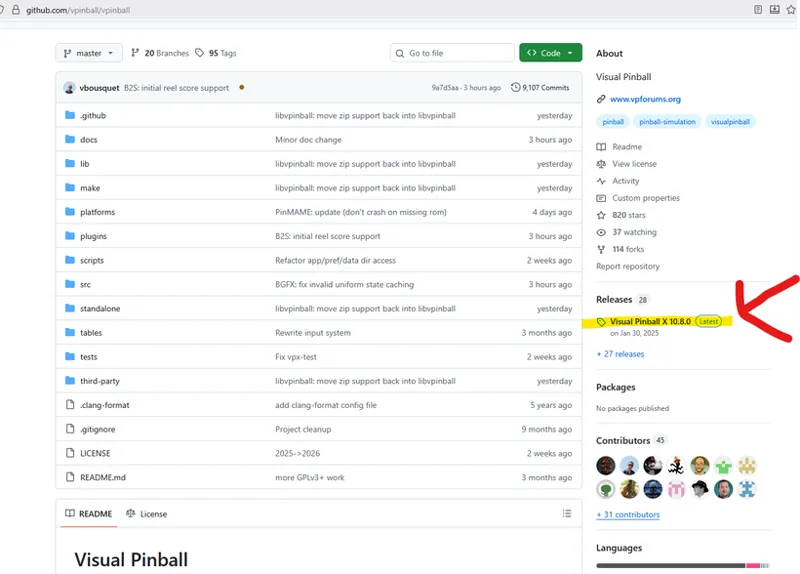
Latest Visual Pinball X Installers:
https://github.com/vpinball/vpinball
FEATURES:
Landscape or desktop mode for now.
The dual monitor back glass and DMDS
will be implemented on the next update.
Updated Pinball category system list.
Additional logos for the Pinball Menu Category.
Interchangeable Pinup Popper Inspired theme menus.
Full HD Fanarts 1920 x 1080 Pixels.
Full HD Video snaps 1920 x 1080 mp4
Custom Round Pinup Popper inspired logos.
Metadata info is also updated.
Optimized Animated Media Artworks.
Main Settings Menu is also updated.
Running on latest Visual Pinball X
INSTALL NOTE: Please read all instructions before continuing to avoid problems.
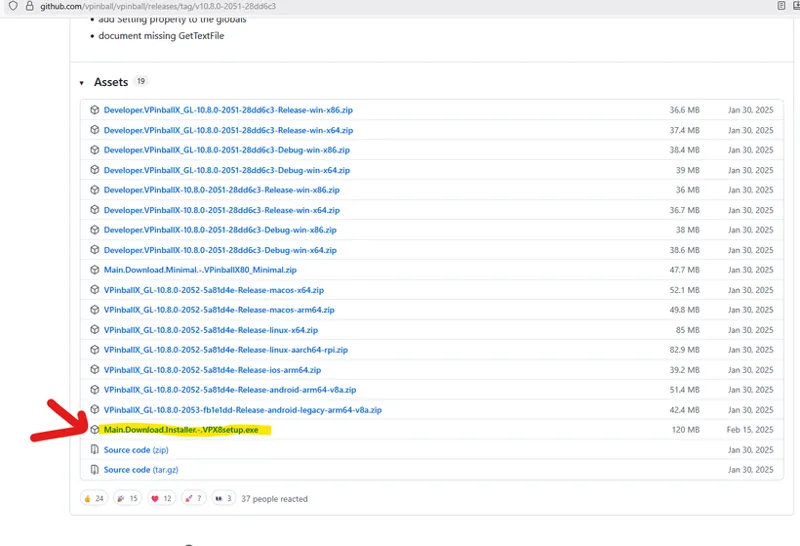
You need to install first Visual Pinball application. Please download the app on their website.
Latest Visual Pinball X Installers:
https://github.com/vpinball/vpinball
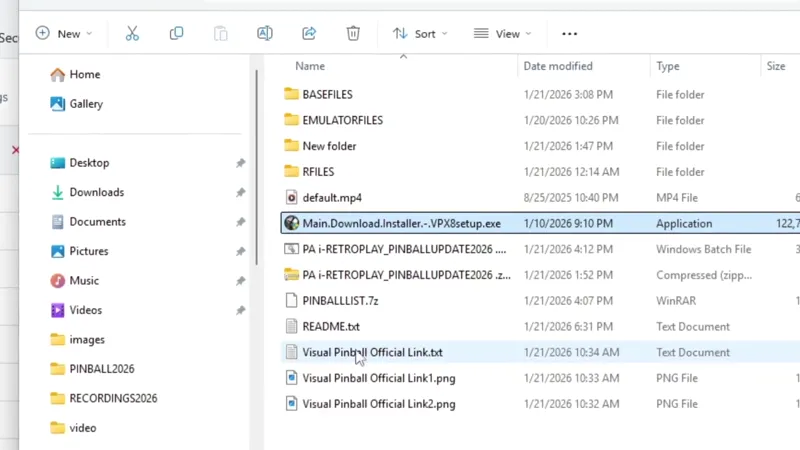
Visual Pinball Application should be inside the emulator folder in the root of Project Arcade i-RETROPLAY base build.
WARNING:
If you have an existing vPinball PinupPopper installed in your system for Visual Pinball, installing the VisualPinball (VPX8setup.exe) installer to the Project Arcade emulators folder will void the vPinball configurations.
If that happens, and you want to use vPinball Popper again from your old settings, just run the installer for vPinball again.Please take time to process this statement to avoid issues.
You need to install first Visual Pinball on the following example directory location.
D:\ProJectArcadeBitsBits\emulators\Visual Pinball
M:\ProJectArcadeBitsBits\emulators\Visual Pinball
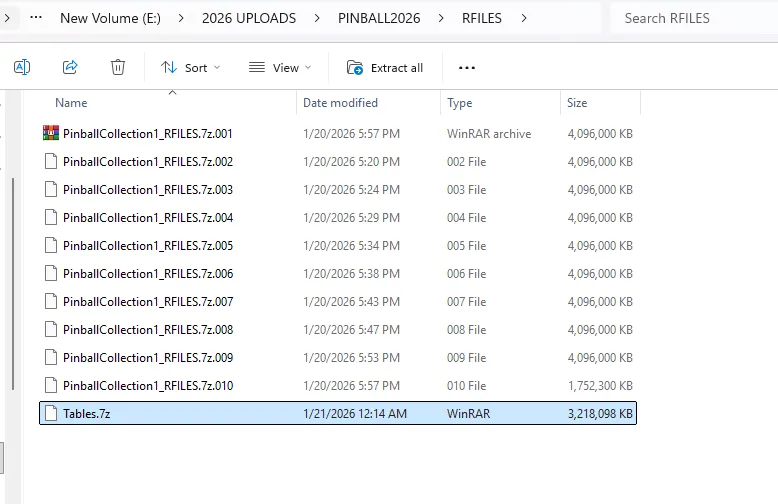
You can run the Installer Batch File anywhere as long all files are downloaded and complete.
The installer will prompt you if you have missing files or archive.
Update Info:
Will add additional system or optional pinball systems place holders for future addons.
Just like before systems can be enabled or disabled via the System Menu Control Settings.
Will also install or update the previous pinball Main Collection to use the new set of themes.
Will correct and use the updated universal marquees for all systems.
Visual Pinball Addon Update 1 support 0-B Table List for now. Still more on coming updates.
But your free to add your own, just follow the guidelines and formats.
MEDIA FILE'S STRUCTURE:
Visual Pinball ADD-ON
fanart - 1280 x 1024 pixel backglass artwork
fanartHD - 1920 x 1080 pixel Wallpaper or
logo - clear logo (maximum 600 pixels)
roundlogo2 500 x 500 pixel custom popper inspired logos
story - Table or game info
teknokart - 3d Box Art (Arcade or MAME Style)
video - 1920 x 1080 video snaps MP4
3dbox - Cabinet or the Table Artworks
card2 - Custom Instruction Cards (any size as long its readable)
Visual Pinball Table Files Structure (Please take note of VPX File Names)
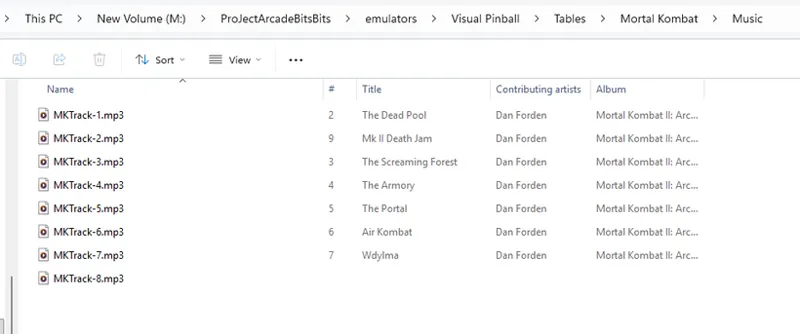
Every Game shall have its own folder, meaning vpx,b2bs,dmd,music files will be on the same folder inside the Tables folder at the root of Visual Pinball Folder.
With a cleaner approach.
EXAMPLE ONLY IF YOU ADD MORE TABLES ON YOUR OWN:
VPX File
D:\ProJectArcadeBitsBits\emulators\Visual Pinball\Tables
D:\ProJectArcadeBitsBits\emulators\Visual Pinball\Tables\007 Goldeneye (SEGA)(1996)
D:\ProJectArcadeBitsBits\emulators\Visual Pinball\Tables\007 Goldeneye (SEGA)(1996)\PINMAME.vpx
Music File(s)
D:\ProJectArcadeBitsBits\emulators\Visual Pinball\Tables\Mortal Kombat\Music
D:\ProJectArcadeBitsBits\emulators\Visual Pinball\Tables\Mortal Kombat\Music\MKTrack-1.mp3
D:\ProJectArcadeBitsBits\emulators\Visual Pinball\Tables\Mortal Kombat\Music\MKTrack-2.mp3
D:\ProJectArcadeBitsBits\emulators\Visual Pinball\Tables\Mortal Kombat\Music\MKTrack-3.mp3
D:\ProJectArcadeBitsBits\emulators\Visual Pinball\Tables\Mortal Kombat\Music\MKTrack-4.mp3
DMD (Do not change the DMD original names)
D:\ProJectArcadeBitsBits\emulators\Visual Pinball\Tables\Mortal Kombat\Mortal Kombat II.UltraDMD
D:\ProJectArcadeBitsBits\emulators\Visual Pinball\Tables\Mortal Kombat\Mortal Kombat II.UltraDMD\DMD1.png
D:\ProJectArcadeBitsBits\emulators\Visual Pinball\Tables\Mortal Kombat\Mortal Kombat II.UltraDMD\DMD3.png
D:\ProJectArcadeBitsBits\emulators\Visual Pinball\Tables\Mortal Kombat\Mortal Kombat II.UltraDMD\DMDMKII.png
B2BS
M:\ProJectArcadeBitsBits\emulators\Visual Pinball\Tables\Airborne Avenger (Atari)(1977)\Airborne Avenger (Atari)(1977).directb2s
The backglass must be the same name of the VPX file.
EXAMPLE:
On the Airborne Avenger (Atari)(1977) table... If the vpx is PINMAME.vpx, the the backglass must be named PINMAME.directb2s
++++++++++++++++++++++++++++++++++++++++++++++++++++++++++++++++++++++++++
LINKS:
https://mega.nz/folder/KtgTwCaL#Yl2ry0zpxw2dGHI2_Xkimg
+++++++++++++++++++++++++++++++++++++++++++++++++++++++++++++++++++++++++++
TUTORIAL:
Note:
Missing Tables.7z file has been added...