







Light Gun Games Collection 2025 Standalone | Custom Theme | Project Arcade | RetroFE
ADDED NE FIX FOR TEKNOPARROT GAMES INSTALLER 12-21-2025
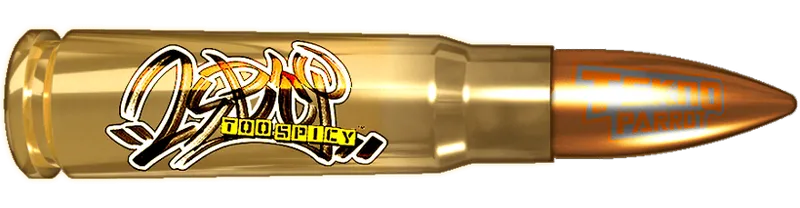
ALTERNATE BULLET ARTWORKS ADDED 12-21-2025
Greetings...
We now present our latest Standalone Theme Build Update.
Project Arcade i-GUNGAMES Standalone
Requirements:
No previous build needed.
FEATURES:
All Arcade on initial release
Standalone Beta Release Update
Custom Artworks and Animation
Custom Theme running on RetroFE
Support Single and Dual Monitors
Metadata info available
Artworks like logo, fanarts, character arts, marquee,
box arts are also supported
and much more...
On the Next Update:
Computers and Console Systems Support
Settings Menu Update
Theme Customization Update
Animated Marquee
++++++++++++++++++++++++++++++++++++++++++++++++++++++++
LINK:
https://mega.nz/folder/nthyXD4J
key
S7ikZAzGC39IzwuzuUXIMw
+++++++++++++++++++++++++++++++++++++++++++++++++++++++++
Install Note:
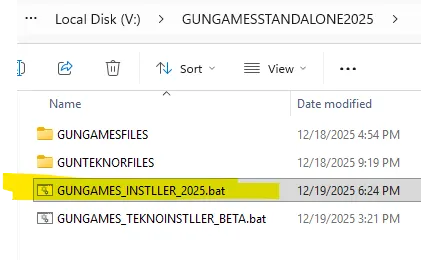
Installer can run at any given location together with the other files.
You will need 7zip for the installation
https://www.7-zip.org/
Example:
D:\GUNGAMESSTANDALONE2025
M:\GUNGAMESSTANDALONE2025
Just an example below.
Complete all needed download before running the installers. To avoid any problems.
Then Run first the GUNGAMES_INSTLLER_2025.bat
After successful installation for the first part, install next the teknoparrot files.
You need to get first all needed game files, example below.
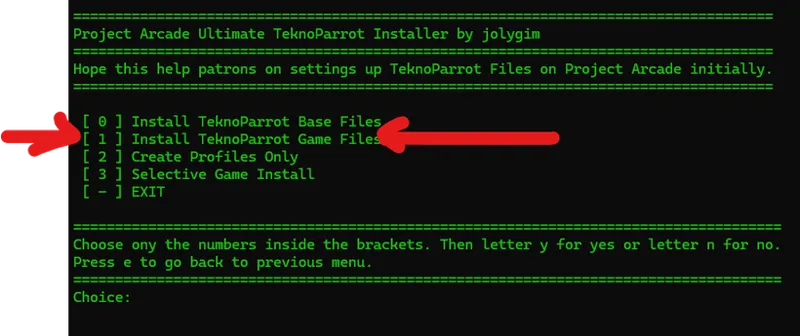
Then Run the GUNGAMES_TEKNOINSTLLER_BETA.bat
Then choose option to Install TeknoParrot Game Files.
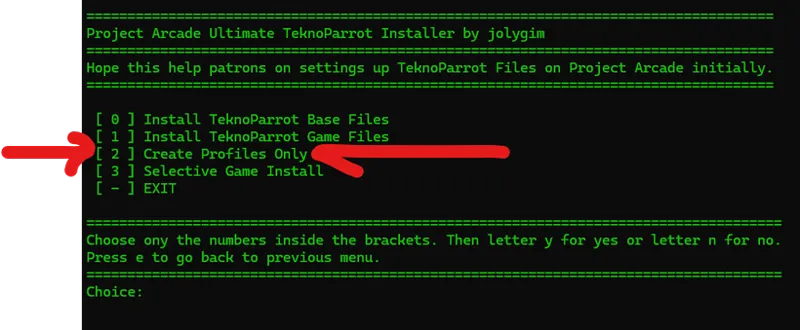
After successful installations, open the teknoparrot installer again.
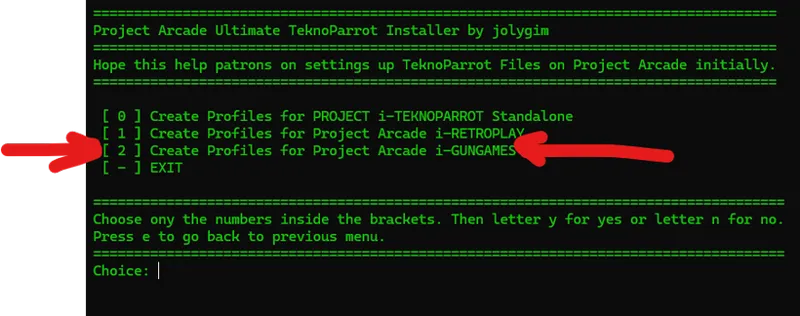
Now choose the option to Create Profiles Only.
Then choose what drive letter where your i-GUNGAMES build is.
That's it... Installation is done.
Now you can make adjustments to you light gun settings for all games.
This addon will be sent to your email.
Please do not hesitate to message us if you have other queries.
Thanks...
+++++++++++++++++++++++++++++++++++++++++++++++++++++++++++++++++++++++++
ALTERNATE BULLET ARTWORKS ADDED
Available 500 Pixel and 900 Pixel Optimized
Install Note:
Just extract to root of PROJECT i-GUNGAMES folder.
EXAMPLE
D:\PROJECT i-GUNGAMES\
+++++++++++++++++++++++++++++++++++++++++++++++++++++++++++++++++++++++++
ORIGINAL SAMPLE
NEW BULLET ARTWORK OPTIMIZED
++++++++++++++++++++++++++++++++++++++++++++++++++++++++++++++++++++++++++
Added fix for Teknoparrot Games Installer.
Just put and run from the same directory.
This installs missing games from the list of Gun games.
GUNGAMES_TEKNOINSTLLER_BETA_FIX.bat