
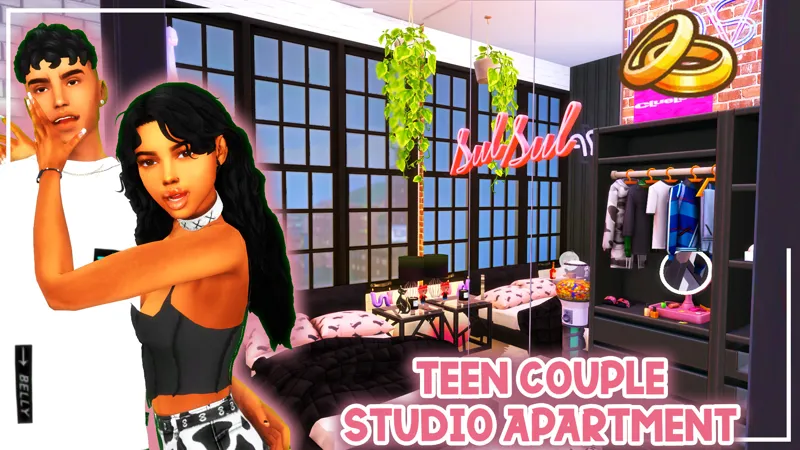
#Santonio Apartment // Official Download
UPDATE 01/28/23 - A few people mentioned that some of the CC was missing once they downloaded the build from the gallery. I went through the file and noticed half of it never uploaded. I'm so sorry about that! That is now fixed. Please redownload the file! search on the gallery "santonio 910 medina' or Hashtag search "#DeeSims' MAKE SURE YOU CHECK INCLUDE CUSTOM CONTENT ON THE LEFT PANEL OF THE GALLERY TO FIND THE BUILD My gallery ID is DeeSims2
UPDATE 01/07/23 - Some time ago I built an apartment in this same apartment spot. Since apartment tray files are VERY tricky, I am going to upload this apartment build to the gallery! Since you are a patreon, you have access to the custom content so once you've place the lot, everything will be there! DO NOT USE THE TRAY FILES. Just search on the gallery "santonio 910 medina' or Hashtag search "#DeeSims' MAKE SURE YOU CHECK INCLUDE CUSTOM CONTENT ON THE LEFT PANEL OF THE GALLERY TO FIND THE BUILD
NOTICE: I'm going to be doing seperate download pages so everyone can view the content before public release!
How to Install
Download the .ZIP file
Locate your Sims 4 folder i.e Documents>Electronics Arts>The Sims4
Open the "CC" and "Mods" folder in the .ZIP file and add the cc to your mods folder
Open the "Tray Files" in the .ZIP file and add the files to your tray folder
And that's it! When you open your game, go to the gallery and you should see the build in your library.
BUT DEE GURLL, I don't see it! Make sure you select "show custom content" on the left panel of the gallery and you should see it!
Thank you again for pledging! I hope you enjoy the build!
Remember to stay beautiful, stay lovely and have a grand, grand day!
Comments (13)
Wow, i feel slow. Thank you so much, I found it.
Hey when downloading the file, i am not finding they tray folder
Since it’s an apartment you have to get it off the gallery. It’s listed in the instructions. Search DeeSims2 and look for Santonio apartment make sure you enable custom content in the search
That worked! Thank you so much!
I downloaded the file 3 times and I'm missing 50 items. I don't have pastel pop and everyday clutter but I didnt expect so many to be missing. Nothing in the kitchen shows up except the stove hood, the chairs and table in the living area is missing except the couch, the corner tables and the computer and chair dont show, the chair in the corner by the door is missing, some of the paintings. The weird thing is I have some of these objects already so I dont know why they arent coming up. Is there a cc list?
That is so weird. I can def take a look at it. To my knowledge, everything is included in the cc section. I will double check the file today and get back to you
Are you gonna do a cc list? Some of the items get replaced even with bb.moveobjects. I NEED that couch, so cute.
Was the couch missing once you placed the lot? did you add the cc in your game?
When I extract the tray files, I am getting a message that I already have them in my folder. I think this download may have the tray files from the 910 Medina build.
Okay I believe because they were built in the same apartment unit it could be trying to replace those specific files. I can try to save it as a room on empty lot and that should help. I will update the files notify everyone
The tray files don’t work in my game, they claim to be the same as the 910 Medina studios one
What is happening when you place the lot
Thank you! Love their apartment.