
TS4: Cutting Board Override UPDATE
Sul sul ^^
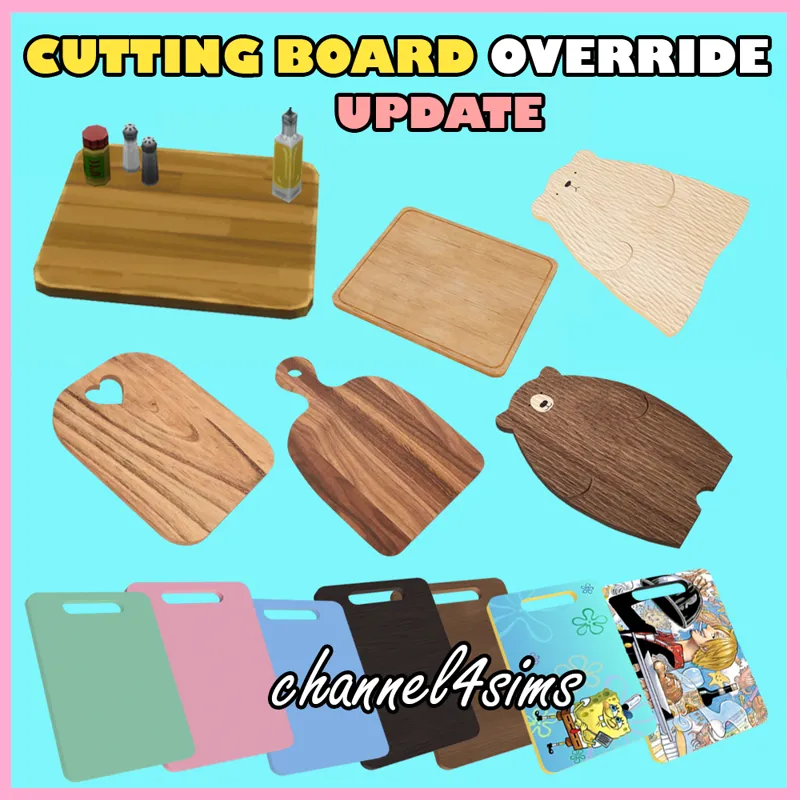
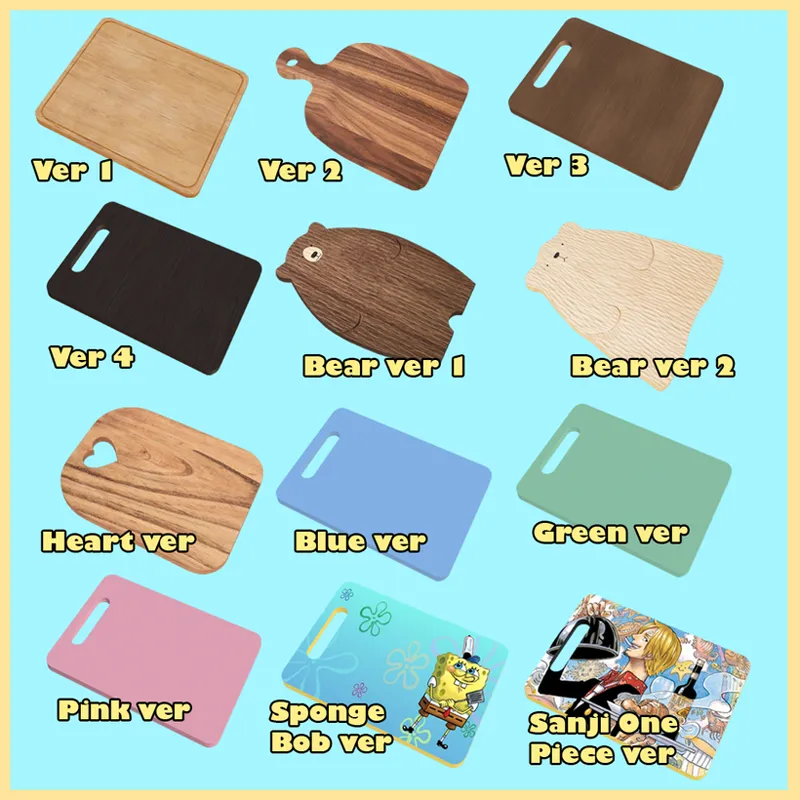
Previously I posted 3 override options for the cutting board (ver 1, 2 and bear ver 1).
But I had an unfinished version of the "bear ver 2" in a folder. So I decided to edit this one and ended up creating a few more options as well 😅
The good thing about creating different versions of an items is that you can customize your kitchen the way you want :)
ABOUT THIS ITEM:
- This will override maxis' food cutting board (shown in the first picture).
- I removed the items (bottles) that used to stay on the cutting board, since it doesn't make sense to throw it all inside the pan 😅
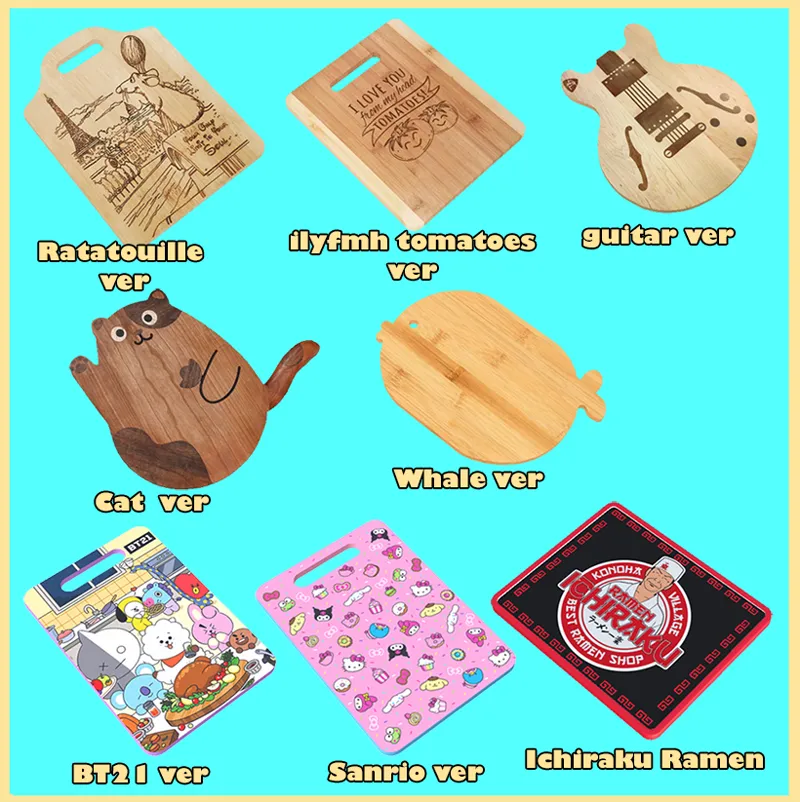
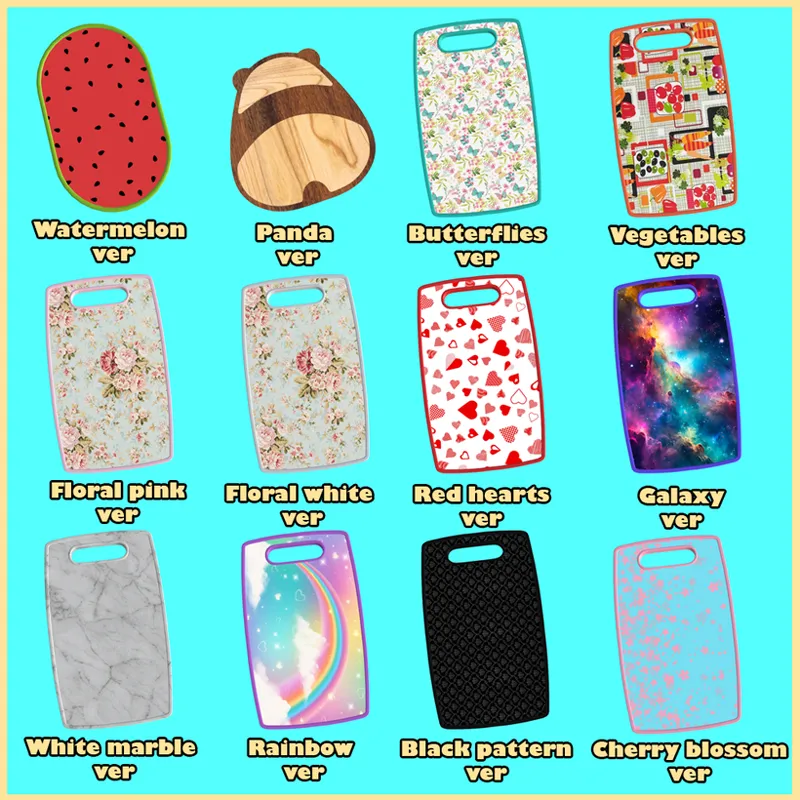
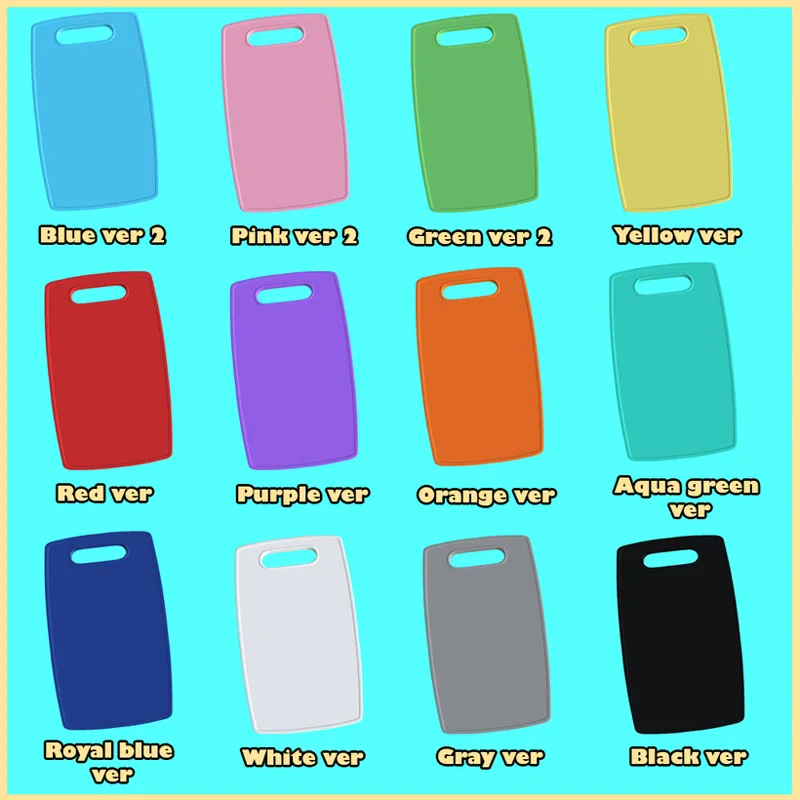
- There are 44 different cutting boards:
INSTALL/ IMPORTANT:
1- Please choose and download JUST ONE VERSION. You can only use one override for an item at a time.
2- Download it, extract it and place it on your Mods folder. Do not put it more than 1 folder deep, or it may not work.
Example 1: Mods/Replacements/(your file here) - OK 👍
Example 2: Mods/Replacements/Food/(your file here) - Won't work 👎
3- If you later want to use another cutting board, first delete the one you're currently using and then replace for you one you want.
ADDED:
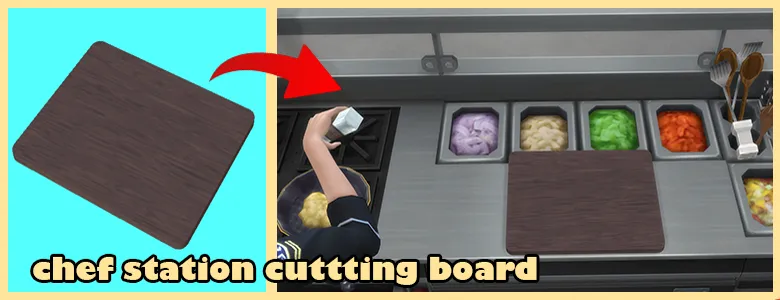
I created a separate version of the cutting board for the restaurant (only available on the chef station). This way, you can choose whatever cutting board you want in your Sim's home without affecting the restaurant one :)
💎 DOWNLOAD: Google Drive (direct link/no adfly) 💎
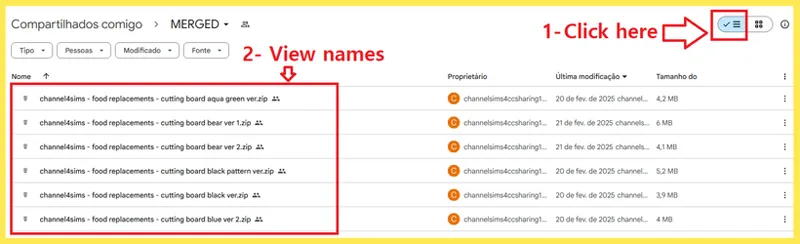
HOW TO VIEW THE ZIP FILE NAMES:
Click on that option to see the files in a list and be able to read their names .
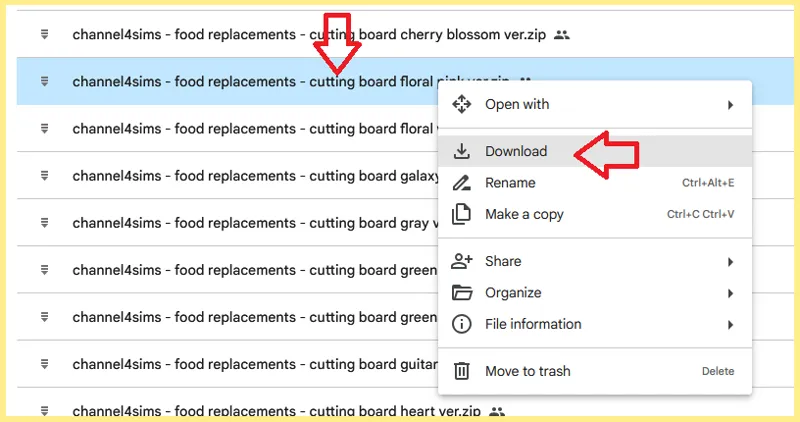
Right click the zip file of the version you want and click Download :)
▶️ If you still need help to download, watch this 14 seconds tutorial video (Google Drive link) :)
NOTE: UPDATED on FEBRUARY 21st, 2025.
I hope you'll enjoy it :)
Happy Simming ^^
Comments (30)
im currently playing as a granny and im sitting here arguing with myself if i should give her the Sanji board or not.
Hahah She'll be a cool granny ^^
I absoutely love ur WORK, I seriously don't know what would I do without you, TYSM FOR CREATIONS <333
Thank you so much for your message <3 I'm very glad you like it :) There's more coming soon :)
not all the cutting boards where in the file there was only 2
Hello ^^ You have to download them from Google Drive. On the post where it's writen "💎 DOWNLOAD" :)
the file was emptyy
Hello. Which one are you trying to download?
hello~ I cant download the google frive link for panda ...
Hello ^^ I just added it under the post for you. I hope you enjoy it ^^
hey! having trouble downloading the individual file :/ i click on the google drive link then it cant click to download, i watched the video for how to download as well
Hello ^^ Which version do you want? Let me know and I'll make it available for you at the end of the post for a while to download :)
I can't view the names of the different options on the download page so I have no clue which one to download
Hello :) I just added on the post "How to view the zip file names" to show you how you can read the names. I also added a short tutorial video if you still need help :)
I wish I could used them all, they are adorable.
Thank you ^^ I hope you enjoy it <3
the new ones are so super cute, i wish i could use them all 😭❤️
I'm very glad you like them <3 I actually tried making more than one available to use at the same time, but the game just one let it happen.
I wanted the panda cutting board, and I downloaded it, but the file does not appear in the folder. It said that I was empty. I had to download it three times to make sure if it was just me or if there was not a file, and there wasn't a file. I want it because it's so cute 😭
Hello ^^ That's so weird. I just fixed it by the way. I hope you enjoy it ^^
I'm having a problem with the textures after the update as well :( I deleted my caches too D;
Hello ^^ Did you delete the "localthumbcache" file after the lastest updates? Which version of the cutting board are you using?
the textures on this override seems to be broken for me after the latest update ;o;
Hello ^^ It's probably an issue with "localthumbcache". You have to delete it. Here's a tutorial: https://www.patreon.com/posts/cc-fix-mods-and-100063832 If it still doesn't work, please tell me :)
The Sanji cutting board is killing me I love it so much T_T
Oh, I'm very glad you like it ♡
Thank you for the additional options! Question, and I'm sorry if the answer to it is an obvious one. I have your board replacements for veggies and the one for bread. Does this one board replace those other two? Do I need all three board replacements in my game? Thank you in advance for your response!
Hello ^^ The veggies and bread ones replace those cutting boards the sims take from the fridge. While the ones from this post override the cutting board they use on the counter. You can use all of them at once (you can choose one override for each cutting board type: veggies, bread, the counter one, and there's also the baking items one). You can find all of them here: https://www.patreon.com/posts/ts4-kitchen-95274949 :)
I love these so much, but unfortunately there's no link to download the heart version :( I tried downloading all of them to make sure I wasn't making a mistake but when I click on the heart ver I get ver 3 unless it was named that on accident.
Hello! The file was correct, just the name was wrong. I just fixed it. Sorry for the mistake, and thanks for letting me know. I'm glad you like these ^^