
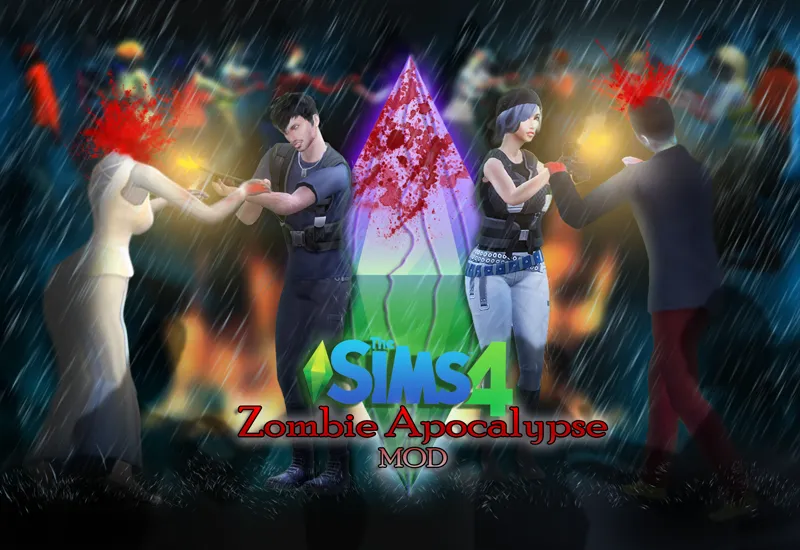
The Sims 4 Zombie Apocalypse "MOD" V 1.0 Release!
Survive A World Full Of Undead
Take the role of a heroic survivor and save the world from the undead!
Or become the villian yourself and spread the virus in sims neighbourhoods!
Getting infected also grants your sim the ability to be a playable zombie who's thirsty for flesh!
Note: If you have Roburky's Meaningful Stories Mod, please update to the latest version to be compatible with this mod, old versions of that mod will cause conflicts and LES.V 1.1.4 Release Notes:
Fixed CAS Items showing up randomly for "Vampire" sims.
V 1.1.3 Release Notes:
Added a new object "Zombie Confusion Bottled Mist"
A special bottled mist created to confuse the undead and stop them from attacking sims for a short while.Added a new interaction "Use Zombie Confusion Bottled Mist" found in the "Survival Items Pie Menu"
All survival items can now be directly used from the sim's inventory
Fixed new interaction not showing text in languages other than English
Fixed a last exception that occurred when using "Cure All Sims In District" interaction
Fixed "Shoot Zombie" goal not getting fulfilled when shooting zombies
Fixed "HQ Zombie Repellent Spray" Buff displaying the wrong name and description
Added a pie menu icon for the "Look For Flesh" Interaction
Improved the efficiency of the "Zombie Confusion Bottled Mist" Item.
Decreased the power of the "Zombie Hunter" trait
Improved the "Autonomous Shooting Option" to target more zombies.
Autonomous "Shoot Zombie With Handgun" now requires "Handgun" & "Ammo"
The "Anti Air Infection Gas Mask" will now display name and description when hovered over while it's in the world.
Zombies can no longer use the "Fire Handgun" Interaction
Sims with a zombie hunter trait now gain fun from killing zombies
Sims with the "Autonomous Survival Items Usage" should only use the "Zombie Repellent" spray when there are zombies around them.
V 1.1.2 Release Notes:
Kids can use the "Shoot Zombie With Handgun" interaction again
The "No Teeth" CasPart is no longer allowed for random sims.
V 1.1 Release Notes:Improved user directed "Shoot Zombie With Handgun & Shotgun" interactions,
zombies should die instantly now instead of sometimes roaming around for a few seconds before dying.
Note: The handgun doesn't always kill zombies, they might Die/Fall On Ground Alive Then Get Back Up/ Get shot without being effected. This is done on purpose.Improved the "Air Support Blow All Zombies Up" interaction to target more zombies.
Improved Zombie routing to "Object, Doors, Stairs" it shouldn't take them as long to route to an object now.
Zombies will use their "Arms Out" walk less often so they don't override other interactions animations
Fixed issue where sims could shoot zombies without having a "Handgun & Bullets"
Using the "Zombie Cure Serum" will now heal the sim entirely and will give them the healed moodlet
Needle Injection marks will now stay for 3 sim hours instead of forever.
Killed Zombies will no longer leave graves behind
Read full release notes here: http://www.sacrificialmods.com/zombie-apocalypse-news.html
The file is uploaded to this post, at the bottom left corner
Compatibility : "Requires base game only"
UPDATE: 2/21/2019
- PC 1.50.67.1020
- Mac 1.50.67.1220
It should work with previous patches down to:
Update: 05/24/2018 - PC 1.43.14.1020/Mac 1.43.14.1220
How to Install ? :- Extract the zip file to Your "The Sims 4" Mods folder OR Extract the zip file anywhere You want then put the files in Your mods folder -You can only put the files 1 folder deep inside the mods folder if you create a folder within a folder in your mods folder the mod will not work.
If You have installed everything 100% correct and it still doesn't work You might have an outdated version of the Recource.Cfg in Your mods folder You can download it here: http://sims4.crinrict.com/files/resource.zip Simply unzip the file and place it in Your mods folder
Make sure that custom content & script mods are enabled in the game's options, a game restart might be required after enabling them
For further installation assistance visit my discord server here: https://discord.gg/aCpbXMU
Or this link for more detailed installation instructions: http://www.sacrificialmods.com/how-to-install.html
Enjoy & Thank You for the support! I love You ♥