

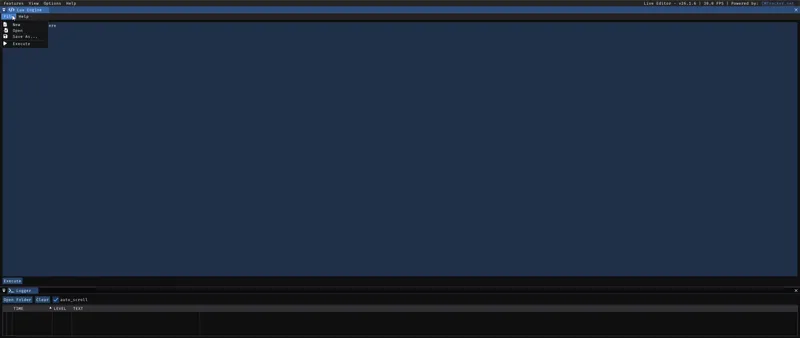
⌛LUA Scripts - FC26🗒️
Our first LUA script for FC26 is coming along with our 'Artisan Bootpack FULL 35.0 tomorrow⌛🚀
Prepared by my brother Faiz Mohamad to automatically assign Boots, GK Gloves & Gripper Socks to many players👟🧤🧦
In a more practical and simple way in this new game, using only the Live Editor🎥
Comments (8)
the lua scripst it says error string im using lta mod.
Everything is working normally using our latest Bootpack with the LTA and importing all the LUA Scripts, I just tested it 📽️👇 https://drive.google.com/file/d/1MyKYESeAqd4Jg7cj-MDSm-i0Cv7fVUjM/view?usp=sharing If you are experiencing difficulties, I recommend contacting the creator of Live Editor to discuss the compatibility of the tool's version with your game version or other potential problems. Everything is working normally with our mods and scripts, and I don't have the expertise to resolve any Live Editor errors, as I've never encountered any issues myself.
I've followed the steps and I am too having issues with the boots showing on players, everything else such as tape, low socks, etc is showing except the new boots. Any ideas?
250 Nothing related to the LUA Scripts, everything is working 100% with them... what must be impacting this problem is some incompatibility with another mod you are using and our Unlock Shoes & GK Gloves. That's why I always recommend: 👉 Do not use other Boots mods from other Modders together, as this may cause incompatibility. ----------------------------------------------------------------------------------------- 👉 For all the Boots & GK Gloves to appear in the game, you must use the mods in the order and position I recommend. The image is inside the Bootpack folder 📁👇 https://drive.google.com/file/d/1mVITb5etSRYf3fRi8gr-kp-iHfcw2Tp9/view?usp=sharing 📸👇 https://drive.google.com/file/d/1SDeY6wrrCkv_M5Ofi_NBtSChOTO98YDj/view?usp=sharing ...With the Unlock mod in that exact position, as the highest priority, at the very bottom of the list of mods applied in the Mod Manager, it's number #1 on the list. ---------------------------------------------------------------------------------------- ...If you are using them in the correct order, and still not all the boots are appearing, it is very likely that the Unlock Mod is not working properly, in this case, perform this procedure 👇 - Do not allow the game to connect to the internet, if it did before, delete the ''assets'' file in the **settings folder of the FC26 and put the EA app in offline mode before running the Mod Manager. **if you can't find the settings folder this video will help you 👇 https://www.youtube.com/watch?v=1i3yNVUTV20 - Try the alternative method ''Delete FIFAModData and launch'' of running Mod Manager 📸👇 https://drive.google.com/file/d/14tZFo8jX6k49JV1K_2FQn_3WFisZlpA1/view?usp=sharing
i have a question the LUA execution failed , how can i slove
i already use latest live editor
Big W
Hi, I have a Lua that does that with shoes :-) Glad you guys are implementing a function like that into the mod!