
⚠️EA Anti-Cheat Update & Mods Issues⚠️
⚠️For those who are having problems running the game with mods 👇
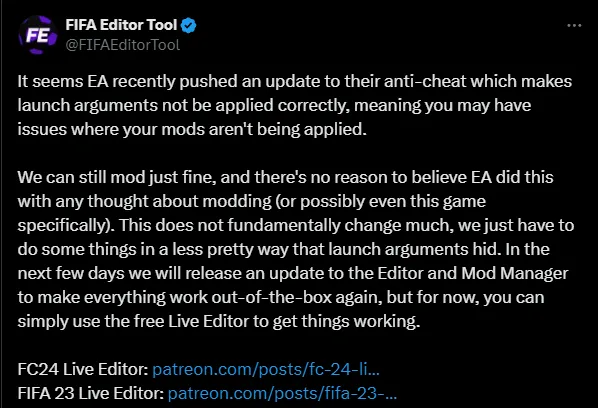
''It seems EA recently pushed an update to their anti-cheat which makes launch arguments not be applied correctly, meaning you may have issues where your mods aren't being applied.
We can still mod just fine, and there's no reason to believe EA did this with any thought about modding (or possibly even this game specifically). This does not fundamentally change much, we just have to do some things in a less pretty way that launch arguments hid. In the next few days we will release an update to the Editor and Mod Manager to make everything work out-of-the-box again, but for now, you can simply use the free Live Editor to get things working.''
FC24 Live Editor: https://patreon.com/posts/fc-24-live-v24-1-100162628
FIFA 23 Live Editor: https://patreon.com/posts/fifa-23-live-v23-87829285
FIFA Editing Toolsuite v1.1.7 Release: https://x.com/FIFAEditorTool/status/1777061869515149426


Comments (8)
Any news on when the new updated version of the Mod Manager will be launched?
We already have a new version, I haven't tested it yet but it promises to solve for now the problem of running the game directly through the Mod Manager without needing the Live Editor 👇 https://www.fifaeditortool.com/download
STILL DOESNT WORK FOR ME????????????
Did you check if the argument is placed in Advanced startup options? -dataPath FIFAModData Did you follow the steps to use Mod Manager with Live Editor? - Put the EA App in offline mode - Open the Mod Manager - Open the Live Editor - Run the game through Mod Manager - Start your Squad normally - On the home screen, wait for the Live Editor screen to appear - Press F9 to hide the Live Editor screen and you are ready to play
Never used the Live editor, is it safe to use in terms of it won’t cause issues with other games anti cheats detecting that program? Not sure how that works
Yup, 100% safe... I recommend using it this way 👇 - Put the EA App in offline mode - Open the Mod Manager - Open the Live Editor - Run the game through Mod Manager - Start your Squad normally - On the home screen, wait for the Live Editor screen to appear - Press F9 to hide the Live Editor screen and you are ready to play The Live Editor is really cool, it has a lot of interesting features and if you're interested you can explore them.
Great job brother ! By the way do can I request new boots ?
I will still be working on the last requests for March this week, for now we don't have any vacancies available... I will know if we will have any new vacancies from next week.