


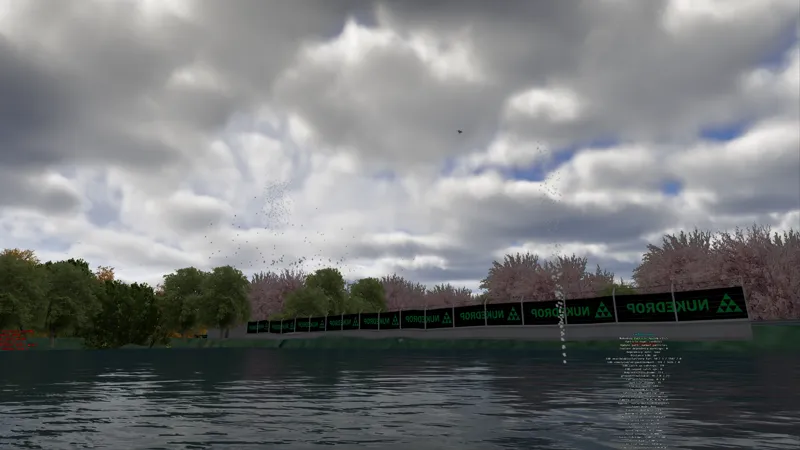




Nukedrop Particles Launch.
Nukedrop Particle System Demo Track, Documentation and Samples
UPDATES - APP now included!
Small updates! New App to let users override dev configs if needed. New code needed to make app work is now included in the .lua script. You will need to redownload both if to get full functionality in your tracks.
With the app, users with lower-spec systems, VR setups, or particularly demanding tracks can override the track developer’s particle settings without manually editing any files. It is not mandatory for users to use the app, the particles WILL work without it. It's just a resource to point people towards if they have low performance.
You can change the percentage of particles that are created. For example, if a track developer has configured 1,000 particles, setting the slider to 50% will reduce that to 500 particles, lowering both rendering and simulation workload. Setting it to 0% disables the particle system entirely, while values up to 200% are available for anyone who wants to push the effects beyond the original configuration.
You can also limit the particle simulation rate. If you normally play at 60 FPS, you can set the particle simulation to 60 Hz so the system does not waste CPU time updating particles more frequently than they can be displayed. Lower values can provide further performance improvements, although very low settings may make fast-moving particles appear less smooth.
The final control adjusts how often the script checks wind and daylight conditions. These calculations do not normally need to run every frame, so increasing the interval can reduce some additional CPU work while still allowing particles to respond to changing weather and lighting conditions.
All settings are applied globally to every compatible nukedrop_particles.lua section on the current track. The original track configuration is preserved, and the controls can be reset to their default values at any time.
This allows track creators to release their effects at the quality level they intended, while giving individual users a simple way to scale those effects to suit their own hardware, performance target, or VR setup.
I have put together a small Assetto Corsa demo track for the Nukedrop Particle System, along with the full documentation and a selection of sample configurations.
APP DOWNLOAD LINK
https://drive.google.com/file/d/1E1MMncXwbL8tXTHkhqkrLRKjfgB1SU9S/view?usp=sharing
PARTICLE SYSTEM FULL INSTALL AND DEMO DOWNLOAD LINK
https://drive.google.com/file/d/1ILhvVCr1SxPAi9PVqBfJdfeuhRfg0KoI/view?usp=sharing
PARTICLE SYSTEM - JUST THE CODE - Download Link
https://drive.google.com/file/d/1fxHag96h4jJL7F4CHfDxulo68HLzc8YP/view?usp=sharing
A quick warning before anyone downloads it: this is not intended to be a proper finished track. As there are several particle effects going on, performance is poor. It's by design. Particle counts are high, and there are a lot emitters. It's too server more as a demo of a system, than to be a final optimised product. To see a more optimised implementation please see the latest Liverpool City track release.
https://www.patreon.com/nukedrop/posts/liverpool-street-164469213
BIRDS DEMO
https://www.youtube.com/watch?v=tQs3GDRye3M
LEAVES DEMO
https://www.youtube.com/watch?v=nwpQ2LS0phs
AUTUMN LEAVES DEMO
https://www.youtube.com/watch?v=jo0Z_lAfDmI
The track itself is a bit pants. It was built purely as a controlled environment for demonstrating the different particle features, testing configurations and showing how the system works. Do not download it expecting a polished circuit, detailed scenery or something you will be racing on for hours.
It is mainly intended for:
Track creators who want to add particle effects to their own projects
Anyone interested in CSP Lua track scripting
People who want to examine the included configurations and learn how the system works
Anyone who wants to experiment with the settings before adding the script to a real track
The download includes the demo track, the latest version of the particle script, full documentation and several example configurations that can be copied, adjusted and used as starting points.
Included Examples
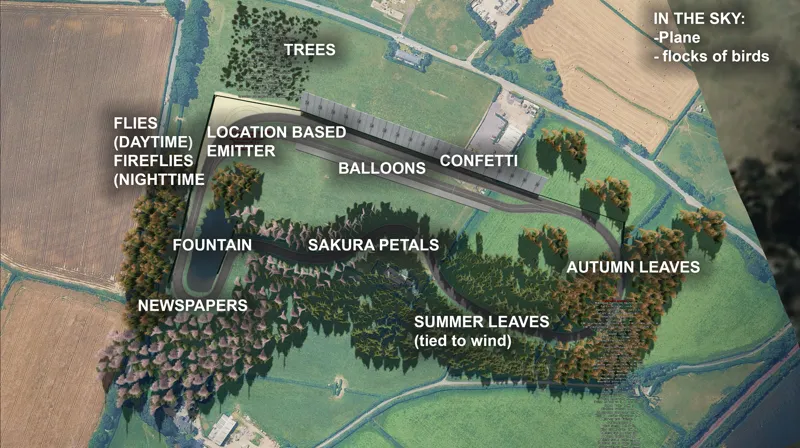
The samples demonstrate a range of possible uses for the system, including:
Confetti
Summer leaves
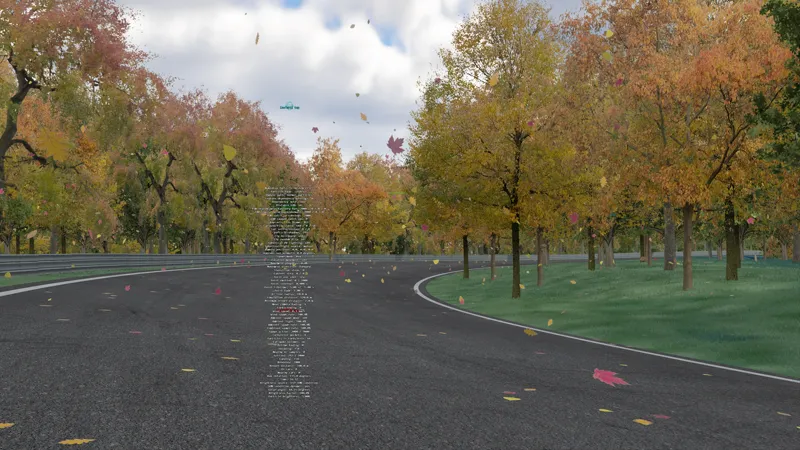
Autumn leaves
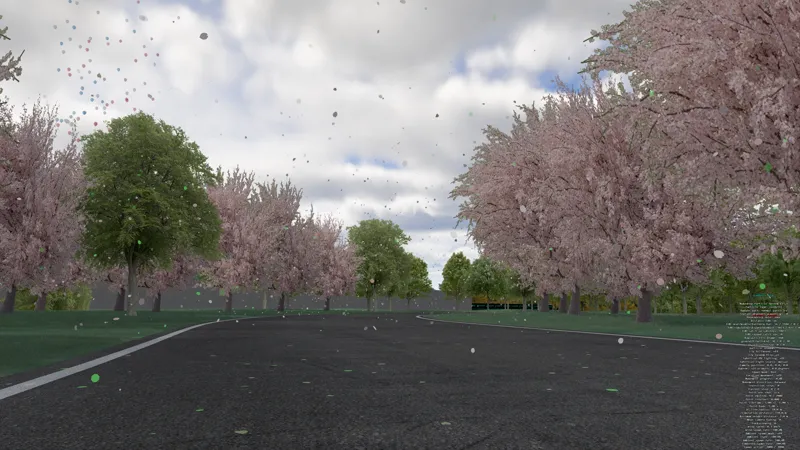
Sakura petals
Wind-affected particles (turn the wind up, or change the weather to see the green leaves falling in the middle area of the track, between the autumn leaves, and sakura petals).
Particles reacting to passing cars and vehicle wakes
Ground settling and movement
Rotated box-shaped spawn areas
Particles placed along the AI line
Animated bird flocks
Triggered particle bursts
The configurations are intended to show how the different features can be combined, rather than provide perfect settings for every situation. Particle size, weight, wind response, spawn rate and car interaction will normally need to be adjusted to suit the effect you are creating.
Documentation
The included documentation covers the available configuration options, what each setting controls and how to install the script on another track.
The system contains a fairly large number of options, but you do not need to use all of them. Most effects can be created by starting with one of the sample configurations and changing only a handful of values.
Performance
Particle systems can become expensive when very large particle counts, shadows or complex vehicle interactions are enabled.
The script includes simulation-distance and render-distance controls to reduce the amount of work being performed when particles are far away from the player. However, sensible particle counts and settings are still recommended, particularly when using the system across a large circuit.
The included presets are examples. Adjust them based on the scale of your track and the intended use.
Usage
You are free to use and modify it in your own projects, including track releases, please provide credit is given to Nukedrop if you're feeling generous. Links back to my Patreon page are always helpful :)
The demo track can also be opened and inspected directly. Feel free to pull it apart, change the configurations, break things and see what happens. That is essentially what it exists for.
Again, the circuit itself is deliberately basic. The useful part is the script, documentation and collection of working samples included with it.
Hopefully other people can take this, and run with it. A system like this has been needed for a while. Now it's finally here. I look forward to seeing Sakura petals on a lot of the Japanese drift maps! Flocks of sea birds above docks also add a touch of realism.
Comments (22)
Hello! This doesn't seem to be working on triple monitor mode, the leaves only show up on my right monitor lol. Any ideas?
Hey, we had another person with the same issue, updating PURE and CSP fixed the issue. Can you try that?
Hello, I’m sending you a message because I tried to add it to the SRP map, but I couldn’t get it to work. I also tried creating a skin, but that didn’t work either. Do you have any solutions, a mini tutorial, or maybe a skin you could send me directly? Thanks a lot!
What are you trying to do on SRP?
I placed the extracted ZIP of "PARTICLE SYSTEM FULL INSTALL AND DEMO DOWNLOAD LINK" into AC Root folder but I am somehow not capable to find the demo track in content manager; what do I do wrong?
Is the particle track folder in the AC track folder
how can i make it work in srp?
sorry, how do we install this? is it something to be used when making a track, or is it an app we install that adds particles into every track we play on?
It is mainly intended for: Track creators who want to add particle effects to their own projects Anyone interested in CSP Lua track scripting People who want to examine the included configurations and learn how the system works Anyone who wants to experiment with the settings before adding the script to a real track The app is only for people who want a global override option to decrease particle percentage in the case they have a fairly low spec machine, but still want to enjoy the effects.
After spending a few hours trying to get this to work on the test track with the assistance of ChatGPT I've given up. This is way way beyond my knowledge and far to taxing to understand for someone who knows nothing about script... Loved the YouTube clip of the leaves across the circuit and if anyone can create a version where this works in areas on the Fonteny circuit then please feel free to drop the ext.config.ini text here. It would be amazing to see it on this amazing track. No disrespect to NukeDrop... It's amazing you've posted this for everyone and the detailed user guide is great if you've got an understanding of how coding works lol. Thanks again.
Hey, did the particles actually work on the test track for you, without you changing anything? Like just loading the default that is in the download link?
Hey, awesome work! would it be possible to use the particles system as a skin on tracks like SRP?
Yes, I see no reason why it wouldn't work on SRP.
amazing work, how do i turn off the letter box when in game though?
Hey, debug options in the config file. Set debug = false.
Awseme stuff! can we make puddles of leafs?
Yes! https://www.youtube.com/watch?v=RFcmmuKnqgc code is below. ;================================= ; SETTLED AUTUMN LEAF PUDDLE ; Passing cars disturb the leaves ;================================= [SCRIPT_...] SCRIPT = nukedrop_particles.lua active = 1 particle_type = custom ;================================= ; LOCATION AND AREA ;================================= spawn_region_mode = 0 ; Replace X and Z with the puddle location. ; Set Y approximately 0.25 metres above the road surface. location = -282, 0, 1192 ; Width, height and depth of the leaf puddle. ; Keep the vertical size shallow so the leaves settle quickly. box_size = 18, 0.25, 15 box_rotation_degrees = 0 ;================================= ; LEAF APPEARANCE ;================================= particle_count = 600 particle_size = 0.18 size_variation = 0.05 particle_shape = 1 shape_aspect = 1.15 corner_cut = 0.58 shape_softness = 0.02 confetti_colour_count = 4 confetti_colour_1 = 0.72, 0.08, 0.015, 1 confetti_colour_2 = 1.00, 0.28, 0.015, 1 confetti_colour_3 = 0.95, 0.62, 0.025, 1 confetti_colour_4 = 0.42, 0.18, 0.025, 1 opacity = 0.95 brightness = 5 night_brightness = 0.001 ;================================= ; AIRBORNE LEAF MOVEMENT ;================================= fall_speed = 0.85 fall_speed_variation = 0.20 drift_strength = 0.18 flutter_speed = 3.0 spin_speed = 16 ; Wind affects leaves after a car lifts them, ; but cannot lift settled leaves by itself. use_csp_wind = true wind_multiplier = 0.08 wind_smoothing = 2.0 turbulence_enabled = false ;================================= ; GROUND SETTLING ;================================= settle_on_ground = true ground_probe_above = 0.50 ground_probe_below = 1.00 landing_distance = 0.025 ground_offset = 0.012 ; Settle promptly rather than hovering into position. ground_landing_easing_enabled = false ; Allow disturbed leaves to slide briefly after landing. ground_skid_enabled = true ground_skid_initial_velocity_multiplier = 0.65 ground_skid_wind_influence = 0.10 ground_skid_wind_response = 1.5 ground_skid_drag = 3.0 ground_skid_stopping_drag = 10.0 ground_skid_minimum_duration = 0.10 ground_skid_stop_retry_interval = 0.25 ground_skid_stop_speed = 0.15 ground_skid_max_speed = 2.5 ground_skid_probe_above = 0.50 ground_skid_probe_below = 1.00 ground_skid_raycast_stride = 2 raycast_stride = 8 minimum_ground_normal_y = 0.25 ;================================= ; PERMANENT LEAF PUDDLE ;================================= ; The initial leaves fall once and then remain. ; They do not fade away or respawn. respawn_particles = false settled_lifetime = 0 ; Prevent normal wind from lifting settled leaves. relift_enabled = false ; Delay before a newly settled leaf can be disturbed again. relift_minimum_age = 0.25 relift_grounding_cooldown = 0.55 relift_minimum_clearance = 0.12 relift_preserve_orientation = true ;================================= ; CAR DISTURBANCE ;================================= car_wake_enabled = true ; Cars begin affecting leaves at low speed. car_wake_min_speed_kmh = 5 car_wake_full_speed_kmh = 90 car_wake_radius = 4.0 car_wake_strength = 25 car_wake_upward_strength = 14 car_wake_decay = 3 car_wake_max_speed = 8 car_wake_side_bias = 0.75 car_wake_forward_bias = 0.30 car_wake_center_deadzone = 0.10 car_wake_min_side_factor = 0.40 ; Car-shaped pressure area used to disturb leaves under ; and immediately around the vehicle. car_wake_use_footprint = true car_wake_footprint_half_width = 2.4 car_wake_footprint_front_length = 3.0 car_wake_footprint_rear_length = 3.5 car_wake_footprint_vertical_above = 1.25 car_wake_footprint_vertical_below = 1.50 car_wake_footprint_edge_softness = 0.75 ; Explicitly allow settled leaves to be lifted by cars. ; This is a probability rate, not a percentage. car_wake_relift_enabled = true car_wake_relift_chance = 8.0 car_wake_relift_vertical_speed = 0.55 car_wake_settled_multiplier = 1.75 ; Trailing wake keeps lifted leaves moving behind the car. low_pressure_wake_enabled = true low_pressure_wake_length = 6.0 low_pressure_wake_width = 2.5 low_pressure_wake_strength = 80 low_pressure_center_pull = 0.25 low_pressure_wake_upward = 0.65 low_pressure_wake_flutter = 50 car_wake_flutter_decay = 0.8 low_pressure_wake_vertical_above = 1.5 low_pressure_wake_vertical_below = 1.25 ; Avoid exaggerated cyclone movement. car_wake_corkscrew_enabled = false ;================================= ; DISABLED UNNECESSARY SYSTEMS ;================================= wind_spawn_rate_enabled = false ambient_spawn_rate_enabled = false settle_on_cars = false particle_shadows_enabled = false car_shadow_dimming_enabled = false spherical_uv_lighting_enabled = false minimum_render_distance_enabled = false simulation_distance_enabled = false render_distance_enabled = true render_distance = 300 particle_update_rate_hz = 60 debug = false
Absolutely amazing work sir, glad to still have you in the community after all this time!
Really cool stuff, definitely made my RTX 3070 cry :)
Try turning off some of the effects in the config file, I guess the main confetti ones are all the performance hogs, just due to particle count!
water splash on rally stages?
Absolutely! You can do location triggers, so when a car enters a puddle you can make a splash, splash!