
Quick Bar/Hotkeys
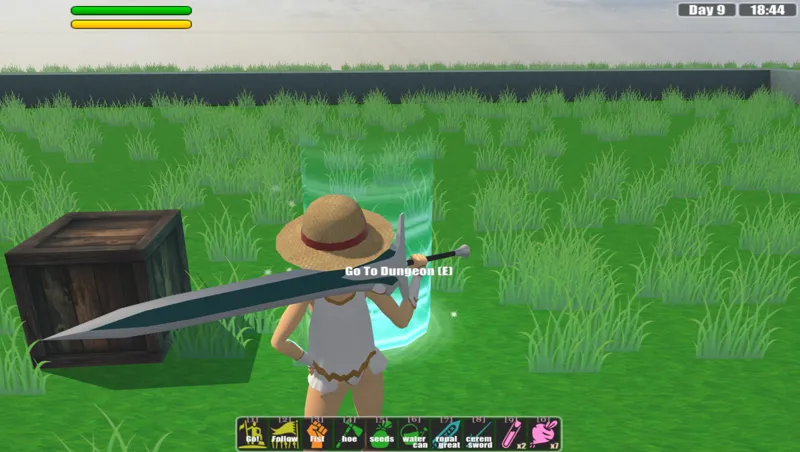
Implemented a quick bar/hotkeys. You can pick and choose which item/command/consumable/special to put on there for quick access.

(The colors are screwed up due to the gif format...)
The entire thing is operated via drag and drop. Open up the inventory window and:

There is a caveat tho. Because there isn't a window yet to drag the "commands" and "specials" from, the first 3 slots are currently locked.
They are "Allies-Attack!", "Allies-Follow" and "Fist/Unarmed." The ally commands are the same ones as the current demo. Originally I thought perhaps the item on the quick bar could be like a toggle, so pressing the hotkey would switch between equipping/unequipping that particular item. However, after some testing, I found that having a separate hotkey for unarmed is much cleaner.
Comments (2)
Q is a good button to switch between weapons
That looks really helpful!