
🍒How to Install Mods and Tray✨
***Before downloading and installing anything, make sure it's compatible with your version of the game ***
-------------------------------------
🚩 How to Extract
Most downloaded files will be in a compressed format such as .zip You will need WinRAR or 7-zip for this.
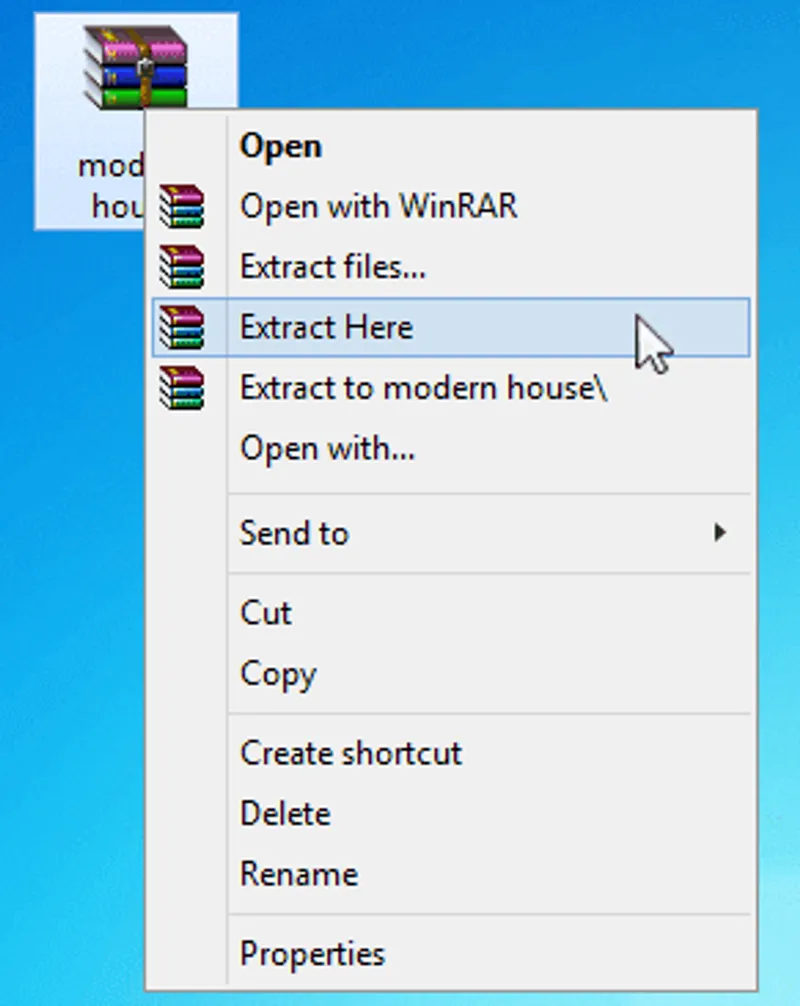
To decompress the file, right click it and select Extract Here.
-------------------------------------
🚩Installing The Sims 4 Mod
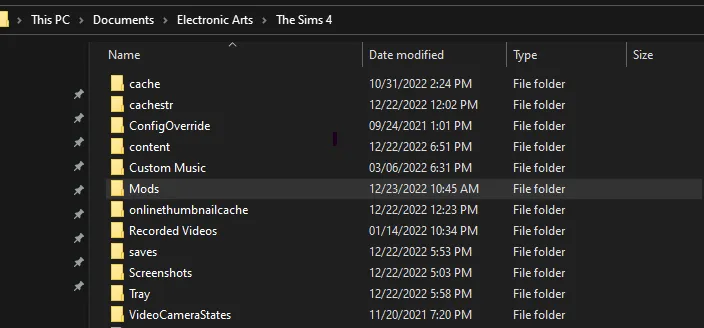
Before you start installing mods and CC, you need to locate your Mods folder. This is where you need to place your downloaded content for your game to be able to read and install it—if you put it anywhere else, it won't work.
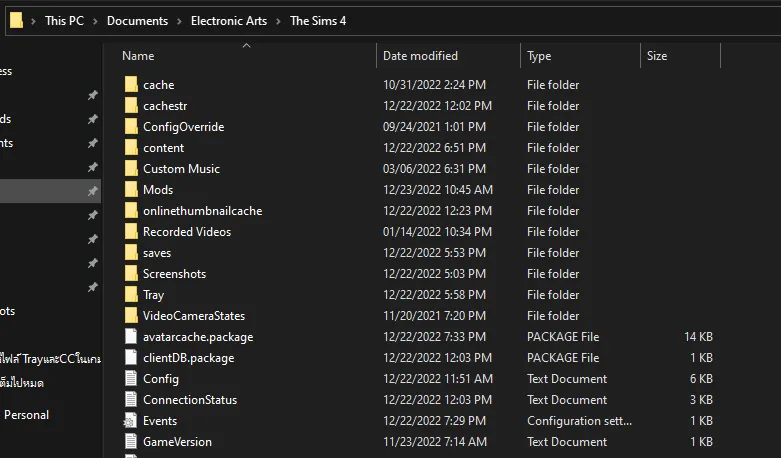
You should place the files in to the Mods folder, which can be found at Documents > Electronic Arts > The Sims 4 > Mods
If for some reason you don't see a Mods folder in your directory, you can create the folder yourself.
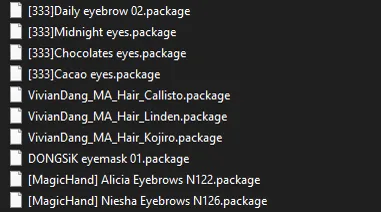
Example of file formats that can be found inside the Mods folder are .package
Turning Mods On
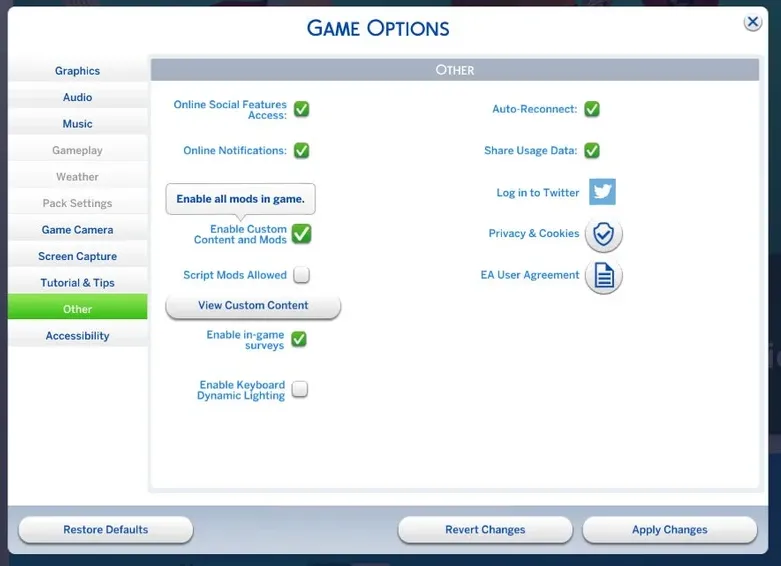
Once you've placed all your mods in the correct folder, it's time to boot your game. Start The Sims 4 and go to Options place> Game Options > Other. You'll see a checkbox that says "Enable Custom Content and Mods"—tick it! Now restart your game.
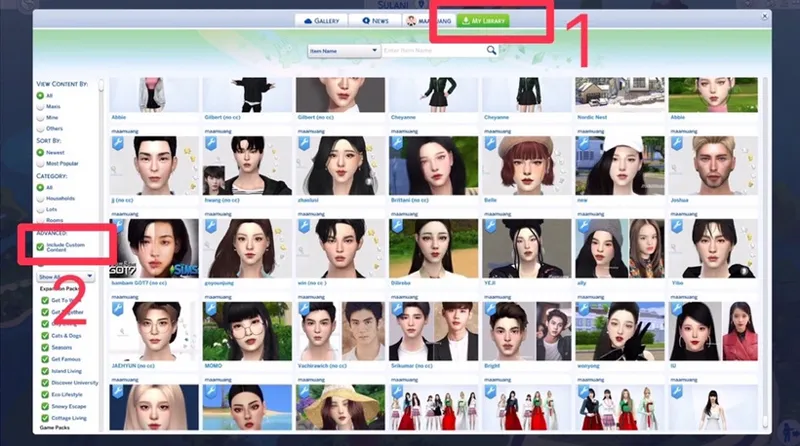
Open the Gallery and select the My Library tab. On the left side of the screen, look for Advanced menu and make sure that the Include Custom Content box has a check mark in it to see creations that include CC.
-----------------------------------------
🚩Installing The Sims 4 Tray
Before you start installing Tray, you need to locate your Tray folder. This is where you need to place your downloaded content for your game to be able to read and install it—if you put it anywhere else, it won't work.
You should place the files in to the Tray folder, which can be found at Documents > Electronic Arts > The Sims 4 > Tray.
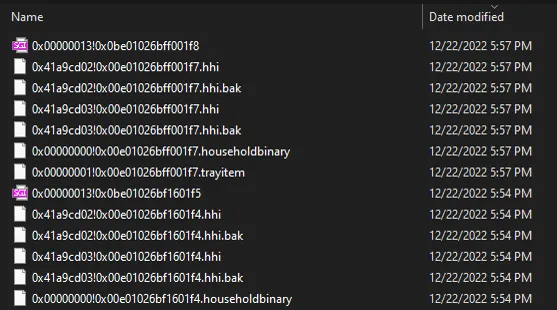
**NOTE ** When place files, do not place them together with the folder. If you place it with a folder, the game cannot see my sims. You need to move the files inside the folder.
Example of file formats that can be found inside the Tray folder are .blueprint, .bpi, .trayitem, .room and .householdbinary.
-----------------------------------------
🚩 Credit original post by
sims4houses | Wiki Guide | Andor thank you 🙏💖
Comments (6)
Кто-то знает,почему он голый и совсем не похож на то,что должно быть?
for some reason when I watch the YouTube video and get both put into my files I just can't seem to get it to show up or work
Do I need to install both the content and the tray component?
Yes, you need to install both the content and the tray. If you don’t install them, the character won’t show up in the game. 😍
where Elena and Ariel tray? https://www.youtube.com/watch?v=vjP2OvP3BYk https://www.youtube.com/watch?v=Bf-4EI_ot14
hello That's my old work. So I didn't bring it down in Patreon sorry to disappoint you. And thank you for supporting your work. 💖