


Where Every Hogwarts Failed — And How We’ll Do It Differently
Playing in a world like Hogwarts has always proven to be a challenge in The Sims 3, regardless of which version of Hogwarts you choose to try. So what did I discover in my latest research?
To truly understand why a world like Hogwarts consistently presents significant performance issues, I dove deep into several publicly available versions.
My first hypothesis wasn’t necessarily about the world’s scale, but rather the lots themselves. We already know that the larger a lot is in The Sims 3, and the more large lots are placed close to each other, the greater the performance bottleneck becomes.
This happens specifically because a single massive lot allows for a much higher number of objects. Now combine that with multiple 64x64 lots packed with objects, and it becomes pretty obvious what kind of challenge that creates.
But that’s not all. I also found other issues.
Since most Hogwarts worlds available today were created over 10 years ago, there was far less knowledge and fewer fixes available to deal with these problems at the time.
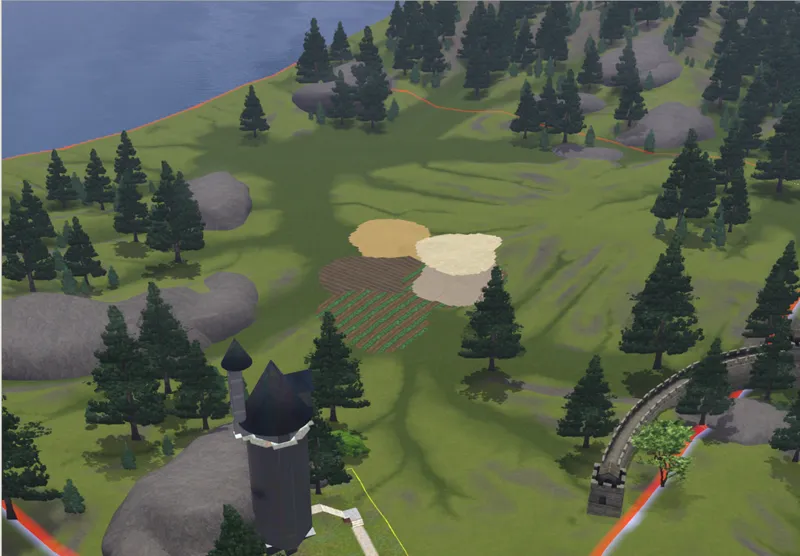
For example, Create-a-World has a “limit” on how many textures can be used per chunk. That limit is 8. Here’s what happens when you exceed it: (CAW IMAGE)
The tool highlights the area in red, indicating that the number of textures used in that region exceeds the allowed value. Despite that, many creators simply ignore this restriction.
One of the Hogwarts worlds I explored had over 60 textures. And of course, this isn’t just a Hogwarts problem, many large worlds struggle with this. According to the CAW guidelines, this limitation is not meant to be ignored. (Yes, I read manuals. Even microwave manuals. I’m that person.)
The Sims 3 world is divided into multiple chunks depending on its scale.
A Tiny World, for example, consists of a single chunk (let’s call them segments from now on to make things clearer), a small world has 4, a medium world has 16, and a large world has 32. Even though The Sims 3 is an open world, each segment loads its own set of data and information.
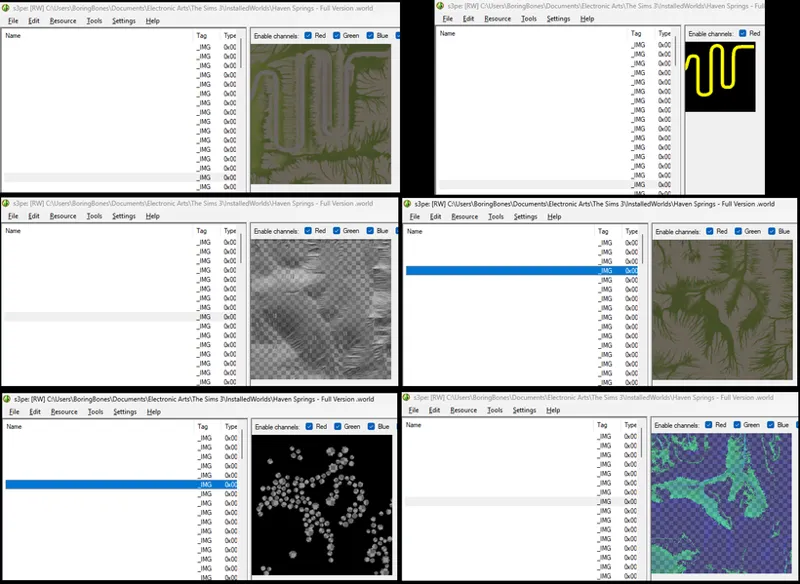
This data, such as texture data, is compressed into small files that store things like terrain paint, tree placement, road placement, shadows, lighting, and other information like height, relief, shading, and more.
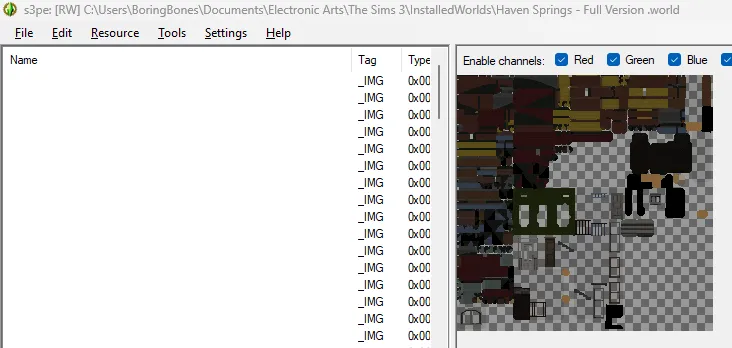
It also includes extremely simplified low-LOD versions of the lots within that area, as you can see in the image below.
One of the reasons I personally avoid using streetlights in my worlds is:
The Sims 3 lighting system is currently broken and doesn’t behave as it should. Public lighting is separate from lot lighting. Street lighting is baked into textures, as shown earlier, which likely causes conflicts at lot boundaries when compared to the lighting inside lots. To avoid visual inconsistencies, I prefer not to use them. Another reason is that, according to CAW guidelines, they should be used sparingly.
Something I learned while creating modular assets for The Sims 3 is that the game distinguishes between scripted objects and static objects. Scripted objects include things like lamps. Any object you can click and interact with, even if it’s just “View,” is technically a scripted object. Static objects, on the other hand, are things like fences, pillars, etc., which have no interactions and remain static.
These objects have their own built-in optimizations and are loaded differently. For example, my first modular set was entirely built using a lamp as a base. What happened when I had around 300 modular objects decorating a lot? Every time I entered or exited build mode, there was a 5 to 15 second delay. Not exactly ideal.
Once I converted the entire system to use fence/pillar-based objects, I could have a fully detailed lot with no loading delay at all. A huge improvement.
So when you consider that lamps (even those that don’t emit light) have scripts that trigger at certain times of day, it becomes clear why creators are advised to be cautious with their quantity.
The Sims 3 is constantly running scripts in the background to determine what happens in the game, and this is just one example. Some scripts have higher priority than others, some are more performance-heavy (like Story Progression), while others are lighter, but they all contribute to the overall “urban traffic” of scripts consuming system resources.
This long explanation is important to clarify that the issues with other Hogwarts worlds weren’t just about scale, but also density. On top of that, routing was another major culprit.
There is a right way and a wrong way to create routable terrain.
It’s not enough to just paint non-routable terrain. You need to analyze how routing lines connect to avoid broken paths, check if trees are intersecting terrain and causing routing errors, and ensure that all trees are placed within the same layer so the game can group them automatically. In practice, if a segment has 300 trees and they are properly grouped, the game treats them as one instead of 300. However, if they are added later through Edit Town, the game treats each one as an individual object.
Here’s what I’m doing on my end to avoid these issues in my Hogwarts:
Instead of the usual approach, I’m building Hogwarts in a medium-sized world (1024x1024), but the routable area will be equivalent to a small world (512x512). This allows the surrounding area to act as a kind of high-quality distant terrain.
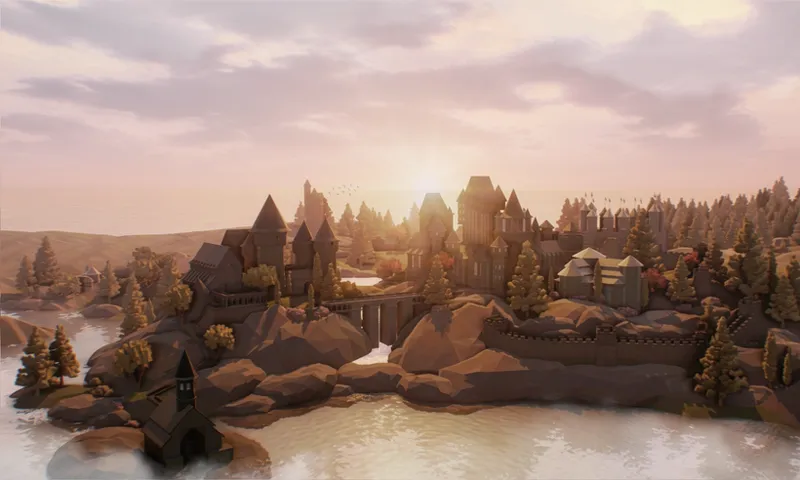
Reduced scope: Unlike other Hogwarts projects that tried to include places like Hogsmeade and surrounding areas, I’m focusing primarily on building a visually faithful Hogwarts (the school) and (after) the train station. There will be a few small houses around, but as a secondary focus. Hogsmeade will not be included. Decisions like this allow for far greater detail and depth in the main build. This will very likely be the most faithful Hogwarts you’ve seen in any The Sims 3 world.
Lots: With the reduced scope in mind, and to support performance, my intention is for the first and second floors to be the primary usable areas. While upper floors may be accessible via elevator, my goal is for players to expand Hogwarts downward using basements. Much of the upper structure was built using “constrainfloorelevation false,” which can create routing challenges for Sims. So my focus is on the lower levels. This approach also gives players room to create detailed, functional spaces while maintaining better performance.
Varied lot sizes: While the two main castles occupy the largest lots, I’ve significantly reduced the size of surrounding lots to lower processing demands. So there are only two large lots, with smaller ones around them.
More efficient routing-friendly decoration: All decorative rocks I created use a 1x1 routing footprint. To prevent Sims from walking through restricted areas, I’ll use non-routable terrain paint and lot-level restrictions like fences. This is actually a very efficient technique. Using the game’s default large rocks would create technical issues because their non-routable footprint is huge. By creating custom rocks with controlled routing areas, I improve performance while still achieving the grand scale Hogwarts requires without introducing long-term performance debt.
I take my work seriously, and when I say my maps are optimized, it’s not just a buzzword. I constantly think about these systems while building to ensure my worlds are not only visually impressive but also capable of delivering a smooth, long-term gameplay experience without performance issues or instability.
My goal here isn’t just to recreate Hogwarts. It’s to prove that you can push The Sims 3 further than most people think, without sacrificing stability, performance, or long-term playability. Because at the end of the day, what matters isn’t just how impressive a world looks… it’s how well it lives.
I’d love to hear more about your experiences in other maps/worlds and in my own worlds as well. Understanding where you face challenges helps me see where I, as a creator, can better support you in building worlds that are increasingly better and more meaningful. Feel free to share your thoughts <3