









Ultimate Guide to Enhancing Glass Shaders in The Sims 3: A Step-by-Step Tutorial for Custom Windows, Doors, and Vehicles (WITH DOWNLOAD)
A few days ago, after failing to convert my set of Modular Build for The Sims 2, I started tinkering with shaders in The Sims 3. Eventually, I managed to restore the glass shaders used before the release of The Sims 3 World Adventures.
It's very likely that this expansion updated and added a greater variety of shaders to the game. The interesting thing here is that, while many people thought we would need to break shaders to get there, in reality, we just needed to modify them!
In this post, I'll show you how to do this. It's simple, although it's tedious and tiring. That's why I manually altered the shader of ALL windows and doors in The Sims 3, as well as cars, and in the link below, you will have access to the default versions to use.
!! DOWNLOAD !!
To install, simply extract it to your Mods folder. Remember to remove any other defaults you have for doors, windows, or vehicles in The Sims 3 before using this one.
There were a few windows that, for one reason or another, did not pass the quality test, mostly from the World Adventures pack. When attempting to change the shader on some windows, instead of reflecting, they simply became opaque. Although this happened with only a few windows, they were isolated cases.
Now, if you want to learn how to do this for ANY custom content that has glass (be it doors, windows, or vehicles), the step-by-step guide is as follows:
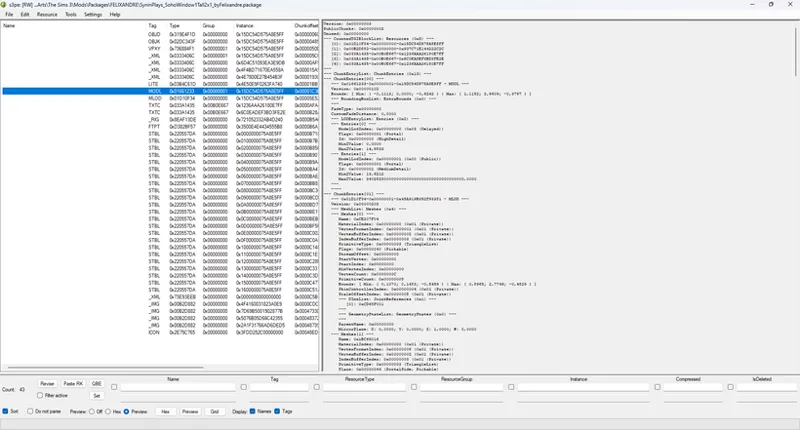
Open S3PE.
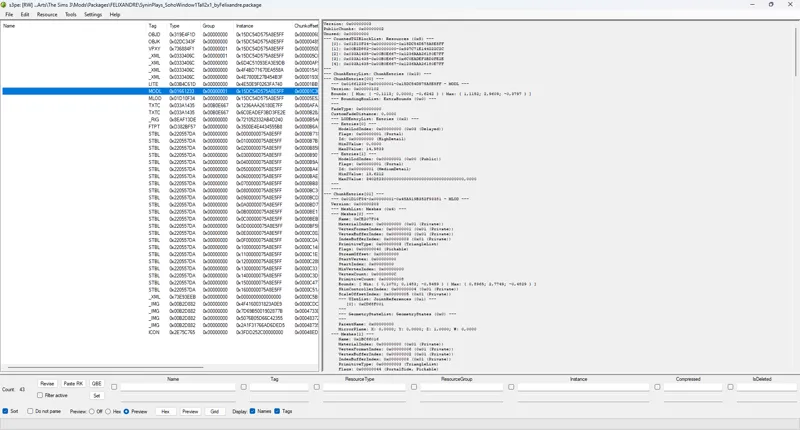
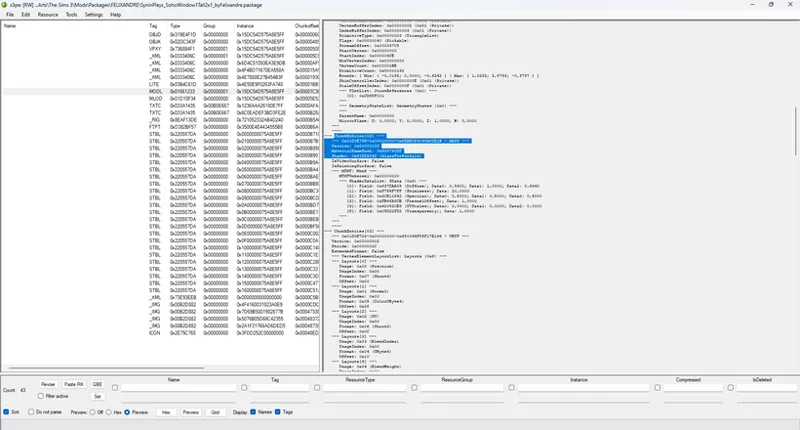
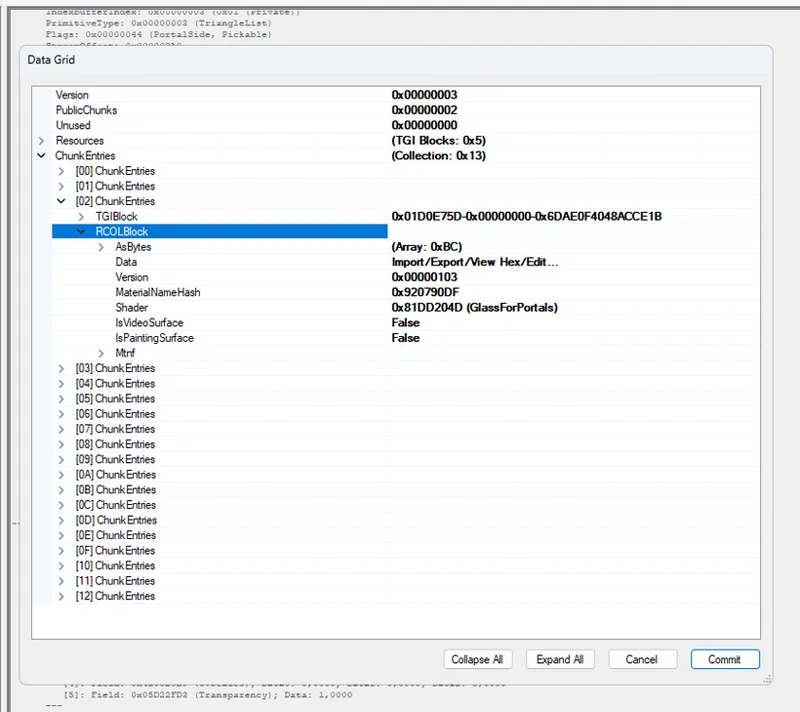
Now comes the tedious but simple part. Do a quick scan and look for the SHADER 0x81DD204D (GlassForPortals). There are various cases. In this MODL, we have only one entry 'Chunkentries[02]' where the GlassForPortals shader was selected
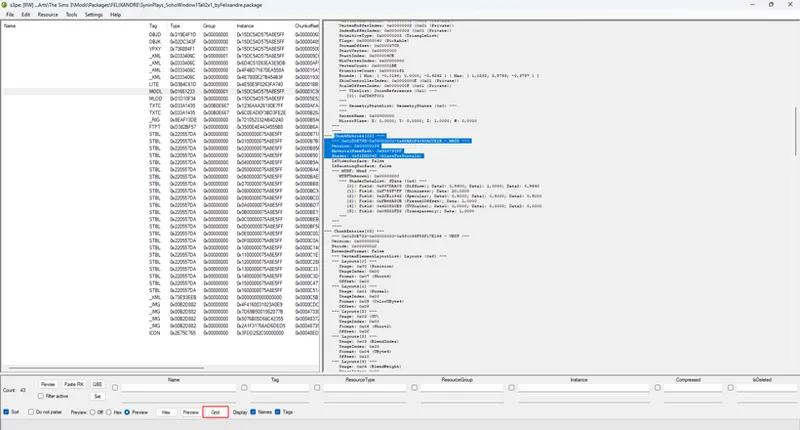
After locating it, click on GRID just below.
Then, when it opens, you should go to where the shader entry was used.
In this case (and remember, the location of the shader can vary depending on the type of object or the object itself), you should go to:
CHUNK ENTRIES
[02] CHUNK ENTRIES
RCOLBLOCK
ASBYTES
And there you will find Shader - 0x81DD204D (GlassForPortals)
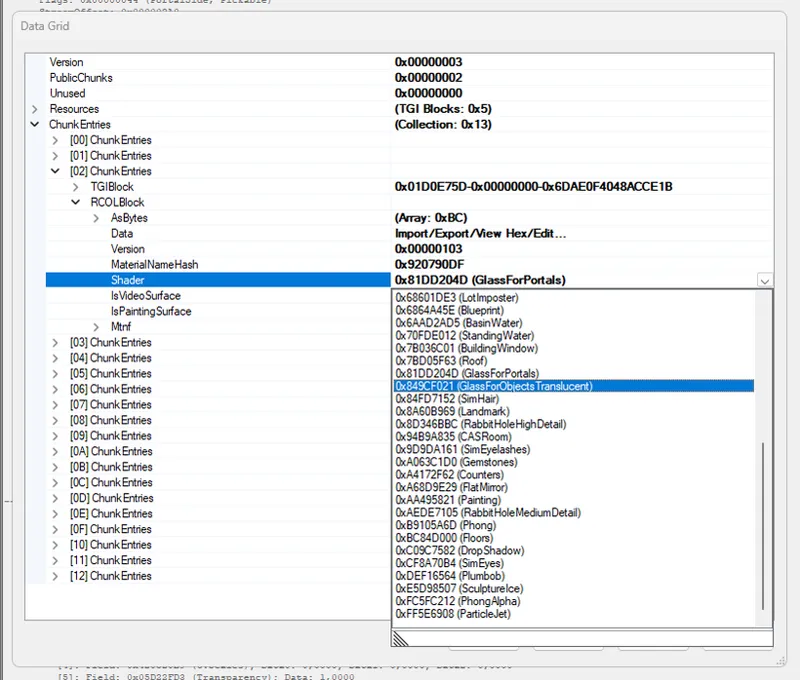
Position the mouse over GlassForPortals and click the arrow to choose another shader. Then change it to: 0x849CF021 (GlassForObjectsTranslucent).
Next, click on COMMIT
Now do the same in MLOD. Just follow the exact same steps, but this time in this other entry. Search for the shader, modify it, and click on commit. After doing this, simply save the file (the CC you are modifying).
Although it seems complicated at first, the more you do it, the simpler, faster, and more intuitive it will become. I spent 16 hours cloning all the doors, windows, and vehicles in The Sims 3 and following this step-by-step guide. It's tedious but straightforward. It’s important to modify the shader in both MODL and MLOD, because otherwise, there is a chance that only one side of the glass will have the more pronounced reflection.
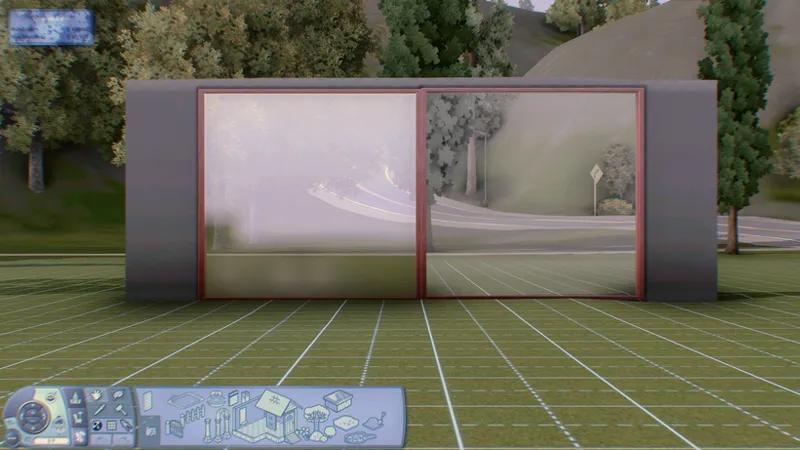
To check if it worked, simply open the game and test it in build mode. You might not be able to see the tiles on the other side of the window. However, this is an indication that it worked.
As you can see in this comparative image. (Well, this and the reflection, of course)
For content creators, my tip is to use this shader option instead of the default one when creating your own windows. It was present in the base game and was the shader used before World Adventures. For some reason, The Sims production opted for a less pronounced reflection, but you can see in the initial GIF (at the top of the post) that the difference is almost like turning the lights on or off inside the lots. This shader really makes it look like there is glass in the windows (at least for me).
I request that you keep the information in this post private for a while. Soon, this tutorial will be available to everyone on my website. Until then, you can convert your own items or experiment with the default conversions I've organized for you. I’ve merged all the items into a single file for doors, windows, shaders, and vehicles, for optimized game loading and to make file organization even easier.
I hope you enjoy it, and I thank you for your continued support. It’s what allows me to explore and discover such fascinating things in this game!! <3
Comments (5)
Hell yeah, man! I recently installed the base game and was immediately drawn by how good the glass reflections look. I was like, "Why on earth did they remove those gorgeous reflections?" Then I returned to the game with the expansions and only then noticed that there's dull reflections on the windows. Well, at least they provided a substitute, although I'd never noticed it before and thought the windows had no reflections at all. It looks more like reflections on dim plastic than on glass, unlike the reflections in the base game. So right away I started to look for the mod. You're a legend for making this! Thank you so much!
Right?! I also spent years wondering why they changed that. I suspect there might have been some challenge/problem with some of the World Adventure windows, which perhaps motivated them to take a step back. Anyway, I'm glad that after years I was able to discover and collaborate with the community by sharing the step-by-step process to allow more creators to use this shader instead of the common glass shader. Thank you so much for taking the time to leave a message!! <3
Hello, love this as usual! Maybe this is a stupid question but I was wondering if maybe there is a way to somehow put a shader or something on UI in game to block MXAO shader to go through it? Hope you'll understand what I mean 🤔
I saw online that maybe I can create a mask for the UI in Reshade... EDIT: I realized it's not a perfect solution since messages will pop-up on the screen. So maybe it's just too complicated 😭
finalmente!!!!! estava ansiosa