


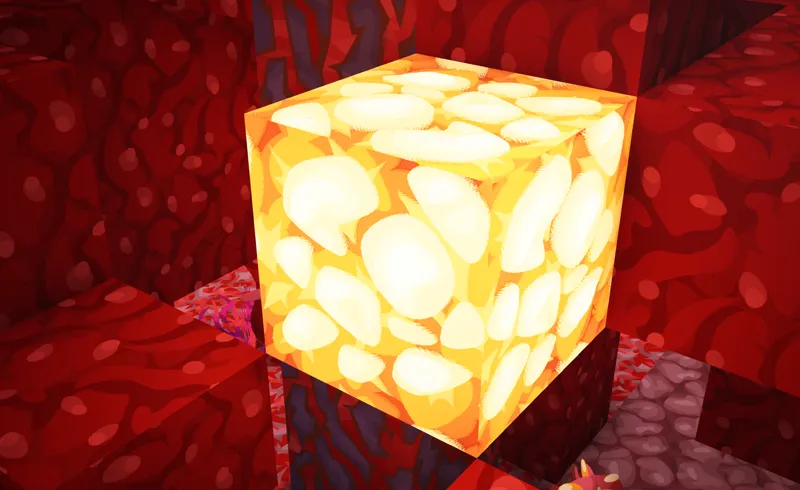
Prime's HD Textures Beta 38 - MC 1.21.4
Changelog: Honeycomb block Shroomlight Ancient debris Updated pack and add-ons to 1.21.4 Renamed "3D Blocks" add-on to "Extra Models" to avo
Changelog:
Honeycomb block
Shroomlight
Ancient debris
Updated pack and add-ons to 1.21.4
Renamed "3D Blocks" add-on to "Extra Models" to avoid confusion
⚠️ All downloads have been moved to the download hub (pinned post)
Comments (11)
how to get the 3d look
It is quite simple actually, you need to use a SeusPBR supported shader pack, I personally recommend Complimentary Unbound, you should find "POM" (3D blocks) in the Materials page in the settings for the shader. Make sure to use SeusPBR or else it wont work.
32GB of RAM is not enough for the 512x & 256x. I have Kingston fury 16gb X2 6000 MHz CL30 DDR 5
I run it perfectly fine on 16 with complimentary shaders, not sure whats up w yours
Also does 510 work on GeForce RTX 3060?
So excited to get a new computer so i can play with these full textures 😁😁
just like refresh or somethin' idk
no pbr works without shaders
what shader do you use and iris or optifine
How do I make my blocks look 3D??
You need to enable PBR in your shader settings (I think)