
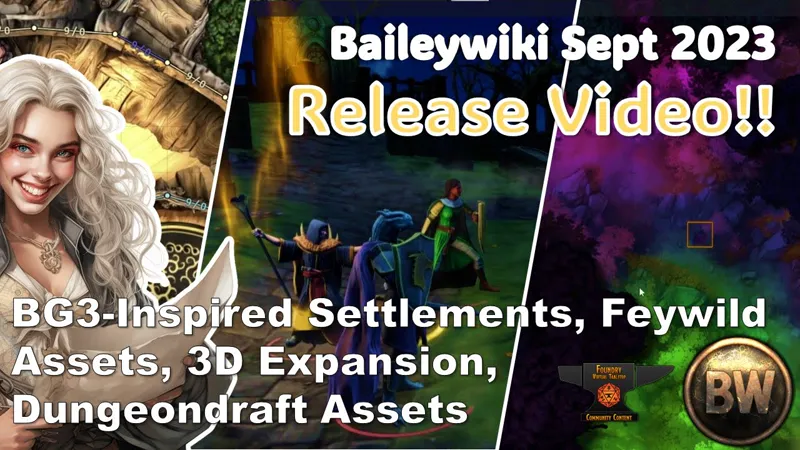
Baileywiki Oct 2023 Release - Wood and Stone Settlement Expansion, 3D Scenes, Dungeondraft Ancient Architecture v2 and Feywild
Ok crew! Taking a little inspiration from Baldur's Gate 3, the Basic Tier release includes a bunch of new assets to add "stone and wood" to any map including settlements, dungeons, caves, and wilderness. Add to this a new Feywild release. Your maps will be instantly tactical, detailed and interesting.
Foundry Advanced tiers get some flexible new 3D maps like a cemetery, a cave, and wilderness maps (using the new splat map function), that you can jump right into modifying or playing out of the box.
And finally, Dungeondraft tiers (link here) get a large expansion of stone and wood building components, more decor pieces like cages and lights, and the new Feywild Rich Textures.
Take a look at the full change log, and watch the video above to see everything!
##10.3.23 City Settlements Expansion, Fey and Magic, 3D
FREE AND BASIC FOUNDRY CONTENT
~~~~~~~~~~~~~~~~~~
BAILEYWIKI NUTS AND BOLTS - v0.2.4
~~~~~~~~~~~~~~~~~~
NEW MACROS: (NOTE: To make your own custom randomizations macros, use Mass Edit’s premium version)
Random Overlay Terrain (Magic Fey) v0.0.1
~~~~~~~~~~~~~~~~~~
BAILEYWIKI PREMIUM MODULE v0.5.3
~~~~~~~~~~~~~~~~~~
NEW SCENES:
Fey Clearing
Fey Path
Fey Road
Fey Swamps
CHANGES/FIXES:
Simplified TA script to fix issues with the Forge
~~~~~~~~~~~~~~~~~~
BAILEYWIKI TOWNS- v0.5.5
~~~~~~~~~~~~~~~~~~
NEW SCENES:
00 Release City Backdrops v2
00 Release City Settlement Prefabs and Materials
00 Release Fey and Magic Endless Terrain
00 Release Treehouse Materials
00 Release Wood and Wood Platforms
Archfey Home
Battle in the District
Courtyard Battle
Defended Stockpile
Goblin Settlement
Mountain Guard Tower
Orc Arena
Smuggler's Gorge
The Blushing Beluga
NEW PREFABS:
Building Ancient 001 Library
Building Ancient 001 Tavern
Building Ancient Stables 01
Building Ancient Stables 02
Building Ancient Stables 03
Building Castle Fortification
Building Scaffolding Fortification
Building Scaffolding Tower Wood
City Decor Stone Chevron Multi
City Decor Stone Pillar Round Multi
City Decor Stone Pillar Square Multi
City Decor Stone Stair Multi
City Decor Stone Triangle Multi
City Decor Wood Platform Rectangle Multi
City Decor Wood Platform Scaffolding Multi
City Decor Wood Platform Square Multi
TILE SET City Settlement Planks and Platforms
TILE SET City Settlement v2a Multi
TILE SET City Settlement v2b Multi
Treehouse 001
Treehouse Decor Wood Natural Multi
Treehouse Decor Wood Natural Pillar Multi
Treehouse Decor Wood Natural Portal Door Multi
Treehouse Decor Wood Natural Stair Multi
MATT Combination Puzzle Room
CHANGES/FIXES:
Simplified TA script to fix issues with the Forge
Fixed issue with some MATT tiles that used the old “cycle images” action
~~~~~~~~~~~~~~~~~~
BAILEYWIKI CITY District 01 - v0.2.3
~~~~~~~~~~~~~~~~~~
New Tiles Added to support the release.
~~~~~~~~~~~~~~~~~~
BAILEYWIKI CITY District 04 - v0.2.1
~~~~~~~~~~~~~~~~~~
New Tiles Added to support the release.
FOUNDRY ADVANCED CONTENT
~~~~~~~~~~~~~~~~~~
BAILEYWIKI 3D - v 0.2.4
~~~~~~~~~~~~~~~~~~
NEW SCENES:
‘Rural Junction` and `Rural Junction (Night)’ - A 30x30 country road map centered around an intersection flanked on two sides by cliffs. Two versions of the map; one in the afternoon and one at night, and both versions are using the splatmap shader so they can be made radically different with just a quick texture switch.
‘Tower Lake’ and ‘Tower Lake (Night)’ - A 60x42 map with a lone tower built into the side of a cliff as the centerpiece. The water is a tile, and can either be moved downwards to create a dry basin at the foot of the tower, or raised up to the level of the tower to turn it into a coastal map or a tower on the edge of a very large lake. The night version has some lights on the tower itself to imply that it is occupied, and both maps are using the splatmap shader for customisability.
‘’Ambush Trail’ and ‘Ambush Trail (Night)’ - A classic map for a traveling party, a sharp bend in the road through a narrow pass fit for any sort of surprise encounter. By default there’s already a broken-down cart being used as a roadblock, however this can just be removed and replaced with other elements depending on your particular situation. This map is also using the splatmap shader, some examples for which can be found in the update video.
‘Local Cemetery’ and ‘Local Cemetery (Day)’ - A medium size (30x35) cemetery made using our cemetery tileset, the ‘default’ for this scene is at night with the VFX mist floating around the graves for extra spook factor, however there is also a daytime map with an overcast environment and light rain to give it a dreary vibe. The statue in the center is a token with a stone texture applied so it can be changed to any person, creature or object, however this can be switched out for a tile if it is only going to be used decoratively which will give you a bit more control over its appearance. This map is again using the splatmap shader for flexibility.
‘Glittering Caverns’ - A huge (80x60) map of an entire dungeon floor, consisting of natural caverns and rough-hewn areas littered with various points of interest. As it’s using a classic design style it has branching paths and offshoots off the main path, and has plenty of room for encounters in any of its areas.
NEW TOOLS:
Textures for use with the splatmap shader, they can be found in the baileywiki-3D module under textures/splatmap-textures
‘Ancient-castle-terrain’ textures: These textures are designed to match up with the ‘Ancient Castle’ tileset, and include four textures (grass, dirt, rocky ground, and stone cliff) that can be used to create a variety of terrains.
‘Graveyard-terrain’ textures: These match up with our graveyard tileset, being more stylised than the above - five textures (grass, dirt, grassy dirt, a pathway and tree roots) that would be best used to create ‘spooky’ environments, but can be mixed and matched to fit in anywhere.
DUNGEONDRAFT CONTENT
New Maps (Original Dungeondraft File):
city-expansion-oct-2023.dungeondraft_map
bw-feywild.dungeondraft_map
~~~~~~~~~~~~~~~~~~
BAILEYWIKI ASSETS A - v 0.0.16
~~~~~~~~~~~~~~~~~~
NEW OBJECTS
TAG: [BW] Structures
21 manhole objects (+ colorable versions)
2 holes/tunnels
5 cover designs with 3 versions each: clean, damaged, destroyed
TAG: [BW] Pillars
2 objects (+ colorable versions)
TAG: [BW] Lighting
49 objects (+ colorable versions)
22 lanterns and lantern modifications
18 torches and torch modifications
9 lamp posts
TAG: [BW] Laboratory
10 cages (+ colorable versions)
TAG: [BW] Storage
3 shelves (+ colorable versions)
CHANGES
Moved all BW Magic Writing paths to a separate pack
~~~~~~~~~~~~~~~~~~
BAILEYWIKI MAGIC WRITING PATHS - v 0.0.1
~~~~~~~~~~~~~~~~~~
New Pack
Contains the 146 “Magic Writing Paths” formerly in the Assets A pack
~~~~~~~~~~~~~~~~~~
[BW] BASE 01 ARTIFICIAL - v 0.0.2
~~~~~~~~~~~~~~~~~~
NEW OBJECTS:
TAG: BW Stone Pieces
45 (Triangle, Circular and Square Blocks)
TAG” BW Stone Stair
3 New Stairs
TAG: BW Wood Floors
13 Natural Wood
24 Wood Floors
TAG: BW Wood Pillars
14 Pieces
TAG: BW Wood Planks and Beams
32 Various Planks and Beams
TAG: BW Wood Platforms
29 Various Platforms and Scaffolding
TAG: BW Wood Stair
16 New Stairs and Bannisters
NEW PATHS:
3 Bark Paths with different transitions
~~~~~~~~~~~~~~~~~~
[BW] RICH 08 FEY AND MAGIC - v 0.0.1
~~~~~~~~~~~~~~~~~~
35 New Fey Textures: Grass, Forest, and Badlands
35 New Fey Patterns: Grass, Forest, and Badlands
Baileywiki Oct 2023 Release Highlights - FoundryVTT and Dungeondraft (YouTube)
Comments (2)
Hey guys! I'm a new supporter and I've just managed to install your 3d module and I must congratulate you on the fantastic work! I'm wanting to make personalized and painted 3D miniatures for my players. I would like some guidance on what would be the best way to do this by integrating it into the module. I'm using Hero Forge to make the miniatures, I download the file in STL and I'm painting it in Adobe Substance (since the painted digital version of the Hero Forge file doesn't seem to be compatible with Foundry). In fact, my process more specifically is the following: 1) Generate the STL file in Hero Forge; 2) Open in Blender and export to FXG; 3) Import the FXG into Adobe Substance, and do the painting there. From there, I don't know how to proceed. I appreciate guidance on how to export the Substance file, with colors and textures, in a format suitable for use in Foundry.
Hey there, you'll need to bring this question to discord so we can discuss. https://discord.gg/wgPbnfgJAJ Post it in the #3D channel and make sure you tag @baileywiki to it. I'll respond by adding Swift to the thread