
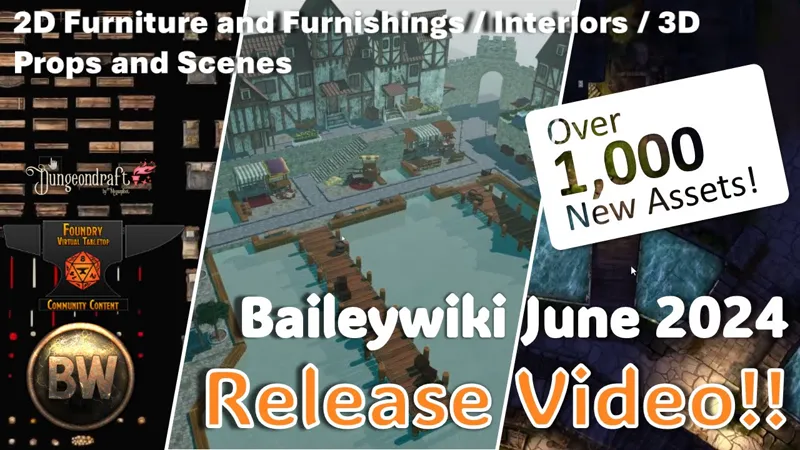
Baileywiki June 2024 Release! Over 1,000 New Assets / Mass Edit Index / Furniture and Furnishings
It's like an IKEA exploded. Over a thousand new 2D assets including a veritable warehouse full of furniture, storage, and furnishings for your interiors. This is all part of Mass Edit's new Indexing function, that lets you easily index and search all of your assets, not just Baileywiki stuff.
We've also got new scenes, new spawner terrains, and much more.
Check out the new Design with Me session for a start-to-finish tutorial on how to make maps with Baileywiki assets.
FOUNDRY BASIC TIERS
The 2D release features a few dozen new new prefab homes, empty buildings, and tudor-style buildings, thousands of tiles for furniture and furnishings, and new Mass Edit brushes to make decorating your scenes easy.
FOUNDRY ADVANCED TIERS
Advanced tiers get all new scenes for playing, and a double-helping of 3D props this month. Wait until you see this stuff. (reminder that all tiers, thanks to the 3D contest, get the Advanced Foundry content through June).
DUNGEONDRAFT
For our Dungeondraft users, all of the new tiles in the Foundry release are also available to you. Now you can use Baileywiki assets to design interior spaces, with more to come!
Getting Started with Baileywiki Playlist (new Prefabs tutorial!)
##6.3.24 Interiors, Furniture, and Furnishings
FREE AND BASIC FOUNDRY CONTENT
~~~~~~~~~~~~~~~~~~
BAILEYWIKI MASS EDIT - v1.68.0
~~~~~~~~~~~~~~~~~~
https://github.com/Aedif/multi-token-edit/releases/tag/1.68.0
Preset Browser
Directory Indexer can now be accessed via the header
Presets belonging to unlocked compendiums can now be edited even if they're not part of the current working compendium
Tags can be explicitly searched for using #
e.g. rock #terrain
This would bring up all presets that have been tagged with terrain and that contain rock in their name
Switching placeable types will now reset the search textbox
Search mode toggle can now be used to turn-off display of folders during searches
Due to allowing scanning and inclusion of tens of thousands of files within the form, searches have been limited to the first 1000 presets
Fixed folders showing up as visible during searches even if they do not contain matched presets
Fixed FAVORITES tab rendering sluggishly compared to other tabs
Fixed AmbientLight and AmbientSound previews only rendering their controls
Fixed images floating up when in thumbnail view mode
Directory Indexer
The module now supports indexing of directories and displaying them within the Preset Browser as Tile and AmbientSound presets.
Indexer menu is accessed via a new Preset Browsers header button
Select directories you want to be indexed, filters, and override settings
The index will be created as a file within your user data folder and will be re-used on all subsequent openings of the Preset Browser
Any module directories found as part of indexing will result in assets found within being tagged with the author's name (e.g. baileywiki, caeora, etc)
Supported sources: data, public, s3, forgevtt, forge-bazaar
noscan.txt file can be added to directories you do not wish to be indexed
indexer.json file can be added to directories to modify folder appearance, tags, and indexing exclusions.
Format:
{
"modules/baileywiki-3d": {
"tags": ["3d_canvas"],
"color": "#7e1212",
"icon": "icons/vtt-512.png",
"subtext": "3D Canvas"
},
"modules/baileywiki-3d/icons": {
"noscan": true
}
}
Misc.
Preset pasting onto existing placeables will no longer include position data
Tiles spawned through the Brush Menu will have their Z-Index be automatically set to the current highest on the scene.
History recording feature has been removed
~~~~~~~~~~~~~~~~~~
BAILEYWIKI NUTS AND BOLTS - v0.2.13
~~~~~~~~~~~~~~~~~~
NEW SETTINGS:
Registered settings menu for Nuts and Bolts
There is now a button to import the Baileywiki TMFX preset library into your world’s library (instead of using the macro, the macro can still be used)
This is useful for applying TMFX filters to Mass Edit tile presets as you drop them, such as with the brush setting.
A dialog should appear upon updating prompting you to import the TMFX presets library. This should disappear after merging, or selecting “Don’t Ask Again.”
NEW MACROS:
Damage Brush - Scorch, Cracks, Rubble - (alter these using the TMFX drop-down in the brush tool)
DELETED MACROS:
BW Mass Import Tiles to Mass Edit (no longer needed with the new directory Index function)
NEW DUNGEON DRAW TEXTURES:
45 Wood Floor Textures (also usable for DD wall textures)
45 Wood Door Tiles (for placing over DD door/walls)
FIXED/UPDATED:
Macros for MATT have been updated for the latest MATT api. If you are using any of the MATT/targeted macros and have them imported in your world, replace them with the latest versions in the compendium
~~~~~~~~~~~~~~~~~~
BAILEYWIKI TOWNS- v0.5.17
~~~~~~~~~~~~~~~~~~
UPDATED ORGANIZATION:
After the addition of thousands of tiles in the last edition, these tiles have been relegated to a special “Virtual Directory” in the Mass Edit browser. This Virtual Directory supports tagging and folder organization as well as the ability to index any other user data or module folders automatically, not just Baileywiki content.
Tiles in the Virtual Directory can be added to the Mass Edit brush, saved as new presets, and more
NEW TILEABLE BACKGROUNDS:
(Street Spawner Folder) - bw-terrain-village-bridge.webp
(Street Spawner Folder) - bw-terrain-village-canals-01.webp
NEW SCENES:
00 Release - Buildings Tudors
00 Release - Furnishings and Furniture
00 Release - Furniture
00 Release - Storage
Graveyard and Church
Graveyard Only
Graveyard Template
Tavern by the road
Village Bridge 01
Village Bridge 02
Village Bridge Template 01
Village Bridge Template 02
Village Bridge Template 03
Village Canals 01
Village Canals 02
Village Canals 03
Village Canals 04
Village Canals 05
Village Canals Template 01
Village Canals Template 02
Village Canals Template 03
Village Forest
Village Haunted Ale House
PREFABS AND PRESETS:
Prefabs are created with Token Attacher and have a ‘control token’ that can be moved around the scene. Presets are typically made with Tiles or other entities and have special properties (given by other modules like Token Magic FX, Levels, or Monk’s Active Tiles).
A “brush” is a preset that already includes more than one tile and possibly other effects or metadata from other modules.
Brush Storage: Chests Metal Clutter
Brush: Clutter - Fallen Books Pile
Brush: Clutter Books Shelved
Brush: Fabric Runners
Brush: Furniture - Beds Double Common
Brush: Furniture - Beds Double Ornate
Brush: Furniture - Beds Single Common
Brush: Furniture - Beds Single Metal
Brush: Furniture - Beds Single Ornate
Brush: Furniture - Benches (other)
Brush: Furniture Chairs
Brush: Furniture Stools
Brush: Lighting Candles Lit
Brush: Lighting Candles Unlit
Brush: Stone Ruins Rubble Clutter
Brush: Storage Barrels Clutter MATT
Brush: Storage Chests Gold Silver Treasure Clutter
Brush: Storage Chests Trunks Wood Clutter
Brush: Storage Crates Clutter
Brush: Storage Prefabs Barrel Crate Sack Clutter
Brush: Storage Sacks Clutter
Brush: Table Clutter Centerpieces
Brush: Table Clutter Dishes Common
Brush: Table Clutter Dishes Ornate
Brush: Table Clutter Dishes Pots and Pans
Brush: Vehicles: Boats Skiffs Gondolas
Building 01 -17 Home Empty Multi
Building Church Clean Multi
Building Church Ruined Multi
Building Tudor 01 Stables Empty Multi
Building Tudor 01 Stables, Shop, Tavern, Inn, Home, Empty Multi
Building Tudor 02 Empty Multi
Building Tudor 02 Haunted Ruined Ale Brew House Multi
Building Tudor 03 Empty Multi
Building Tudor 03 Hideout Thieves Multi
Building Tudor 04 Shop Empty Multi
Building Tudor 04 Shop Home Inn Tavern Multi
Empty Blank Brush for TMFX
fx Brush: Working Boat, Skiff, Gondola TMFX MATT
REGULAR TILES
884 New Tiles
bw_building_01-17 Home and Empty
bw_candle_cluster_melted_01-05
bw_candle_side_01-08 (plus colorable)
bw_candle_standing_01-09 (plus colorable)
bw_chest_metal_02-23
bw_chest_ornate_gold_silver_01-09
bw_chest_trunk_wood_01-39
bw_crate_wood_rectangle_001-074
bw_crate_wood_rectangle_lid_01 and 02
bw_crate_wood_square_001-056
bw_dishes_mortar_and_pestle_01-03
bw_dishes_pan_metal_01-12
bw_dishes_pot_metal_01-70
bw_fabric_sack_001-032
bw_fabric_sack_open_001-016
bw_fabric_sack_upright_018-020
bw_furniture_cabin_01_-023 tables, shelves, end tables, cabinets
bw_furniture_cabinet_door_ornate_common_01-04
bw_furniture_cabinet_door_rustic_01.webp
bw_furniture_common_01-46 wardrobes, cabinets, shelfs
bw_furniture_common_bed_01a_06b dressed and undressed
bw_furniture_common_metal_01_-27b tables, cabinets, shelfs, wardrobes
bw_furniture_common_metal_bed_01a-06b single, double, dressed, undressed
bw_furniture_crib_display_01-02
bw_furniture_drawer_ornate_01.webp
bw_furniture_drawer_ornate_common_02-05
bw_furniture_drawer_rustic_cabin_01-04
bw_furniture_metal_01_bed_frame_single.webp
bw_furniture_metal_01a-03b single, double, dressed, undressed
bw_furniture_ornate_01-45 tables, wardobes, cabinets
bw_furniture_ornate_bed_01a-06b single, double, dressed, undressed
bw_furniture_ottoman_01-34
bw_furniture_rustic_01-38 tables, cabinets, wardorbes
bw_furniture_rustic_bed_01a-12b single, double, dressed, undressed
bw_furniture_sofa_couch_01-14
bw_furniture_special_04_display_case.webp
bw_furniture_special_05_display_case.webp
bw_furniture_special_07_table_stone.webp
bw_furniture_special_08_table_stone.webp
bw_furniture_special_09_table_stone.webp
bw_furniture_special_10_table_stone.webp
bw_furniture_special_11_table_stone_gothic.webp
bw_furniture_special_hanging_pegs_01.webp
bw_furniture_special_hanging_pegs_01_rustic.webp
bw_furniture_special_hanging_pegs_02.webp
bw_furniture_wood_bench_01-09.webp
bw_furniture_wood_desk_01-03.webp
bw_furniture_wood_table_rectangle_01.webp
bw_lectern_book_holder_stone_01-06.webp
bw_lighting_candle_lit_01-07.webp
bw_lighting_candles_lit_01.webp
bw_lighting_crystal_lit_01-05.webp
bw_lighting_crystal_salt_lamp_01-12 (plus colorable)
bw_metal_oven_01-02b
bw_metal_oven_98_pipe.webp
bw_metal_oven_99_pipe.webp
bw_stone_basin_rectangle_01-05.webp
bw_stone_fireplace_01-08.webp
bw_stone_fireplace_09.webp
bw_stone_fireplace_99_base_circle.webp
bw_stone_fireplace_99_base_square.webp
bw_stone_fireplace_99_wood.webp
bw_stone_oven_01-03.webp
bw_stone_oven_99_opening.webp
bw_table_clutter_-15c.webp
bw_table_clutter_20_candles_lit_01.webp
bw_table_clutter_20_candles_pitcher.webp
bw_table_clutter_20_candles_unlit_01.webp
bw_table_clutter_20_candles_unlit_02.webp
bw_table_clutter_20_cutting_board_knife.webp
bw_table_clutter_20_cutting_board_pan.webp
bw_table_clutter_20_cutting_board_pitcher.webp
bw_table_clutter_20_cutting_board_stew_food_pitcher_candles.webp
bw_table_clutter_20_cutting_board_vase_candles.webp
bw_table_clutter_20_martar_pestle_pitcher.webp
bw_table_clutter_20_ornate_silver_basin_pitcher.webp
bw_table_clutter_20_pot_food_candles_pitcher.webp
bw_table_clutter_20_pot_pitcher_candles.webp
bw_wood_table_circle_round_01-14.webp
~~~~~~~~~~~~~~~~~~
OTHER BW MODULES
~~~~~~~~~~~~~~~~~~
Baileywiki Premium Module - v 0.5.12
Added Graveyard terrain and supporting tiles
FOUNDRY ADVANCED CONTENT
~~~~~~~~~~~~~~~~~~
BAILEYWIKI 3D - v 0.2.15
~~~~~~~~~~~~~~~~~~
NEW SCENES:
01 - Coaching Inn - Interior 3rd Floor and Basement
02 - Cavern Arena
03 - Dwarven Throne Room
04 - Dockyard
05 - Sunken Temple
06 - Sunken Temple (Static water)
07 - 06. Greenhouse
08 - 08. Great Hall
NEW MODELS:
A collection of ~270 props comprised of full structures with interiors, efficient ‘background’ structures without interiors, structure pieces (walls, walkways, stairs etc), ruin fragments, an extensive collection of cave pieces, magic crystals and a small set of foliage for decor.
Structures/Structure fragments/Ruins
D-old-house - 11 props (buildings w/interiors)
D-house and d-house-attachment - 21 props (background houses/pieces)
D-ruins - 16 props (Wall pieces/stairways)
D-stone - 13 props (walls/stairs)
Fire-podium and pillar - 7 props (pillars/braziers)
Statue - 4 props
Temple-pillar and temple-door - 17 props (Pillars/archways)
Tiled-floor and tiled-platform - 11 props (Floor pieces)
Natural
Ceiling-crystals and crystals - 22 props
Background-platform - 4 props (Extremely large base platforms)
Cave-large-cluster - 9 props (large-sized scene-building rocks)
Cave-rock - 24 props (mid-sized scene-building rocks)
Cave-rock-stairs, cave-stairs and cave-stairs-rocks - 14 props
Cave-small-cluster - 5 props (small-sized scene-building rocks)
Platform-rock and platform-rock-single - 19 props (bridge/cave floor rocks)
Rock-ramp - 8 props
Small-rock-cluster - 7 props (Very small-sized decor rocks)
Stalagmites and stalactites - 25 props
Plant-bushy, plant-small and plant-tall - 18 props
Sapling - 12 props
DUNGEONDRAFT CONTENT
1,492 new assets
~~~~~~~~~~~~~~~~~~
NEW!! BAILEYWIKI BASE 09 - Interior Furniture and Furnishings v 1
~~~~~~~~~~~~~~~~~~
1,173 New Assets
OBJECTS:
Stone Basins (5)
Bathtubs (10)
Books (51) - open, closed, row
Candles (50) - lit, unlit, colorable
Crystal Salt Lamp (36) - colorable
Dishes - Pots and Pans (82)
Dishes - Mortar and Pestle (3)
Dishes - Table Clutter
Centerpieces (13)
Dishes Prefabs (45)
Ovens and Fireplaces (22)
Mattresses and Pillows (Colorable (3)
Furniture - Ornate, Common, Rustic, Metal
Beds (67) - Dressed, Undressed
Cabinets and Wardrobes (41)
Chairs and Stools (51)
Countertops (11)
Other / Misc (5)
Ottomans (34)
Shelves and Cupboards (46)
Couches and Sofas (14)
Tables and Desks (106)
Drawers and Cupboard Doors (14)
Mirrors (4)
Fabric - Runners (34) - some colorable
Storage:
Chests and Trunks (71)
Crates (131)
Sacks (151)
Trash and Rubish (8)
Storage Prefabs (34)
Toilet hole (overlay)
Windows:
Overlays (7), and colorable
Rods and Pieces (8)
PATHS:
Book Paths (2)
Furniture Paths (11)
~~~~~~~~~~~~~~~~~~
BAILEYWIKI BASE 01 ARTIFICIAL - v 0.0.9
~~~~~~~~~~~~~~~~~~
292 New Assets
OBJECTS:
Bw_stone_basin_rectangle_01-05.webp
Bw_stone_stair (4 tiles)
Bw_boat (17 tiles) skiffs, rowboats, gondolas
Bw_stone_bridge (2 tiles)
Bw_gravestone (64 tiles)
Bw_dirt_grass_grave (4 tiles)
Bw_wood_block (12 tiles)
Bw_trapdoor (6 tiles)
WALLS:
Bw_wall_wood (110 tiles)
Bw_wall_brick (34 tiles)
Bw_wall_wood_studs (5 tiles)
PATTERNS:
Bw_floor_brick (4 tiles)
Bw_floor_wood (31 tiles)
Bw_floor_marble (11 tiles)
PATHS:
Bw_wall_wood (31 TILES)
Bw_white_line_path (1)
PORTALS:
Bw_door_wood (37 tiles) - mahogany, rustic, light
~~~~~~~~~~~~~~~~~~
BAILEYWIKI BASE 04 NATURE - v 0.0.3
~~~~~~~~~~~~~~~~~~
Bw_grass_patch (15)
Bw_grass_path (6)
~~~~~~~~~~~~~~~~~~
BAILEYWIKI BASE 07 Base Textures 07 - Ruins - v 0.0.3
~~~~~~~~~~~~~~~~~~
Tower doors, windows (6)
Baileywiki June 2024 Release - Over 1,000 new assets! Index all the things! (YouTube)
Comments (6)
I am going to message here since I asked for help 10 hours ago in the discord server but no one ever gace a reply. the discord seems so dead, no one receives help in the troubleshoot as well. Eo what I wanted to ask, is there any written guide to mass edit and all these modules? I checked the video tutorials a bit but they date back so far, things were still dropped from actors. I really need help to understand how the macros work also.
Hey, 10 hours is not much for a staff of 3 (including myself). We do still have to get weekends off and vacations and such. You also have to actually tag one of us to a problem or we can't see it. My discord is too large so it won't let us monitor all posts. As for help, this video just came out and is the latest walkthrough of everything. https://youtu.be/370T_dFAGek Lastly, if you're going to be unreasonable with help and just critical, I'd rather just refund you.
Ok, I'll do that... I can figure that out ;) I am a noob to VTT and JS so it has been a little overwhelming! (I'm used to throwing money at it to make it work better lol) I'll try v11 for the next month or two whilst the smart folk figure out how to adjust the modules to work :) TY for being smart people!
Yeah, think of Foundry less like software and more like a server. You don't generally want your servers to ride the lightning on new features since other software sits on top of that server. We should be officially supporting v12 by our next release (around July 3rd) but, even then, a few modules may still be catching up
Hi, I just signed up... Does this work in Foundry VTT v12? Token attacher isn't updated to v12 yet and it is required : ( What do I do?
Not much works with v12 yet. If you want to use modules, you generally want to wait a month after a release at least. Can you install v11?l instead?