
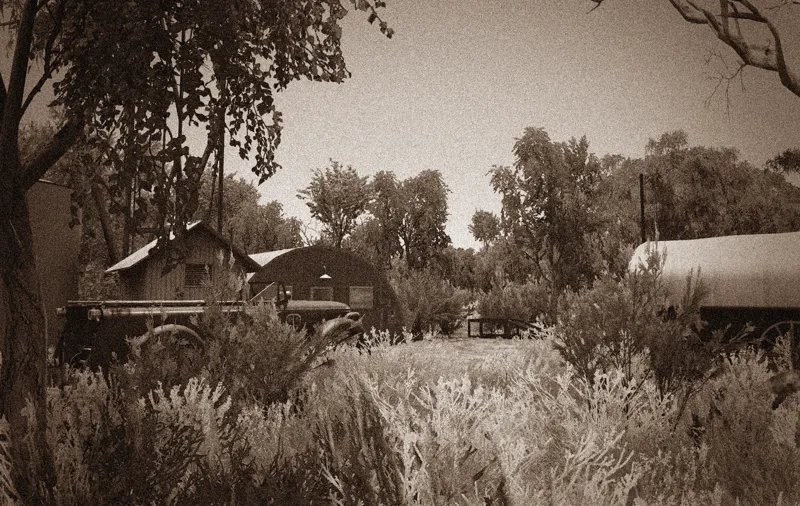
Australian Outback Map v4.3
New update of the Australian Outback Map!
Do you have what it takes to drive to Doobibla?!
There are some challenges on that route, so be aware...
The map is compatible with 1.47.xx.
Changelog;
New location: Doobibla, with a long new route, dangerous mud and 2 dangerous river crossings.
Rework of the following locations;
- Humeburn Opalfield,
- New company in Charleville,
- Start on Charleville residential area,
- Optimizations at Cairn Station,
- New Australian trees placed throughout the map, (Will be continued)
- Added UI Map areas,
- Renamed Homeburn and Homeburn Opalfield, to Humeburn and Humeburn Opalfield,
- Some bug fixes for 1.47.x patch.
Important!
The map files are now separated into 3 files instead of 2!
In the mod manager, place 'part 1' on top of the load order/priority!
Under part 1, 'part 2' and under part 2 'part 3'.
This is important so the map can read it's files correctly, and some other mods (graphic mods.....) tend to replace ground textures.
I hope you enjoy the update!
Be sure to head into the Discord server: https://discord.gg/8QkJzgc share some awesome screenshot and make a talk with me, or other Patrons in the chat.
Comments (4)
I’m having difficulty as well. I have moved the three downloads to the mod folder but can see the mods in game when starting new account. Could someone help ?
Вытащите файла из архива и потом поместить в паку Mod
do i have to download all 3 parts to use?
Yes the Manual.pdf explains what you need to do to get it to work, [Edit] sorry it actually doesn't this is what you need to do: Important! The map files are now separated into 3 files instead of 2! In the mod manager, place 'part 1' on top of the load order/priority! Under part 1, 'part 2' and under part 2 'part 3'. This is important so the map can read it's files correctly, and some other mods (graphic mods.....) tend to replace ground textures.