











Pure 0.234 development update
Pure 0.234 has the same install procedure like Pure 0.222!
So please follow the 0.222 video and use the newer versions of CSP and Pure!
Install video:
https://www.youtube.com/watch?v=uXcwlAqhItc
Pure 0.234 new features video:
https://www.youtube.com/watch?v=TQyBdCTKfwA
With the new CSP versions (0.2.2 and later) the time and date management was changed. Pure Planner got fixed to work with it and it got new features like the "record_date_time_changes" (For more info, please have a look at the integrated Pure Planner help)
Also Pure Planner has now the long-awaited "live" mode.
Pure's ambient light got a massive update. The V2 method produces more natural lighting.
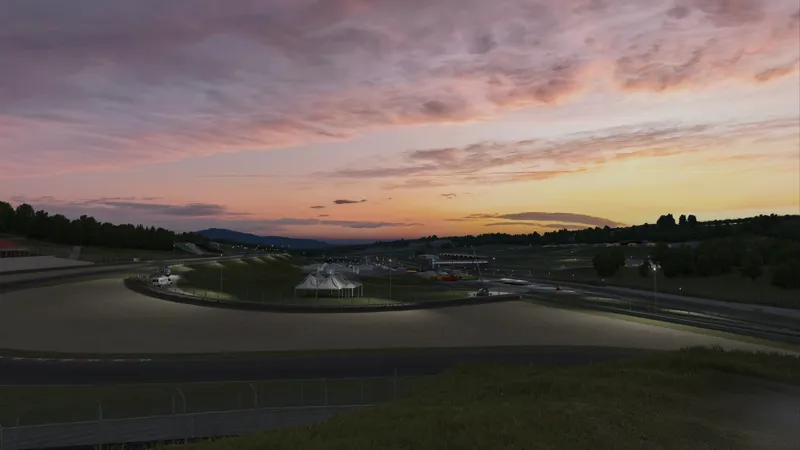
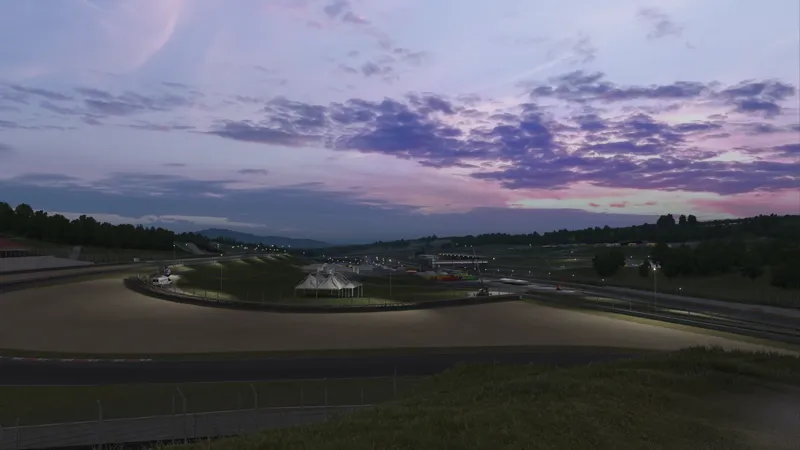
12 new skydomes were added, mostly for sunset and twilight times.
Bugfixes:
Landscape shader is a "sky only" shader by default, fixes the blue outlines around objects
Landscape shader is now working in VR SPS mode
many UI bugs are fixed
Sunblinding shader, fixed star look in triple screen mode
Download no more available!
Please use later versions of Pure!
As always, you need a CSP preview version to get rain!!!
https://www.patreon.com/x4fab/posts
Comments (175)
i need this version i think
how do i download
Please have a look at the latest Pure development update post!
when i downloaded 7 zip the pure file didnt appear on my scream to open with 7 zip
Sorry im dumb i watched the other video
help plz
Just use the newest version of Pure. This is an old one!!!
no new link
Link Where?
Use the newest version...
is pure no longer avalible
Older versions are no longer available. Please just use the latest version from the latest post here....
I thought that the previous versions available would continue since I feel that there are certain errors in the new versions, very exaggerated targets and that, we will have to wait for the new update
What errors do you mean? You could still download Pure 0.254 btw, which is an updated 0.234. So actually I don't really understand what you mean and which errors should be in the new versions which are not in this version?!
cant find downlaod link??
Just read! The download is no more available. Please use newer versions of Pure!
So, there is no wet roads or rain with this???
You need a CSP preview version for rainFX. Pure brings the weather graphics, but CSP preview will bring the rain graphics and physics and Pure controls it.
I have an issue, I cannot see it on Weather FX. I am in 0.2.2. Thanks a lot in advance to help me.
Please watch the install video and follow the steps exactly!
where is the dowload link for 0.0238? i cant find it.
Just follow the link in the download section
I have a problem where road textures dissapear and the road looks like a mirror while rain is enabled. Does anyoane know a fix?
Why am I unable to click these links, its like they are not working.. the only links that seem to work are the links for the post which do me no good.
Because i removed the links for 0.234. Please use the newest version 0.238. I made some important bugfixes for this version.
I'm confused, I paid for membership but these are just post with videos, I cannot find any download links anywhere. Am I just a stupid Patreon newb? please help, unable to find any download links for pure.
https://www.patreon.com/posts/pure-0-238-96346829
good but when i install pure it doesn't show up on the weather fx do y'all know how can i fix this?
Install it like it is shown in the install video. Do the steps exactly like they are shown there.
im loving it though cant wait for lightning!
says live mode not functional yet
Nice work. Thx
Hi there, Is it possible to install it manually (pure) simply copying the files one by one? (I'm a linux user and I have no idea on how to launch a bat file inside my proton prefix).
Sure, you just need to copy the 4 folders apps, content, extension and system to AC root folder.
hi
peter- I see you have a new version of Sol out. Should I not install it if I'm already using your newest version of Pure? Anyone else can answer this as well. It would be appreciated...
First, its not a new version, i just uploaded Sol 2.2.9 again directly to Racedepartment. But this is not a new version! If you use Pure and you are happy with it, never think of Sol anymore.
never had issues in the past but this version gave me the black sky. Is the only fix to back date to an older version of CSP?
hey which preview should I get? I have this pure
like the csp preview
Buona sera... Io avevo questa versione installata e andava sia SOL che Pure.. Ora ho installato la versione di Pure uscita da poco e non vedo più Pure... Non capisco perché non avere la possibilità di scegliere... Ho provato ad disinstallare come dice nel manuale ma nulla... Pure non si vede più... Troppe versioni una dietro l'altra .. il tuo lavoro lo apprezzo molto ma come posso risolvere grazie
Please install everything like shown in the install video! Also install the newest version 0.238.
Peter, how do I change settings to enable your sky domes? I see only what looks like default weather and Pure options are not straight-forward. I only get options to alter numbers, under Drive>Weather>Pure...
Open Pure Planner app in-game and you can change the weather by clicking in the weather slot. Also, please install the latest version 0.238. I fixed many bug in Pure ...
never got a gmail with the key
hi peter I just bought your stuff and I'm trying to get the full version of content manager.
I'm not the creator of Content Manager! That is Ilja Jusupov!
Great work! one small thing I noticed last night was the exhaust to the Mercedes AMG GT3 car wasn't glowing at night. Guess its an old car model. Some newer ones were glowing. Just thought I'd point it out.
I have nothing to do with such things!
Time of day is changing everytime i restart my session in AC with this version. how can i make time if day stay the same each time i restart my session like .222?
Install Pure 0.235. I fixed a lot of things in the date time functions.
Hi, I hope to see heavy lightning effect in Pure soon...
Me, too.
I am having quite a lot of stuttering issues with the sky from the interior camera view, I saw somebody else reported this but I can't seem to find where I read it again im sorry - do you know if I can fix it. I have both preview, 0.234 and the new config 0.235 hotfix installed.
At this point it would be much better you make a new post in the Pure help hub at Pure Discord Server. Maybe you can post a video and show a screenshot of the opened Lua Debug app and Pure Config app ingame ..
Hi Peter. I'm having some problems with Pure and any Weather FX Plugin in CSP. When I turn on it, the game becomes all with low saturation. without plugin: https://ibb.co/zJVfmMt with plugin: https://ibb.co/KLXn3wf How can I solve?
Its Wintertime. You can: - Switch off seasons in CM - Settings - CSP - Track Adjustments - Set a time in Summer in CM Drive
Hi Peter! I've just installed the new version, but if i set Live in the Contenta Manager Weather, i always see snowy tracks. There's something i can do?
- Switch off seasons in CM - Settings - CSP - Track Adjustments - Use Pure's Live mode and switch off local time in Pure Planner
I don’t have the V2 ambient check box under pure config/light. It’s showing me Pure: 0.234. and Peter, thank you! Your work is incredible!!
Only available with CSP 0.2.2 or later!
I am not sure what lights-patch is doing, but could you take a look at this for me: https://youtu.be/XFlo7xxymzY
Fantastic work!. Every update, i'm getting noticeably better image quality with no frame rate loss, all on a lowly 1070. Bravo sir. Happy New Year from Scotland!
Nice to hear, happy new year!
i just installed pure 0.234 but cant activate the rain is there a fix for it ??
As always, you need a CSP preview version to get rain!!! https://www.patreon.com/x4fab/posts
PC is giving a blue screen and forcing restart during the game after I updated to this new version, any suggestions?
Pure can't cause such things. Please try to reset your CSP settings. Rename the Documents/Assetto Corsa/cfg/extension folder to something different and restart CM.
ME TOO
Me too what?
ciao Peter, non vedo piu la voce use seasonal adjustment. come rimedio?
CM - settings - CSP - Track Adjustments. Its only 1 settings now. If you want to switch seasons off, set it to "Never, use actual sun trajectory"
Hello, trying to troubleshoot the Missing Broken AI spline error. I've reinstalled, checked integrity with Steam and downgrading Content Manager. Going back to CSP 1.79 I'm able to launch a race and the AI drives normally but no Pure. Anything after 1.79 no luck.
How does the live weather function, is it possible to get historical data from a specific day? I saw somewhere you could enter an api key (can’t remember where). Is that required for historical data? If so, what api would you suggest? Whenever I currently choose live, the weather is the same no matter what date I choose, so I assume it is the current live weather at the location. What I was after was a weather set that follows the real weather on a given day, so I you want Le Mans weather from 2.august 2021 you would just set that day, or have I misunderstood the feature completely? (And to end it off, happy new year, and thank you for all your hard work)
i will need to integrate this function for custom api keys. But be aware it will cost some money. The historical data starts with 130 Euro per month. Prices are without VAT https://openweathermap.org/price
thank you very much and happy new year
when i install the new pure and load up a session, no pure is loaded at all. i went back to .205 version and it worked fine.
Happy New Year peter 🍻
hello peter very happy new year here I am no longer able to uninstall version 0.205 with uninstall_pure.bat so I cannot install the latest version thank you very much for your help
Just install 0.234 manually. Extract the folders apps, content, extension and system from the archive to AC root folder (steamapps/common/assettocorsa)
Hi Peter. Have you noticed any color issues with this update? My greens are completely washed out, it almost looks like frost over everything. Reinstalling 0.222 fixes the issue. Just a heads up, could be a bug.
Don't know what you mean. Could you post a picture here or in Pure Discord? Btw could it be, that the track just displays winter? If you don't like this, set the track seasons to "Never, use actual sun trajectory" or set a date in spring, summer or autumn! CM -. settings - CSP - Track Adjustments or Set a summer date in CM or Pure Planner
Hi Peter, my first reports so far with the new version : in replay mode, it seems i always have some droplets even if dry conditions are selectionned. Very noticeable with open wheels (Lotus type 49). Also, the Live option is restarting on each race start, going randomly at night or to a completely different time, until planner is opened again or manually set up. Thanks, keep up the good work!
I'll try to fix that. For the droplets. Please go into Pure Planner settings - weather presets and reset the defaults.
Im trying to download pure .234 but its taking waaaay too long, seems wrong. am i suppose to download the mega or mediafile?
It shouldn't matter. Just try again...
Hi Peter, I seem to have lost all Green color (ie trees, grass) when using .234. I revert back to .222 and it comes back. Any ideas? Have reinstalled multiple times with no luck. Thank You.
Me too. Hoping someone can find an answer.
Hi Peter, Happy New Year! The light.ambient-model option doesn't appear on my pure config menu
You need CSP 0.2.2 or later!
Pretty inexperienced question here, but do I need to uninstall Pure 0.222 before installing Pure 0.234?
No. The install will do it already....
Fantastic work as always! You just keep raising the bar! One minor issue I thought was worth reporting; When using the Live plan it doesn't seem to fully 'kick in' until I open the Pure Planner app (at which point the time of day updates, if incorrect). I don't have to change anything, just open it. Before doing that the time of day is not always correct, and if it is correct then I only notice when I reset to pits. I'm using a button mapped for 'reset to pits'. Each time I press this the time of day changes wildly and unpredictably, until I've opened the Pure Planner app once.
I'll fix that
Ok will do if it doesn't work cheers
7zip is what i have installed. Don't worry i have used enough of your time, thanks for the replies i will see what happens.
Otherwise come to discord. It's much easier there to help ..
It says copying 538 items from Pure to Assetto is that right? Still sitting on 0% but maybe it just takes a while? Thanks
It's a lot of files. Do you open it with 7zip or WinRAR?
Ok I'll give it a try at some point, thanks
Yeah all set up correctly. Even had someone who knows more about computers than me but they couldn't figure it out either. No probs though, i am just done with it now. Thanks
You can also install by copying the 4 folders apps, content, extension and system to AC root folder (steamapps/common/assettocorsa)
Just cant figure out how to install. Such a shame. The video guide doesn't seem to match the options i get on my pc. No option to extract etc.
Did you install 7zip app and associate 7z file to the 7zFM.exe?
hi peter, when there is gonna be lightning/thunder effect gonna be added in thunder mode?
Idk, I'm working on it....
Thanks and Happy New Year! as always, amazing job!
Thank You :)
Disable snow?
CM - settings - CSP - Track Adjustments Set it to "Never, use actual sun trajectory"
Amazing progress in 2023! Can't wait to see what you come up with in 2024. Wish this community the best.
Someboby can tell me where i can find now the seasonal updates option? I don't want to see the christmas snow look in everything hehehe
CM - settings - CSP - Track Adjustments Set it to "Never, use actual sun trajectory"
Hello Peter!! Thank You for this great work!! Amazing, very smooth! Happy New Year to you!! :)
Happy new year! thanks for your work !
Thank you!! Happy New year and amazing work, it runs beautifully
Happy New Year Peter and many thanks for your great work!
Happy new year!
Thank you!
Thank you Peter! Happy New Year!
Well done. Thanks again!
Buon anno Peter complimenti per i tuoi lavori ho installato la versione 0.234 ma l'erba e gli alberi compaiono grigi.
Thanks you for your Work ans a happy new year
Thank you for your hard work Peter! Happy New Year!
Happy new year Peter !
🫶🏻🫶🏻🫶🏻
Nice 👍 thank you 😊
Happy new year!
Thanks to you and your work Peter, the most beautiful simracing game in the world, you are giant ! Best wishes for 2024 !
Happy New Year’s
thankyou peter have a happy new year mate
Happy New Year, your good work is an encouragement to me.
Happy new year Peter, I wish you a great 2024, thanks for you unbelieve work!
A great new year for you!
Hey Peter, happy new year! This is a huge update, my game looks even better now. Do you know what the reason might be for Pure not displaying the tonemapping curve, even though I ticked the box? Reinstalled a few times already and it has happened with versions before that as well. I think that the tonemapping might not be working properly in general. Could you help me please?
Depends on the used tonemapping. If you use Yebis, only Pure's Uchimura, Lottes and custom tonemappings can show their curves. But you can activate the "lightweight" pp in weatherFX settings. Then you should see the curve with all tone mapping methods. Also, there are new settings to position the curve on screen. Maybe change those....
Thank you, Peter & Happy New Year
Happy new year!!!
Happy new year Peter. You are a genius. AC looks now just jawdropping. Everytime I play it, I can‘t believe, how beautiful and great it looks. Thanx for your work. 👍😊
A wonderful 2024 fro You!
Happy New Year...great job. Yesterday I played ACC again compared to AC. No comparison thanks to your tools. Keep it up!!!
Happy New Year...
The issue is csp 0.2 and above don't support controller but 1.79 does which sucks 🥲 but idk what to do lol I do run pure tho
What do you mean with "controller"? Actually CSP 0.2 supports everything 0.1.79 does... If you mean the weather controller, please watch the install video! Install everything like the new CM, like it is shown there. At the end of the video, you see how to set the weather controller in the CM Drive menu.
Thanks a lot Peter, you're a legend. Hope the best for you in this new year.
The best for you too!
Thanks & Happy New Year~!!
Happy New Year!!!
Thx! Love the work you do. Any update on whether it'll ever be possible to auto-select rain tyres when launching from CM?
Actually this is fixed in 0.234. It even loads the right tires if you select a start plan and rain is set in the first slot!
Thank you, Peter! Happy New Year!
Happy new year!
Happy new year mate, thanks for your effort & time and amazing results as always.
I wish you a perfect 2024....
Merci pour cette mise à jour qui vient couronner 2023. Je vous souhaite le meilleur pour 2024, et avant tout une excellente santé ! Thank you for this update which crowns 2023 and starts 2024 with a bang ! I wish you the best for 2024, and above all, excellent health!
Happy new year for you too....
Happy New Year Peter! Appreciate your efforts
I wish you all the best for 2024!
Happy New Year Peter! Looking forward to test it out. I wonder how many new things this game will bring us.
Happy new year. There are many new things in the pipeline...
Great update... Arrived earlier than expected. Thanks ❤️ amazing work Peter!
date always defaults to current date when i start a new practice day even if i load my custom static plan (always winter). am i doing something wrong?
Please try to save your plans now with the new Planner again. Maybe the date ways not saved in the plan. What plan type are you using? You need to use the "Stamp" mode to recall exact dates!
You are the best!!!
Thank You & Happy New Year~!!
I wish you a happy new year too!
The lighting and new skydomes are absolutely astonishing! Thank you Peter. Everybody should get themselves a good HDR monitor and set it all up properly and you will be rewarded, WOW!!!
Man never fails to deliver 🙌
So do I just click install to update from 0.222 to 0.234? Or do I need to uninstall 0.222 first?
Just do the update for Pure like shown in the video. The installer will already uninstall the older Pure version, but your settings are not touched....
Ya boi droppin fire on New Years!! Lets go Peter. Happy new year my guy. May it look after you better than “23 👌🔥🔥
Thanks, a wonderfull 2024 for you too....
🔥🔥🔥, just wish the install process wasn't so tedious, but keep up the great work
Its always the full one, and i show it precisely and completely. If you already have 7zip, CM and CSP, oyu just need to update Pure. And this will only take 2 minutes. Also this is just a few clicks...
Sick