







Pure 0.205 development preview
https://www.youtube.com/watch?v=ULpkqTdDvHc
Pure 0.203 -> 0.204
- added Career and Championship compatibility to Pure Planner
please have a look into the Weather in Careers and Championships.pdf
Pure 0.204 -> 0.205
- fixed Copy&Paste in Pure Planner
- fixed CM Drive wetness and water
- a workaround of a CSP bug in replays
- fixed a bug where the road is still displayed wet after a rapid weather change
- fixed a timezone bug
Pure 0.205 Update (09.10.2023)
- fixed a bug with start wetness and puddles
Landscape Shader
- Fixed visual artifacts with Triple screen and other camera modes
- Added cloud shadows
PPfilter related Pure configs
It is now possible, to export a config associated to a ppfilter. In Pure Config app – “PP” filter tab, press “Export Pure Config as PPfilter related config”. The config will be placed besides the Pure scripts with the same name like the PPfilter. You don’t even need a script to use this feature.
This is a very easy way to create a Pure featured PPfilter. Or you just use this function, to have custom Pure settings for a PPfilter. If you save the config in Pure Config app, the settings will be saved in this PPfilter related file.
Pure Controller and Pure Planner app
With this release, Pure is completely independent of Sol. It now has its own weather controller and planning app. Pure Planner has a build in help file. If you hover over the controls, you can instantly read the associated help text.
Weather plans can be more complex but even easier in Pure Planner. Slots are no more fixed. You can change their position freely in the plan.
You can do very unique random weather and the dynamic calculation of weather parameters is also reworked.
To adapt the scaling of LUA app, like Pure Planner and Pure Config app are, please have a look here:
Content Manager – Settings – Custom Shaders Patch – GUI – New UI: “UI scale”
Download no more available!
Please use later versions of Pure!
Comments (409)
Same here!! The video just doesn't match what my pc displays. I have given up.
@peter boese is there anyway i can hop on a discord call with u I'm confuse on how you got pure_0.190 highre.7z im watching your cm/csp/pure-installation video
Just go to the Pure 0.190 development post: https://www.patreon.com/posts/84656023?utm_campaign=postshare_creator Installation is the same.
Hi Peter, rain fx seems to have stopped working for me despite fresh installs of pure and csp and it being enabled/active. It worked in the past but recently I can not get it to work.
Just watch the video how to install it properly
is there sumn i do not know?
what do you mean???
from this site is what i mean
Installed Pure and it proceeded to break my game. Reversing this.
Please install it exactly like it is shown in the install video.
I fixed the nuked godrays in online sessions with the new CSP versions. Please goto Discord and get the file: https://discord.com/channels/533310059405377546/1166142342185635850
it keeps saying cannot perform cyclic copu
Please install Pure exactly like shown on the video! Extract the whole Pure 0.205 folder to Desktop and run the installer inside this folder!
All good here, but as soon as I enable rain I drop from solid 90 FPS (Reverb G2) to 2 FPS and crash + need PC restart to play again.
If I uninstall SOL, will it affect my ability to play on online servers at all? (seeing as it's a very common mod)
i have the same question, have you find the answer ?
hey i paid you, now you want me to pay csp 0.8 too????
why???
hello i cant use my pure planner in game
Is there a folder "PurePlanner" in /assettocorsa/apps/Lua ?
Hello, i got red and green terrain maps when it rains lightly and heavily, using preview428. Using preview346 it works fine
Sorry, but this is no Pure problem... Turn off dynamic shadows in LightingFX. It is a debug feature, which left on...
Hi Peter, Great work - quick question - using pure planner for championships - is there a guide for this? Not coming up in the weather selector in the CM championship screen - thx
there is no UI way to select the weather right now for championchips. You need to do this for now: https://drive.google.com/file/d/1-nZbkYNbCf4v-f-ygi8qv7P2Y1aR1C_Z/view
I just get a black screen when I load in with the new CSP 1.80 preview 346 - I go back to CSP 1.79 (or whatever it is) and it works (with a banner at the top saying UPDATE TO CSP 1.80 PREVIEW 346 FOR PURE) - as mentioned before, I get the black screen.
With repeating UI (like the old windows XP glitch) - the UI just acting like a brush over the game.
Good afternoon, I would like to know how to achieve moisture in the soil with puddles to maximize track light reflection as seen in many videos and could be achieved with the old sol 2.2... and pure 0.190, but I d'ont know how to do it with the new pure 0.205 without sol. In the past, you could increase the moisture of the soil and puddles in the sol planner 2.2 to achieve this effect, but I can't seem to find out how and where to do it with the new pure 0.205. Thank you.
In Pure 0.205 open Pure Planner. Press on the weather slot. Then the slot editor opens and there you choose the "data" tab. There you see all the parameters like in Sol Planner...
I did everything as in the video and it shows me error code 0x0000142
nevermind it was cso
i installed pure as the video shows. same csp and cm version as video. All i get is black skys and black roads. When i open the pure app in game they both are just blank boxes...please help
It seems you did not install CSP as in the video! If you open the CSP Lua debug app in-game, are there multiple red dots?
When can we expect sun glare? I'm really looking forward to it.
bonjour et good job fonctionne super bien et cumuler avec vision reality v1.3 le top
I need a PP filter can someone provide me
Why don't you use the pure ppfilters? Those are coming with Pure!
Hi, how do i use the windshield wipers?
You can map them to keys or buttons in CM AC settings. If you still have Sol Planner installed, please deactiavte it ot deactivate its wiper control in the Sol Planner settings. https://peterboese84.tinytake.com/media/152fc22?filename=1697041751863_TinyTake11-10-2023-06-28-54_638326385480519110.png&sub_type=thumbnail_preview&type=attachment&width=799&height=316
Hey Peter, I dont know what the issue is here I followed every step of the insallation guide but everytime i try to join i get this error message "crash_20231011_094657.report"
Not really a Pure problem. Just try to reset your CSP settings. Rename the /Documents/Assetto Corsa/cfg/extension folder and restart CM. Maybe it is a CSP setting which causes your crash
Hey, I have an Rtx-2070 super i7-9900k prozessor and 32gb of ram. i get around 10-20 fps with pure and the newest rainfx is that normal? because it seems pretty low for me
please install it like it is described in the video! Follow the steps exactly!!! It seems an error occurs and thats why the system slows down. You can check this by opening the CSP Lua Debug app ingame. If there is a red dot, you did not install Pure right. If there are many red dots, you did not install CSP right.
Hey, I have an Rtx-2070 super i7-9700k prozessor and 32gb of ram. i get around 60-80 fps with pure and the newest rainfx is that normal? because it seems pretty low for me
Do you have extraFX activated?
i tried but the maga link wont open
I added MediaFire links again. Just try those.
acces*
hey i can't dacces to links
Please look in the update post. I re-uploaded Pure 0.205, because I fixed a bug.
Hi Peter, I just updated to the lastest version. Followed all the steps but when I go to choose PP filter I dont see Pure option. Is this something thats downloaded serparetly?
No. Please install Pure exactly like shown in the video. You need to extract the whole Pure 0.205 folder to Desktop. And then you run the installer inside this folder!
The best mod on assetto corsa, fortunately people like you exist 🔥 thank you for your work
i cant get pure to work. i have tried the uninstall sol and install pure and it cant find the files. i have done everything right to my knowledge, any help?
Please follow the steps of the install video exactly! You need to extract the whole Pure folder to Desktop with 7zip app. And then you run the installer inside this folder!
Hello, I'd like to start a session with clear weather and wet road, but when I get to the game, the road is always dry...
Do you use the Pure dynamic controller? Did you set a wetness in it's submenu?
no still doesn't work, now i am getting crashes even with stock game cars so it's worse now, what can i do
Just rename that folder to anything different. CM will create a new one at it's start and therefore all CSP settings are reset.
Ok i uninstalled the AC game deleted all the folders and did it from scratch now the game opens at least but i can't fix 2 thing - in rain i am sliding like on ice have 0 grip with stock cars, and with mod cars they just float can't drive at all, how to change that?? - reflections are not high resolution before with sol they were like mirrors, can we change this now??
i can't find PURE controller in Quick Race - Weather i have uninstalled SOL like you recommended but i see only SOL weather here but in Weather FX PURE is active and SOL is not, so how can i fix this???? EDIT: ok got it to work by updating CM to the latest version, but unfortunately now i have another problem, all my car mods they don't show correctly or they crash the game immediately, what can i do about this pls????
Maybe just reset your CSP settings. Rename the /documents/Assetto Corsa/cfg/extension folder and restart CM.
my content manager says the latest is csp 0.01.79 and i need 8, but i dont have it
Please watch the install video. It will show you every step needed.
I installed pure but I can't find oure config and pure planner in the application bar it's been several times that I reinstall nothing works a solution?
If the folders PureConfig and PurePlanner are inside the assettocorsa/apps/Lua folder, then maybe some other Lua app caused an error and prevents the pure apps from loading. Please move the other apps in that folder one by one to a backup folder like on the desktop. And try. Please tell me what app it caused then.
My mediafire download is not finishing. It is stuck in 2.1 gb. Any solutions?
Why don't you try mega then?
Just installed this to replace SOL, looks great! one question though, i uninstalled SOL when i installed Pure, but when trying to set up my own server, i cannot see any options for Pure weather - only Sol ones (and i don't think they were working for my own server for some reason anyway). Am I missing something simple? Thanks!
hi, the fog in game is red. help would be appreciated
Please read the message on the screen! You need to install CSP 0.1.80preview346 at least. That's why I made BIG disclaimers on the Pure update post, that you need to update CSP to this last preview version.
Just did everything in the video and all i get is game crashed. any help would be great!
Reset your CSP settings: rename the /Documents/Assetto Corsa/cfg/extension folder. Restart CM. CM will create a new one with default settings.
xd
Hey Peter, thank you very much for your work. I just noticed that there was something wrong with the smoke. The windshield and taillights have a very strange glow from heavy smoke. I don't know since which version this has been the case. I thought I was the only one with the problem, there are several others on Reddit who have the same thing. It's not the ppfilters. It's probably related to Extra FX, since I play in VR I have it turned off completely, when I turn it on the smoke is normal without the visible taillights. https://preview.redd.it/e9rsjp8uc0hb1.png?width=981&format=png&auto=webp&s=32a8af2f7276d34e04398dc7beb0a56a686427d2
Hey, sorry, but this is not my department. Its a bug in CSP and sure it needs to be fixed!
why doesn't the car turn when I turn on the rain? it literally just goes straight
Do you use rain tires?
go to ijia patreon and subscibe nto get his 1.80 preview denis david
How to get 0.1.80preview346?
so i just installed new CM with Pure and CSP and now when i want to teleport to pits i have to hold the button instead of just pressing it help?
make sure you have CM version 0.8.2569... or later downloaded and the latest pure version doing this fixed the issue for me
I install everything according to the video, in cm settings weatherfx in choose pure, but on the race tab it doesnt show up on the weather tab, i can only choose static/dynamic sol2.5..
Please do it exactly like in the video!
The pure planner app doesn't appear for me
Please install it exactly like it is shown in the install video!
Yo this reduced my fps from 100 to 40
Please install it like it is shown in the install video! The cause of the fps loss is an error. If you open CSP Lua debug app in-game, you will see a red dot. This causes CSP to slow down and therefore the fps goes down. You only need to install it exactly like it is shown in the video!
i am currently experiencing an issue where upon installing 0.205 (CM version 0.8.2569, CSP version 0.1.80 preview 346), and uninstalling sol, in my drive menu , in the box for where you select pure under weather, the weather box is grayed out and i am unable to select anything. if i am missing something please help, i just hope its not a situation where i need to uninstall and reinstall everything. EDIT: I am also curious about when uninstalling SOL if i will have issues joining multiplayer lobbies that require it. is there a disadvantage to not uninstalling it? if so, is there a way to have it available for when playing in those lobbies? thanks.
The weather selection is blocked, if you select ideal or real condition. Just unselect those!
After my install there was no weather controler in weather effects,and screen in game has red background.
Please install everything like shown in the install video!
Great work, but when I install the next version of pure, should I delete all the existing files or just replace them with the new ones ? Oh and for some reason, driving in the wet is impossible in any conditions, even with wet tyres, so I just use sol planner instead and the physics work well ! ;)
Just use the Pure install bat. It will do the uninstall. Sol Planner just uses lower wetness levels with the difficulty slider. You can still use Sol Planner then. But actually I tested the rain physics in AC and it's really great now.
Been using Sol for ages but finally took the plunge on this. Excellent work. Instruction video was clear to follow and everything went perfectly. Looks amazing and getting improved FPS in VR so really happy.
i cant find "pure 0.xxx" to install please help me
need help when trying to load game i get hit with acs.exe error
It is not really possible to solve this here. Please link Patreon and Discord in Patreon settings Apps. You will be autoconnected to Pure Discord Server. Then please post the problem there. Mostly this happens because of CSP settings.
Hey Peter, are the HDR settings for the new pure the same as old pure? Couldn’t find anything in the files to say either way… Also, smoke generation looks like it’s gone backwards to me but it could just be the specific track I’m driving currently, orange/red dust/smoke doesn’t look as good as normal. Is there a setting I can play with for dust and smoke? Thankyou
there was no change with HDR. Smoke is not related to Pure - its CSP. Maybe i rework the HDR filter with the new sun blinding effect i'm working on right now.
Hello, when the track is wet, i don't have any grip, not just like it was rainning, but like i'm driving on ice, tried with f1, lmp1, street car, different tyres, nothing work.
hi yes there is a simple fix where you can turn the physics off and still have all the visuals or you can dial in dial in the level of slippage/traction you want at the start of the race on your screen go to the menu on the right scroll down to weather fx debug open then scroll down to rain debug open that then go to override thickness override thick and check the box...bingo done! you can also set the thickness mm there to tailor make the conditions you want. then collapse the weather debug menu with the arrow leaving only heading and place it out of the way until you need it again it will stay there forever. The thickness debug will stay in effect for the race. next time it will take you only 3 seconds to set the thickness. I am working on a permanent fix for this. i will let you know. Pass this on I know that there are always others that have the same issue...enjoy!
High Peter. I install steam in c:drive but all games to d:drive. Would this cause issues with your work as some things still work…somethings. Others dont. Like when I run the pure unistall or sol uninstall .bat it force closes when I click “yes”. Then all pp filters and stuff are still there. Do you recommend install all to d: and trying again. Thanks for any of your time with this.
Also I installed as video shows. I extracted all to desktop then run .bat and instant close. I also moved to root folder to try and same outcome. Im really feeling having games installed in d: and steam in c: is causing problems for real
Ooops my bad I missed that Sorry
Hi Peter and thanks for the amazing work. Does anybody know how to use the pure planner app with the custom championship. it seems that when your in a championship csp want you to use the sol planner app thanks in advance
Please read the included pdf for Careers and Championships.
Hello Peter, since last pure 0.205 and csp update 346, ghost cars no longer work do you have any idea of the problem? Thanks a lot.
Peter thanks thanks a lot for your work and Ilija's work! You make the difference! Hi everyone, CSP 1.79 preview 5 is the last version with wet tyres.... from 1.80 the cars haven't this features so I see the Rain, wipers works but nothing about wet tyres and physics! With 1.79_p5 everything works vert well on my server online and in single player. I tried ti disinstall sol and install pure but anyway I don't see wet tyres in the pit choise. I hope someone ready this... thanks a lot fornany answers. 👋
Wet tires exist in 80p346 as well. I always test it and it works on my side.
Love it work like a charm Peter <3
is it normal for my screen to be red and red smoke
No. Please watch the install video and read the update post carefully. You need CSP 0.1.80preview346! The video shows you, where you get it and how you must install it.
hello peter I have a problem how can I activate controller mode in pure because when I want to put PURE Planner I get that I have to activate controller pure and then I get Pure Controller is not working I don't know how to activate it.
For race you start in the drive menu, you set the controller in the weather selection, like it is shown in the install video. If you do career or championships, please read the pdf in the pure 7z file. It will tell you what you need to do.
Is it normal when I change the PP filter that I have to reset Pure to default every time I go back in game? Otherwise it's always really blown out looking.
It depends which ppfilter you use. Does the Pure Config "Main" page throw out some errors?
In an online game, setting rain just darkens the sky with clouds but no droplets on windscreen or wipers. Is there a fix? Rain works offline and this is generally wonderful. Thanks so much
No. Please! In online races, the Server makes the rain!!! Please contact the admin of the Server then.
I may have already asked, but when I installed pure (through the root folder), there is no controller script in WeatherFX, only the Weather Style, which is set to pure. How do I fix this?
Please watch the video. At the end I show you, where the controller must be set.
Thank You Peter, You did Very good job for this game, I appreciate.
I just installed everything correctly. cm+pure+csp all the latest versions i.e.: lights-patch-v0.1.80-preview346-full - pure 0.205 - CM v0.8.2569.39678. I get black roads and sky plus the tracking shot doesn't work
to channel? or to the patreon? Honestly, this month I have paid for a lot of things and I am already tired of paying so much for everything and I am not going to pay for an update when I just bought the full version of content manager... I will download the oldest version and that's it, thanks for your work. there is no link apure 0.203??
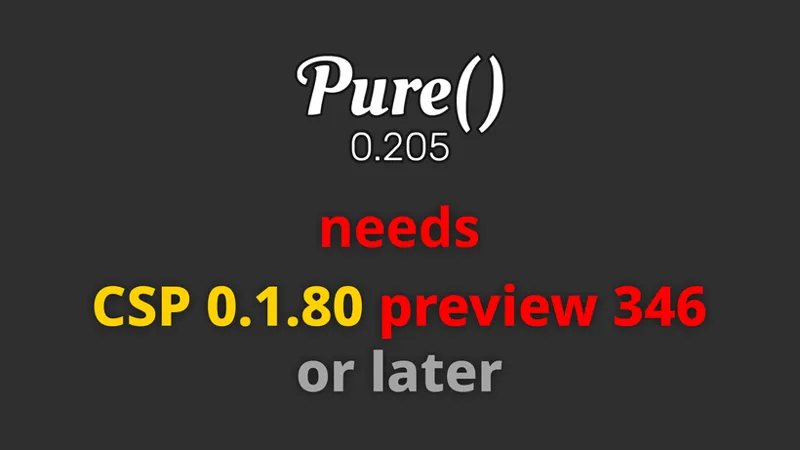
Pure 0.190 is working with CSP 0.1.79 and preview till 218. Pure 0.203/0.205 needs CSP p346
Wow, let's see, I paid for the full content version the other day, and now I have to pay again to update? Ok I will lower pure 0.190
If you subscribe, you have access for a month.
Hello, I bought pure and installed everything fine, but everything looks red and it tells me that I have to have csp version 1.180 346 and I have the version (full paid) 1.80 243 or something like that, what can I do?
You need CSP preview 346! It's a work in progress. You need that particular version. Please watch the install video.
Hi Peter, im from south africa, and my power went out while playing single player, and when the power went out i was using the pure planner for the weather, now this morning when i open pure planner to fiddle the weather the whole block is just blank, and ive uninstall pure and just reinstalled it . but still blank. any clues to what could of happened? and the pure weather doesnt work even if it set it to rain or something in CM before launching the game
Please open CSP Lua Debug app and switch to the tab with the red dot. Expand the error and tell me what is written. Or make a screenshot.
A message appears in replay mode and I cannot change the weather. What should I do?
What message?
Is there anyway to turn on wipers in Replay Mode???
I have a problem where when I activate "MSAA" on the ultra, i.e. "8x" or earlier, the mirror and rear camera turn black, what should I do?
It's not a Pure problem. It is related to AC or CSP settings. Just try to reset your CSP settings: rename the /Documents/Assetto Corsa/cfg/extension folder. Restart CM. It will generate a new one. If it is solved, you could look in the renamed folder, which setting it caused.
ive followed the instructions on the video multiple times, but when i load into ac the pure apps will not show up and the apps are in the lua folder
It could be another app prevents the loading of the Pure apps. What folders do you have in /apps/Lua?
How do I get the controller script with pure?
Please watch the install video. If you use careers or championships, please read the linked pdf in the update post.
installing the latest lighting patch .346 makes my screen go black with all GUI still on screen. No car no sky just the buttons to start race. Any idea what could be happening. Ive done a clean install yet cant get it to work. please help.
Please reset your CSP settings. Rename the /Documents/Assetto Corsa/cfg/extension folder .
All the lights look very good with Pure! Nice work
I have a problem with the rain when it rains my car slides a lot and I can't drive much how can I fix that?
hi yes there is a simple fix where you can turn the physics off and still have all the visuals or you can dial in dial in the level of slippage/traction you want george burrell 2d at the start of the race on your screen go to the menu on the right scroll down to weather fx debug open then scroll down to rain debug open that then go to override thickness override thick and check the box...bingo done! you can also set the thickness mm there to tailor make the conditions you want. then collapse the weather debug menu with the arrow leaving only heading and place it out of the way until you need it again it will stay there forever. The thickness debug will stay in effect for the race. next time it will take you only 3 seconds to set the thickness. I am working on a permanent fix for this. i will let you know. Pass this on I know that there are always others that have the same issue...enjoy!
Just downloaded it. WOW! Amazing work, it looks incredible. Thanks for all the hard work that's gone into this.
Hi Peter. All sorted. Somehow I downloaded the wrong file.
Hi Peter. Tried to install Pure 205 manually. Dropped in all the files but in game it still shows 204 in weather fx section. I also couldn’t get the uninstall pure bat to work. Any help please. Cheers.
Just watch the install video. If you use the install_pure.bat, it will be unisntall before. Please do it exactly like it is shown on the video. You need to extract the whole Pure 0.205 to Desktop. Then you run the bat on that folder.
the install is stuck on the skydomes what should i do
Did you install it on a HDD?
Hi I’m new and can’t figure out how to turn on my wipers In game🥲
Do you still have Sol installed? If so, deactivate its wiper control. Set it to -2.
I have CM 0..8.25699.39678 and CSP 0.1.80 preview 346 but I Weather controller is disabled on quick drive. Can you please help ? EDIT: Amazing work ! Thanks a lot :)
After downloading this version of Pure, my game is bright enough to prevent me from seeing it. Can you help me?
Please open the PureConfig app. Are there any red or orange warning texts?
CSP preview 218 is the latest showing. I replaced the extension folder and dwrite file per the video.
Please have a look again. There is a preview 346 version.
can u make a public zoom or skype call so we can discuss problems to fix them?
You could also link Patreon and Discord and then you are automatically connected to Pure Discord Server. It's on Patreon settings - apps .
Hello Mr. Boese. I installed everything but the snow does not work. I dont see any snow when i turn it on. Also i dont have any rain droplets on my 3rd person view camera. Its just gone. How can i activate both things again?
There is no snow in CSP right now. Just the weather is called like that.
hi Peter, great stuff! A question : is it normal not to see lightning? (using preset heavy thunderstorm I hear thunder but see no lightning in the skies) Is this a setting somewhere? Thanks!
Lightnings will come in the next version. The thunderstorm sound are already in.
porfavor cuando quitas la lluvia el suelo se seca al instante y eso no es bueno deberia de tardar en secarse arreglalo porfavor
the pure weather planner won’t work for me
What does not work? Is it not visible, or does it say controller not active?
eu tenho um problema de quando ativo o "MSAA" no ultra ou seja "8x" ou anterior os espelho e camera traseira ficam preto, oque devo fazer
this 0.205 is a clean install ? after i instsall there is no pure active
Did you activate it in weatherFX settings?
i want to uninstall pure by using the bat file, after i open and locate the folder the bat file closes insantly and nothing happens what should i do
Did you extract the whole Pure 0.205 folder to Desktop and run the bat in this folder?
I see there is no "wet difficulty" slider in the Pure Planner App, or have I missed it?
No, due to the better physics, its actually not needed. But you can still reduce wetness. Sol Planner and it's difficulty slider does nothing different. If you really want this reduced wetness, you can change it in the weather preset settings in Pure Planner.
Great update. Works Beautifully.
Though this has nothing to do with pure, whenever I load into a track, on the menu screen where it shows the car on the pits, there is a faint red bluriness on the outside of the car and track. How do I fix this?
Have the same problem here, first it worked when i deleted the wheatherfx.ini in AC Documents folder, uninstalled SOL and it was red again, i open the pure config and it shows pure isnt active, the steps it says to activate are all done but still pure doesnt activate
I am not entirely sure why, but swapping from Sol to Pure seems to cause my game to incorrectly render shutoko revival project. https://imgur.com/a/vCK4xUz is all that i see when loading in.
If you switch to default weather style, is it different?
Thunderstrom/lightning does not appear, need more fix/update
Lightnings will come later! The sounds are already there....
Previously, when selecting a rainy climate using the sol planner, the rain would start slowly and gradually increase, and, in a more realistic way, raindrops, a humid appearance and puddles of water would appear. Now, with pure planner everything appears in a fraction of seconds. Is this really the case or am I doing it wrong?
Yes, sol is smoother and more realistic
Why cant I change the weather in both solo and online session?
Do you already use Pure Planner and set the Pure controller? If so, in online session you can just change the weather look, bit not in races and qualifyings. You need to activate the pure direct mode in Pure Planner then.
i am having huge frame drop and i keep having my planner flicker on and off
Please just install it like shown in the video!
The latest updates of CSP and Pure makes it impossible for me to drive in the rain, or any kind of track wetness. (driving Formula cars, with full wet tires) This was entirely possible -- and highly enjoyable -- on v1.80p218 and Pure .180. I've already tried un-checking 'Use extended physics' but it makes no difference. Is there a way to turn rain physics OFF??????
just set the wetness to 0 then. There is no way to scale the physics for now. Do you use rain or street tyres if it rains?
yo yo, i got this installed, but the pure apps arent popping up both in game and in content manager. not sure if there's even supposed to be apps, but if so, how do i fix this. thanks.
Do you have a PurePlanner and PureConfig folder in apps/Lua?
where do we fix the rain settings? mine looks off
?
hey peter can pure 0.205 work in 0.1.79 csp because i dont have 0.1.80 preview how do i get 0.1.80 version?
No, then please use Pure 0.190.
Hey peter, i have a problem, i just installed pure and csp 0.1.80 preview 346. my cm is the last version and i don't know why but i don't have the pure apps, could you help me ?
Do you have a PurePlanner and a PureConfig folder in assettocorsa/apps/lua/ ?
Hey Peter, great work! just curious if it's possible to set the water on track dry gradually after the rain instead of disappearing immediately
Do you mean Pure Planner?! Just make 2 slots! One with rain and the other one with try weather. If you hover a slot, a little toolbox appears, just press the "+" button to add a slot.
Hey dude great work as always!! Question-When I enable rain(Hurricane or Thunderstorm) with Pure Planner it's like goes to maximum extreme levels, How to make it start gradually like when done with Sol planner? Also when can we expect lightning in Pure, missing it from when I switched from Sol to Pure. Thanks for making Assettoo awesome
Thunderstorm sounds are already in it. Lightning will come. Just make a slot with a less extrem weather and then a slot with Thunderstorm. If you play the weather plan it will have a transition.
good evening with sol 2.2.9 using the sol planner it was possible to configure the car's grip on wet roads. Is there a similar function with the pure planner?
No. Due to the better physics in CSP p346 its not needed.
Not sure what it is, tried, deleting ini settings in documents and appdata and uninstalling/reinstalling but cant get the Pure Planner app to show up in content manager/ingame. It shows in custom shaders patch and the drive screen
Pure Planner is not an python app like Sol Planner. You should see it in CM in CONTENT - miscellaneous - LUA APPS
Any suggestion on how I should reduce the brightness with PURE? It looks great but is too bright.
Did you already open the Pure Config app. Is there any red or orange text on the main page?
same works for me
DO NOT DOWNLOAD THIS OR TRY TO INSTALL IT WILL RUIN YOUR GAME!!
calm down. it works. its not the file its your game. i dont know why is it not working for you but for me it runs extremely optimised
I follow your instructions down to a T. I even start from a fresh install yet it still crashes every single time I load in. Having to re install assetto all over again. Thanks mate.
hello. Wipers do not activate. I checked the box for auto. SOL works automatically
You need to deactivate the Sol Planner wiper control! Set it to -2 in the Sol Planner settings.
Hi Peter, I'm clicking on the download links and it says that the file is no longer available. Has it been taken down? Thanks.
I reuploaded it. I fixed a bug. Please try again. Sorry...
As usual, thanks for the amazing work Peter. Just one question, coming for the Sol controller is there an equivalent somewhere in the Pure controller when it comes to wet behaviour? There used to be a 1/2/3/4/Real setting in the Sol controller and I'm wondering how does that translated in the Pure controller?
There is no thing in Pure like this. We tested the new physics in CSP p346 and they are much better now, so we decided to have a 1:1 wetness integration in Pure Planner. You can still lower the wetness by yourself. Sol Planner did nothing different than that.
Anyone using VR noticing artifacts at random or do I have something else going on? Noticing them in cockpit always around my head.
Great update Peter, as always! Is there a specific setting to make content manager less choppy? Thanks!
What do you mean with choppy?
pure planner folder is available under lua folder
Hey Peter, thanks a million for all the effort. Some assistance please if possible, after following the installation video over the last steps i find that pure weather controller is not available, actually is not allowing any other selection rather than Overcast clouds. Any idea? Much appreciated!
where exactly do you set the Pure controller?
If i want to Update on the newest Version, first uninstall old Version? Thanks for your great work man
Just use the installer like shown in the video. It will uninstall older pure parts automatically.
I've been playing with the new weather planner and like it a lot. There are a few things I'm trying to figure out. The planner doesn't appear to start playing automatically when the race starts. I'm having to click the play button every time. Also, I'm trying to default the planner to use the "Stamp" tab and start playing automatically, but it always opens on the "Day" tab. I tried saving the stamp planner as the "Last Used" file, but it still defaults to the first tab. "Last Used" seems to me like it should load up the exact plan as last time (without saving a plan as the "Last Used" plan), but I wasn't seeing that. Thanks for all the hard work, Peter! The aging race sim looks better and better all the time, and is the only one I race in!
Hey, do you use the Pure dynamic controller in the CM drive weather menu? You can activate "Last used plan" there.
Thx ur Hard Works
Thank you peter,
anyway to fix fps drops i get 5fps and i have a i5 12400f and a rtx 4060ti 16gb and 32gb ram
Sounds like there is an error. Mostly caused by a false installation. If you open Lua Debug app ingame, is there a red dot?
hey mate, the pure planner app is not showing for me in game in the side menu, unsure why
Just have a look in yours assettocorsa/apps/Lua folder. Is there a PurePlanner folder?
I have some question regarding the exposure. How can we choose the sky blue level ? I can not have a bright blue sky anymore. all is like overexposed (even if closer to the reality , i would like to know how to make the sky appear more blue ). I put you a video link here , https://youtu.be/WlG_eVMXeRA?si=khx8MP5_1GC25_Il
What ppfilter do you use? Did you already open PureConfig app and look at the settings checklist?
Great update. I love the new controller (even if he took me some time to be used to .
if I did uninstall sol how I will can control the smoke that coming from the car ?
This is not a Sol feature. This is CSP. Just look in the CSP particlesFX settings.
i have uninstalled sol and installed new pure, but choosing weather is so complex now, how can i install sol planner again or what should i do to have same easy and simple availability to customise weather ON THE GO?
Just select the pure controller in the controller sub menu in the weather drop down. Then you can select the weather like before.
Amazing job but now I can’t see the ghost car when I play time attack offline could you help me with that
Seems that is a problem of the CSP preview.
One question. Can i use IT together with Assetto Corsa Evolutione?
No, absolutely not. Does this said someone?
awesome update!! And I figured out how to get my weather back working!! Big Thanks!!
I give up. I can't get lights-patch-v0.1.80-preview346-full and Pure_0.204 or 203 Highres to work. I have now reinstalled assetto, copied preview346 into assetto, installed Pure_0.204 with install.bat. Selected in assetto controller pure_static. In game I have a black screen and config shows "Pure is not running". If I click Activate Pure, I have a picture for a moment, then it's black again. Ondrive is not installed. I deleted Weather_fx.ini in Documents - In the shader patch it is activated in Weather Pure. Is there anything else I can do?
Please come to Pure Discord. It's mich easier to help you there.
as always, tnx for your work to the AC community
Awesome work Peter, thank you for the fast updates!
Hello Peter. If I select in the Quick Menu, whether training or race, and set it to Pure clear: Does it always rain!! Can you please help me with that?
Did you already open the Pure Planner app in-game? What does it show? You mean the Pure sub menu in the weather drop down?
Always nice to witness a perfectionist at work. Can't be much left to do ?
Many people ask for the ⚡
To use real local time isn't it just necessary to check the real conditions box? Do I need to go to "static:/controllers" and change it from default to pure static? and that? What about the "Actual Conditions" tick or uncheckbox?
Real condition is a static CM weather selection. Therefore you need to select a static controller in the sub menu. If you like to use Pure Planner, you need to select Pure Static controller. Real local time is in the sub menu of the CM drive time menu. And yes, you need to check the real condition checkbox, but you need to select a static controller before this, so CSP knows, which controller will handle it and which app is used to edit it in-game.
were is pure installation tutorial?
Just watch the video. I try to pack every thing in it. It seems people can't read manual today, so made a better video. Just follow the steps exactly.
Hello i installed Pure as in the video description, now i get this error message when i want to start the game up. ...n\assettocorsa\extension\internal\lua-module/module.luac:1: unexpected symbol near 'char(6)'closing pluginManager. can someone Help?
How did you install CSP 0.1.80preview346?
When I select real conditions, is the weather used to simulate the current track condition pure or native (assetto corsa default)?
If you use real condition, please select the Pure static controller in the controller sub menu in the weather selection .
:)
how to get sol weather app together with pure, the pure weather app is too plain and theres really no weather controls other than time, i cant control rain on the go
Did you already try to click on a weather slot? It will open the slot editor then, like in Sol Planner. You maybe also need to activate editing: https://peterboese84.tinytake.com/media/14ff6a8?filename=1693834647325_TinyTake04-09-2023-03-36-56_638294314448263056.png&sub_type=thumbnail_preview&type=attachment&width=674&height=559
Seeing a weird, distracting visual artifact on the tire surfaces of open-wheel cars as they spin, such as Formula cars, even cars made from different modders. Turning off Tyre FX kind of fixes it (the artifact seems to migrate to the sidewall of the tire, so less noticable. Anyone else getting this?
made my whole game have a red tint when i installed the new update. and pure wont activate anymore. i installed it just like in the video
Please read what is written in the message at the top. You need CSP 0.1.80preview346 or later. Please just have a look in the install video. There you will see, how to install it.
is there an option in csp to use only default content and avoid incompatibilities?
Not really. But the most troubles comes from old settings. So it the best way, if you experiencing problems, to reset the CSP settings. Go to /Documents/Assetto Corsa/cfg/ and rename the "extension" folder. Restart Content Manager.
Hi, I was wondering if there is a way to add a bat file to change the weather preference for each quick drive preset to pure from Sol when you run the delete Sol and install Pure option. I have loads of driving presets, and it will take ages to change them all, and I can see myself forgetting when changing cars and running the game with Sol as weather choice but no Sol installed now. Just a thought, cheers. Great work BTW
Not, not really. It's kind of special to do that.
Hey everything is working fine for me was just wondering if theres a way to make rain not effect traction?
Just set wetness to 0 then. There is actually no way to do this and it would also be a way to cheat in races then.
Loving the new weather app! I am wondering if there is a way to set up automatic wipers still.
Minor issue encountered: If I launch AC through the program shortcut, occasionally I will enter onto a track and Pure Planner is does not load in -- it says I need to verify my the Pure weather controller is selected in CM (already selected) and that a Pure weather setting is selected in the Drive menu. Is this by design? Does the game *need to be* launched via Content Manager only, in order for Pure weather planner to work?
Yes, sure. CM is absolutely needed for CSP+Pure
cant find pure config can someone help?
Do you have a folder pureConfig in the /apps/Lua folder?
Alright, thanks for fast reply!
I tried to use the weather planner in an online session. Clouds work great and all of that but rain just dont appear at all. I hear it, but I cant see it. Is this a known problem or is it on my side?
In online session you can only adjust the look of the weather. Other things like rain are strictly controlled by the server! Also in qualifying and in the race you can't adjust anything. It's designed as Boone can cheat in online sessions .
I installed it several times with the step by step including the video, but Pure Controller and Pure Planner app do not appear anywhere, neither on the track nor in the CM. I do not know what else to do. Everything is updated, CM, CSP...
Do you have a PurePlanner folder in /apps/Lua?
hi peter , thx again for your incredible job.just a question , in pure planner , i can't use replay mode . is it normal plz?
How did you try it?
if i do the uninstall sol install pure bat will i still be able to join servers using sol as the weather script?
Better leave it installed then. You just need to deactivate the wiper control in Sol Planner. Set it to -2.
Perfekt!
Thanks for quick fixes!
latest pure creates weird artifacts & digitised lighting effects. Pimax 8KX/Pimax experience/Pimax XR. In anything other than bone dry sun conditions lights have a halo of squares around them is the only way I can explain. There is also a thin line that mirrors the background that floats and stays in the same place when moving your head. Sometimes a block shaped like an I with 2 dots above it that floats and turns the background darker. Rain at night there is a haze over the whole view
hello ! pure controller is not running alors que je suis bien sous pure ... que faire ? merci
Tu dois rechoisir PURE comme controleur dans SINGLE-QUICK- WEATHER-CONTROLER --- SOLO-COURSE RAPIDE-MÉTÉO-CONTROLERS...
will the visible thunderstorm flash still be added?
It will come. It is not in this update....
Hi peter, my game won't launch with preview 346. I get an error as soon as i click drive or even try to play an replay
Did you install it manually? Open the zip file and EXTRACT the "dwrite.dll" and the "extension" folder to your AC root folder (Steam install folder of AC "common\assettocorsa"). Reset CSP settings completely! Goto /Documents/Assetto Corsa/cfg/ rename the "extension" folder to something different. Restart CM. It will create a new "extension" folder. You can restore it later.
Hello Peter! :) First of all a big big Thank You for your work and passion on this man!! Absolutely amazing work from you!! Thank you once again! Can you tell me if in the future Pure will allow to configure for example a 12h or 24h race to do online?? Thanks
Online the server is doing that. Pure is only on the client side.
Where to get CSP 1.80?
Just watch the install video!
I can't download it, it's no longer available
thats why i wrote there "back soon...". Do not use the links from the email. Only from the Patreon post.
How do I persist the last weather settings including rainwater, etc'?
what do you mean exactly?
I love it! Thanks peter!
Goated stuff man!
Thanks Peter, you've done it again! Pure is going from masterpiece to legend
With different online race servers i can´t connect to that with pure 0.203 - maybe while sol is not installed? Is it a problem to let sol work on AC with the new pure? I go back now to 0.190 and i connect to the server now but the sky black. I uninstall pure and sol a serveral times, any idea?
Does it work, if Sol is installed?
beautiful, thank you
i dont have the csp version this needs and i dont have an option to update to it.. any ideas?
Did you watch the install video? It will show you how to do!
Pure Controller work only fast race mode how to turn it on in all game modes?
It works in all game modes! But in online sessions you are very restricted. Today a release another version with some changes, so Pure Planner works better in careers and championships.
looks fantastic. Thank you
Also I don't know why the installer has never worked for me yet just dragging and dropping has seemed fine to do every update released. just food for thought peter
It is better to use the installer, because it removes old parts. The data needs to be extracted before you run the installer. You can't run the installer just by opening the 7z file.
Works decent until you try watching a replay. I am getting a delayed sound glitch. If I watch a replay and fast forward the sound doesn't catch up. If I go back into the session and drive, the sound is delayed massively.
Then don't activate settings you don't know. Just search the setting, which adds realistic sound delays in camera views! Btw this is not related to Pure and it is not a default setting!
I installed everything, even got rid of sol, Now i cant even load into the game! Any help?
Hey Peter, really nice work. I´m especially looking forward to the live function!
so iv got the newest version of everything unintstalled sol but the sky and stuff is all black....
I’m not quite sure I specified this properly but my issues are that neither the pure controller script or pure config apps show up in game and I have zero help with this, nor were able to find any videos on this.
I have reinstalled multiple times and followed the linked YouTube video
Hi, im using VR and selected the pure PP filter, now everything is extremely bright and overexposed, is this a known bug?`How could i fix it?
open PureConfig app and have a look at the settings check list. Is there an orange or red text?
So what's the script for lightning storms now Peter? I remember you saying they would come in the next big advancement of sol?
Yes, but not in this one, sorry. I put all the time in the new weather planning app.
Hey, this sounds great! But the download button is not working?
Click on: "Pure 0.203 Highres or Lowres, NOT on Download! mega: Pure 0.203 Highres mediafire: Pure 0.203 Highres or: mega: Pure 0.203 Lowres mediafire: Pure 0.203 Lowres Greetz
Hello, I have latest CSP and yesterday I installed latest PURE, when I am playing on the screen it is working great, but if I play via VR - Pimax with openXR, there are no clouds, sky is for all day times like dimmed and in the night there is still light. Could you help me what might be wrong? Thank you!
Sound like an error occured. Open the ingame Lua Debug app, switch to the tab with the red dot, expand the error and tell me what it says. Aslo support is much better on Pure Discord. Link your Patreon with Discord in Patreon settings - Apps. You will be autoconnected to Pure Discord Server. Then please open a new post here: https://discord.com/channels/533310059405377546/1116095327003480228
Hello Peter Problem solved Thank you for your help Kind regards .
my ac now shows a black screen after installing 203
Thanks Peter, nice job
Took me a couple re-installs of both p346 and pure, but both seem to be working! Thanks peter!
Nice
Just watched the Jacob Cappello video, where is Sol 2 weather controller download?
For Sol Controller and Sol Planner, just download the latest Sol from Racedepartment. https://www.racedepartment.com/downloads/sol.24914/
I really like the new planner. Took me just a couple minutes to get familiar with it. I'm trying to figure out how to set the default plan. Right now it opens empty and I have to load my plan.
Just save a "default" in the 3 subfolders, day cycle, timed or stamp. If a "default" file is in there, it will load it at startup.
How do you change the "timed plan duration"? I highlighted the area but was unable to make a change. The only way I could change the duration was to add several 1-minute plans. But then there was no way to reduce the time after that other than to start all over again. Thanks
Just grap the duration time field in the bottom left corner of the slot. You can grab it and drag it with the mouse.
after installing this version and uninstall sol , now i have everrything in red and i can't run pure , i cna't active pure
What is red?
Thank you
running laatest csp 0.1.80 preview 346. Using this new PURE 0.203 I cannot select anyting - including PURE - in the DRIVE menu weather selection drop down. Has always worked before this. Any fixes? Am an experienced CSP/SOL/PURE user and have not had issues before.
Do you have CM 0.8.2569....?
More testing and reinstalling and after using any wet weather, clicking back onto a dry one still leaves some spray off of the tires when in replay mode...switching off for the night, but i've tried my best to eradicate it and just no joy. Apart from that, everythings peachy.
I got everything installed but when i go to CM i cant see the pure weather mod in drive, how do i fix it?
Do you have CM 0.8.2569...?
Still having issues with screen shots, now the screen moves out of frame and a shadow of the car be seen. Pure weather and pure config don’t show up
I haven't done the update yet and facing the same issue, I suspect it has something to do with AMD FidelityDX downsampling
I think i probably did, il test that out right now. Thankyou for the response
really love your work so far. i cant get this version to work for the life of me. i have installed both pure 203 and lights preview 346 manually and through content manager. also reset all my csp settings and manually changed the weather_fx.ini file to pureCtrl from sol. also selected pure in the a/c video settings. been messing with this for 4hrs now and tried every tip i can find. just crashes on race launch every time.
i fixed it after looking up how to read the crash files. they are zip files. unzip to your desktop and then read the customshaderspatch file and scroll all the way down to find what the last thing it did before it crashed. in my case i had a police.lua from a server that has police and that was the conflict. i then went into content manager, content tab, miscellaneous, lau apps and found the one for the police and deleted it. started right up.
Sorry to bug trying to follow by comments, I uninstalled sol, manually installed pure and reset my csp settings but im still getting crash on startup every time. Any suggestions
Did you select a ppfilter like n AC video settings?
only issue i have is that there is no lightning in sky with thunderstorm plans. otherwise looks great!!
Hey, Thanks for your hard work, everything looks great and works well for me, but I have a question. Is there a way to get more grip in the wet? Like the old SOL planner. Thanks
Just lower wetness
Replay mode, i know it's gonna be me, but for the life of me, if i select a wet weather option, then go to something dry...the car throws up spray regardless. So, say i'm in replay and i fancy trying a few different weather options, in .2, what's the way to do things now? Have manually installed and renamed the extentions folder to build a new one to make sure....still awaiting discord to wake up and drop me the permission to post there. :)
I noticed the same, but it happened only to some cars. Most of the cars were fine, but a few of them were throwing spray despite the track being dry.
Working 100% here Peter. Gonna play with the planner during the weekend. Thank you ;)
issues all over. csp 1.80 is not working
Did you install it manually? Did you reset the CSP settings?
thanks!
There is a bug with the new version, the time acceleration does not work anymore. If you want to make a 24h race in 24 min with 60x time, it stays day all the time.
Use the time multi in Pure Planner. The multi in CM does not work currently. It will work with the next version .
It works great, fantastic work Peter. Still figuring out how the new planner works, takes some time getting used to everything :) One thing I really would like is some buttons to change the time (in Timed mode) instead of having to scroll with the mouse. As a VR user, I have a small keyboard near my righ with a touchpad mouse and it's a bit of pain to change the time that way. Adding some buttons so I could use my VR controller would be great. Also quick question - Sol planner had an option to change the amount of grip you have in the rain, I have probably overlooked it but couldn't find the option. Does Pure planner have that option?
I asked the same question about the "grip", You have to turn down the "Wetness" in the Pure Planner. If you click on one of the Rain icons there is a bunch of settings you can change with sliders.
This is unbelivable, I love the new app ! THanks a lot! One thing, everytime I am starting a race from one of my championship, the app cannot be used... It shall have the weather pure selected which cannot be possible from a championship :(
This is a systematic bug with CSP and CM now. You need to manually change that older controller option in /Documents/Assetto Corsa/cfg/weather_fx.ini! Open it and change: [BASIC] CONTROLLER=pureCtrl IMPLEMENTATION=pure
First of all thank you for your work, I would like to know if I upgrade to the new version of cm do I keep all my settings or do I have to reconfigure everything. Thank you
The settings are not touched. But you can also backup your settings.
So now that i'm without Sol and use pure instead will i still see the Sol weather inside my server like other players?
This are just weather presets. It just a name linked to a number. Pure still comes with them for compatibility reasons.
I dont understand why my clouds look so pixelated... 3090, Ryzen 9, 64gb... using "Hi-res" Version.. this has been an issue for a while. Not sure what the problem is
Mostly this happens if there are other settings made in the graphics driver.
Stellar object are not working
what exactly is not working?
I was hoping we'd finally be able to use time multiplier in replays, but either we can't or I just don't know how... Other than that, great job once again!
I need to talk with Ilja. Its just a little thing which is missing.
Very nice
THX
Thank You.
Runs great and I like it better than the previous version. Thank you for your work.
Great work Peter, super clean interface, best way to get use to it is to just use it! Found it much easier and so many options to customize weather! A issue in VR with clicking on time of day, but it may just be the UI size. Loving AC with CSP+Pure! Oh would be good to be able to loop/repeat the day rather than stopping at the end, maybe it’s in there already but I couldn’t find it.
You can change the scale of those LUA apps in CM - settings - CSP - GUI - new UI. Its a global scale for all LUA apps. You can also grap the time numbers. The hour number is for big change, the minute number is for fine tune. If you strech the whole Pure Planner window, you also get a finer adjustment in the "day bar" (the vertical ribbon, which shows the day light color)
I’d love to try this version but if it requires CSP preview 346 as a minimum then I can’t. 346 crashes, and is unusable for me. I don’t know why because 218 works perfect. I see there are many people having similar issues with 346, so I’m interested to see what they think of your new Pure version too.
did you try to install p346 manually and did you also try to reset your CSP settings. Mostly after this it works. Most crashes are related to settings and a wrong install.
I haven't installed it yet but this seems like a huge step forward! Congrats!
Legend
Is there an option to make the windshield wipers turn on automatically when it starts raining like in Sol Planner? I've looked everywhere within Pure Planner and I found nothing of the sort.
deactivate Sol Planner. If it is still active, it prevents CSP's build in function. If you set automatic wipers in weatherFX, CSP will control it now. But you need to deactivate it in Sol Planner. Thats why i recommend to uninstall Sol with this new Pure version.
I am getting "Pure Controller is not running" in the Pure Planner when I start a championship. The predefined weather is selected under CM weather...The weather in the race is the correct weather I chose for the championship, which fixes the problem I had with a previous version of Pure...Does this mean Pure is running but the Pure Planner is unavailable because I selected predefined?
This is a systematic bug with CSP and CM now. You need to manually change that older controller option in /Documents/Assetto Corsa/cfg/weather_fx.ini! Open it and change: [BASIC] CONTROLLER=pureCtrl IMPLEMENTATION=pure
hey, why does it need the newest csp because in servers like no hesi, csp 1.79 preview 5 is needed so cars dont slip when its wet on the road. and its ruined my lighting fx (the newest csp)
Thanks 🙏
Masterful artwork, as always, Peter. Question: I am guessing that with nearly a ten year old game like AC, it is not possible to eliminate the flickering from emissive lighting (street lights, track lights) as you approach them? I've been doing a lot of testing & editing glare/luminance on night tracks like Bahrain 2023, and the track lights have to be kept at really low levels (basically, off), otherwise the lights flicker/twinkle.
There is a configuration attempt with that. It called "glow emissive". Some tracks already have it, like mugello. There, for example street lights are configured to be glow emissives and then CSP will always draw a pixel at there position and so the post processing has always a pixel to generate GLARE. Thats the main problem of the flickering. GLARE just boosts a bright pixel and expands its area. But if the camera moves and the light is far away, the default renderer must quantize its rendering and so the pixel is sometimes drawn or not. And so GLARE starts to flicker. Glow emissive solve this then. Just have a look in the mugello track config. You will see it there.
New weather planner is fantastic, very smooth transitions! Outstanding! I`m not sure what else is going on since the last version of pure but with pure candy AC has never looked so good for me! Thank you Peter!
It's work now but the seasons don't change...allow seasonal adjustements is ticked but the seasonal don't change
Did you activate "seasonal changes" in weatherFX, like the install video shows? Also the track must support it. If there is not configuration in the track's config file, there will be no seasonal looks on the track!
beautiful..... thank you very much...
Installed without any issues -- Thank you for very clear instructions. And thank you for your work for the community.
Signed up 2 days ago for cm, csp and pure. Im kinda confused on what works with pure and what doesn't. Does ''real conditions'' and ''Live weather'' work with pure?
Weather controller and weather look (script/style) is independent in AC/CSP. You can use whatever controller with Pure. Pure weather style just takes the weather and displays it. In the next version of Pure Planner i will integrate Live weather too.
Will we still get day/night and weather from servers not using pure?
good question