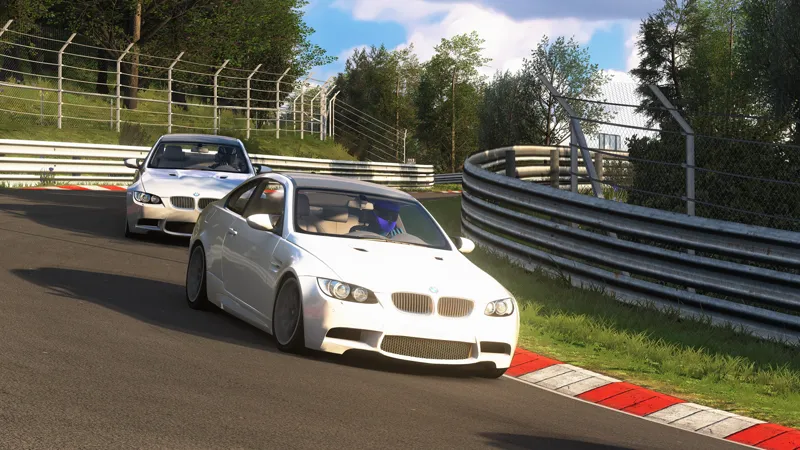
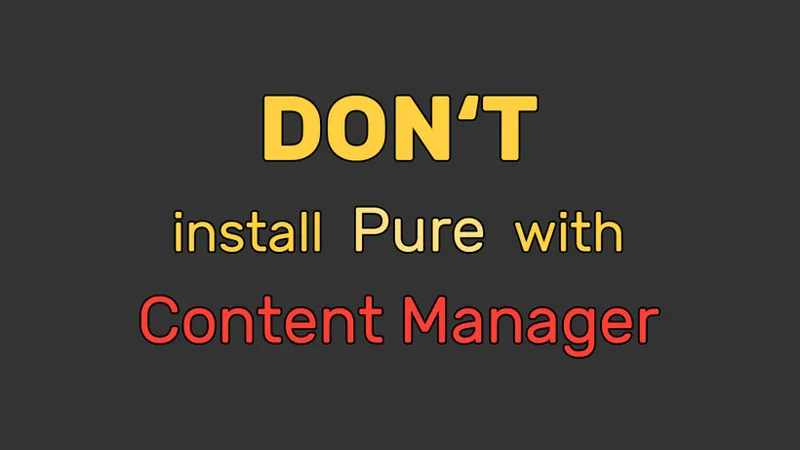
After the problems with the new Content Manager, I decided to rewrite the file loading and saving routines. The security is also much higher with the new code.
Landscape Shader
A simple but effective shader, which generates an infinite landscape. This fixes the most problems with tracks, that misses a far geometry. If this shader is configured for the tracks, the horizon line is fixed, the track is not floating in the 3d space.
Track adaptions can be edited live
Also i added the track adaptions to Pure Config. They can be edited live now and even exported to clipboard, to paste it directly in a track config.
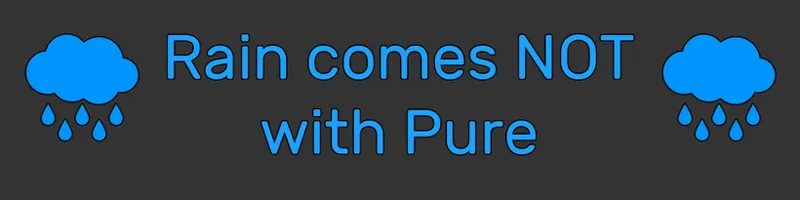
For rain you need a CSP preview version. You get this from Ilja Jusupov's patreon: patreon.com/x4fab/posts
Please install CSP manually! Open the zip file and extract the dwrite.dll and the extension folder to your AC root folder (steampapps/common/assettocorsa)!
Comments (325)
F
Frosty · February 14, 2024
I just downloaded this and my frames went from 108 to 19. What happened??
P
Peter Boese · February 14, 2024
It's not properly installed then or an other error happens. Just try to install it manually: open the 7z file with 7zip app and extract the 4 folders apps, content, extension and system to AC root folder. Otherwise I recommend to use the latest version of Pure 0.238.
D
Daniel Ben Chimol · November 10, 2023
yeah dude thank u i already did that im sorry im just really new to this type of stuff
D
Daniel Ben Chimol · November 10, 2023
just bought pure and nobody tells how to use this properly , every single guid is a hot mess because even when i did what is said to be done it still doesnt work all the way through, even when i activate rain in the sol planner the only thing i get is the sound but nothing projected on the screen, the clouds are rly hard to work with because i honestly dont see even a single similarity to the videos, pls can someone explain me in a organized way how to setup this damn thing?
P
Peter Boese · November 10, 2023
You could read the install guide. Also there is a new Pure available. In it's update post (0.205) you even have an install video, which show you every little step
C
Cloud Chaser · November 2, 2023
where is the link to install Pure itself?
C
Chris45 · September 27, 2023
hey, how can I install csp 0.1,80 or higher?
P
Peter Boese · September 27, 2023
Please watch the install video? https://youtu.be/ULpkqTdDvHc
E
Erik Vreven · August 30, 2023
Hi Peter, First of all: long time fan of Pure, keep it up! Second: when I’m in VR, I can barely see rain falling from the sky. However, when I disable the pp filter the rain becomes visible. Also the rain is always visible in the mirror. I tried multiple PP filters, including Pure. Any clue what’s going on?
P
Pro Gamer oryginal · August 28, 2023
hi i need help i downloaded sol 2.2.9 but i only see sol in weather fx plus i dont see 2 options like others do but only 1
P
Peter Boese · August 28, 2023
Please have a look at this document: https://drive.google.com/file/d/12k8GYrAd9gpnQfIGRrc0LJuf_qhE8uo4/view?usp=sharing Download the latest Content Manager and look at the pictures. You weather controller selection depends on your used CSP version.
I
ImTheRMS · August 25, 2023
Need help. When I open the Pure app, I don't have the quality option. It says the quality button can only be used if 3D Billboard clouds are used. Can anyone help me? Thanks!
P
Peter Boese · August 25, 2023
There are no quality related options if skydomes are active! The skydomes have no influence on fps. But if you switch to 3d clouds, then those will have a massive impact on fps and then the quality buttons are shown, to easily call different 3d cloud settings. So if you use the skydomes, which is the default setting, you don't need this buttons. I just made this info,l for the people who miss the buttons.
K
KANG M.E. · August 25, 2023
My windshield wipers no longer work. They work when i change back to Sol from pure in weather fx. How do i fix this?
P
Peter Boese · August 25, 2023
Actually the weatherFX script has no influence on the wipers. Are you sure you are using the same car and weather?
J
James Williams · August 23, 2023
When playing any original Kunos maps I get strange textures through the ground in the distance. I t does it on Brands Hatch as well as several Kunos only tracks. Only does it on Pure 0.190. Any Ideas?
P
Peter Boese · August 23, 2023
Please deactivated the landscape shader in Pure Config app for now. I already fixed this bug. It happens in triple screen mode. With the next version of Pure it is fixed.
D
Derek Neilson · August 21, 2023
The brightness is so bright that nothing is visible also the PURE app is not showing up
P
Peter Boese · August 21, 2023
Please install it the way that is described in the Pure update post. You need to extract the whole Pure 0.190 folder with 7zip app to DESKTOP. Then you go into that folder and start the install_pure.bat there! There is also an install guide linked in the update post, which leads you step by step through the installation.
K
KB · August 20, 2023
Hi, I have an issue whereby the picture in the distance is buggy. I have huge constant screen tear it happens mostly on tracks with barriers. Any idea?
P
Peter Boese · August 20, 2023
do you use Triple Sceen?
R
Robert Cormack · August 19, 2023
I didn’t have option in CSP weather fx so i uninstalled and started again all sorted now and looks amazing thanks
P
Peter Boese · August 19, 2023
Nice
R
Robert Cormack · August 19, 2023
Hi when I select Pure Config in game I just get a grey box come up, I’m in VR ?
P
Peter Boese · August 19, 2023
Please open LUA Debug app ingame and look if there is an error. You will see a red dot. Then please tell me where it is and maybe what the error says. Maybe link your Patreon to Discord and then you will be autoconnected to Pure Discord Server. Its much easier to help there.
X
XWRIMX · August 18, 2023
hey i have a question first person mode dosent look realistic i tried everything like the steering wheel dosent look smooth
P
Peter Boese · August 18, 2023
This has nothing to do with Pure...
F
Frost.J · August 18, 2023
hey when i go to pp filter it is no tonemaping is it a way to fix that it only show expsure settings on the pure config
P
Peter Boese · August 18, 2023
Which ppfilter do you use. Did you already try the Pure standard filters like "pure", "pureCandy" or "pureLinear"?
M
Martin Sealey · August 17, 2023
Is there a reason i dont have a controller option on my weather tab on the drive screen?
P
Peter Boese · August 17, 2023
Please have a look in this document. It depends what version of CSP you are running. The controller selection was moved to Drive menu: https://drive.google.com/file/d/12k8GYrAd9gpnQfIGRrc0LJuf_qhE8uo4/view?usp=sharing
B
Brae · August 15, 2023
would anyone happen to know why I get a full grey screen when I load up the game. just installed pure, through my root folder.
F
Frost.J · August 14, 2023
How do I use the nasa star map ?
P
Peter Boese · August 14, 2023
Just go to night time and choose clear weather. You can adjust the stars brightness in Pure Config "Night" tab.
F
Frost.J · August 14, 2023
Does this version of pure have the he galaxy sky
P
Peter Boese · August 14, 2023
It has the NASA star map.
D
Dustin O'nabigon · August 14, 2023
i keep getting fps drop to like 8fps when i add pure and did the direct way too but it doesnt work
P
Peter Boese · August 14, 2023
Please install it like it is described in the Pure update post. Please follow the steps exactly.
t
tennenbaum · August 13, 2023
(SOLVED, see my latest reply). Thanks!! I did so which fixed it. Unfortunately now I got the Black Sky issue, that I couldn't fix. (Btw. I love your mod).
P
Peter Boese · August 13, 2023
Install Pure like it is described in the update post. Please do it exactly like it is written there...
t
tennenbaum · August 13, 2023
After updating CM to 1.80 and Pure to 1.90 I'm getting this error message that I can't resolve: Custom sander 'accPrepareIBL_ps.fxo' is missing. File: source/settings/custom_textures.cpp Function: init Line:109 Any idea how to fix?
P
Peter Boese · August 13, 2023
Try to install CSP manually. Open the zip and extract the dwrite.dll and the extension folder to AC root.
C
Christopher Sanders · August 12, 2023
where do you download at???
P
Peter Boese · August 12, 2023
Please look at the Pure 0.190 update post. Read it carefully. You will see a section where you can download Pure 0.190 "Highres".
T
Travis Q · August 11, 2023
Hi Peter - Just a tad confused here. I want the best weather effects, and I see people using "sol planner" in game - but is "Pure" a better option?
P
Peter Boese · August 11, 2023
Pure is the weather script (like a graphic mod) It includes Sol 2.5 weather controller with it's Sol Planner app, to set the weather. In the very near future, Pure will have its own weather controller and app.
M
Morten Schultz-Nielsen · August 9, 2023
it dont works for me, only shows Weather script not the other one
P
Peter Boese · August 9, 2023
Please have a look at this pdf: https://drive.google.com/file/d/12k8GYrAd9gpnQfIGRrc0LJuf_qhE8uo4/view?usp=drivesdk
�
𝓸𝓽𝓽𝓸 · August 9, 2023
oh ok, thank you
�
𝓸𝓽𝓽𝓸 · August 9, 2023
hey i need to know why my game is running like 30 fps when i have pure on, i just need to know if its normal or not.
P
Peter Boese · August 9, 2023
No. Please install it, like it is described in the Pure update post. Please follow the steps exactly.
D
Deorder · August 8, 2023
Where is the PureHDR ppfilter (as shown in the PDF), I only see PureHDR-EYE?
P
Peter Boese · August 9, 2023
Thats it!
A
Assetto corsa mod list · August 8, 2023
hi peter when i download pure it dosent come as a zip folder only the 7z file what should i do
P
Peter Boese · August 8, 2023
Please read the install guide. It is linked in the update post. Everything is described there.
G
Gustavo Alencar · August 8, 2023
is compatible with csp versions 1.80P218 and cm 0.8.2561?
P
Peter Boese · August 8, 2023
Please use the latest CM version (0.8.2569...)
D
D.C.T.T Drift Coach Telemetry Tuner · August 7, 2023
hello peter i have linked my discord to patreon for over a few weeks now but i still do not have permission to post on discord. is that normal?
P
Peter Boese · August 8, 2023
Hello, You are a long time supporter! Many thanks for that!!! The Discord connection only works, if a tier is selected. You subscribed to my Patreon, when there was no tiers. So please renew the subscription and select a tier. Then the Patreon Discord link will work. Thank You!
s
stack funds · August 6, 2023
hey i paid for membership but its not letting me join the discord server even though i have my discord connected can someone help please
P
Peter Boese · August 7, 2023
Hello, Sometimes it takes a moment. You can also join via this link: https://discord.gg/hyfeMNj3 Discord is just to get a better support, if you have problems. The access to Pure previews is only here at Patreon.
J
Josh D · August 5, 2023
crashing with latest CSP preview/Pure 00007FFD9C61CF19 (KERNELBASE): (filename not available): RaiseException 00007FFD192DB8A0 (DWrite): (filename not available): DWriteCreateFactory 00007FFD184DB037 (DWrite): (filename not available): DWriteCreateFactory 00007FFD18CC305C (DWrite): (filename not available): DWriteCreateFactory 00007FFD18CC42DD (DWrite): (filename not available): DWriteCreateFactory 00007FFD19236E40 (DWrite): (filename not available): DWriteCreateFactory 00007FFD18CC7D96 (DWrite): (filename not available): DWriteCreateFactory 00007FFD18CCB61F (DWrite): (filename not available): DWriteCreateFactory 00007FFD184CD8FB (DWrite): (filename not available): DWriteCreateFactory 00007FFD18B3D051 (DWrite): (filename not available): DWriteCreateFactory AC\game.cpp (261): Game::update 00007FFD18ADFE51 (DWrite): (filename not available): DWriteCreateFactory AC\game.cpp (261): Game::update 00007FFD18ADFE51 (DWrite): (filename not available): DWriteCreateFactory AC\game.cpp (112): Game::onIdle AC\game.cpp (210): Game::run AC\acs.cpp (477): wWinMain f:\dd\vctools\crt\crtw32\dllstuff\crtexe.c (618): __tmainCRTStartup 00007FFD9E7A7614 (KERNEL32): (filename not available): BaseThreadInitThunk 00007FFD9E8E26F1 (ntdll): (filename not available): RtlUserThreadStart
P
Peter Boese · August 5, 2023
Try to install CSP manual. Open the zip and extract the dwrite.dll and the extension folder to AC root folder.
p
prps clean · August 5, 2023
thank you for your amazing work :)
P
Peter Boese · August 5, 2023
Thanks. Many thing will come....
S
Sébastien Celuila · August 3, 2023
Hello, great work but since this version many of my circuits with road traffic no longer work correctly, the traffic cars no longer drive on the track?
P
Peter Boese · August 3, 2023
Pure can't have an influence on that. Maybe you updated CSP too?
j
jonathan thirlaway · August 2, 2023
so everything worked fine originally, since update I have the sound of rain but no actual rain? can someone help me what am I doing wrong.
P
Peter Boese · August 3, 2023
Rain comes not with Pure. Rain is a modul of CSP. Try to install CSP manually. Open the CSP preview zip and extract the dwrite.dll and the extension folder to AC root folder.
N
Nexus · August 2, 2023
I don't have the color clouds and I did everything, and I went into my pure config, and I went into clouds, and they weren't there and need help to fix that problem.
P
Peter Boese · August 2, 2023
What are "color clouds"? Do you mean the skydomes? You need to extract the whole Pure 0.190 folder to Desktop, then you go into this folder and run the install_pure.bat there!
C
Charlie Poole · August 1, 2023
how do i download the pure ?
P
Peter Boese · August 1, 2023
Please just carefully read the Pure 0.190 update post.
k
kenny moss · August 1, 2023
Great. I see it’s on page one. Was looking on page 3.
k
kenny moss · August 1, 2023
Hi Peter thanks but where is the save button. Cheers.
P
Peter Boese · August 1, 2023
https://peterboese84.tinytake.com/media/14d46a4?filename=1690874268105_TinyTake01-08-2023-09-16-59_638264710653713299.png&sub_type=thumbnail_preview&type=attachment&width=379&height=711 Please don't make a new comment for every awnser. Please awnser in the same comment .
k
kenny moss · July 31, 2023
Hi Peter. Sorry to bother you again but when in SOL config and I change something how do I save it. Otherwise it goes back to original settings when I change the track. Many thanks.
P
Peter Boese · August 1, 2023
You save it with the "save" button. To be clear: Sol Config is for Sol, it can't be used for Pure!!! Use Pure Config for Pure!
k
kenny moss · July 31, 2023
Hi Peter. Is it correct that lightning doesn’t work with the latest version of Pure. Thanks.
P
Peter Boese · July 31, 2023
There is no lightning yet in Pure. But it will come in future releases...
T
The Galaxy · July 31, 2023
lights-patch-v0.1.80-preview346 Break LUA APPS from load in game
P
Peter Boese · July 31, 2023
Please install CSP previews manually. Open the zip and EXTRACT the dwrite.dll and the extension folder to AC root folder.
C
Corentin Bastard · July 30, 2023
Bonjour ou est passer le liens
P
Peter Boese · July 31, 2023
Please read the Pure 0.190 development preview post carefully and you will see it.
S
Sector X Simulations · July 28, 2023
Peter I'm getting strange floating artifacts on the horizon line at several if not all tracks. Almost feels like a reflection or mirage along the tree lines at specific points on tracks regardless of weather. When I activate Sol Weather scripts it does not happen. Only with Pure at work. Also I was often running Pure Realism PP. Did that one go away with .190 ?
P
Peter Boese · July 28, 2023
Deactivate the Landscape shader in Pure Config app.
D
Da Mian · July 27, 2023
Is there any chance to add a splash sound when driving on a puddle? ;)
R
Rainer Musch · July 27, 2023
With Pure_0.190 Highres and lights-patch-v0.1.80-preview346-full I have no Pure config. With lights-patch-v0.1.80-preview218-full I have a pure config. What can I do?
P
Peter Boese · July 27, 2023
Did you install CSP manually?
G
Gerard Tonnelier · July 27, 2023
Good morning, VR problem, in race with several cars the games plants since this version!
P
Peter Boese · July 27, 2023
Thats a CSP problem! Deactivate the driver names!
J
Jorner · July 26, 2023
this isint probaly a pure issue but if someone knows how to fix when i go in cockpit view it goes super bright but in third person its fine it auto adjusts.
P
Peter Boese · July 27, 2023
Which ppfilter do you use?
S
Snowy · July 25, 2023
idk why but installed pure like the video did the settings im us purecandy and my game looks worse than before its dull,graphics are worse cars look worse too
P
Peter Boese · July 25, 2023
If you open Lua Debug app in-game, is there a red dot?
M
Mr_Quack_Quack · July 24, 2023
“Quality buttons are only usable, if 3d billboard clouds are used” how to use it?
P
Peter Boese · July 24, 2023
In former versions there were 4 quality buttons. But those had only effect on the 3d clouds settings. But Pure in default settings don't use 3d clouds, because they eat fps and the skydomes (static clouds pictures) are way more efficient. So this text is just a hint for users which are missing the 4 quality buttons. Pure's settings other than the 3d clouds settings have no effect on fps, so i just removed those buttons, if 3d clouds are not used.
D
Dario Canestrari · July 24, 2023
Sorry to ask maybe a dumb question, but wich setting I need to activate in CM for the PP Tonemapping to work?, cos' I though I change the older YEBIS, for the new thing, but still can´t use that tab. Thanks in advance.
P
Peter Boese · July 24, 2023
The vignette effect must not be 0. You need to settle it like 0.001 or higher. Then the new tonemapping works. Did you mean that or something other?
J
Josh.m287 · July 22, 2023
Hey Peter. I loaded a couple old replays and would like to change the Time/Weather however Sol Planner states its not possible in online & replays. Is there any method that does allows me to change the Weather / Time?
P
Peter Boese · July 22, 2023
I'm currently developing Pure Planner, it will be possible there! I think it's ready in 1 month.
R
RiZou71 · July 21, 2023
Bonjour Peter, Est-ce normal que la liste des "Cars Configs" - "Cars VAO" - "Tracks Configs" - "Tracks VAO" et "Background" n'apparaissent plus dans Content Manager ? Par avance Merci Hello Peter, Is it normal that the list "Cars Configs" - "Cars VAO" - "Tracks Configs" - "Tracks VAO" and "Background" no longer appear in Content Manager? Thank you in advance
P
Peter Boese · July 21, 2023
The config server is currently down. We have to wait until he is up again....
j
johann.gni · July 20, 2023
Hello, im having trouble with correctly downloading pure. I cant seem to find "Pure.0.190.7z". I tried just skipping page 6 of the guide but that just led to more problems. So i guess the major issue is that i didnt follow page 6. Help would be much appreciated.
P
Peter Boese · July 21, 2023
Just look in that Pure update post. Read it carefully and then you will see a section "Download Pure 0.190". Just download one of the Highres files. Extract the Pure 0.190 folder from that 7z file with 7zip app to your Desktop. Go into that folder and run the install_pure.bat. Then select the AC root folder (...steamapps/common/assettocorsa)
R
RusoVFX · July 20, 2023
Hey! Apparently this new update is preventing me from joining servers with VR mode enabled!! im playing with a 4090, a 5900x and 64gb of ram... When i revert back to 1,79 im able to join again
P
Peter Boese · July 20, 2023
But you mean CSP? This is Pure Patreon.
S
Shane McCluskey · July 20, 2023
I can't seem to change the ppfilter anymore. Was the location removed?
P
Peter Boese · July 20, 2023
no. what does not work? Do you have this option active? CM - settings - Custom Shaders Patch - General Patch Settings - "Watch configs for change" This is realy important!!!
L
Luke · July 19, 2023
I am watching a video that wants to me to install these "VOA Patches" that are supposed to come with the download. The video is a couple months old and I dont see the patches included with the rest of the pure files like they are for the guide I am following. Are these patches still around?
P
Peter Boese · July 19, 2023
No. The vao patches are not included anymore. I included them for demonstrating the right usage. Now the track maker and config creators know how to make them and so those vao patches are delivered with the track or downloaded by CM automatically.
R
RobsonTigerPl · July 17, 2023
Hey why I cant use SOL as weather controller? I can use it only for weather script but i use Pure there
V
Voydka · July 18, 2023
To select SOL as WC you have to go to Drive>Weather>Controllers and then select SOL. That's how it works now. Then in weather FX you leave pure and everything work perfect as ever
Y
YT MiDo · July 17, 2023
Nvm fixed it, reinstalled SOL and Pure and CSP latest version
Y
YT MiDo · July 17, 2023
Ive been having the same issue as him, tried everything and still no fix, you recommend I try anything else
A
Anon123245 · July 16, 2023
assettocorsa\extension\weather\pure\config\config_classes.lua:394 : attempt to call field 'output' (a nil value) assettocorsa\extension\weather\pure\config\config_classes.lua:394 : in function 'writeFile' assettocorsa\extension\weather\pure\config\pure_config.lua:423 : in function '__PURE__update_config' assettocorsa\extension\weather\pure\configweather.lua:142 : in function 'load_pure' assettocorsa\extension\weather\pure\configweather.lua:302 : in function 'assettocorsa\extension\weather\pure\weather.lua:222'
P
Peter Boese · July 16, 2023
Please install Pure 0.190 as it is described in it's update post. Please follow the 4 steps carefully. Then everything is working!
A
Anon123245 · July 15, 2023
I've been having some issues with the Pure config. Whenever I attempt to change any of the settings, whether that be a slider or a box to tick, it instantly resets back to it's original setting. E.g. the Ambient Luminance default is 12.0000, I try to change it to 6 but the second I let go of left click it instantly returns back to 12. Any fixes?
P
Peter Boese · July 15, 2023
Please open the Lua Debug app in-game. Are there any red dots?
J
Jordy de Jong · July 15, 2023
sould be under drive -> weather
P
Peter Boese · July 15, 2023
Not always. It depends of the used CSP version. That is what the pdf shows.
Y
Yuri · July 14, 2023
Im having the exact same issue spent 5 hrs trying to fix and no luck.
P
Peter Boese · July 15, 2023
Just install the linked Content Manager. Hit the download CM button in the PDF and replace your current ContentManager.exe with the one you downloaded. Then just look at the pictures in the pdf, where the weather controller is with CSP 0.179 or older or with CSP 0.1.80p218!
R
Ravioli · July 14, 2023
Content manager no longer shows me "Controller Script" under weather. ONLY "weather script". I am tired of trying to troubleshoot this, I am trying everything as per the PDF but keep failing to see the "controller script" option at all.
P
Peter Boese · July 15, 2023
Just install the linked Content Manager. Hit the download CM button in the PDF and replace your current ContentManager.exe with the one you downloaded. Then just look at the pictures in the pdf, where the weather controller is with CSP 0.179 or older or with CSP 0.1.80p218!
S
StarDog · July 13, 2023
Hi Peter, Not sure if this is a 'Pure' thing or a CSP thing. I don't say 'issue' as it may be by design. I am using 'Pure' 0.190 + CM (version : 0.8.2467.39678 (pre latest update)) + CSP 179 (preview 5) as per instructions. Everything is great apart from 1 single thing. How do I turn down the headlight glow in tyre spray in heavy rain at night? It is so bright & overwhelming it virtually obscures everything from view making driving near impossible. Any help with this would be much appreciated bro.
A
Andre Warringa · July 13, 2023
FYI Peter, the crashes I was having with CSP 1.80 218 was due to the new Soft lock setting. Took me only 2 months to figure that one out :D
M
Martijn Kuijpers · July 12, 2023
Hi Peter, for some reason I can’t open Discort at the moment therefore I ask you here. I just did a trackday at Silverstone 75 with the f1 75 cars. Weather was set to Live, track to auto and real nor ideal conditions where enabled. Started in dry but soon as the first drops started to fall the game crashed. The transition from dry to wet was also very abrupt because suddenly there was a lot of spray coming off the tires. Using the latest Pure and CSP. Thanks in advance.
P
Peter Boese · July 12, 2023
Sound like a problem with rainFX. Did you already try to install CSP preview manually: Open the zip file and copy the dwrite.dll and the extension folder to your AC root folder (steampapps/common/assettocorsa)
E
Einar Bjørnen · July 12, 2023
Thank you, I cant belive why I did not found it at once. :-)
T
Thomas C · July 12, 2023
why is a uninstall sol + install pure bat file? I used this and pure works fine, but now I don't have sol planner or a way to change the weather live in single player sessions
P
Peter Boese · July 12, 2023
This file is for uninstalling Sol and installing Pure in one step. Please use it the way like it is described. You need to extract the whole Pure 0.190 folder to Desktop and then you go into this folder and then you run this bat or the install_pure.bat.
E
Einar Bjørnen · July 12, 2023
I have been messing around too much with Pure filter settings. And now I want to set it to default, but I can not find a reset button?
P
Peter Boese · July 12, 2023
In the Pure Config PP tab, scroll down. There you will see the "reset script setting" button To reset the whole config, go to the "Main" tab and hit "reset to defaults"
D
Daniel Rank · July 10, 2023
Hey, I'm having an issue with some artifacting another user higher up mentioned that you released a fix for on discord, but its been 4 days and I still haven't gotten the invite. You mentioned the bot is very slow, is it supposed to be this slow? Great work btw
P
Peter Boese · July 10, 2023
Here is the link: https://discord.com/channels/533310059405377546/1121388428689424518 If you are not subscribed already, please use this invite: https://discord.gg/KxFWvyBh
E
Erik Goodling · July 10, 2023
Hello Peter- Thanks for all your work on this, it's an amazing addition to AC. I've installed Pure .19 on CSP 1,79 following your directions. When I try to race at the Nurburgring, however, I'm getting a floating horizon, especially as I drop down toward turn 10., I went into the landscape settings and loaded the track specific settings, but that had no effect. I'm probably doing something wrong, but I've looked through your documentation and haven't found how to fix this. Is it as simple as upgrading my CSP?
P
Peter Boese · July 10, 2023
I awnsered you in Discord...
D
Dae Vhs · July 10, 2023
Hey peter ive just installed pure but when i launch the game the pure config app says there is 17 skydome textures are missing how could i fix that?
P
Peter Boese · July 10, 2023
Please install it the right way. Open the Pure 0.190 7z file with 7zip app and extract the whole Pure 0.190 folder to Desktop, then go into that folder and run the install_pure.bat. That's how it is described in the Pure 0.190 post and in the install guide...
W
Wills allan · July 10, 2023
Hi I have sol 2.2.9 csp 180.218 and pure 0.190
P
Peter Boese · July 10, 2023
Ok. And do you have a problem?
A
Angel Mendez · July 9, 2023
Im seeing a tutorial from always on boots channel and he says there are vao patches for tracks but in this build i cant find em am i doing something wrong or its unnecessary
P
Peter Boese · July 9, 2023
It was in former builds.
a
adam · July 9, 2023
ive downloaded this to my ac root folder but csp doesn't have an option for controller script? any ideas
P
Peter Boese · July 9, 2023
Please have a look in this paper: https://drive.google.com/file/d/12k8GYrAd9gpnQfIGRrc0LJuf_qhE8uo4/view
A
Andre Warringa · July 8, 2023
Hi Peter, CSP preview 218 is very unstable for me, crashes as soon as I open the pause menu. I don't have that issue with preview115. When using CSP 115, would it be wise to downgrade Sol and Pure too to older versions?
P
Peter Boese · July 8, 2023
No, just install the latest Content Manager. It will fix all the problems before with missing weather controller and such. https://github.com/gro-ove/actools/releases/download/v0.8.2569.39678/Content.Manager.zip I never experienced such crashes with p218 and i worked a lot with it! So mayb reset your CSP settings and see. Also, always install CSP previews manually !!! Open the zip file and copy the dwrite.dll and the extension folder to your AC root folder (steampapps/common/assettocorsa)
Z
Zdy 86 · July 7, 2023
Hey, i was watching a tutorial on how to install pure then i decided to buy it, what happened to the vao patches? It seems i dont have them in my folder.
P
Peter Boese · July 7, 2023
The actually should come with the track or they are automatically downloaded by CM.
M
Miles Odell · July 7, 2023
i can no longer use the Sol weather app to change time of day in replays, it still works in single player sessions, but not replays. when i run pure 0.180 it allows me to change time of day during replays. is this a bug?
P
Peter Boese · July 7, 2023
Its the problem of CSP. It will work again in newer CSP versions...
L
Lukas · July 7, 2023
Hi Peter I got some problems with pure when I use it this happens to my game any thoughts why this is happening. https://medal.tv/games/assetto-corsa/clips/1i6Cvi5ViafhmX/d1337pmld1Su?invite=cr-MSxzTDIsMTc4MjgzMjk5LA my screen is flickering
P
Peter Boese · July 7, 2023
Deactivate Microsoft Onedrive. It restores config files in your Documents/Assetto Corsa/ folder and then the Custom Shader Patch resets it's weatherFX Modul. That's the flashing.
M
Michelangelo Greco · July 5, 2023
Ok, what is the last version of csp that work with 0.148 pure?
P
Peter Boese · July 5, 2023
Should be 0.1.80p115 and CM 0.8.2467....
M
Michelangelo Greco · July 5, 2023
I use pure ppfilter and I have installed it properly. The lines of settings check are all green. Everything is ok but I don't like how it appear. Peter please give me a 0.148 version, also in private...
P
Peter Boese · July 5, 2023
just look in my awnser
M
Michelangelo Greco · July 5, 2023
Because with 0.148 the scenarios is much more realistic! Color, shadow, exposure, every is realistic but with latest version I have some problem. Too bright, too dark, too exposure....please give me the 0.148 version, I always test next version however... thank you...
P
Peter Boese · July 5, 2023
Your problems sound like you don't use a pure ppfilter or your install is not properly done. If you open the Pure Config app, are all lines of the Settings check green? Here is the Pure 0.148 version: https://mega.nz/file/EOswzDyZ#eU6p_loGrv8HcW-vbN7LKc8XObG5MkqfD9Dpyg9k2Z4 Please note! It will not work with newer versions of Content Manager and Custom Shaders Patch!
M
Michelangelo Greco · July 5, 2023
Hi Peter...I want to downgrade to pure 0.148 version but I don't find this version in your patreon... how can I do this?
P
Peter Boese · July 5, 2023
Please don't downgrade to such old versions. Its not recommended. Pure is an active development and grows with CSP. Also while active development, many bugs are been fixed. So please always use the latest version. Why do you want exactly this version?
K
Kevin · July 4, 2023
Edit: Should have said: Previous to posting here, I did do a general internet search but didn't find anything =) Looking at the link now. Thanks.
P
Peter Boese · July 4, 2023
Just try the link I send you. In the next Pure version this is solved the right way.
K
Kevin · July 4, 2023
Minor bug report: Left and right screen tearing/artifacts in triple monitor set-up when "use landscape" is checked (by default) in the pure config app. If I uncheck "use landscape" the problem disappears. I am using a 49" ultra-wide with triple-screen selected in CM so that I can use the in app triple settings. Pure .190/CSP1.80.218. thx =)
P
Peter Boese · July 4, 2023
It's a known bug. You can download a fix on Pure Discord Server: https://discord.com/channels/533310059405377546/1121388428689424518
C
Charles-Antoine Raymond · July 4, 2023
Hey, I wanted to know how to activate the 3d clouds, i want the highest quality possible but dont know where to activate them.
P
Peter Boese · July 4, 2023
Hello, 3d clouds are not realy the highest possible quality. It's just another way to draw clouds. 3d clouds also eat much fps. The skydomes, which are activated by default, are much more naturally looking and don't cost any fps. But just judge yourself, open Pure Config app and go to the "clouds" tab. There you set the clouds render method to 0.
b
bukhalid.09 · July 3, 2023
how to use the pure
P
Peter Boese · July 3, 2023
Install it like it is described, then set it as the weatherFX script/style in weatherFX settings. Please read the install guide. Everything is described there.
M
Mjdede · July 3, 2023
For some reason the sun is always too bright and there are no sun rays How can it be fixed?
P
Peter Boese · July 3, 2023
If you open Pure Config app, you will see a checklist of needed settings. Are those all green?
J
Jeno Galatz · July 3, 2023
Dumb question ,but isnt clear yet for me. I i have Pure 0.190 and Newest CSP 1.80.218 do i need to install Newest SOL release to have the most advanced weather? or SOL is anyway inferior to PURE so i dont need it ?
P
Peter Boese · July 3, 2023
Pure has everything onboard. It still uses the Sol Planner and controller. But those are shipped with the Pure package. So you don't need Sol. Please use the uninstall_Sol_install_Pure.bat. it will remove Sol completely and installs Pure.
N
Nathan Kongstad · July 2, 2023
i dont have the pure config app for some odd reason
P
Peter Boese · July 2, 2023
Please install Pure like it is described in the Pure update post. Please have a look at the second picture with the install steps
J
Joah · July 1, 2023
Hí, i have an issue. when i install first it give me black sky, so i reinstall the game, reinstall sol, pure 0.190 and preview1.80 215. but now i have other issue, i see the sky so brightness and i cant see nothing like if the sun was too brightness. im using sol.2.2.9 whit controller 2.2.5 (sol planner) and the weather style is on pure, and my csp version is the preview 1.80 215. I uninstall and install many times and i cant fix it, please some help will we greatfull.
P
Peter Boese · July 1, 2023
Please always open the Pure Config app. it will tell you, if you have a wrong setting, which is not compatible with Pure. I guess in your side it is "shot cupemap around car". I guess you imported CSP settings from a mod or a person.
M
Max Schrappe · June 30, 2023
Hi Peter, I've found two problems with custom weather. I've created one set that is 1 day long and this set doesn't match the preset day phases mode it's better represented in the duration or specific time options. There though I'm experiencing the problems. When I'm running the preset in these two modes when they reach the beginning of the last slot they halt, just stop and don't go to the end of the slot. In the duration mode even with the recurrent option enabled it halts there. Another problem in the duration mode is that when I change the current day time the weather stop working and even when I resume it after paused it does not work, it keep stopped (halted) no matter what. A part that in another post I've mentioned the problem with the transition, because it starts with the prior slot and goes progressing and when we program weather for the next slot it start raining in the prior because of the transition format. I've asked you to allow us to manually insert the transition preference, but if it's not feasible now I would suggest you to use a logarithm equation instead of a linear one, this way the transition would be far less pronounced in the beginning and much more in the end of the slot. EDIT: Follow links to videos showing the mentioned problems: https://drive.google.com/file/d/1Zw8HmuK5sS-Vk5URgqBgH9F2ZvwuR5yS/view?usp=sharing https://drive.google.com/file/d/16SNGAgOmASU_SotpBiTQb1iYRkbFQBB2/view?usp=sharing
P
Peter Boese · July 1, 2023
This is right! It works like it should! Because you don't set the repeat button. So the last slot is reached and then it got nothing more todo! If the cursor moves over a slot in this timed mode, then it actually fades to another weather. But it you don't repeat the plan, then it just holds the last weather. This is designed as. It actually fully evolve to that weather. If the cursor is at the beginning of a slot in timed mode, the weather is fully evolved with the parameters of this slot. In the second video, you just set a very long time. The time you give there is in minutes. In this mode you selected, the time of the slot is NOT dependent of the time multiplier. So you set 360 minutes. So the slot will take 6 hours to fade to the next one. This mode is actually meant to be independent of the time multi., Like you set 5min and the slot will always take 5 min to fade to the next one. Thats why you can set the time multi differnetly, but the slot will always take 5 min. Please have a look in the Sol Planner manual: file:///C:/Users/PeterB/Google%20Drive/__SOL/Sol%20Planner%20manual.pdf Otherwise ask me...
D
Deagle Shot · June 30, 2023
how do I download Pure?
B
Billy Williamson · June 30, 2023
I’ve installed many versions of pure and sol with no issues. This is the first time I’ve had anything like this happen.
P
Peter Boese · June 30, 2023
Then it's CSP. If you open the Lua Debug app and there are many red dots in the tabs, then it's definitely CSP. You need to install it manually like a described you....
B
Billy Williamson · June 30, 2023
That’s exactly what I did. Should I run the uninstall script and try again?
P
Peter Boese · June 30, 2023
No. You might have not done it like I described it. Did you extract the whole Pure 0.190 folder to Desktop and then you run the install_pure.bat in that folder.
B
Billy Williamson · June 30, 2023
CM version 0.8.2561.39678
P
Peter Boese · June 30, 2023
Please update Pure like it is described. Please exactly do the steps I show in the Pure 0.190 post. Also if you use CSP 0.1.80p218, please install it manually. Open its zip and extract the dwrite.dll and the extension folder to AC root.
B
Billy Williamson · June 30, 2023
I just updated and im getting a black sky. Also, the pure app is just gray when I open it in a live session. Any tips?
s
snigoz · June 30, 2023
why version 1.80 is not showing
P
Peter Boese · June 30, 2023
It is outdated and has a bug with the new Content Manager. Please use the newest Pure 0.190.
S
Serj Vale · June 30, 2023
Any idea if its because of this new version that my shadows and darker places have some weird pixelation? Any setting i change in video doesnt get rid of this, i wonder where can i show you a preview
P
Peter Boese · June 30, 2023
Sure, you could post in Discord: https://discord.gg/n5Mzft3R
C
Camouflage Boy08 · June 30, 2023
hey I wanted to ask how I enable the rain in csp can some1 help me
P
Peter Boese · June 30, 2023
Please have a look in this post. Scroll down to the bottom. There is the info for rain.
M
Marco Fabro · June 30, 2023
Hi Peter. Loving 0.190 so far. May I make a request for the future? I love to race with complete randomness for weather and time. I have my mail Sol Planner set up with every kind of weather possible ticked so that I dont miss out on any possibilities. However, as much as I LOVE rain it seems like 60-70% of races feature rainy weather. Is there a way to make it a bit more realistic so that maybe the weather is rainy 30% of the time without having to deselect options in the Sol Planner? Or something to add in the future. Thanks again for you hard work in making this sim the best of it's kind.
P
Peter Boese · June 30, 2023
Did you already tried the probability slider in the weather slot?
A
Arham Nadeem · June 30, 2023
guys why is my pure config glitching out and it doesnt let me change any settings in there?
P
Peter Boese · June 30, 2023
Please install Pure like it is described in the post. Please look at 2nd picture, where you see the install steps. Install it exactly like this. If there are still problems, please open the Lua Debug app in-game and make a screenshot.
J
JaLeFr · June 29, 2023
i hear but i dont see
P
Peter Boese · June 29, 2023
Just install it manually like described in the post
J
JaLeFr · June 29, 2023
yeah but i have got much versions of rainfx buyed in x4fab and idk how to fix it
J
JaLeFr · June 29, 2023
where is the post? this upload?
P
Peter Boese · June 29, 2023
You are actually writing in it's comments!!!
J
JaLeFr · June 29, 2023
how can i fix the rain in pure, it doesnt appear but i hear it please help
P
Peter Boese · June 29, 2023
Just have a look in the Pure 0.190 update post. Scroll all the way down, there is the info.
V
Vini V82 · June 29, 2023
Hi do we need to uninstall the previous version or directly install the new one???
P
Peter Boese · June 29, 2023
Just install the new one like it is described. If you do the shown steps properly, the installer will uninstall the former version, but leaves your settings.
e
engo · June 28, 2023
Hey Peter, love your work and thank you for creating these masterpieces, i just downloaded Pure 0.190 and when i choose Pure as my weather script, my fps drops and gets capped at 10 fps. Is there a fix for this? Lmk, thanks!
P
Peter Boese · June 28, 2023
Please install it like it is described. Just have a look in the post, at the second picture. There you see 4 steps. Please do it exactly like this....
c
cRuNkSB · June 28, 2023
Hello Peter, great update. I have some issues while driving, I see some weird anomalies through my cockpit view (like double trees above or underneath those that are visible normally. I also encountered graphical bugs when watching replay, somehow a landscape texture is blocking the whole view of the track or car. I can make screenshots if needed to demonstrate. Could these bugs be due to triple screen resolution 5760x1080? Best regards and keep up the awesome work.
P
Peter Boese · June 28, 2023
There is a known bug in Pure 0.190 with Triple Screen mode. I already solved it. Are you already on Pure Discords Server? There you can download and try the fix: https://discord.gg/PAsMPpny Then look here in this post: https://discord.com/channels/533310059405377546/1121388428689424518
S
Samuel CUBIO · June 28, 2023
Thanks peter
S
Samuel CUBIO · June 28, 2023
Hello Peter, I would like to congratulate you on your excellent work and I would like to ask you which key to press to have an overview and to be able to navigate the image. Thanks in advance.
P
Peter Boese · June 28, 2023
You mean like a free camera, to fly over the map, or do you mean something else?
a
asaiah b · June 28, 2023
please make it so we can change the time in replays using sol weather app again!! i cannot change the year or get the exact time i want using photo mode!!!
P
Peter Boese · June 28, 2023
This is a bug in CSP. It will work again in new versions of it...
M
Maks Mydlarz · June 28, 2023
Where is skydome download?
P
Peter Boese · June 28, 2023
Just download Pure 0.190 Highres. Everything is in it!
D
D.C.T.T Drift Coach Telemetry Tuner · June 28, 2023
it looks more like if a low contrast was applied. when tried adding more contrast to compensate then the blacks get really dark
D
D.C.T.T Drift Coach Telemetry Tuner · June 28, 2023
yes this was with pure filters
D
D.C.T.T Drift Coach Telemetry Tuner · June 27, 2023
Hey Peter have you noticed with 1.90 that in VR with the G2 the image gets a light white cloud covering the image. I have gone back and forth between 1.80a and 1.90 and is always present with 1.90 regardless of the filter used
P
Peter Boese · June 28, 2023
So you use "pure" ppfilter?
J
Jorge · June 27, 2023
Amazing job as usual. If Assetto Corsa had some more AI features like turn over control car AI/human and a bit more settings I wouldn't need anything else than AC + CSP + SOL + PURE
P
Peter Boese · June 27, 2023
If you type CTRL+C your car is driven by the AI
a
andy · June 27, 2023
where is the skydome mod download
P
Peter Boese · June 27, 2023
You actually post in the comments of the update post. Use 1 of the 2 Highres links and install it like it is described in the post or in the install guide.
V
Vozku · June 26, 2023
Okay thanks for the explanation, Everything else looks super ✔️
V
Vozku · June 26, 2023
Can't access quality settings, Says 3D clouds needs to be enabled but it is.
P
Peter Boese · June 26, 2023
Those quality settings are irrelevant in Pure's standard settings. If skydomes are active (clouds render method 1), those quality buttons are useless, because they only change parameters for the 3d clouds. Those are active, if you use clouds render method 0.
S
Shervin Aryan · June 26, 2023
When racing in nordschleife, the sky overlays ontop of the trees in some sceens. Only issue I've seen and never had it happen before with your previous updates. Specs: Ryzen 9, 3090, 64gb ram.
P
Peter Boese · June 26, 2023
I guess you use Triple Screen mode?! I already solved this bug, Here you can download the fix: https://discord.com/channels/533310059405377546/1121388428689424518 If haven't subscribe to the Sol/Pure Discord Server, please do it now: https://discord.gg/PAsMPpny
R
Rami · June 26, 2023
so good!
L
Ledzi's FiveM Graphics Pack · June 26, 2023
black sky
P
Peter Boese · June 26, 2023
Please install Pure 0.190 the way it is described in the Pure 0.190 update post on the 2nd picture! Otherwise if this is still happening, please come to Pure Discord Server: https://discord.gg/6jmkPPMz
c
chahid taghi · June 26, 2023
Hey Peter question please. With this pure version, my game crashes every time I go into photo mode either when previewing or taking the photo. I have the CSP 0.180 Preview 218 installed. When changed to CSP 0.179 the game does not crash in photo mode. Do you think we will need to wait for the next CSP preview to resolve this issue ?
P
Peter Boese · June 26, 2023
I guess you use AMD FidekityFX?! Deactivate it or deactivate "deactivate for screenshots" in CM - settings - Custom Shaders Patch - graphics adjustments.
E
Emir deliismail · June 25, 2023
i cant open pure config, its just not there
P
Peter Boese · June 26, 2023
Please install like it is described in the 2nd picture of the Pure 0.190 update post! If this still happens, please come to Pure Discord Server: https://discord.gg/6jmkPPMz
A
Aleksan Jerahian-Takla · June 25, 2023
Im using Pure Config with Pure 0.190 and myy stars and moon are gone at night its just a black sky..
P
Peter Boese · June 25, 2023
How did you install it. It needs to be installed, like described on the 2nd picture of the Pure 0.190 update post. It is a clear weather night? Is it on all tracks? Which ppfilter do you use?
M
Marco Scali · June 25, 2023
Found it..thank you Peter.
M
Marco Scali · June 25, 2023
Sorry...where i can found it?
P
Peter Boese · June 25, 2023
I'm not sitting in front of the PC . But CM has a search field. You could type in "virtual" and maybe it will show it. I think it was in CM - settings - Custom Shaders Patch - smart mirrors....
M
Marco Scali · June 24, 2023
Hi Peter and thanks for your wonderful work. I have an issue with virtual mirror too bright. Do you know how I can solve this ?
P
Peter Boese · June 25, 2023
Please activate PostProcessing for virtual mirrors!
V
VosViddiN E · June 24, 2023
i cant download. Something appears to be missing… mediafire... pls help me
P
Peter Boese · June 24, 2023
There are links of 2 file hosters. Mega and MediaFire. Please always use the links from the update posts and not from the email ...
V
VosViddiN E · June 24, 2023
i cant download. Something appears to be missing… mediafire... pls help
V
VosViddiN E · June 24, 2023
hi ,
W
WangWeiJia · June 24, 2023
Hi Peter, thanks for your great work! I have a question that i want to change color-grading with pureCandy ppfilter ingame, but it isn't work. How can i do?
P
Peter Boese · June 24, 2023
You can change color grading in the live ppfilter editer. But pureCandy filter also modulates the strength of it .
T
THE BRAH · June 23, 2023
Hey Peter, I already installed all pure things in my ac folder, when i open cm and i go to weather syle it doesnt show nothing about pure, only the default one. I got the newest version of cm and pure
P
Peter Boese · June 23, 2023
Please look at the 2nd picture in the pure post. It must be installed this way!
T
TRPent · June 23, 2023
Hey Peter, I was wondering if you or anyone has come across a solution for this as I can’t seem to figure it out, when using pure candy, I notice white paints on cars seem to reflect alot of light and doesn’t seem to do it with any other colour, it is almost glowing and just didn’t look right, and I didn’t have this problem before updating, and can’t seem to find a fix in the pure config
P
Peter Boese · June 23, 2023
That's designed as. It tries to emulate cameras and such effects, which are happening, if too much light hits them. If you don't like it, just use the "candy" slider. Open Pure Config app and select the "PP" tab. There you see the ppfilter script settings. The candy slider controls multiple functions and it is like a fade for all those effects. Or just use another ppfilter like "pure" or "pureLinear"
T
Tyler wyant · June 23, 2023
i ran the instal pure bat and now my whole ac root folder along with every other folder in steam is now gone
T
Tyler wyant · June 23, 2023
if you could please help me with why this has happened it would be much appreciated
o
ouasmina abderrahman · June 22, 2023
Sorry j ai effacé les questions sans faire exprès. Donc je repars de zéro J installe le jeu, puis j installé le CM dernière version, puis le csp de ija, 0.180preview, puis votre pure 0.190 sans le sol 2.2.9 C est bien cela ?
o
ouasmina abderrahman · June 22, 2023
Ok mais si j installé juste pure 0.190 pourquoi j ai pas dans le menu piloté le sol planer contrôleur !? J ai juste un long menu déroulant avec plein d effets de météo .
P
Peter Boese · June 22, 2023
It depends on your used Content Manager and Custom Shaders Patch version. Please have a look at this document: https://drive.google.com/file/d/12k8GYrAd9gpnQfIGRrc0LJuf_qhE8uo4/view?usp=sharing
o
ouasmina abderrahman · June 22, 2023
bonjour peter si j installe pure 0.190 pas la peine de mettre sol 2.2.9?
P
Peter Boese · June 22, 2023
If you don't use Sol weather script anymore, then you don't need to install it. But then please use the "uninstall_sol__install_pure.bat". If you still use Sol weather script, then please update Sol to 2.2.9.
R
Rocky X · June 22, 2023
Can somebody please help me, i cant change pure config like the values are orange.
P
Peter Boese · June 22, 2023
It depends on the used ppfilter and its bundled script. A ppfilter modder can prevent to change the values. Then they are orange. Just use the pure ppfilters, there you always have the full control over the settings.
R
Roland Harb · June 22, 2023
Nice Work Peter Boese You Welcome i will try Pure on my Assetto Corsa thanks a lot to help with us :)
M
Mauricio Contreras · June 22, 2023
I had to drag and drop everything because the described steps did not work for me ... everything is running smooth however
C
Coffee_Bandits · June 22, 2023
drag and drop to where because the instructions aren't working for me either
N
Nukedrop - Assetto Corsa Track Mods · June 21, 2023
Thanks for the update - the Horizon / Background stuff is going to be a game changer for a lot of my tracks that have some decent elevation changes. Thanks for your work! The default horizon settings seem to fit Tandragee perfectly! https://i.imgur.com/xOs1dsT.jpg Is this a coincidence... A small issue, might just be me... https://i.imgur.com/YnEOLuS.png Whenever I use the horizon offset tool, it immediately jumps back to default as soon as I release the control. Leaving no way of saving the change. On re-loading the track, this issue is fixed sometime - but it seems temperamental Also, the other horizon modifiactions, save and work first time - but where are they saved? There's nothing being written to the extension.ini file in the track directory? If you need any more info just let me know.
P
Peter Boese · June 21, 2023
The horizon offset is set to 0, as soon as the landscape shader is active, because then the horizon is fixed/as it should be. The settings are saved to your personal settings in the pure Config folder. BUT: just use the copy to clipboard button and then paste it in your track config file.... I don't want to write in such files, because there is no real uniform format, so I leave it to the modder ..
d
dc20 · June 21, 2023
Why is there uninstall_sol batch file? Do I have to uninstall sol if I want to install Pure? I didnt find any info about that in that installation guide.
P
Peter Boese · June 21, 2023
No. Just if you don't like to use Sol weather style/script anymore, you can uninstall and install pure in one step.
Y
Yusuf Gülden · June 21, 2023
thanks for your work i appreciate you
C
ClipsDlamini · June 21, 2023
Not sure if I am the only one, I cannot seem to take photos with this new pure. When I try to, AC CRASHES.
P
Peter Boese · June 22, 2023
Deactivate "Disable for screenshots" in the AMD Fidelity section: CM - settings - custom shaders patch - graphics adjustments. Or deactivate AMD Fidelity at all, its imo not worth the small fps boost, but the degration of the pictures quality.
I
Ian Coenradie · June 21, 2023
it is not showing me the NEW_BAKED_VAIOS folder anymore, any reason fort this?
T
TheHornet3169 · June 21, 2023
i have same problem
J
Jnuel Advin · June 21, 2023
Link is dead
P
Peter Boese · June 22, 2023
Don't use the links from the mail. Always look on the Patreon post! I need to change the links, because people post them on pirate sites...
H
Hervé NICOLAS · June 21, 2023
Have a nice day !
H
Hervé NICOLAS · June 21, 2023
Thank you Peter for your splendid work ! It’s more accurate for installation, with very explicit writings and images.
R
Robert · June 21, 2023
Thanks for all your hard work, much appreciated!
J
Jojosan · June 21, 2023
Great work again, thank you very much!
a
andrea calabria · June 21, 2023
hello peter..i have the new content manage, csp 1.80 prewiev,(because i feel good with this, with the following ones the cars go back to the pits as soon as it rains and they start jumping and i don't leave the pits anymore).i didn't understand a what to install pure 1.90 .. the folders that I extract downloaded, do you have to drag them manually into the corresponding folders of assetto corsa ? in addition to unistall pure and reinstall it from the desktop? and install right?
P
Peter Boese · June 21, 2023
Just do the 4 steps i showed in the update Post. You open the 7z file, extract the "Pure 0.190" folder to desktop and run the install_pure.bat. This istaller will uninstall the older version and install the newer version, but leaves your settings untouched...
A
Achim · June 21, 2023
Hi Peter, thank you for this great update. As it came to tracks before... Which Nordschleife do you use, the trees look amazingly natural. Is it with 3d trees? Thank you!
P
Peter Boese · June 21, 2023
Normal Nordschleife with 3d trees. I use this for now: https://www.racedepartment.com/downloads/treefx-for-nordschleife-3d-trees.58778/
R
RiZou71 · June 21, 2023
Il y a une erreur d'orthographe dans votre nom ! Ce n'est pas Peter Boese, mais Peter Boss ! There is a spelling error in your name! It's not Peter Boese, but Peter Boss!
K
Kevin M · June 21, 2023
THE ABSOLUTE GOAT!!!
r
richeyb · June 21, 2023
Thank you for your work.
R
Ro · June 21, 2023
Great work
M
Michael Kitchens · June 21, 2023
Incredible. Looking forward to trying this out.
G
Greezy Weezy · June 20, 2023
Much respect to your work, means a lot to me...left that part out.
G
Greezy Weezy · June 20, 2023
i have to say something about vr performance with this latest update, theres a noticable gain in frames with pure filter and coinfig video more seperation enabled. it also looks so much better in teh wet then it used to. MY rig 5800x 3080. pixel per eye 1.3 in CM
A
Andrew Billard · June 20, 2023
When watching back replays I now have a strange effect where at a slightly longer distance the cars disappear
A
Addicted to Speed · June 20, 2023
why the pure button for quality does not work anymore?
P
Peter Boese · June 20, 2023
Those buttons only affected settings for the 3d clouds. If skydomes are selected, which is the default setting, those buttons do not have any effect, so I just don't show them, if skydomes are active. So there is no setting, which influences the fps when skydomes are active....
P
Paul Devine · June 20, 2023
Awesome thank you 😊
S
StarDog · June 20, 2023
@Peter, I am assuming that if using 1.79 (Preview 5) we would also use CSP 0.8.2467? It's just that it is not included in the details of compatible shaders provided by the above link. Just checking to be sure... ;) ** Edit ** Just realised you say 'or older' than 0.1.80p115, which effectively answers my question. Sorry for bothering you with my ignorance ;)
P
Peter Boese · June 20, 2023
Yes, with all version before CSP 0.1.80p218 you need to use CM 0.8.2467.....
M
Martin · June 20, 2023
I don't have this setting at the pp section exposure is driving focused ?I don't have the same options as the youtube video at all on pp section ? on exposure settings mode i have this: Fixed-Yebis-Cubemap-Ae+CBE and Hybrid
Hi Peter, thank you for your work. I began with Assetto yesterday and I installed Pure 0.18. Do I need to uninstall it in order to upgrade to the 0.19 version or the install_pure.dat will do the job ?