


OE ProTune 3.0.9 Update RLS Career Compatibility
What changed since 3.0.8.
Career mode
If you run RLS Career Overhaul with Maintenance Mode switched on, your tune was doing nothing at all. That mod puts a hard torque ceiling on the engine, and the game applies that ceiling after everything the ECU does, so every bit of power you added was being thrown away before it reached the wheels. OE ProTune now works with that ceiling instead of fighting it, so your tune applies normally and their engine wear still does its job. If another mod is capping your engine, the Tune Doctor will tell you about it instead of leaving you guessing.
Also fixed, if you own two of the same car in career, connecting to one could end up taking over the other. It cannot do that any more.
Multiplayer
In BeamMP, other players could see your flames but could not hear a thing, so a 2-step was a completely silent fireball to everyone except you. They hear the 2-step and the rolling anti-lag properly now, and the pop character you picked carries across as well. If your volume is at zero you stay silent to everyone.
Sound
The pops, bangs, 2-step and rolling anti-lag were far too quiet. A few people said they could barely hear them at all. The samples have been remastered and the volume curve reworked, so at a normal slider setting everything is roughly twice as loud as before, and closer to two and a half times at the lower settings. If you had your sliders cranked up to compensate, you will probably want to pull them back down xD
Mora Gauges
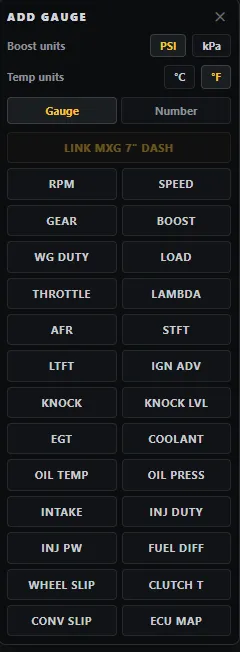
The gauge pack went from 13 to 26. The new ones are:
Oil pressure, gear, throttle, load, wheel slip, converter slip, clutch temperature, injector pulse width, wastegate duty, fuel differential pressure, knock level, and both short and long term fuel trims.
The Workspace
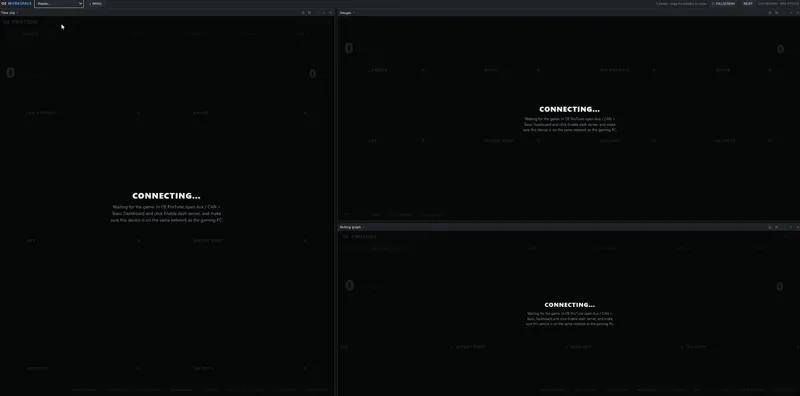
The Remote Dashboard has a new Workspace page. You can build your own screen out of whatever you actually want in front of you, drag the panels around, resize them. Put the log on one side, a table in the middle, the dyno and your gauges wherever you like. There is a fullscreen button for the whole page, and an Empty panel you can drop gauges into and arrange freely, with optional auto-align if you want them tidied up for you.