



[Mods] Pie Menu Lag Diagnosis + Helpers
With more packs having recently come out, there is a predictable increase in people noticing and asking about pie menu lag.
This post is to help you understand and address that.
___________*****************________________
Before you read this post, I remind you of the 🔗 previous Public Safety Announcement Post about Pie Menu Lag.
I will summarize here a piece from the old post, as an intro:
WHAT CAUSES PIE MENU LAG?
It's not one mod or one pack making things slow, but the combination of all of them you have installed, equated to the performance of your computer.
More packs installed = more demands on performance
More gameplay mods installed = more demands on performance
More demands on performance = growing strain which at some point the processor 'piece' mobilized by TS4 might not be able to handle well anymore (the stronger your processor, the more such strain it can handle)
That said, mods / packs that add a lot more interactions to sims, and especially those that add them to all Sims at all times instead of more contextually, will have more effect than mods that add only barely any interactions or add many but entirely contextually.
What YOU can do if you experience Pie Menu Lag:
- be SELECTIVE about what you put in your game, be it mods or packs. Be picky with your mods AND your packs. For an example: Growing Together was a massive resource hog in my game and my computer was weak, so I used to play with it deactivated.
- be REALISTIC about the abilities of your computer. If you play with a weak computer, upgrading is the most effective solution. That said -
be REALISTIC about the Sims performance abilities. The Sims is bottle-necked by its foundations ("It's single-thread bottlenecked" as said by ThePancake1). At some point, due to that, even a state-of-the-art gaming computer will notice lag if you the player are not selective about the packs and mods you put in your game.
____________________
That said - I am releasing 3 related features here,
about pie menu lag and diagnosing it:
_____
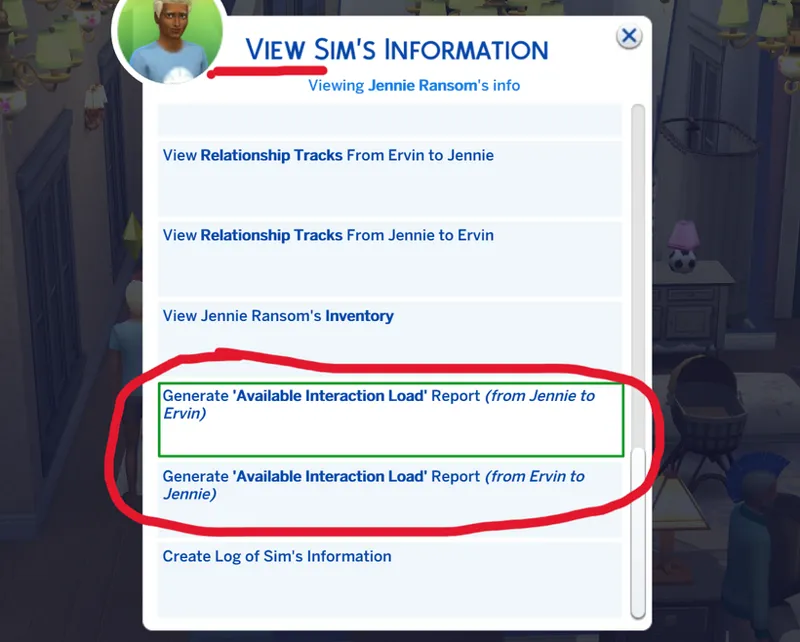
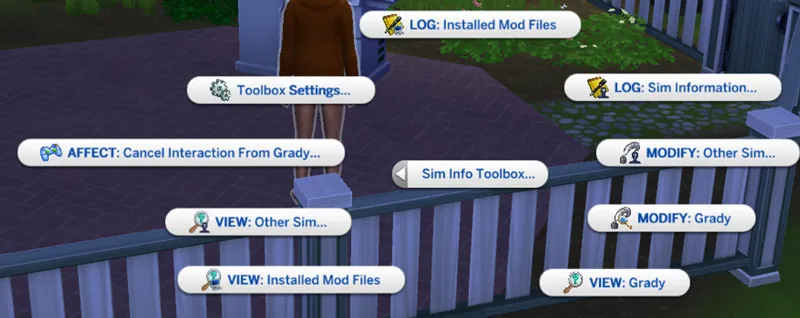
1: A utility for mod users to diagnose first-hand their Pie Menu Load & Lag
- ADDED TO SIM INFO MANAGER.
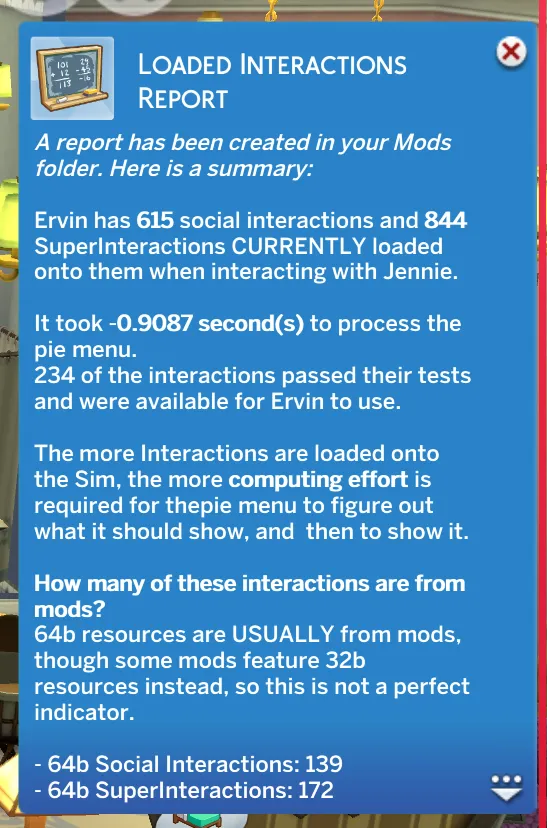
It informs on what in your mods folder is adding what interactions to a given sim at any given precise time (as such things shift constantly). This can help users see what mods add what when, and help modders see where to try to optimize when possible.
It informs on the time taken for the pie menu to show for a given sims at any given precise time.
It also informs on how long each interaction takes to go through its tests for a given sims at any given precise time. This can help users see what interactions are more strenuous, and help modders see where to try to optimize when possible.
This information also serves to support educated decisions if needing to remove mods (or packs!) to reduce pie menu lag.
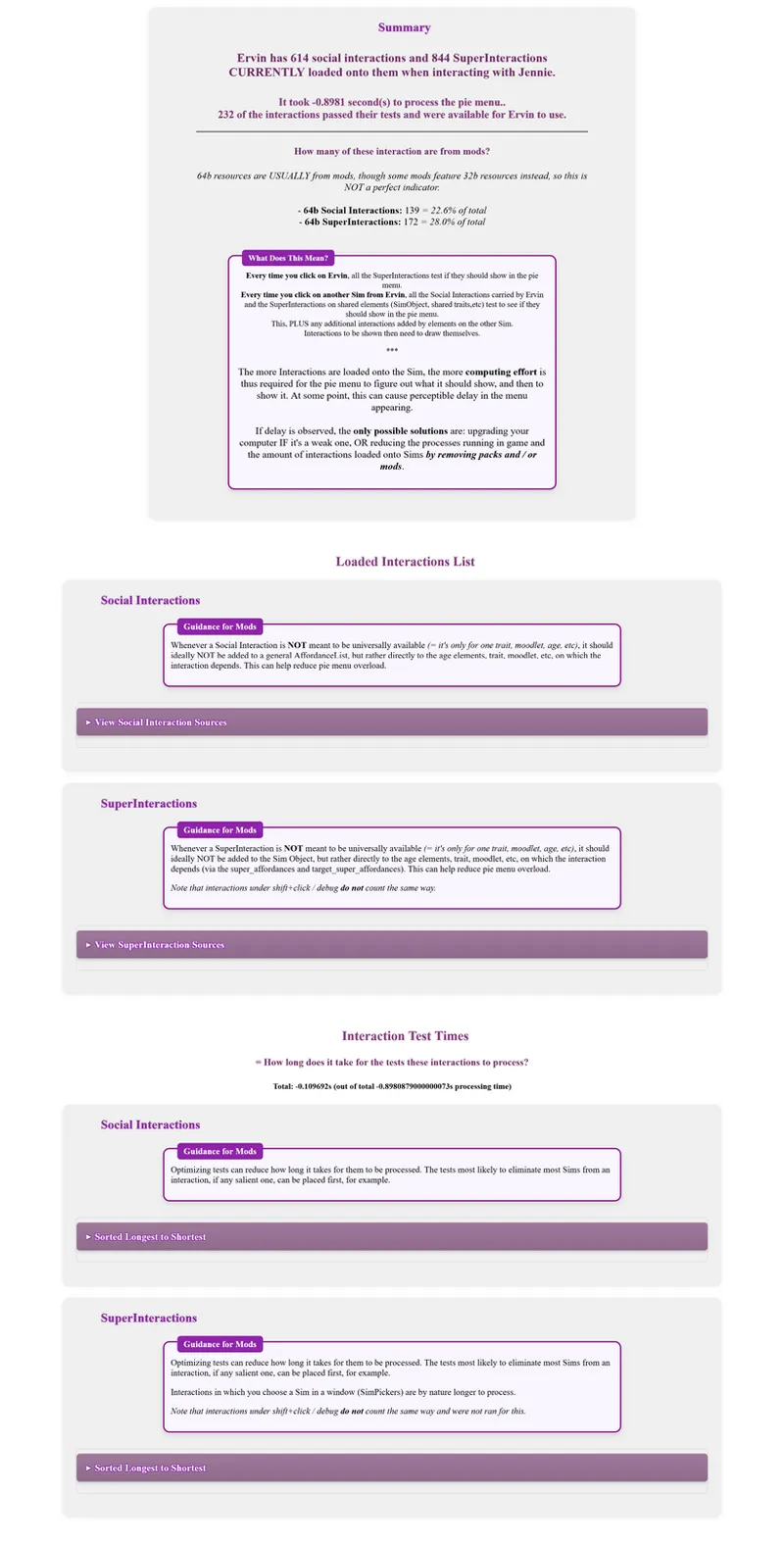
Here's what the full reports look like:
_____
2: An independent mod to reduce EA pie menu load WITHOUT removing anything: 'Sim Pie Menu Load Helper: EA'
PLEASE UNDERSTAND: once you're in the Lag Zone, you'll STILL be in the Lag Zone until enough has been removed to get out of it. Will this make a perceptible difference to your pie menu lag? Will it help at all? I make NO GUARANTEES because I can't, it depends on the CUMULATIVE effect of everything in your game.
What it does is bring NON-gameplay-altering optimizations to some EA stuff. It reduces the constant interaction load by taking some EA interactions (+=250 of them) that were a little carelessly shoved onto all sims at all times and making them instead load only on the Sims that have a chance to qualify for using them.
NOTHING IS REMOVED, NO INTERACTION IS REMOVED FROM ANY CONTEXT, you are losing nothing. The interactions affected are just placed in the 'righter' boxes (which they weren’t), to hopefully improve performance.
3: An independent mod to reduce Pie Menu Delay - with a trade-off:
This one WILL reduce the effort it takes for the pie menu to compute - and therefore, the time. How much? Depends on your lag.
Examples: My lag goes from 0.9s to 0.8s with it; someone with 6 seconds of lag went down to 5 with it.
If you want to calculate your results:
- save the game.
- Then, use the pie menu load diagnosis tool between two sims - do this TWICE as some variability is normal.
- Then exit the game, put this mod in, and do the diagnosis between the same sims at the same save point - twice, this time as well.
- Compare the results.
The CAVEAT is that to do so, it makes a change to the pie menu display.
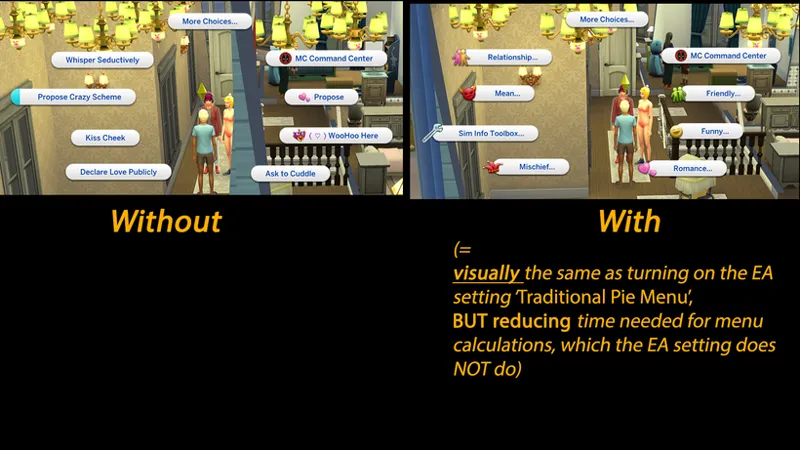
It basically has a VISUAL effect similar to the one you get when turning on the EA setting 'Traditional Pie Menu' - but while the EA setting does not improve performance, this mod does.Here's what that looks like.
WITHOUT, contextual actions are shown on front page, before the menus themselves.
WITH, the menus are shown without contextual actions on front page.
_____
REMEMBER:
REDUCING YOUR AMOUNT OF GAMEPLAY MODS AND / OR EA PACKS is the MOST EFFECTIVE WAY to reduce your pie menu lag, OTHER THAN UPGRADING your computer if it's weak.
Any other measure is, compared to those, measly at best!
DOWNLOAD & Installation:
1 - remove files from previous versions, if any
2 - REQUIRED: Lumpinou's Toolbox Library-Mod.
If you don't already have it, grab the REQUIRED "Lumpinou's Toolbox" Library-Mod here (alt: here), and put it into your mods folder or one subfolder, NO DEEPER.
3 - grab the .package file(s) you want from this post (link below), and put it into your mods folder or one subfolder.
************ NEED HELP? Check info & links in this post. If they don't answer your question, contact me on Discord, or here.
1 - Pie menu load diagnosis tool is part of Sim Info Manager, 🔗 here

Comments (19)
Does this tool still work?
yes
Sorry a little slow we can use both of these files the no EA one and the No Front page sorting one? Also if we do run a report what else will it tell us besides how long it took or how many interactions we have? Will it tell us if something is an actual problem? I'm confused by what it tell us for us to fix on our own.
Hi, yes you can have both. Nothing alone causes pie menu lag it's a combination of all packs and mods you have installed. The report shows you what mods and game processes gave what interactions to your sim. Not all interactions given to them are actually usable to them at all times. It shows you the ones given, not just the ones currently usable. This helps you see what mods and packs are loading up your sims with interactions. Removing some of those will help your delay. Especially mods that add a lot of social interactions to the general AffordanceLists that you can see in the report. From a technical standpoint, anything in the AffordanceLists is given to all Sims at all times, so in there ideally mods should put only stuff that is available to all Sims at all times or nearly, or stuff that due to other factors can't be placed anywhere else - but should not put hyper contextual interactions in there if possible.
Thank you so much for this!!! I thought I was going crazy trying to figure out where my lag was coming from and I was able to reduce it by nearly 3 whole seconds <3
Hi, it's really from a culmination of all your packs and mods and the specs of your computer. However, the log CAN help you see what mods add a lot of stuff to the always-available-to-all-Sims social AffordanceLists, the reduction of which can help - though down the line, removing any mod that adds interactions or adds heavy processes is capable of helping Anyways I am glad you were able to better inform on your situation via the report! Thanks for the feedback
Thank you so much for this, this lag is indeed so annoying. :( I wish EA could do something about it because I'm playing on a quite powerful PC but still experience this issue.
My report items took 12.2166 seconds 😵💫
Does someone know some of the known culprit Mods that might be causing lag issues? It will save us doing the 50/50 testing for hours :-)
Hi, it's really really a culmination of everything, there is not one cause or one mod or one pack doing it but it's an addition of all of it. We modders should try to optimize where possible but in the end it really comes to a matter of as a mod user or player, having sometimes hard choices to make. Being able to objectively compare how the delay is between contexts can empower better clarity in making such choices and that's why I made the tools. But it's ENTIRELY contextual to your overall simulation bloat and your computer. Removing anything - a pack or two, a handful of mods that either add interactions or processes to the simulation - will have effect
I just subscribed to tell you thank you so much for all you do. I have been using your mods for years. And I also want to say for others, that those problems 100% have something to do with the limitations of sims 4. I literally have 64gb ram, all M.2 SSD's, nvidia 4080 and a really good cpu because video editing is my job and I still have pie menu lag. I literally have my games on its own 2tb m.2 ssd away from all my other files.
Hi, thanks for the kind words! Yes absolutely, once you have a good computer, you will hit the Ts4 limitations of the way it's built still if enough stuff is put in. Upgrading from a crappy computer makes a huge difference in the positive, but if you already have a good computer you're hitting the bottleneck too eventually, just less easily / it takes more cramming packs and mods to reach it
Thanks so much!! For both the detailed information as well as the tools
Thank you!!! I cant wait to use it !!!! The pie lag menu is a big problem in my game :(
This will be a big help to see what it is in my game is causing the pie menu lag - I’ve gotten used to it now so it doesn’t bug me as much as it used to, but this will for sure help with the issue! Thanks again 🙏🏾🤞🏾
Hi, it's really really a culmination of everything, there is not one cause or one mod or one pack doing it but it's an addition of all of it. We modders should try to optimize where possible but in the end it really comes to a matter of as a mod user or player, having sometimes hard choices to make. Being able to objectively compare how the delay is between contexts can empower better clarity in making such choices and that's why I made the tools. I hope it will help! Thanks for the feedback
You're a hero, thank you for this.
I appreciate you so much!! I hope other modders are able to use this to see where things can be optimized, and I’ll def be using it to see what I can remove in the meantime 🖤
Thank you so much for this. My pie menu loads have definitely gotten significantly slower over time. I appreciate anything that might help - even if it's just a little bit.