
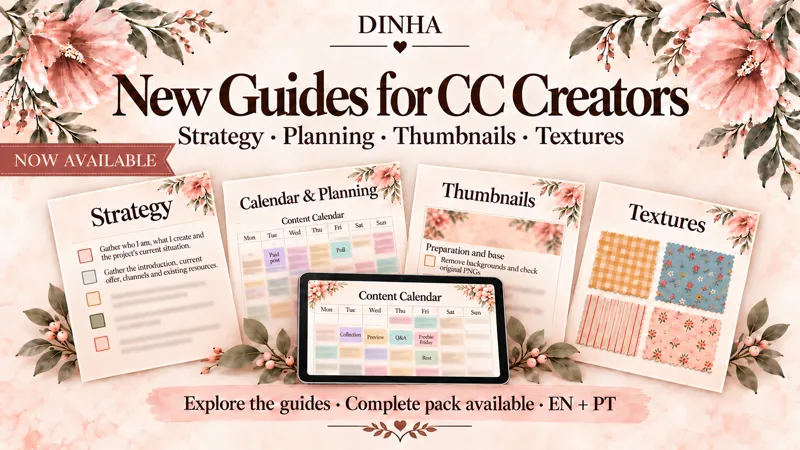
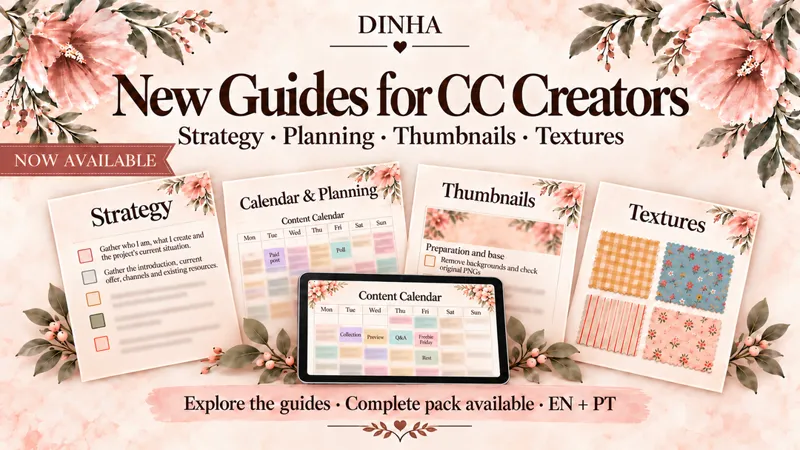
Now Available: The CC Creator Toolkit — Strategy, Planning, Thumbnails & Textures
Four practical guides with reusable supporting materials. Includes English and Portuguese versions.
SHOP: HERE
Hello my dears! 🤎
After sharing glimpses of how I use ChatGPT in my work, I’m happy to finally bring everything together and share these guides with you.
Over approximately 12 years creating content for The Sims 4, I have learned that building a CC project involves much more than making the pieces. There are decisions about your brand and what you offer, releases to organise, presentations to prepare and a community to communicate with.
ChatGPT has become a valuable source of support in that process. It has helped me organise ideas, review strategies, improve my writing and explore new possibilities for thumbnails and textures. These four guides share how I use that help, with examples from my own work and materials you can adapt to yours.
The CC Creator Toolkit — Complete Guide Pack:
brings together all four modules and their supporting files, with a saving of approximately 27% compared with purchasing the guides separately.
👉 [Explore The CC Creator Toolkit — Complete Guide Pack — HERE]
Whether you are starting your project or improving one you already have, the guides follow connected parts of the journey: finding your direction, making a plan, presenting your creations and developing visual ideas.
Here is a closer look at what you will find inside. Each module is also available individually if you want to focus on one area.
01 · Strategy: build the foundations of your project
Before asking ChatGPT to write a post, it helps to give it a clear understanding of your work and what you want to achieve.
The Strategy Guide takes you through that foundation: your goals, free and paid offer, archive, access, tiers, brand identity and communication channels. From there, you work on your page introduction, welcome messages, publications, questions and post endings. The final sections show how to organise post and Patreon results and use them to choose improvements to test.
Alongside the 63-page guide, you receive 37 editable Word prompts, fillable checklists, an Approved Strategies record and a seven-page Application Workbook. These help you keep confirmed decisions and apply them to projects, publications and reviews.
👉 [Build Your CC Project with ChatGPT — Strategy Guide & Practical Workbooks — HERE]
02 · Calendar & Planning: turn those decisions into a workable plan
Once you know what you want to create and communicate, the next step is finding time for the work behind it.
This guide shows how I organise the month, add preparation before releases and turn the overview into weekly priorities. It includes creation, corrections, testing, images, writing, previews, community replies and rest.
You can fill the HTML calendars manually or attach the file and your agenda to ChatGPT to request a completed version. The monthly calendar lets you switch between internal planning and a public presentation without entering everything twice.
The pack includes a 23-page guide, 10 editable Word prompts, monthly and weekly HTML calendars in Floral and Simple styles, fillable monthly and weekly PDF sheets, a workflow model with an example, and a checklist. Choose the tools that suit your routine.
👉 [Plan Your CC Releases with ChatGPT — Calendar Guide & Editable Planners — HERE]
03 · Thumbnails: create a presentation you can return to
When a collection is ready to show, a reusable base gives you a starting point for presenting it.
Here, I share how I prepare object images, create a base with ChatGPT, arrange the pieces and request corrections. You will also see how to adapt formats and prepare Paid, Free, Now Available, WIP, Sneak Peek, Preview and In-Game Preview versions while checking the original objects and their proportions.
The 12-page visual guide comes with editable Word prompts, a fillable checklist and 24 PNG models — eight designs, each in Base, Paid and Free versions. You can adapt one of these models or use the prompts to create a new base for your brand.
👉 [Create Your CC’s Signature Look — Thumbnails Guide, Prompts & 24 PNG Models — HERE]
04 · Textures: develop your references and refine the results
A wall detail, fabric pattern or colour combination can inspire a whole collection. This guide shows how I explain the element I want to work on and guide the image through corrections.
Using examples from Elia and Elara, I cover walls, flooring, fabrics, rugs and illustrations for frames, including proportions, dimensions, finishes, continuity and coordinated colours. You will see what I look for when a result needs another adjustment and how I ask to preserve the details already approved.
You receive a 12-page visual guide, editable Word prompts, a fillable tracking checklist, an illustrated model index and nine PNG references: two Tall walls, two framed-art references, one rug and four fabrics.
👉 [From Inspiration to Texture — ChatGPT Guide, Prompts & 9 PNG Models — HERE]
These guides are not a course on creating CC from scratch. They share my way of using AI to support the wider creative process — and the requests, corrections and decisions behind the results.
A lot of care has gone into making that process something you can follow and use. My hope is that it helps you approach your next step with clearer ideas and useful starting points already in place.
You can begin with one guide or choose the complete toolkit and explore each area at your own pace.
Thank you for following this part of my creative journey. I’m excited to finally share it with you. 🤎
With love,
Dinha
Digital products. Software and external services are not included. Basic knowledge of your CC tools is useful for preparing and applying images. Example CC collections are not included as playable content. AI results require review and testing.