
Tips for using Blender ver! (Blender 4+)
I am still making Blender 3.6 for all users.
However, I know many of you are using Blender 4 or higher, and I have been using 4.2 for rendering since last month.
So I just found out that there is a small problem with my Blender version costume when rendering in Blender 4 or higher. (No matter how much I modify it in 3.6, it is not reflected in versions 4 and higher.)😭
저는 아직 모든 사용자를 위해 블렌더 버전은 블렌더 3.6으로 만들고 있습니다.
하지만 많은 분들이 블렌더 4 이상을 사용하시는 것을 알고, 저도 저번 달부터 렌더링은 4.2버전을 사용하고 있습니다.
그래서 블렌더 4 이상에서 렌더링 할 때 제 블렌더 버전 의상에 작은 문제가 생기는 것을 이제야 발견했어요. (3.6에서 아무리 수정해도 4버전 이상에서는 반영되지 않습니다.)😭
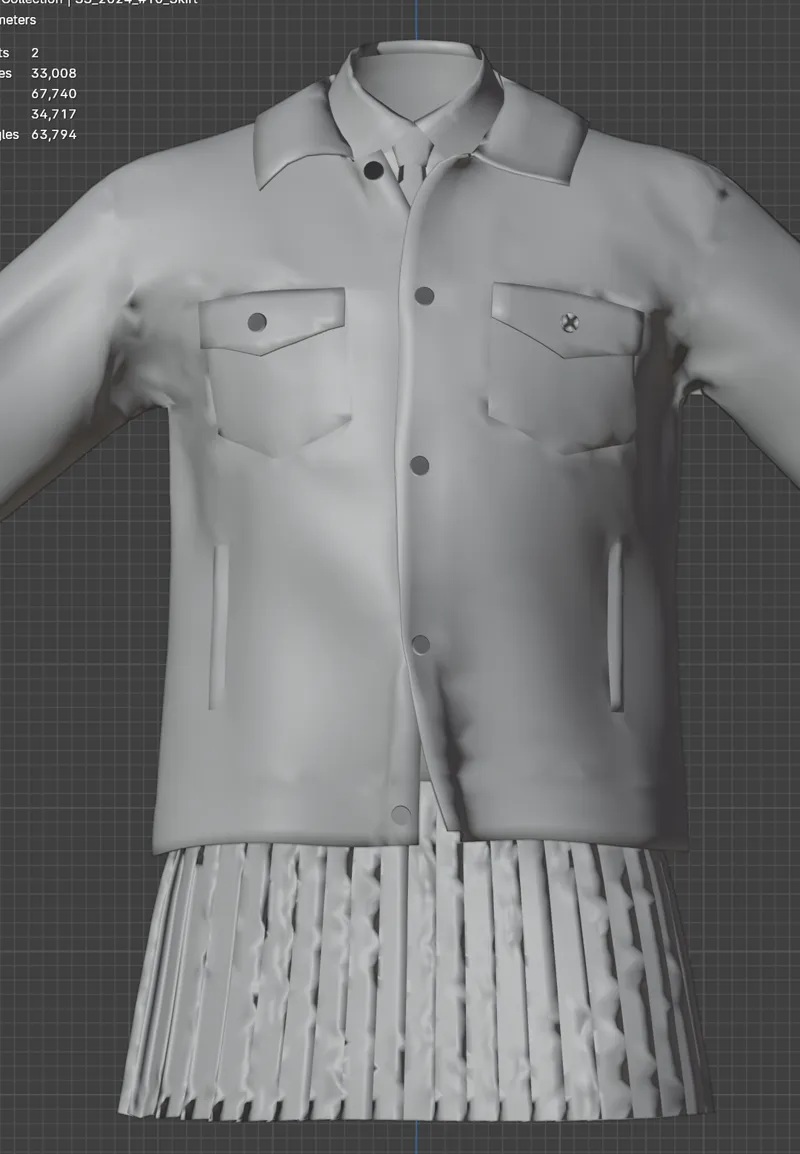
If your mesh looks messed up like below, or your materials look broken (especially when the buttons or the end of the mesh have shadows), you can fix it with a simple method like below.
아래 같이 메쉬가 엉망으로 보이거나, 메테리얼이 깨져보인다면 (특히 버튼이나, 메쉬 끝에 그림자가 지는 경우) 아래와 같은 간단한 방법으로 해결할 수 있습니다.
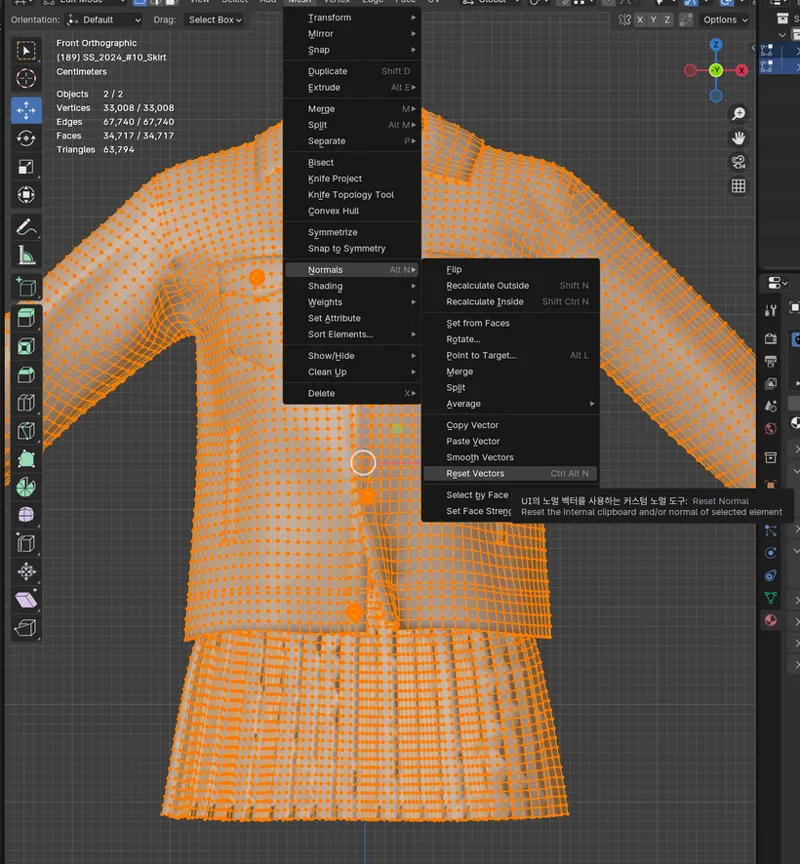
Press Ctrl+A to select the entire mesh, then go to Mesh -> Normals -> Reset Vectors from the top menu.
Ctrl+A 를 눌러 메쉬를 전체 선택하고, 상단 메뉴에 있는 Mesh -> Normals -> Reset Vectors를 누릅니다.
End! 끝!
This is a simple way to solve your problem. I hope it will help you when you are rendering!
이렇게 간단한 방법으로 문제가 해결됩니다. 렌더링 하실 때 도움이 되길 바라요!
Comments (2)
4.2 lags a lot for me so I use 4.1 for now.. 🤧
omg 4.2 is slow for me too😭 4.2 was the problem. I thought it was my computer's problem!