






New Update - June 30th, 2023
Hi everyone! There is a new update now available.
Download Here: https://www.patreon.com/posts/for-gold-and-37165330
Preview Video: https://vimeo.com/841979089
June 30th Change Log:
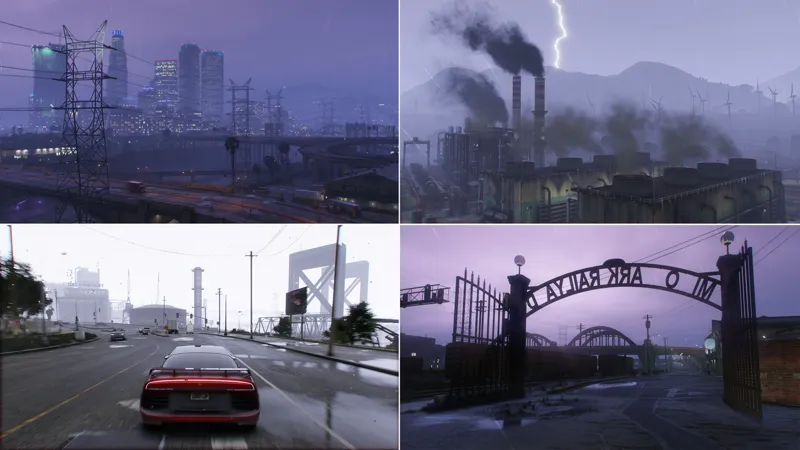
Adjusted shadows and lighting in Sunny weathers to appear less flat
Improved overall lighting in Thunder weather
Improved ped lighting for better visibility per weather
Adjusted ambient occlusion in places where it was a bit excessive
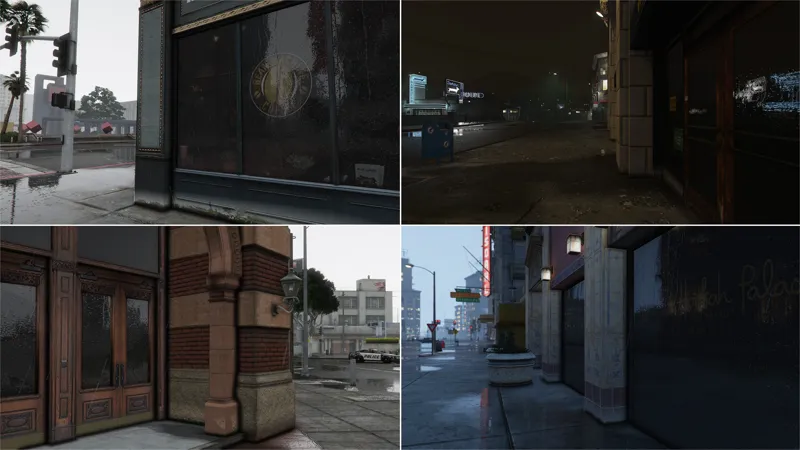
Added animated raindrops to window surfaces around Legion Square and Pillbox Hill
Added light shafts around Downtown Los Santos and across a few parking garages throughout Los Santos
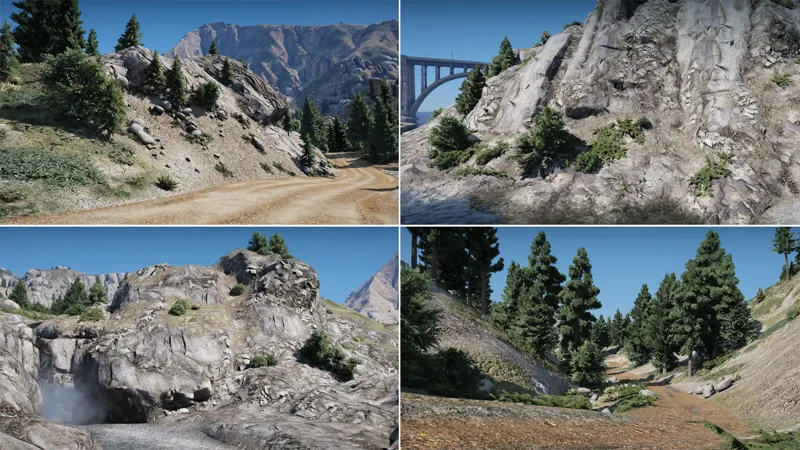
Completed the Raton Canyon overhaul by adding various new high-quality textures and materials
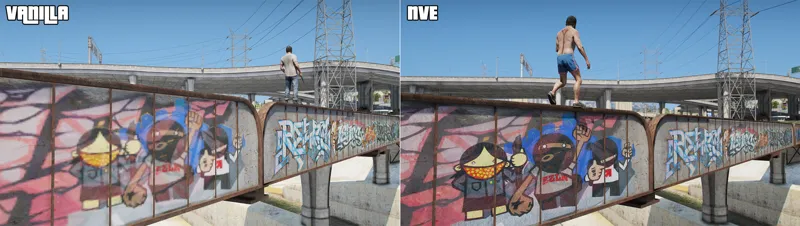
Improved graffiti decals around the Los Santos River by painting jagged parts, as well as baking details and light. Part of the "Extra Content Pack" for Platinum Supporters
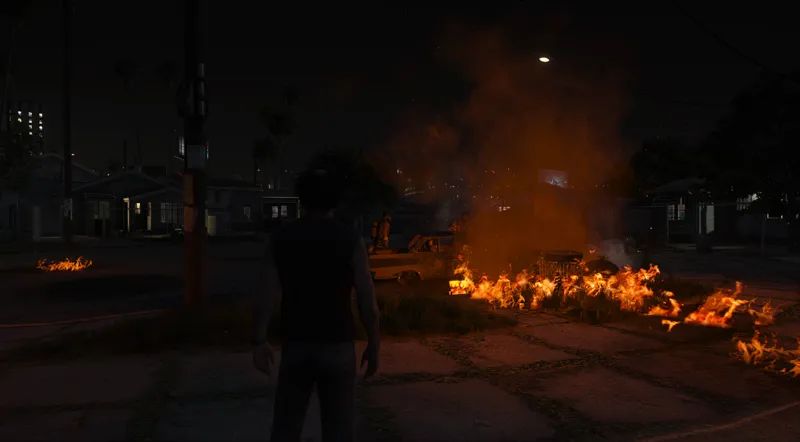
Smoke particles from fires are now affected by nearby lighting and appear slightly larger in size
Adjusted ambient night time lighting to appear slightly brighter in all weathers. Additionally balanced out the 'Darker Nights' add-on
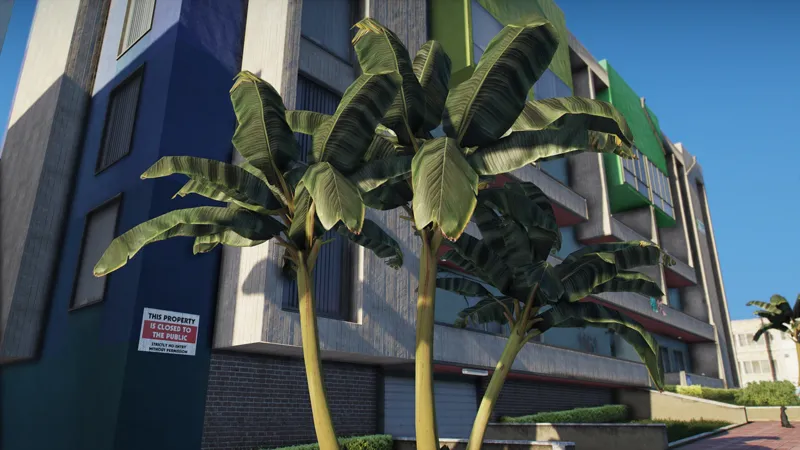
Improved trunk and leaves textures on the Banana Tree
Fixed an issue within the vehshare file regarding the color of the brake caliper
Fixes various issues with the 'Parallax Roads and Pavement Overhaul' add-on around the map
Fixed an issue with water reflections around East Vinewood
Added full compatibility with the newest title update (v1.67)
Misc. bug fixes and tweaks
Thank you for your support!
Comments (46)
Reshade not working for me its saying that Reshade is blocked in f8 menu. ANY FIXES ?
Will there be a chance of us seeing raindrops on vehicles any time soon?
The game crashes during the loading video on startup. I have rage and lspdfr installed, but have also installed your compatability add-on. Anything I can do? Have tried deleting mods folder and re-installing NVE.
Hey there, have you attempted to install the game config that is also in the optional add ons? If so, then go ahead and check your GTA directory for VFS.dll, if you have it, remove it and your game should load like normal.
i wish yall could add the old volumetirc clouds back that would be awesome
They are in the works still. Just getting improved further and further. Latest word is they need a few more touch ups. If you check out the #discussion section in the discord, it was spoken about a bit more in depth within there.
I Seem to get a lot of Pop-in. and Textures not behaving properly (Flashing etc.) Has anyone else experienced this?
ive been experiencing it a lot
I understand the next update will probably delayed. I bought the subscription on 21th of July. Can u please make sure I will be able to dowload the update without paying again. Paying 2 times in 2.5 weeks is a bit much. Hopefully you can help me out and compromise the situation.
Just DM me or one of the mods and we'll take care of you.
Hello good for some reason when it is daytime, the clouds do not appear to me, any solution?
Try using a mod menu like simple trainer, once you do that, go to weather, and press clouds
For some Reason As soon as I open my Game, From the Menu through to playing, my Performance is really bad. I Don't know why though. My System Should be able to handle it with ease. I Deleted my Mods folder and only Installed NVE and I can only achieve 10-15fps at the highest.
Any Advice? Thanks!
hello, my problem is that if I want to use rockstar editor and I go to look at myself or try to edit a clip, the game crashes and takes me back to the desktop. I also tried to do a clean installation by inserting only nve but it always gives me the same problem
You have to record a new clip after installing mods.
how i fix the car and sun lighting its too bright and leaves purples lines from headlights/taillights and the sun?
Show a picture so I can understand.
I installed the NVE SP June update and it required 1.0.2944 update so updated via steam and verified the game and installed updated scripthook. Still crashes pls help
Delete your mods folder and install NVE again. Your mods folder is likely still on the old update.
Sand storm stuck ON in sandy? even after removing the sand storm from the files
Don't mix up mods or that will occur
is there a way to turn on rain drops i tried the reshade menu but still no screen raindrops
Make sure "Shader Quality" is turned up in graphics settings
Know why my sirens went from looking like this to that after recent update of NVE on RAGEMP? https://i.gyazo.com/a900d2d4bd61c72eaf29fe6104456903.jpg https://i.gyazo.com/f6f06b8d29173e1d1ee019b0438c766a.jpg
Fixed this the other day. Download the RAGEMP package again.
found a problem with it when wearing kuttes on fiveM it bugs an has like this weird black texture on it
What are kuttes?
Hi is there a way to change the filter with this pack?
Which filter? All color filters should be there within the reshade menu under NVE_Color.fx
can you not adjust it anymore in game? Like the menu that would pop up.
Still possible. Check the readme guide and install the reshade shaders.
Hello, for the new update next month, would it be possible to meter the sand cloud that has a Cayo like a time and not constament, because it is difficult to drive in PR
what are the best in game settings for nve?
i too am struggling with reshade, ever since update it now requires the rockstar social club launcher to run the game, disallowing me from using Gtav.exe from working, forcing me to use "playGtav.exe" instead or "GtaVlauncher.exe" and neither of these are working cause of it booting through rockstar social club. some said compatibility mode for gtav.exe but that failed. ive also seen to change some of the Dlls and that failed for me too. Never was an issue until now, and still unable to install Reshade anymore.
I'm assuming you're playing Single Player since it's the one that caused issues after the new GTA5 update. Delete all of your reshade files (including dxgi.dll) and install the ones from the newest NVE Single Player package. We have a fix for it within our reshade shader files. Just drag and drop all of the reshade shader files into your game folder.
The trees are very intense and drop fps 10+ Are you going to add a optional add on for the default trees, or optimized trees?
Most of the trees are already optimized while maintaining quality. The issue here is due to the vegetation shader. You'll notice it drops fps in the vanilla game as well.
the reshade button doesnt work for me, i have done everything as it says but pressing insert doesnt work
Did you install the reshade shaders to your FiveM mods folder? There are additional steps you have to take to get reshade working in FiveM. I suggest going over the readme guide that's included. Or are you on Single Player?
I would love to know the best settings for it [reshade] anyone has a good preset ?
404 error
Try using a different browser.
qual link para quem é Bronze baixar ?
looks cool i have a question do you plan to add SSR if it possible without enb at all
Yes it's planned.