


Server Migration & License Transfer ♥
Hey everyone,
Maybe you have noticed already we have officially migrated to a brand new server and shop infrastructure to bring you a faster and smoother experience moving forward!
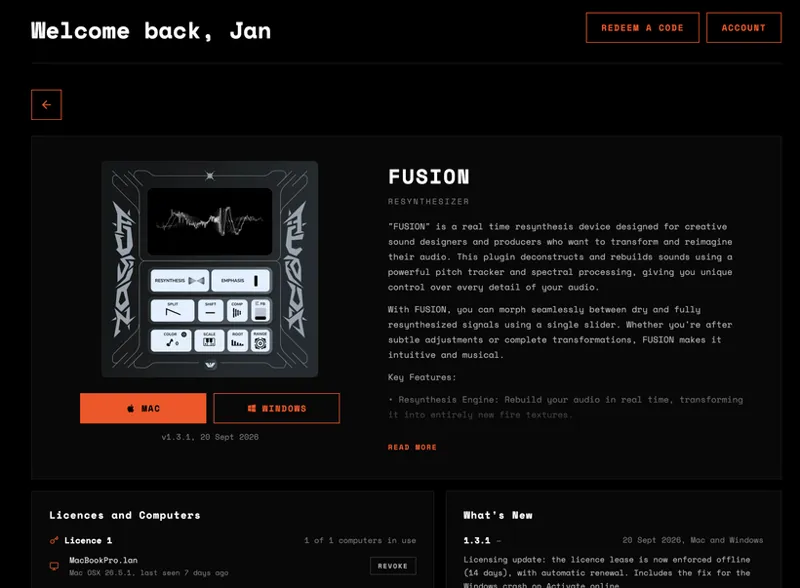
To ensure your existing licenses are properly transferred and linked to your profile, we kindly ask you to follow a few quick steps:
Create a New Account:
Head over to ifeature.world and create a new account.
Important: Please make sure to use the exact same email address you used previously. This is crucial so our system can correctly match and migrate your licenses. Password resets from the old system will not work creating a fresh account with your original email is required.
Please remove the older versions of your plugins from your system. If you're wondering where to find them, check these standard folders:
macOS:
VST3: Macintosh HD/Library/Audio/Plug-Ins/VST3/ (or your User Library)
AU: Macintosh HD/Library/Audio/Plug-Ins/Components/
AAX: Macintosh HD/Library/Application Support/Avid/Audio/Plug-Ins/
Windows:
VST3: C:\Program Files\Common Files\VST3\
AAX: C:\Program Files\Common Files\Avid\Audio\Plug-Ins\
Download Fresh Installers:
Log into your new account at ifeature.world, download the fresh installers, and run the installation.
Thank you so much for your ongoing support, patience, and understanding during this transition! If you run into any issues or have questions, feel free to reach out