
Pack Selection Tool feature and XML injector
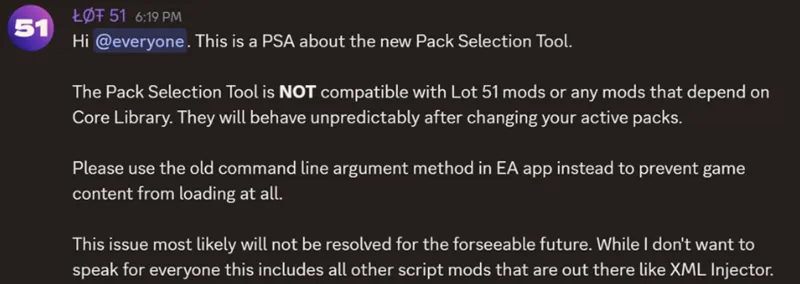
Hi all, I read the information below.
As many of my mods depends on XML injector, while using them in game, do not use the new feature for pack selection. Instead, as written above, use the old command line argument method. If you are not familiar with it, I provide the link to the James Turner's site, where it's explained: https://jamesturner.yt/disablepacks
If you don't change anything within pack selection, and use all the packs you have, you can use mods with xml injector. I tested my mods with xml injector of course and didn't encounter issues.
If someone missed details about the patch, it's here: https://www.patreon.com/posts/patch-20th-1-117-136939491
Comments (11)
Thank you for the information :)
I tried to follow the instructions too disable packs but it won't let me save -disablepacks: because of the (:). It says that it is an invalid character. If I only save without it, nothing pops up to let me choose which packs I want to disable
I don't know how to help, it works in my settings. Maybe it's some app settings itself. I really don't know :(
So how do we disable that pack selection feature?
You don't. Just don't use it. If you do not unclick any pack, all will work. The issues start when you start to disable some packa.
Im sorry i dont know if i understand, if i have the update but i dont use or touch the pack selection thing, i wont have problems with mods?
I can't answer for any mod. But my mods are fine, also the ones that require XML injector. And exactly, if you use XML injector for any mods, you can use it safely, just don't use the pack selection tool.
Good to know. I was still unsure wether to use the new pack selection feature for some savefiles. That's resolved now...
Yeah... Also I can confirm that command line method still works without issues. I just did several configurations for some testings.
Hi When I click on the link, I get the 504 message
I found it under the menu though