
What I stare at all day...
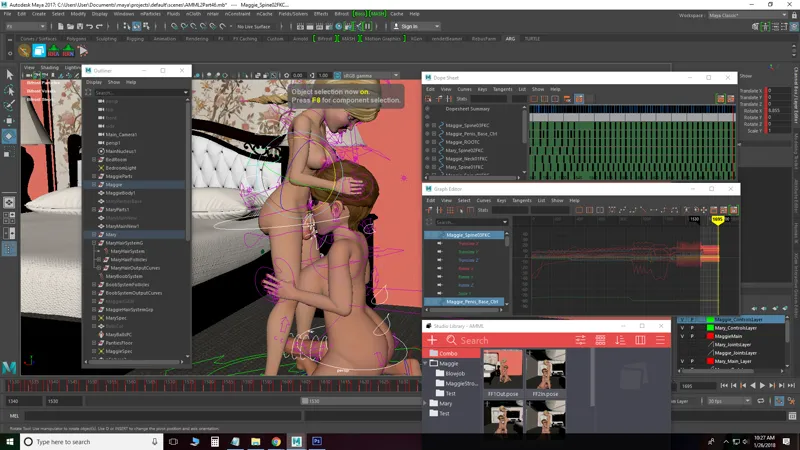
I've had a couple people ask me about animation so thought it would be interesting to post a screenshot of what I work with all day. The program I use is Maya 2017.
Outliner - General 1 stop shop to select anything in your scene.
Systems (brown icons) - These are the dynamic portions of the character rigs.
Collider (bowling pins) - These are objects that the dynamic portions of the characters will collide against.
Joint/Bones (all the purple things inside the characters) - This is what actually makes parts of the character move.
Character Rig Controls - All the wires around the characters. These control the joints and they are what you key frame to make a body part move.
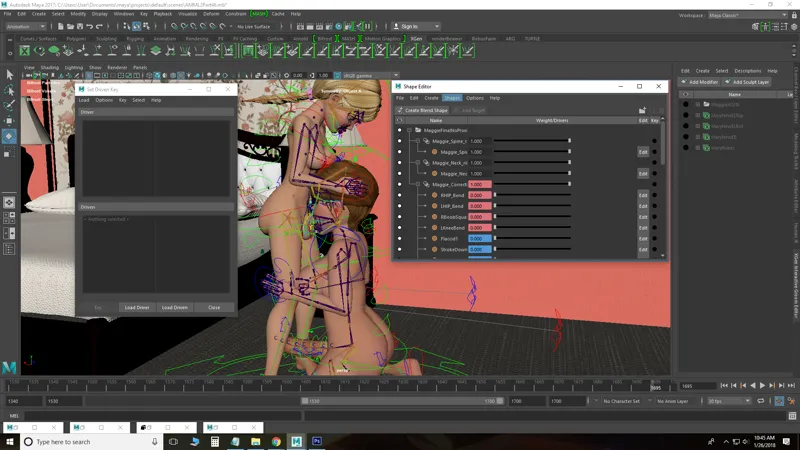
Blendshapes (shape editor) - These are special deformations you can setup to change parts of the character. IE: The veins on Maggie and Mary's penis are a blendshape. You can turn them on/off or do something inbetween. I usually have these tied to a control on the character rig or automatically turned on at certain points.
Set Driven Key Window - This is where you can setup an automatic reaction to another action. IE, if her penis is flaccid, the veins on her penis disappear.
Dope Sheet - Visualization of the placement of key frames by time.
Graph Editor - Visualization of the arc of movement between each key frame.
Studio Library - Presets of poses I setup (useful for animations that will repeat in some form or fashion).
Layers (bottom right with green and red boxes) - Show/hide or select certain aspects of your scene
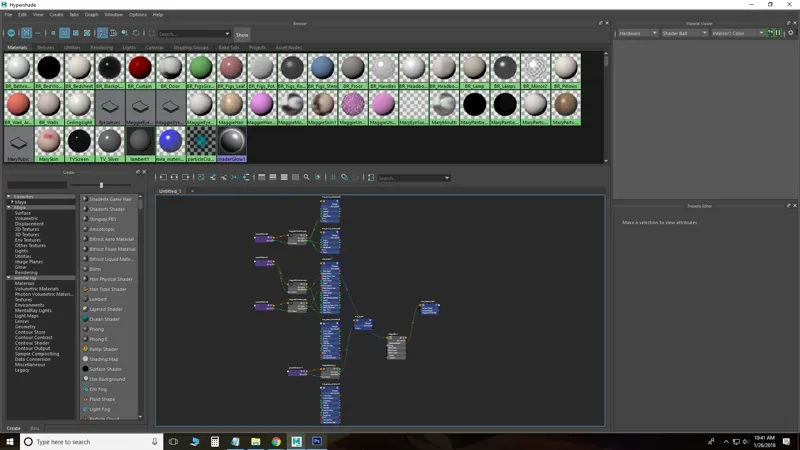
Hypershade - This is where you create all the textures for the characters and objects in the scene. Each little color circle represents a texture for a different object in the scene. The blue boxes connected to the grey and purple boxes in the bottom/middle is Maggie's skin texture and its connections.
That's not everything but those are this is what I use the most for animating.