
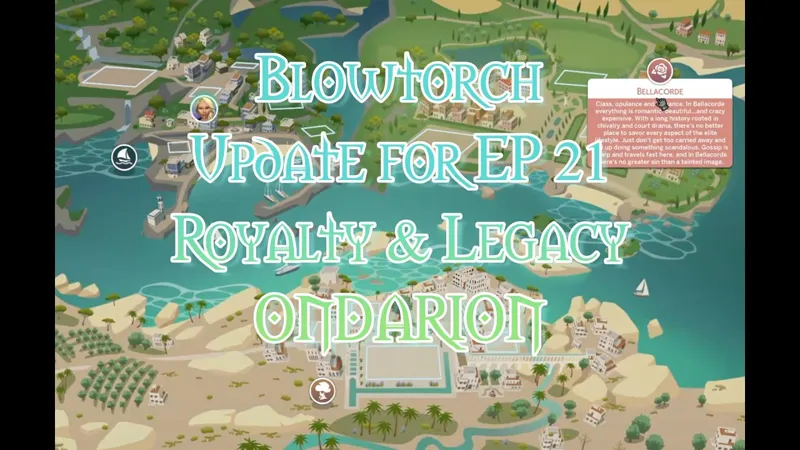
Blowtorch - Updated for EP 21
Note: Blowtorch needs to be reinstalled after the patch 2026-04-16.
Blowtorch is updated for EP 21 - Royalty & Legacy.
If you want a full length movie with live pictures for ALL THE WORLDS with Blowtorch installed, go to my new YouTube archive with little movies of my cc and mods. A subscription is nice too. ;)
Find it here: https://www.youtube.com/@simverses2026
What is new:
Ondarion added - two versions available
Either Blowtorch Classic - both houses and alot of other things are gone. Spawners, background, VFX still there, if they are not traffic or such. Version 2 has the deco houses from game still there. Also other off lot activity things, like the swordfighting duel stuff.
This world is sooo beautiful and it was almost painful to Blowtorch it. In Dambele there are some modern deco included in the house meshes, they are still there. I am sure scissor chairs were invented in sim medieval times. Or, just ignore them.
The Blowtorch Mini includes the 3 world files for Ondarion, and you need to install them separately - as in copying them and then finding the Area files in the game files and overwrite them with these 3 files.
The Blowtorch Classic version is for simmers who wants to place the houses where they want.
All objects blowtorched, including duel stuff, are accessible in the Debug catalog and can be placed with TOOL where you want them.This mod also includes the Sunblind lighting mod by Softerhaze. Lighting mods also change these files, so I added Sunblind with the creator's permission. Read more about their mod here.
This updated version includes the update from Softerhaze after EP 21.
https://softerhaze.itch.io/sunblind?download Read more here!
(You do not need to download or install their mod; it is included in the Blowtorch mod.)
If you want another lighting mod or no lighting mod, you need to edit the files manually.
This is done by replacing the resources “Sky Box Texture Data” and “World Timeline Color” in each world file.
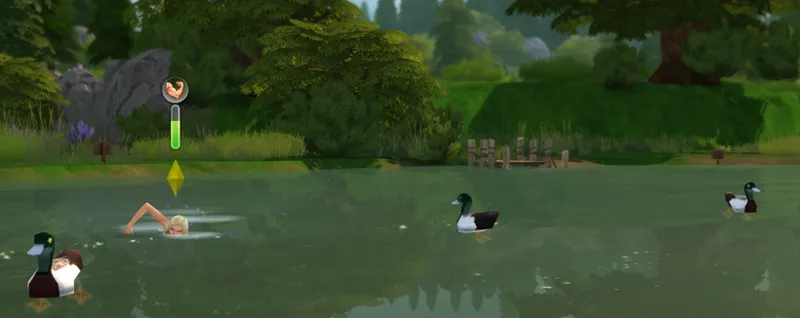
Nerdy Dolls Swimmable Worlds Phase 1-4 added, as they are now public access. (With Nerdy Dolls permission.) This means that Base Game subworlds in Willow Creek and Oasis Springs with deep enough water now are swimmable, as well as Forest and Campground in Granite Falls, Bluff Island in Windenburg, Central Park lot in San Myshuno, and more. More info here.
NOTE: Swimmable mod clashes with the Clickable mod by Awingedllama. You can put that in when editing, but take it out if you want your sims to be able to swim in the worlds above.
I updated Windenburg Olde Platz, Lykke Center, Windenburg Island and the Bluffs so that they are empty of plants and trees. This is for city and castle builders - so you can build the castles and towns of your dreams easier, without pesky trees and plants in the way. All trees and plants are of course accessible in Debug and can be placed where you want them with TOOL.
I went through all the worlds and found more things to Blowtorch, pesky stragglers and VFX hiding.
I updated the Hider file for ECO Lifestyle. Evergreen Harbor is tricky to blowtorch, it has special houses that upgrades and things in special layers that cant be blowtorched. So I made hiders for them, but some things are still there. Hide them with deco houses, is my advise.
The Documentation PDF is also updated. Read it! The installation How-To is in there.
Other recommended mods:
Check out T.O.O.L and Twisted Mexis other mods here: https://twistedmexi.com/Mods/
To add deco stuff outside lots:
T.O.O.L – at Tmexis page you also find information about his CAW-project, still in alpha testing.
I also recommend his Better Build/Buy mod, and his toggle mods, especially the Strangerville Story Toggle on if you want to use Strangerville as a normal world. And also his that enabled build/buy on the Secret Lab lot – in new saves.
Zerbu has a couple of super useful mods:
All Worlds are Residential https://zerbu.tumblr.com/post/173398784785/the-sims-4-mod-all-worlds-are-residential
Venue changes https://zerbu.tumblr.com/post/160347810775/the-sims-4-mod-venue-changes
Twelfth Doctor has a great mod for travelling to all the hidden/special lots, so you can edit them: https://td1sims.tumblr.com/post/635457539495084032/travel-to-venue
Modern roads and deco houses, many many options, by Scodee Jodee:
https://www.patreon.com/c/scodeeyodee/home
If Blowtorch is not enough
Use the Flamethrower mod to take it all out. And THEN rebuild.
https://www.tumblr.com/sdmsims/749696707063840768?source=share
Q&A about Blowtorch mod
1. Can I use this on my old saves?
Answer: Yes. The mod does not affect the saves, or your CC, or anything other than the game files in the Windows directory. You can easily uninstall the mod by using the backup files (included) or do a Game Repair.
2. Why are there stuff not deleted? Annoying modern fences in Windenburg Ugly Modern Business district, for example?
Answer: some items are a part of the world mesh and is not yet possible to edit. If there will be a solution later, I will update the mod.
3. Will I have to update the mod after patches and new expansions?
Answer: Yes, probably, if the patch overwrites and updates the world files. It will NOT affect your saves and you just need to reinstall it and all is back to blissful blowtorched state.
If the patch/ep/GP does not include a new world, you just reinstall the mod (see instructions) as you installed it the first time. I will make updated versions asap when new worlds are released.
4. I don’t have EP X or Y – can I use the Blowtorch mod?
Answer: Yes, but I recommend deleting the folders for EP/GP you don’t have. See list in the PDF-file with documentation.
5. Can I add back for example the traffic FX?
I added a How-To in the end of the Documentation PDF. Where I show what resources needed to change back, if you want the VFX or the Lights back. This needs to be done for every subhood you want the VFX in. (100 files at this point.)
Where to find nice themed hood deco to use with Blowtorch?
You can basically use any item, from game or CC, to decorate hoods. Try out the options with T.O.O.L to change the size of objects!
I already posted some Hood Deco CC – and I have much more to come. I have been converting/editing/creating and preparing hood deco from Sims Medieval, Sims 2 and Sims 3 and other games – my CC is medieval/historical themed but I hope for other creators to add to the hood deco options in the future.
If you want an empty savefile, updated for EP 21, I added that too :)
Blowtorch - a Mod for Sims 4 - updated for EP 21 Royalty & Legacy - Ondarion (YouTube)
Comments (27)
hi, I installed this but I dont know what I did wrong. I only need it for newcrest so I only added the base game files, but it totally destroys my CAS, nothing works in cas, I am so confused
Im literally so stressed like howww do you use this mod everywhere I look I don't see a tutorial anywhere I searched online too. Which things do I download? How exactly does the mod work do I load into the game and my world is blowtorched or do I manually do it myself? I looked for a tutorial on this person's page and Im not seeing one. Im so confuseddd. Atp I just gonna keep doing things until I can figure out a way to make it work. It's gonna be annoying but someone has to give others a tutorial since nobody wants to put a tutorial out there. Pls for your other mods provide a detailed tutorial
I don't see the other packs is this only for the new ep21
Hey guys, not sure if I did something wrong but after downloading this I lost the forgotten hollow world. Just curious if anyone else had this problem or if it's operator error. Besides forgotten hollow everything else worked perfectly. Truly a lifesaver!
Blowtorch Mini for Ondarion didn't change anything. i haven't updated my game in months--does this only work with the latest update?
Thank you! Thats alot of work!
I think there might've been a mistake with the file for Moonwood Mill. It definitely doesn't look blowtorched after trying twice to do so...
Hii! I have a question, can I use blowtorch on only one base game world? like newcrest
Hey Ingeli, I just updated my game with this version, and I noticed a bunch of live edit debug grass is hidden. When I try to place the grass from the bb menu, it is invisible. When I repair the game and try to place it again it appears as normal. Its my favourite debug grass and all my lots look empty without it. Is that your intention to make that grass invisible? Specifically I am talking about the debug grass from the Horse Ranch pack. plant E14 grassDryLarge01a plant E14 grassDryLarge02a plant E14 grassDryLarge01 plant E14 grassDryLarge02 plant E14 grassLarge01 plant E14 grassLarge02
I know this is probably a silly question, but if I have modern saves that I don't want to use the mod on, will they be unaffected if I just don't open them with blowtorch installed?
Not sure what i'm doing wrong with the installation. I'm following the guide but the worlds aren't emptying. I did notice that my mods folder and game folder are on different drives but I don't see why that would be an issue. I'm only trying to use overwritten files for two of the EPs.
I absolutely love the mini version of Ondarion. I know most creators don't take requests, but would you be willing to do this with some of the other worlds? Specifically Tartosa and Tomarang?
does this get rid of plants, trees, bushes all of that. I wanted a complete blank canvas.
@Medieval Sim Tailor & Carpenter, After installing the Blowtorch mod, compatibility issues arose with patch version 1.125.59.1030. In Create-a-Sim, the sims became invisible, and the background displayed a dark bluish tint—a common symptom of outdated lighting or UI mods. Despite all other mods being updated to the latest patch, this problem appeared immediately after adding Blowtorch, suggesting a conflict with the current game version.
hi i'm a little confused on how to download this could anyone help?
This is very unclear, indeed. If you want to install the mini, do you need any other files other than the three area files?
I urgently need help; I used the file and simply can't revert my The Sims game to normal—not even using the backup files...
Repairing a game through the EA App is an effective method to restore its original files. This process ensures that any corrupted or altered data is replaced, reverting the game to its default state.
Hey Ingeli! The Blowtorch files are working properly—all the default world decor across other lots has been removed as intended. However, I’ve run into an issue: the custom houses I placed on lots display correctly on the world map preview, but when I load into the lot interior, the rendering breaks. My custom builds fail to load, and the original default game houses show up instead.
That sounds odd - check so you installed the mod right? And it also sounds like there is something wrong with the save - is this problem still there if you install the backup files I provided? Or made a game repair? Blowtorch doesnt change anything in the save files. Then any houses you build - or deco houses you place off lot - they register with that particular save. I know there has been a problem (glitch) with Tomarang (For Rent EP) and off lot deco, not being "saved" with the save.
Hey Ingeli! Any reason why Blowtorch wouldn't be working on new or old saves? When I play your blank save all the houses are removed, but not the world decor, and in any other save, new or pre-existing, nothing's been changed at all.
Oh and this is without having any other mods in the game as well (other than TOOL), I just had some historical cc clothing and hairs.
Can I just blowtorch one world and leave the other worlds untouched?
Yes, pick and choose the world files you want.
I'm so happy about this mod and your frequent updates, thank you a LOT! But what can I do if I DON'T want plants and trees to be blowtorched? I don't want to put them back, that's really so much work I'm a bit devasted right now. I'm still struggling with TOOL anyway, I just want the modern deco gone, that's all - and I subsequently add some medieval deco buildings to neighborhoods that are too empty then. I don't want to have to go into debug, the catalogue is so cluttered then I can't find anything at all and resign... I'm sorry to be dificult. Is it possible to NOT get the plants blowtorched when I install this? Anything I can just delete maybe and have all plants back?
If you want Windenburg island or any other world back with plants that I deplanted, you can keep the old version, with the plants. For that world.
Thank you so much! Love the Mini version! xoxo